Effective Strategies for Tracking Remote Worker Productivity

When you hear "tracking remote worker productivity," it's easy to picture a manager peering over someone's digital shoulder. But that's not what this is about.
Smart productivity tracking has moved far beyond just counting hours. It’s about focusing on what truly matters: the actual results that move your business forward. Think of it less as surveillance and more as a way to get a clear, data-backed picture of what's happening. This clarity helps you spot roadblocks, offer the right support, and build a high-trust, high-performance team where everyone wins.
Why Smart Productivity Tracking Is a Win-Win

Let's be real—managing a remote team can be nerve-wracking. When you can't see your team in person, it's natural to wonder if projects are on track or if people are engaged. But trying to measure productivity the old-fashioned way, by equating physical presence with performance, just doesn't work for a distributed workforce. It's an outdated model for a modern way of working.
Modern tracking isn't about watching every single click. Instead, it's a strategic tool that brings clarity to everyone. For managers, it’s a dashboard showing progress against key goals. For employees, it offers objective feedback and a clear way to showcase their contributions, which builds a real sense of accomplishment and ownership.
From Monitoring to Empowering
The real magic happens when you reframe the entire conversation. Stop thinking about it as a way to catch people slacking off and start seeing it as a tool to help them shine.
Good tracking data uncovers those hidden obstacles that are quietly slowing your team down. Is one of your developers consistently getting stuck on a certain type of bug? Maybe they need a bit of extra training. Is the marketing team drowning in administrative work? An automation tool could free them up to focus on creative campaigns.
A balanced approach has to value both output and well-being. It acknowledges that remote work fundamentally changes the workday. In fact, recent data shows remote employees save an average of 72 minutes per day just by skipping the commute. Around 40% of that saved time gets put right back into their work, giving teams a nice efficiency boost without burning them out.
Building a High-Trust Culture
Ultimately, tracking remote productivity is about building trust through transparency. When you do it right, you shift the conversation from assumptions and gut feelings to data-driven insights. It helps you build a culture where what matters is the quality of the work delivered, not the hours spent at a desk.
This approach creates a powerful positive cycle for everyone:
- Clarity on Expectations: Employees know exactly what success looks like in their role. No more guessing games.
- Targeted Support: Managers can spot issues early and step in to help before they snowball into bigger problems.
- Increased Autonomy: When trust is high, people feel empowered to manage their own time and workflow, which is a huge motivator.
By focusing on outcomes and using data to support your team, you create a true win-win. Before you jump in, it’s crucial to know how to monitor remote worker activity the right way from the very beginning. This ensures your methods are both effective and respectful, setting a positive foundation for your entire productivity initiative.
Defining What Productivity Actually Looks Like
Before you can even think about tracking remote worker productivity, you have to nail down what it actually is for your team. It's so easy to fall into the trap of chasing vanity metrics—things like hours logged or emails sent—that just create the illusion of work without measuring any real impact.
This common mistake confuses activity with achievement. It’s a surefire way to frustrate your employees and collect a bunch of misleading data.
The reality is, productivity looks completely different from one role to the next. What a successful day looks like for a software developer is worlds apart from a marketer's goals. Getting clear on these role-specific outcomes is the absolute foundation of any meaningful tracking strategy.
Shift from Activity to Outcomes
The key is to focus on outcomes—measuring what was accomplished, not just how long it took. It's all about the value created. For instance, instead of tracking a developer’s lines of code, a far more insightful metric is the number of story points completed or the reduction in bug resolution time. These numbers show real progress and efficiency.
Likewise, for a content marketer, success isn’t just about churning out five blog posts a week. A much better measure of their productivity is the number of qualified leads generated from that content or the increase in organic search traffic to key pages. This directly connects their daily grind to actual business growth.
The core principle is simple: Measure what matters. When you define success by the results achieved, you empower your team to focus their energy on high-impact tasks. This fosters a culture of genuine accomplishment, not just being busy.
Collaborating on Metrics
Setting these benchmarks shouldn't happen in a vacuum. I've found that the most effective goals are always created collaboratively with the team members themselves. They have the deepest, on-the-ground understanding of their workflows and can give you crucial insights into what’s realistic and what isn’t.
This collaborative approach builds immediate buy-in and makes sure everyone is on the same page. When employees help define their own success metrics, they feel a much stronger sense of ownership and motivation. It completely transforms the process from a top-down mandate into a shared goal.
Here are a few real-world examples of outcome-focused metrics for different roles:
- Customer Support: Instead of calls handled, focus on First Contact Resolution (FCR) Rate or Customer Satisfaction (CSAT) scores.
- Sales Representative: Move beyond call volume to track the number of qualified demos booked or the sales pipeline value generated.
- Graphic Designer: Rather than hours spent on a design, measure the number of design revisions required or positive feedback from stakeholders.
By defining what productivity truly looks like for each role, you create targets that are clear, fair, and genuinely motivating. This clarity is essential for any successful remote tracking system, ensuring you’re measuring progress toward goals that drive your business forward. It's an approach that not only gives you accurate insights but also builds a critical foundation of trust and transparency with your team.
Choosing Productivity Tools That Help, Not Hinder
Once you’ve defined what success looks like for each role, the next logical step is picking the right technology to track it. The market is absolutely flooded with options, from all-in-one project management hubs like Asana and Trello to specialized time trackers and advanced employee analytics platforms. Frankly, the sheer number of choices can be overwhelming, making it tempting to just grab the tool with the most features.
But here’s the thing: the best software isn't about having every bell and whistle. It's about finding technology that clicks with your company culture and supports the specific, outcome-focused metrics you just worked so hard to define. A one-size-fits-all approach almost never works. A tool that empowers your sales team could easily feel restrictive and clunky to your creative folks. The goal is to find software that supports your people, not something that adds friction to their day.
Evaluating Tools Based On Your Needs
To avoid the dreaded "bossware" that breeds a culture of distrust, your evaluation has to start with transparency and a deep respect for privacy. Constant surveillance makes people feel stressed and scrutinized, which can tank the very productivity you’re trying to improve. Instead, the focus should be on tools that offer real insights without being invasive.
A great place to start is by looking at how smart automation can streamline repetitive tasks. For example, using automated meeting scheduling solutions frees up a surprising amount of time for everyone. It's a perfect example of technology helping, not hindering, by getting rid of all that back-and-forth coordination.
The image below gives you a simple framework for comparing tools, zeroing in on the big three: accuracy, ease of use, and cost.
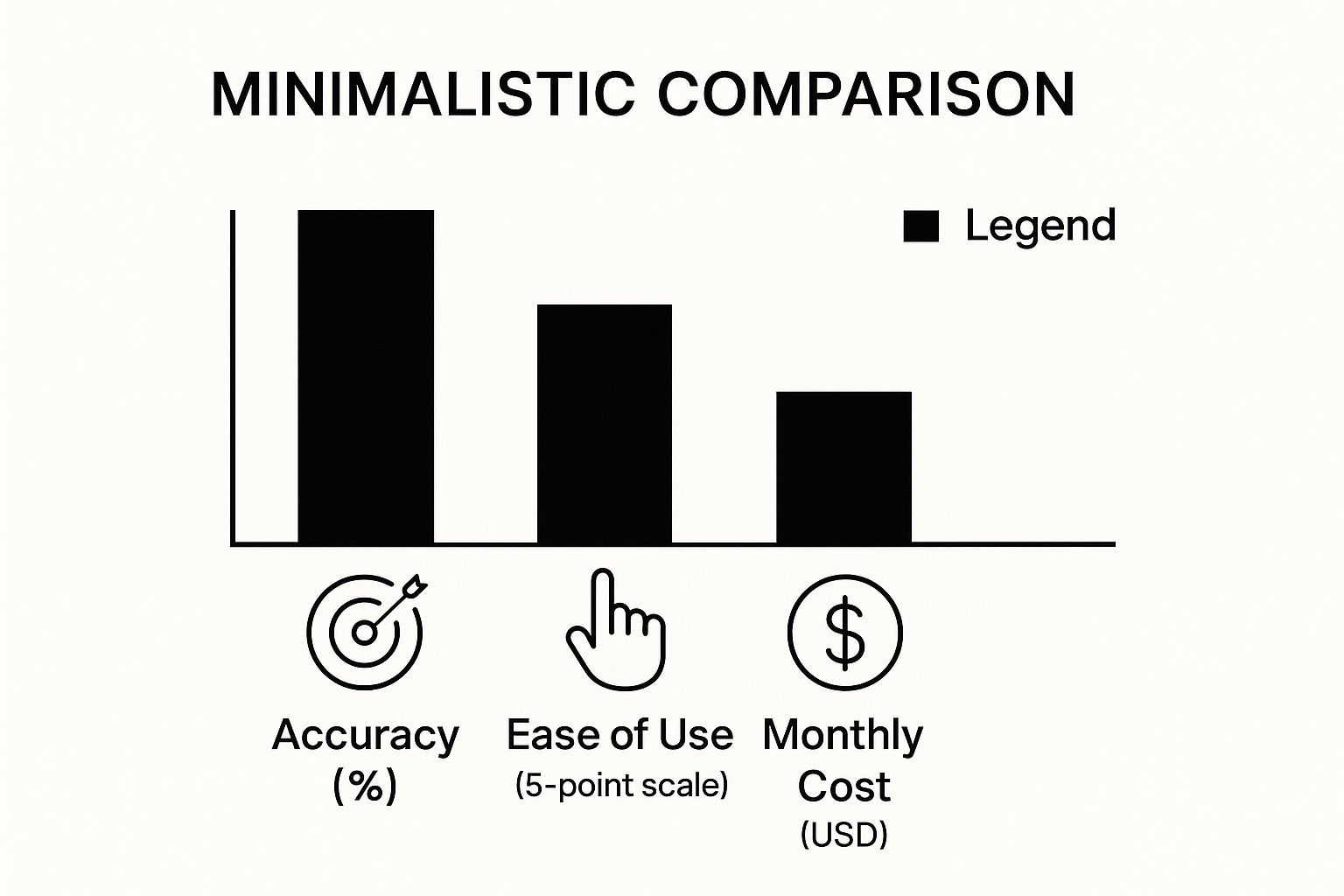
This visual really boils down the essential trade-offs you'll need to weigh when making a final decision for your team.
To help you compare the different kinds of software out there, here's a quick breakdown of the main categories.
Comparison of Remote Productivity Tool Categories
| Tool Category | Primary Function | Example Tools | Best For | Key Consideration |
|---|---|---|---|---|
| Project Management | Task and workflow organization | Asana, Trello, Jira | Teams needing visibility into project progress and deadlines. | Can lack detailed individual productivity metrics. |
| Time Tracking | Recording work hours and activity levels | Deskcove, Toggl, Harvest | Accurately tracking billable hours and understanding time allocation. | Must be implemented transparently to avoid a "micromanagement" feel. |
| Communication Platforms | Real-time collaboration and information sharing | Slack, Microsoft Teams | Keeping distributed teams connected and reducing email clutter. | Can become a source of distraction if not managed well. |
| Employee Analytics | Analyzing digital work patterns and collaboration | ActivTrak, Prodoscore | Gaining high-level insights into team-wide productivity trends. | Privacy controls are paramount; can be perceived as invasive. |
This table should give you a solid starting point for figuring out which category of tool best fits the metrics and culture you've established.
A Checklist For The Right Fit
To make sure you choose a platform that genuinely makes work better, you need to ask some targeted questions during your evaluation. It's time to move beyond the shiny feature lists and get into practical application.
Here’s a simple checklist to guide your decision-making:
- Integration: How easily does this thing plug into our current software stack? Think Slack, Google Workspace, or Jira. A tool that operates in its own little silo just creates more work for everyone.
- Privacy: Does the software respect employee privacy? For example, some tools offer optional features. It's worth exploring how things like time tracking with screenshots can be implemented ethically and with employee consent.
- Scalability: Will this tool grow with us? You need to consider both the cost and the feature set as your team gets bigger.
- User Experience: Is the interface intuitive for both managers and employees? A clunky, difficult-to-use tool will have rock-bottom adoption rates, guaranteed.
Your ultimate goal is to find a solution that provides clear insights into team performance while empowering employees with autonomy. The right tool should feel like a helpful assistant, not a micromanager.
By thoughtfully navigating your options and putting your team's needs and company values first, you can select software that becomes a true asset. This careful selection process is a critical step in building a successful and sustainable system for tracking remote worker productivity—one that fosters both trust and high performance.
How to Track Productivity Without Killing Trust
Introducing any kind of productivity tracking for a remote team can feel like you’re walking a tightrope. One wrong step and you could seriously damage the trust your remote culture is built on.
Here’s the thing: the software you choose isn’t the most important part. The secret is how you introduce it. It all comes down to being radically transparent and communicating clearly from the very beginning.
This whole process has to start way before anyone even thinks about clicking "install." It begins with a real conversation about why this is happening. You need to make it crystal clear that the goal isn't surveillance—it's about gaining visibility to better support the team. Frame it as a way to spot team-wide roadblocks, make workflows smoother, and offer targeted help, not to micromanage individuals.
Craft a Transparent Rollout Plan
Just dropping a new tracking tool on your team out of the blue is a surefire way to breed suspicion. Instead, you need a thoughtful communication plan that gets ahead of employee concerns before they have a chance to grow.
Your communication plan should hit these key points:
- The "Why": Be specific about the reason. For example, "We want to get a better handle on our project timelines so we can distribute workloads more evenly and prevent burnout."
- The Data: Get granular about what’s being tracked (like app usage or time spent on specific projects). Just as crucial is telling them what is not being tracked (like personal browser history or keystrokes).
- The "What's In It For Me?": Frame the benefits from their perspective. Explain how this data helps them by giving them an objective way to show their contributions and highlighting where they might need more resources.
The whole point is to demystify the process. When your team understands the system is a tool for everyone to improve together—not for individual scrutiny—you change the conversation from control to collaboration. That's the foundation you need.
Put It in Writing and Set Clear Expectations
Once you’ve explained the "why," it's time to make it official with a clear, easy-to-understand policy. This document isn't just for the lawyers; it's a promise to your team. It sets firm boundaries and makes sure everyone is on the same page.
Keep the policy simple and skip the dense corporate jargon. It needs to spell out exactly how data is collected, where it's stored, and who can see it. It also has to define how these insights will be used in performance reviews—always with a focus on constructive feedback and growth.
This approach turns data into a starting point for positive conversations. And choosing the right tools is a big part of this; automated time tracking can be a game-changer for remote teams when you roll it out with this much transparency.
At the end of the day, trust is everything for a high-performing remote team. One study on top companies found that when employees trust their colleagues, they are 8.2 times more likely to put in extra effort. That kind of commitment only comes from a high-trust environment. A transparent rollout is how you protect that trust and help it grow.
Using Data to Coach and Empower Your Team

Collecting data is just the starting line. The real magic happens when you turn those numbers into meaningful coaching conversations. Tracking productivity isn't about playing "big brother" or passing judgment. It's about taking raw data and shaping it into a tool that helps you support, guide, and ultimately empower your team to do their best work.
When you get this right, these insights can spark some of the most productive conversations you'll ever have with your employees. You move the discussion away from subjective feelings and into the realm of objective observations, making it far easier to collaborate on real solutions. This shift is what builds a culture of continuous improvement, not one of fear and scrutiny.
Identify Trends and Offer Support
The data you're gathering is a goldmine for spotting trends that are nearly impossible to see in a remote setup. You have to look beyond the surface-level stats to understand the story they're telling.
For example, you might notice an employee is consistently logging long hours, but their output on key projects has started to dip. This isn't a sign of laziness; it's a huge red flag for burnout. This single data point gives you the perfect opening to check in during your next one-on-one.
You can simply say, "Hey, I've noticed you've been putting in a lot of extra hours. How's your workload feeling? Is there anything we can do to help balance things out?"
You can also use this data to pinpoint process bottlenecks that are quietly frustrating your team. If you see multiple people spending an unusually long time on a specific administrative task, it’s a clear signal that the process itself might be the problem, not the people.
The goal is to use data as a diagnostic tool, not a disciplinary one. It helps you ask better questions, offer targeted support, and remove obstacles before they grow into major problems.
Turning Insights into Actionable Plans
Once you've spotted a trend, the next move is to use it to create a positive outcome. The data gives you the "what," but the coaching conversation is where you uncover the "why" and figure out the "how."
Here’s how to frame these discussions constructively:
- Be Curious, Not Accusatory: Always start with open-ended questions. "I saw the report and noticed…" is worlds better than "Why is this number so low?"
- Focus on Collaboration: Frame the issue as a shared challenge. Use phrases like, "How can we work together to streamline this?" or "What are your thoughts on how we can tackle this?"
- Keep It Forward-Looking: The conversation should be about future improvements, not dwelling on past mistakes.
Beyond just performance, this data can also highlight where your team needs more development. For example, a good training needs assessment template can help you translate productivity insights directly into learning plans that actually move the needle.
This data-driven approach has a real impact. Research has shown that even a 1 percentage-point increase in remote workers corresponded with a 0.05 percentage-point increase in total factor productivity growth. It's clear that well-managed remote teams can drive incredible efficiency gains.
Answering the Tough Questions About Remote Productivity Tracking
Whenever you start talking about tracking remote work, questions and concerns are bound to pop up. That's completely normal. Getting ahead of these and having clear, honest answers is the best way to build a system that feels fair and actually works for everyone.
Let's tackle some of the most common questions managers have when they're heading down this path.
"Is This Even Legal?"
Yes, in most regions, tracking employees on company-owned equipment is perfectly legal, as long as it's for legitimate business purposes. The key word here is most. Laws can vary quite a bit from one state or country to another, with some places having very specific rules about notifying employees and getting their consent.
That's why it's always a good idea to chat with a legal expert to make sure your policies are buttoned up and compliant with local laws.
Beyond legality, transparency is your best friend. Being upfront about what you're tracking and why isn't just a box to check—it’s how you build the trust you need for a healthy remote team culture.
"How Do I Handle Pushback from the Team?"
Resistance from your team usually comes from one place: a fear of being micromanaged or judged by numbers alone. The best way to get around this is to be proactive and explain the "why" before you even start.
Frame the conversation around how this helps them:
- Fairer Performance Reviews: It gives you objective data to recognize their hard work and contributions, moving beyond gut feelings.
- Better Workload Balancing: The data can quickly show who’s drowning in tasks, allowing you to distribute work more evenly across the team.
- Spotting Bottlenecks: It can shine a light on clunky processes or tools that are slowing everyone down, giving you a chance to fix them.
When your team sees tracking as a tool for support instead of a tool for scrutiny, they're much more likely to get on board. Nobody wants to feel like they're under constant surveillance, which is why positioning this as a collaborative effort is non-negotiable for getting buy-in.
The message you want to send is simple: you're tracking the work, not the worker. The goal is to improve how things get done and provide support where it's needed, creating a more effective and less stressful environment for everyone.
"What if Productivity Drops After We Start?"
If you roll out a tracking system and suddenly see productivity dip, don't panic. This isn't usually a sign that tracking is a bad idea. More often than not, the tool is just making an existing problem visible for the first time.
Think of it as a diagnostic tool. This is your chance to dig in and find out what's really going on. Use the data to start a conversation with your team. Are they feeling burned out? Are they unclear on what their top priorities are? Maybe the metrics you chose to track aren't telling the whole story.
Use these moments as coaching opportunities. Tweak your strategy, have real conversations, and work together to find solutions.
Ready to gain clear insights into your remote team's productivity without sacrificing trust? DeskCove provides the tools you need to measure what matters, support your team effectively, and drive performance. Discover how DeskCove can help your remote team thrive.