How to Manage Multiple Projects Without Burning Out

Trying to manage several projects at once can feel like you're constantly putting out fires. To get ahead, you need a solid system for planning, prioritizing, and focusing your efforts. This helps you move from being reactive to proactive, so you can consistently deliver high-quality work on time without the constant feeling of being overwhelmed.
The Modern Reality of Juggling Projects
Remember the days of working on a single project from start to finish? For most of us, that’s a distant memory. Today, handling multiple projects isn't just common—it's the baseline expectation. This reality brings a whole host of challenges that, if left unchecked, can lead straight to burnout, missed deadlines, and a steep drop in the quality of your work.
The struggles are probably all too familiar. You're trying to navigate constantly shifting priorities, fighting over the same pool of limited resources, and fielding conflicting demands from different stakeholders. In this environment, figuring out how to stay organized at work isn't just a nice-to-have skill; it's absolutely essential for survival.
The High Cost of Multitasking Overload
This isn't just a feeling of being busy—it's a real, measurable problem. A recent report found that over 85% of project managers are now responsible for multiple projects at the same time. This highlights just how crucial sophisticated management skills have become.
It's a costly issue, too. Studies show that nearly 10% of every project dollar is wasted due to poor performance, much of which is tied directly to weak planning and the pitfalls of multitasking overload. The full report offers more insights into this trend.
This constant juggling act traps you in a reactive cycle, where your day is dictated by the loudest emergency, not the most important task. Breaking free requires a fundamental shift in mindset toward proactive and strategic management.
Establishing Your Core Pillars for Success
To get out of the weeds and gain control, you need a solid framework. Instead of getting bogged down in the minutiae of each project, you can build a system around a few core pillars. This approach brings clarity and control, empowering you to manage your entire workload with confidence.
These foundational pillars are the bedrock of any effective multi-project management strategy. They provide a clear roadmap to keep you on track, no matter how many things you're juggling.
Core Pillars of Multi-Project Management
| Pillar | Core Action | Why It Matters |
|---|---|---|
| Centralized Planning | Create a single source of truth for all project tasks, deadlines, and resources. | Eliminates confusion, prevents tasks from slipping through the cracks, and gives you a complete view of your workload. |
| Strategic Prioritization | Use a clear framework (like Eisenhower Matrix or impact/effort) to decide what to work on next. | Ensures you're always focused on the most valuable activities, not just the most urgent ones. |
| Focused Execution | Block out dedicated time in your calendar for deep work on specific project tasks. | Protects your focus from distractions and interruptions, leading to higher-quality work and less context-switching. |
| Clear Communication | Proactively update stakeholders on progress, risks, and changes in priority. | Manages expectations, builds trust, and prevents last-minute surprises or conflicts. |
By building your workflow around these key areas, you're not just managing projects; you're building a scalable and repeatable system. This ensures you can stay in control, even as your responsibilities grow.
By focusing on these core areas, you create a repeatable system that scales with your workload, ensuring you stay in control no matter how many projects land on your desk.
Create a Centralized System to Master Priorities
When you're juggling multiple projects, everything can feel like a top priority. The real secret to managing it all isn't about working harder; it’s about working smarter on the right things. This all starts with ditching the scattered sticky notes and endless to-do lists for one centralized system.
Think of a unified dashboard or a master task list as your command center. It gives you that crucial high-level view of every single commitment, deadline, and dependency across all your projects. That kind of clarity is what lets you make smart, proactive decisions instead of just reacting to the latest fire.
Here's a straightforward way to visualize that workflow.
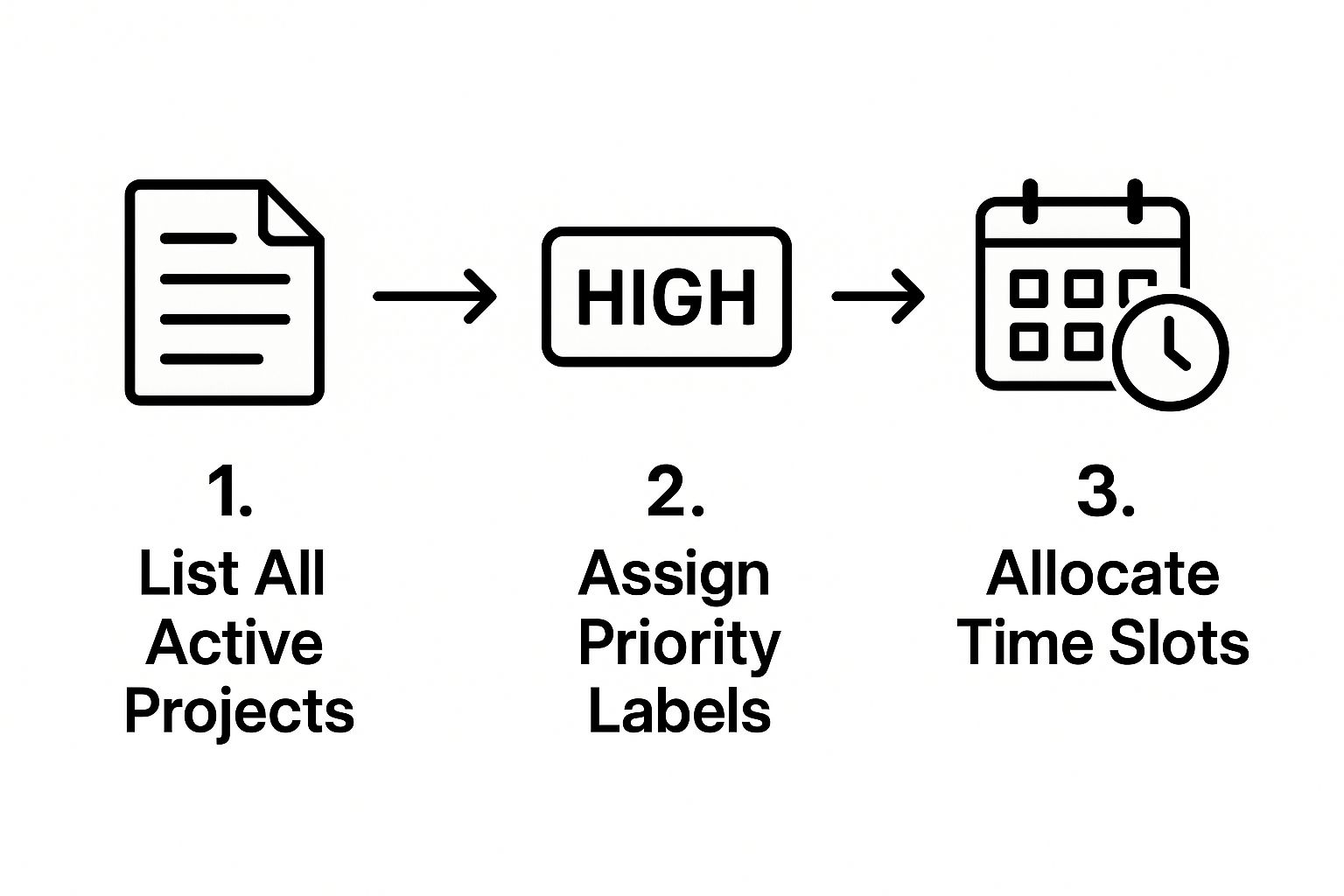
This kind of systematic approach turns a chaotic mess of tasks into a clear, actionable plan. It’s how you make sure your time goes where it truly counts.
From Urgent to Important
Okay, so you have everything in one place. Now what? You need a reliable way to decide what to tackle first. I’ve found one of the most effective tools for this is the Eisenhower Matrix. It’s surprisingly simple, sorting tasks based on just two things: urgency and importance.
- Urgent and Important: These are the fires you have to put out now. Think of a critical client deadline or a system-crashing bug. Do these immediately.
- Important but Not Urgent: This is where the real magic happens—the strategic work. This includes things like long-term planning or learning a new skill. Schedule time for these tasks, or they'll never get done.
- Urgent but Not Important: These are the biggest time-wasters. They feel pressing but don't move you toward your goals. Delegate them if you can. Think non-critical emails or some meetings.
- Not Urgent and Not Important: Get rid of these. They're just distractions that offer little to no value.
This matrix is a game-changer because it forces you to separate what feels urgent from what is truly important. It’s no surprise that a study from the Project Management Institute found high-performing organizations successfully complete 89% of their projects. A big reason for this is their knack for prioritizing tasks that deliver real value over simple busywork.
Prioritization isn't just about managing time; it's about managing your focus. When you know what matters, you can confidently say "no" to distractions and protect your most valuable asset—your attention.
Aligning Priorities with Stakeholders
Getting your own priorities straight is only half the battle. The other half is getting everyone else on the same page. Without alignment, you'll constantly have stakeholders from different projects throwing "urgent" curveballs that derail your entire plan.
The key is to establish a clear and consistent communication rhythm. Share your master list (or a simplified version) with key stakeholders so they can see what's on your plate. When a new request comes in, you can then have a constructive conversation about where it realistically fits into the existing schedule.
This approach turns potential conflicts into collaborative planning sessions. If you want to get more advanced with managing a whole collection of projects, understanding your project portfolio is your guide to business excellence.
Choose Your Tools for Total Project Visibility
If you're trying to manage multiple projects with a patchwork system of spreadsheets, email threads, and sticky notes, you're fighting a losing battle. Sure, those methods might get you by for a single, straightforward task list, but they crumble under the weight of complexity.
Information gets lost, communication becomes a game of telephone, and pretty soon you're spending more time hunting for updates than actually getting work done. This is where the right technology isn't just a nice-to-have; it's a necessity. A good project management platform acts as your command center, giving you the clarity to see every moving part across all your initiatives from a single screen.
Essential Features for Multi-Project Control
Not all project management tools are created equal, especially when you're juggling several projects at once. To really get a handle on everything, you need software that provides a bird's-eye view but also lets you dive into the nitty-gritty details.
Here are the features I consider non-negotiable for true multi-project visibility:
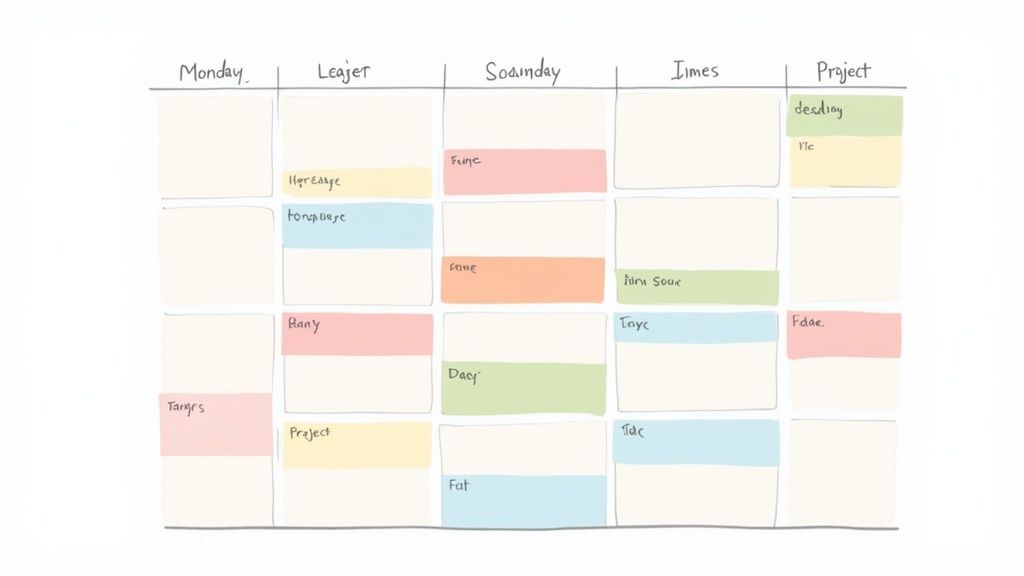
- Shared Calendars: A must-have for seeing key deadlines and milestones across the board. This is how you spot potential scheduling conflicts and resource shortages before they become full-blown problems.
- Kanban Boards: I love the visual simplicity of Kanban. It gives you an instant, at-a-glance understanding of where every task is in the workflow, from "To-Do" to "Done," making it easy to see where things are getting stuck.
- Gantt Charts: For any project with complicated dependencies, Gantt charts are your best friend. They map out the entire project timeline, clearly showing how tasks are interconnected and how a delay in one area can ripple through the entire schedule.
- Centralized Communication: Keeping all conversations, files, and feedback tied directly to the relevant task is a game-changer. It means no more digging through endless email chains to find that one crucial piece of information.
Think of your project management tool as the GPS for your projects. It shows you the best route, alerts you to traffic jams ahead, and helps you recalculate when you hit an unexpected detour.
The Real-World Impact of the Right System
The difference between using a dedicated tool and clinging to outdated methods is night and day. The global project management software market is expected to grow significantly. Yet, a surprising number of organizations still don't use these tools, opting for more traditional approaches.
For those that do make the switch, the results speak for themselves: many report improved organizational efficiencies. You can dive deeper into these and other project management statistics to see the full picture.
Take a marketing agency juggling three different client campaigns. Without a central system, the manager is constantly chasing people for updates, leading to wasted time in meetings and delays in client reporting. But with a solid project management tool, she has a real-time dashboard, can track time spent on each task, and generates reports with a click. It’s a complete transformation.
Comparing Management Methods for Multiple Projects
A quick look at the old way versus the new way makes the choice pretty clear. When you're managing multiple workflows, the limitations of traditional methods become painfully obvious.
| Feature | Spreadsheets & Email | Project Management Software |
|---|---|---|
| Real-Time Updates | Manual updates required; data is often outdated. | Dashboards update automatically as tasks are completed. |
| Task Dependencies | Difficult to track; requires manual cross-referencing. | Gantt charts visually map out all dependencies. |
| Centralized Files | Files are scattered across emails and local drives. | All project files are stored and versioned in one place. |
| Team Collaboration | Communication is fragmented and hard to follow. | Conversations happen directly on tasks for clear context. |
Ultimately, choosing the right system is a foundational step in learning how to manage multiple projects without losing your mind. The goal isn't to find the flashiest tool with the most bells and whistles. It's about finding the one that gives you the clarity and control you need to steer every single project to a successful finish.
Use Time Blocking to Protect Your Focus
Once you’ve got your priorities straight and your tools lined up, the real battle begins: protecting your focus. We’ve all been there—jumping from a client call to a coding task, then getting derailed by a flood of emails. That constant context switching is a notorious productivity killer. In fact, research shows it can take a staggering 23 minutes to get back into the groove after just one interruption.
This is where time blocking comes in as a game-changer. Instead of letting a to-do list dictate your day reactively, you take control. You proactively schedule dedicated, uninterrupted blocks of time in your calendar for specific projects or tasks. It’s a simple but profound shift that turns your calendar from a mere record of meetings into a concrete plan for getting things done.
How to Get Started With Time Blocking
Getting this up and running is surprisingly simple. Just look at your prioritized task list and make a realistic estimate of how much focused time each significant task really needs. Then, open your calendar and start blocking out those chunks of time.
Your Monday morning could transform from chaotic to controlled. Something like this:
- 9:00 AM – 11:00 AM: Deep work on "Project Alpha" feature development.
- 11:00 AM – 11:30 AM: Quick break and a casual email scan.
- 11:30 AM – 1:00 PM: Write and finalize the "Project Beta" client proposal.
The key is commitment. During these blocks, you work only on that one thing. That means closing the 50 other browser tabs, silencing phone notifications, and letting your team know you’re in a focus session. It's an incredibly effective way to make real, steady progress on your most important work.
By giving every minute of your day a specific job, you're not just managing your time—you're actively defending your attention from the constant pull of distractions.
The Underrated Power of Task Batching
A close cousin to time blocking is task batching. Think of it as spring cleaning for your to-do list. You group similar, smaller activities together and knock them all out in one dedicated session. Your brain operates in different modes for different kinds of work—creative thinking is a world away from administrative tasks. Batching keeps you in one mental gear for longer, which makes you far more efficient.
For instance, instead of answering every email the second it hits your inbox, try scheduling two 30-minute blocks each day just for email. This single change stops your inbox from running your life.
Here's what a batched afternoon might look like:
- 1:30 PM – 2:15 PM: Handle all project-related emails and Slack messages.
- 2:15 PM – 3:00 PM: Make all necessary client follow-up calls for both Project Alpha and Beta.
- 3:00 PM – 3:30 PM: Process and submit all those lingering expense reports.
This approach prevents tiny, repetitive tasks from chopping up your day and pulling you away from high-impact work. To add even more structure, it’s worth exploring different effective time management schedules to find what fits your rhythm. And for those who want an even more focused approach within their time blocks, many professionals maximize productivity with the Pomodoro Technique, which pairs perfectly with this strategy.
Manage Stakeholder Expectations with Clear Communication
When you’re juggling multiple projects, you’re also juggling multiple sets of stakeholders. Each has their own priorities, their own definition of "urgent," and their own expectations for how things should be going. Without a solid communication plan, you'll quickly find yourself buried in "quick update" emails and trying to explain unexpected delays on the fly.
This is where proactive, clear communication becomes your most powerful tool. It’s not about over-communicating; it’s about communicating smarter. A steady, predictable rhythm of updates prevents last-minute surprises and, more importantly, builds a foundation of trust. When your stakeholders feel informed, they’re far less likely to disrupt your workflow with constant check-ins, freeing you up to focus on the actual work.
Establish a Communication Rhythm
One of the best things I’ve learned is to set up a predictable schedule for updates. This could be a simple weekly email summary, a bi-weekly sync meeting, or even a brief monthly progress report. The medium doesn't matter as much as the consistency. When stakeholders know exactly when to expect information, they won't feel the need to chase you for it.
To make this manageable, try creating a single, concise report that covers all your projects. This doesn't need to be a massive document. A simple dashboard can highlight:
- Key milestones recently achieved
- Current status (on track, at risk, or off track)
- Any immediate blockers for each project
This approach saves you from the soul-crushing task of creating custom reports for every single stakeholder.
The Art of Saying No Gracefully
A huge—and often overlooked—part of managing expectations is knowing when to push back. New requests are going to happen. But you can't accommodate every single one without derailing your existing commitments. Learning how to say "no," or more strategically, "not right now," is an absolutely critical skill for anyone learning how to manage multiple projects.
Instead of a flat rejection, always provide context. When a new request lands on your desk, calmly explain its potential impact on current timelines.
You could say something like, "That's a great idea. Given our current commitments to Project A and B, the earliest we could start on this would be in three weeks. Would that work, or should we discuss re-prioritizing our current roadmap?"
Proactive communication transforms you from a simple task manager into a trusted strategic partner. It’s not just about reporting what’s done; it’s about guiding stakeholders toward successful outcomes across the board.
This reframes the conversation. It shows you’ve considered the request seriously while reinforcing the importance of the priorities you’ve all already agreed on. It protects your team's focus and maintains the integrity of your project timelines.
For more ideas on keeping everyone in sync, check out these powerful project communication strategies every team must know. Building this kind of transparency ensures everyone understands the trade-offs and respects the established plan.
Your Project Plan is a Living Document—Treat It That Way
A project plan isn't something you carve in stone, file away, and forget about. If you do that, it's pretty much guaranteed to fail. The real magic in juggling multiple projects comes from your ability to adapt on the fly, and that's where consistent reviews come in. Think of it as a feedback loop that keeps you from veering off course.
Without these regular check-ins, you're just guessing. A tiny issue you could have fixed in five minutes can quickly spiral into a massive roadblock. On the flip side, you could miss a huge opportunity to make things run smoother. Building a steady rhythm for reviews shifts you from constantly putting out fires to making smart, proactive adjustments.
Find Your Review Rhythm
The key is to create a habit that sticks, not another dreaded meeting on your calendar. For most people, a simple two-part system works wonders, giving you both the ground-level view and the 30,000-foot perspective.
-
The Weekly Tactical Huddle: This is a quick, 30-minute gut check. You're looking at the immediate future. Are we making progress on Project A's tasks? Did a new blocker pop up for Project B? This is your chance to make minor tweaks to the current week's plan.
-
The Monthly Strategic Sit-Down: Time to zoom out. Block off about an hour to look at the bigger picture for each project. Are we still on pace to hit our major deadlines? Has a company goal shifted, meaning we need to move resources around? This review sets the stage for the entire month ahead.
This one-two punch ensures you're not just reacting to whatever is thrown at you each day but are also actively steering the ship toward your long-term goals.
What to Actually Look At
When you sit down for these reviews, you need to look at real data, not just go with your gut feeling. A few simple metrics will give you an honest picture of how things are really going across all your projects.
Keep an eye on these:
- Budget vs. Actual: Is one project a constant cash drain? Spotting this early can save you from a nasty financial shock down the road.
- Timeline Check: Are you hitting your milestones on time? If not, it's time to dig in and find out why.
- Resource Load: Is one person on your team consistently swamped? That's a huge red flag for burnout and a sign that you have a bottleneck.
Your initial project plan is just a hypothesis. Regular reviews are how you test that theory against reality. They let you pivot based on what's actually happening, not what you thought would happen.
By tracking these numbers week after week, you'll start to see patterns. This is how to manage multiple projects effectively. This data-driven habit lets you reprioritize with confidence, celebrate real progress, and learn from every challenge, creating a powerful cycle of getting better and better.
Got Questions? We’ve Got Answers.
When you're juggling multiple projects, you’re bound to run into a few common hurdles. It happens to everyone. Here are some quick, practical answers to the questions we hear most often from people trying to get a handle on their workload.
What's the Single Biggest Mistake People Make with Multiple Projects?
Hands down, the most common pitfall is not having a single, centralized place to track everything. When you rely on scattered to-do lists, random sticky notes, or just your memory, things inevitably fall through the cracks. It's a recipe for chaos.
Without that one source of truth, you're constantly reacting instead of planning. You lose sight of what's truly important, overcommit your time, and end up putting out fires instead of making real progress.
How Do You Handle Conflicting Deadlines from Different Projects?
It's the classic dilemma: two high-priority tasks, both due at the same time. The answer is a mix of honest communication and smart re-prioritization.
First, take a step back and objectively assess the impact of each deadline. Which one has bigger consequences if it slips? Then, talk to the stakeholders involved. Don't just announce there's a problem; present the situation clearly and offer potential solutions. You might suggest pushing one deadline, bringing in extra help, or slightly reducing the scope of one task. Proactive communication is always your best bet.
The best way to sort out conflicting priorities is to make the trade-offs crystal clear to everyone. This changes the conversation from "my project is more important" to "what's the best move for our overall goals right now?"
Is It Better to Focus on One Project a Day or Switch Between Them?
This is a great question, and the answer isn't always black and white. For work that requires deep concentration—like writing code, designing a layout, or drafting a complex report—it’s far more effective to block out a solid chunk of time for a single project. This is often called time blocking.
Constantly switching between complex tasks, or "context switching," kills your productivity and drains your mental energy. However, for smaller, similar tasks, you can group them together. For example, knock out all your emails or return all your calls from different projects in one go. This technique, task batching, can be a real time-saver. Most people find a hybrid approach works best.
Ready to get a clear view of your team's workload and see productivity soar? DeskCove gives you the time tracking and project monitoring tools you need to manage everything with confidence. Start your free trial today and feel the difference.