10 Best Practices for Remote Work Success in 2025

The shift to remote work represents a fundamental change in how we collaborate, innovate, and grow. Navigating this new professional environment requires more than just a reliable internet connection and a laptop; it demands a deliberate, structured strategy to maintain productivity and foster a strong team culture. This guide moves beyond generic advice to offer a definitive list of the 10 best practices for remote work that high-performing teams are implementing today. We will provide actionable steps, specific examples, and expert insights designed to help you and your team not just adapt, but excel in a remote-first world.
This article is designed to be a practical playbook. We will explore how to establish a dedicated and productive workspace, implement structured communication protocols that prevent digital fatigue, and master time management techniques tailored for asynchronous collaboration. Furthermore, we will cover critical topics such as setting clear expectations, leveraging technology effectively, and prioritizing cybersecurity to protect sensitive data.
Whether you are a team leader aiming to boost cohesion and output, a project manager refining workflows, or an individual contributor seeking to optimize your personal productivity, these proven strategies will provide the framework you need. By focusing on these core principles, you can build a sustainable and successful remote work model that drives results and supports a healthy work-life balance for everyone involved.
1. Establish a Dedicated Workspace
Creating a specific, physical area designated solely for work is a foundational practice for successful remote work. This isn't just about having a desk; it's about psychologically separating your professional life from your personal life. When you enter this space, your brain shifts into work mode, and when you leave, it signals that the workday is over, helping to prevent burnout and maintain mental clarity.
This concept, championed by productivity experts, is about building powerful environmental cues. A cluttered dining table or a couch doesn't provide the necessary structure. A dedicated workspace, whether a separate room or a designated corner, minimizes distractions and boosts focus, directly impacting your productivity.
Why This Practice Is Essential
A well-defined workspace serves as the physical boundary that your home office otherwise lacks. It reinforces the mental transition between "home" and "work," which is crucial for maintaining a healthy work-life balance. Many leading remote companies recognize this by providing stipends for employees to purchase ergonomic equipment, underscoring the direct link between a proper setup and employee well-being. This intentional separation helps you stay focused during work hours and fully disconnect when the day is done.
Actionable Implementation Tips
- Prioritize Ergonomics: Invest in a quality ergonomic chair and an adjustable desk. Position your monitor at eye level to prevent neck strain and ensure your feet rest flat on the floor.
- Control Your Environment: Use noise-canceling headphones to block out household distractions. Ensure the space has excellent lighting, ideally with natural light positioned in front of you to reduce screen glare.
- Organize and Personalize: Keep your desk tidy using organizational principles. Add plants or artwork to make the space feel inviting and motivating. A clean, personalized area reduces mental clutter and enhances focus.
For those looking to create a space that truly supports their efficiency, learning how to set up a home office for peak productivity can provide a comprehensive roadmap covering everything from ergonomic essentials to technology integration. Implementing these best practices for remote work is a critical first step toward building a sustainable and productive career from home.
2. Implement Structured Communication Protocols
Establishing clear guidelines for how, when, and through which channels team members communicate is essential for efficient information flow and preventing misunderstandings. This isn't just about having tools like Slack or email; it's about creating a shared understanding of communication etiquette that respects everyone's focus and time. When your team has a clear protocol, ambiguity disappears, and collaboration becomes more intentional and effective.
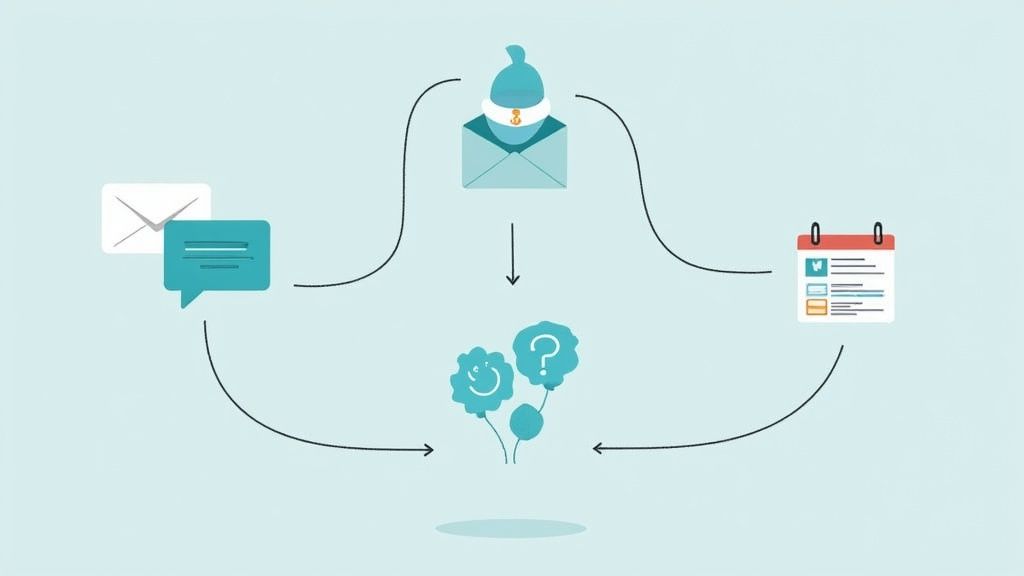
This philosophy is championed by leaders who advocate for asynchronous communication to protect deep work. By defining which tool to use for specific interactions (e.g., chat for quick queries, email for formal updates, project management tools for task-related discussions), you create a more organized and less chaotic digital environment, which is one of the most impactful best practices for remote work.
Why This Practice Is Essential
Structured communication protocols are the backbone of a high-functioning remote team. Without them, teams often suffer from constant interruptions, information silos, and the "always on" culture that leads to burnout. By defining expectations, you empower team members to manage their notifications and work asynchronously. Leading remote companies have codified their communication standards, ensuring that everyone, regardless of their time zone, has access to the information they need without the pressure of an immediate response.
Actionable Implementation Tips
- Create a Communication Charter: Document your team’s guidelines. Specify which channels are for urgent versus non-urgent matters, define expected response times, and outline meeting etiquette.
- Use Statuses and Notifications Wisely: Encourage the team to use status updates (e.g., "in a meeting," "deep work") to signal availability. Teach them to use targeted notifications like
@mentioninstead of broad alerts like@channelto minimize disruptions. - Establish Clear Subject Lines: For both emails and threaded conversations, enforce the use of descriptive subject lines like "[Project X] Feedback Needed" or "[Urgent] Action Required" to help colleagues prioritize their attention.
- Promote Asynchronous-First: Default to communication methods that don’t require an immediate response. This respects different schedules and time zones, allowing for more thoughtful and thorough replies.
3. Master Time Management and Scheduling
Effective time management is the engine of productivity in a remote setting. It involves structuring your day with intention, using proven techniques to maintain focus, and efficiently accomplishing tasks without the external framework of a traditional office. This practice is about taking control of your time to overcome the challenges of self-direction and the myriad distractions present in a home environment.

This principle is widely endorsed by productivity experts. Their methods emphasize that without a deliberate schedule, the unstructured nature of remote work can lead to procrastination and burnout. Structuring your day is a key differentiator between merely working from home and thriving as a remote professional.
Why This Practice Is Essential
In a remote role, you are your own manager. Mastering time management prevents the blurring of lines between work and personal life and ensures you deliver results consistently. By intentionally managing your time, you build accountability, reduce stress, and create space for both focused work and necessary downtime, which is a cornerstone of the best practices for remote work.
Actionable Implementation Tips
- Time-Block Your Day: Schedule specific blocks of time for every task, including deep work, meetings, and breaks. This approach prevents multitasking and enhances focus on the task at hand.
- Use the Pomodoro Technique: Work in focused 25-minute intervals, separated by short breaks. This method helps maintain high concentration levels and prevents mental fatigue throughout the day.
- Prioritize with the Eisenhower Matrix: Categorize tasks based on urgency and importance to decide what to do, schedule, delegate, or eliminate. This helps you focus on activities that drive the most significant results.
- Implement the Two-Minute Rule: If a task takes less than two minutes, do it immediately. This small habit prevents small to-dos from piling up and creating mental clutter.
For project managers and team members juggling various responsibilities, understanding how to manage multiple projects effectively is a critical skill that builds upon these foundational time management techniques. Adopting these scheduling habits will transform your remote workday from reactive to proactive.
4. Maintain Regular Check-ins and One-on-Ones
Scheduled, recurring meetings between managers and team members are vital for replacing the informal interactions lost in a remote setting. These structured conversations are about more than just status updates; they are dedicated times for maintaining connection, addressing concerns early, and ensuring everyone remains aligned on goals and expectations. This proactive communication builds trust and prevents the isolation that can undermine remote team cohesion.

This principle, rooted in proven management philosophies, emphasizes that intentional communication is non-negotiable for remote success. Leading remote companies excel by using one-on-ones to focus on relationship building and career development, not just project deliverables. This structure ensures every team member feels heard, supported, and connected to the broader company mission.
Why This Practice Is Essential
Regular check-ins serve as a critical feedback loop and a primary channel for personalized support in a distributed environment. They provide a confidential space to discuss challenges, celebrate wins, and talk through career aspirations, which helps boost morale and retention. For managers, these conversations offer invaluable insights into team health and potential roadblocks, allowing for early intervention. This consistent touchpoint is a cornerstone of effective remote leadership and is one of the most important best practices for remote work.
Actionable Implementation Tips
- Prepare a Shared Agenda: Create and share a simple agenda in advance, allowing both the manager and team member to add topics. This ensures the meeting is focused and productive.
- Focus on the Person, Not Just Projects: Dedicate a significant portion of the time to discussing well-being, challenges, and career growth. Ask open-ended questions like, "What's one thing we could change to make your work more enjoyable?"
- Document and Follow Up: Take brief notes on key discussion points and action items. Following up on commitments shows that you are listening and value the conversation.
- Create a Safe Space: Foster an environment of psychological safety where team members feel comfortable sharing honest feedback without fear of negative consequences.
For managers looking to refine their approach, understanding the nuances of managing remote employees effectively can provide deeper strategies for building strong, communicative, and high-performing teams. By implementing these structured check-ins, you build a resilient and engaged remote workforce.
5. Use Collaboration Tools Effectively
Leveraging digital collaboration platforms is more than just having access to software; it's about strategically using these tools to replicate the synergy of an in-person office. This practice involves selecting the right platforms for specific tasks, ensuring team-wide proficiency, and integrating them seamlessly to create a unified digital headquarters. When done correctly, technology bridges the physical distance, making teamwork efficient and cohesive.
This approach transforms disparate apps into a powerful, interconnected ecosystem. For instance, many companies use a primary chat tool for all internal communication, creating a transparent and searchable hub of information. Similarly, many rely on collaborative design tools to allow teams to work together in real-time, fostering innovation despite being geographically distributed.
Why This Practice Is Essential
Effective tool usage is the backbone of successful remote operations. It centralizes communication, clarifies project statuses, and prevents information silos that can derail remote teams. Without a strategic approach, teams often suffer from "tool fatigue," using multiple redundant apps that create confusion and inefficiency. By intentionally selecting and standardizing platforms, companies demonstrate how the right tools can align entire organizations and drive productivity. This is one of the most critical best practices for remote work because it directly impacts a team's ability to collaborate, innovate, and execute.
Actionable Implementation Tips
- Audit and Consolidate: Regularly review your team's software stack. Identify and eliminate redundant applications to reduce costs and minimize confusion. Focus on a core set of tools that integrate well together.
- Provide Comprehensive Training: Don't assume everyone knows how to use a tool to its full potential. Host training sessions and create accessible documentation to ensure all team members can use chosen platforms efficiently and consistently.
- Establish Clear Conventions: Create and enforce standardized naming conventions for files, channels, and projects. Develop templates for recurring tasks and projects within your management tools to streamline workflows and maintain organization.
- Automate and Integrate: Connect your tools to automate routine tasks. For example, integrate your project management app with your communication platform to send automatic updates, saving time and reducing manual reporting.
6. Establish Clear Goals and Expectations
Defining clear, measurable objectives is the bedrock of effective remote management. Without the visibility of a shared physical office, it's impossible to gauge productivity by presence alone. Instead, success must be measured by outcomes. This practice involves setting specific, measurable, and time-bound goals, ensuring every team member knows exactly what they are responsible for and how their performance will be evaluated.
This outcome-driven approach, popularized by management thinkers like Peter Drucker and perfected by tech giants, shifts the focus from "time spent at a desk" to tangible results. Frameworks like OKRs (Objectives and Key Results) provide a structured way to align individual contributions with broader company strategy, creating a culture of autonomy and accountability.
Why This Practice Is Essential
In a remote setting, ambiguity is the enemy of productivity. Clear goals provide the clarity and direction needed to keep teams aligned and motivated without constant supervision. This is one of the most critical best practices for remote work because it empowers employees to manage their own time and priorities effectively. When expectations are explicit, managers can evaluate performance objectively, and employees can take ownership of their work, knowing precisely what they need to achieve to succeed.
Actionable Implementation Tips
- Adopt a Proven Framework: Implement a goal-setting system like OKRs. Involve employees in the goal-setting process to increase buy-in and ensure objectives are realistic.
- Break Down Large Goals: Deconstruct annual or quarterly objectives into smaller, manageable milestones. This makes progress feel more attainable and allows for regular check-ins and course corrections.
- Connect Individual to Company Goals: Clearly articulate how each person's objectives contribute to the team's and the company's overall mission. This provides a powerful sense of purpose and context.
- Review and Celebrate Progress: Schedule regular reviews (e.g., quarterly) to assess progress, adjust goals as needed, and celebrate achievements. Acknowledging milestones boosts morale and reinforces a results-oriented culture.
7. Prioritize Cybersecurity and Data Protection
Implementing comprehensive security measures is non-negotiable in a remote work environment where employees access company data from various locations and networks. This practice involves protecting systems, sensitive information, and communications from cyber threats. When your team is distributed, the traditional office security perimeter dissolves, making individual employees the first line of defense.
This approach is championed by cybersecurity experts and is central to modern security frameworks like the zero-trust model. The goal is to create a resilient security posture that assumes threats can come from anywhere. Companies that provide tools such as advanced endpoint protection and identity management build their entire business on securing decentralized workforces.
Why This Practice Is Essential
A distributed workforce significantly expands a company's attack surface, creating more potential entry points for malicious actors. A single compromised employee device can lead to a major data breach, financial loss, and reputational damage. Prioritizing cybersecurity isn't just an IT task; it's a core business function that protects company assets and client trust. A strong security protocol is one of the most critical best practices for remote work, ensuring business continuity and compliance.
Actionable Implementation Tips
- Mandate VPN Usage: Require employees to use a reputable Virtual Private Network (VPN) for all work-related activities. This encrypts their internet connection, securing data transmitted over potentially insecure networks like public Wi-Fi.
- Enforce Strong Authentication: Implement two-factor authentication (2FA) or multi-factor authentication (MFA) across all company applications. Use an enterprise password manager to enforce strong, unique passwords.
- Maintain Software Hygiene: Ensure all company-issued devices have their operating systems and software updated regularly to patch security vulnerabilities. Automate updates where possible.
- Educate and Train: Security is a team sport. For teams working remotely, it is especially important to review these 8 remote working security awareness tips to help employees recognize phishing attempts, social engineering, and other common threats.
8. Foster Team Culture and Social Connection
In a remote environment, the spontaneous "watercooler" conversations and casual team lunches that build rapport and strengthen culture don't happen automatically. Fostering team culture and social connection requires deliberate effort, creating structured and unstructured opportunities for informal interaction. This is about more than just virtual happy hours; it's about intentionally weaving social fabric into the remote work model to combat isolation and build a cohesive, trusting team.
This approach, championed by leaders of fully distributed companies, recognizes that strong social bonds are directly linked to higher engagement, better collaboration, and lower turnover. Initiatives like "coffee chats," for instance, randomly pair team members for informal 30-minute video calls, systematically replicating the serendipitous encounters of an office. These intentional practices ensure that team members feel like part of a community, not just isolated contributors.
Why This Practice Is Essential
A strong, positive culture is the glue that holds a remote team together. It provides a sense of shared identity and purpose, which is vital when team members are physically separated. Without intentional efforts to nurture it, remote teams can quickly become transactional and siloed, leading to miscommunication and a decline in morale. Investing in social connection boosts psychological safety, making it easier for team members to collaborate, innovate, and support one another. These connections are a critical component of sustainable, long-term success in a remote-first world.
Actionable Implementation Tips
- Create Non-Work Channels: Dedicate Slack or Teams channels for hobbies, interests, and casual chat (e.g., #pets, #music, #cooking). This allows for spontaneous, non-work-related conversations that build personal connections.
- Schedule Regular Social Events: Organize virtual team-building activities like online trivia, multiplayer games, or collaborative workshops. Host "lunch and learns" where team members can share a skill or hobby with the group.
- Encourage Video-On for Connection: While not for every meeting, encourage using video for quick check-ins or one-on-ones to capture non-verbal cues and foster a stronger sense of presence. Celebrate personal and professional milestones publicly to make team members feel seen and valued.
9. Maintain Work-Life Balance and Set Boundaries
Establishing clear boundaries between your professional and personal life is one of the most critical best practices for remote work. Without the physical separation of an office, the lines can easily blur, leading to overwork and burnout. This practice involves consciously creating rules and rituals to signal when the workday begins and, more importantly, when it ends.
This concept is about more than just logging off at 5 PM. It’s about building a sustainable work routine that protects your mental health and personal time. Thought leaders emphasize that true productivity comes from well-being, not constant connectivity. Some companies have even implemented policies like shutting down email servers after hours to enforce this separation and protect employee downtime.
Why This Practice Is Essential
A lack of firm boundaries is a direct path to chronic stress and diminished productivity. When work is always accessible, your brain never fully disengages, which hinders recovery and creative thinking. France's "right to disconnect" legislation highlights this on a national scale, recognizing that the ability to unplug is a fundamental part of employee well-being. By setting clear boundaries, you reclaim control over your time, reduce mental fatigue, and ensure you have the energy to perform at your best during working hours.
Actionable Implementation Tips
- Define Your Workday: Set specific start and end times and stick to them. Communicate these hours to your team so they know when you are available.
- Create a "Shutdown Ritual": At the end of your workday, create a routine to signal the transition to personal time. This could be as simple as closing your laptop, tidying your desk, and saying "work is done" out loud.
- Use Separate Tools: If possible, use a separate computer or at least a separate browser profile for work. This digital separation prevents personal browsing from creeping into work time and work notifications from interrupting your evening.
- Communicate Availability Clearly: Use your calendar and status updates to show when you are in meetings, focusing, or offline. This manages expectations and prevents unnecessary interruptions.
Effectively managing schedules is a core component of this practice. For managers looking to support their team's work-life balance, exploring how to boost productivity with top employee scheduling software can provide valuable tools for creating transparent and respected work hours across the entire team. Enforcing these boundaries is a key leadership responsibility in a remote setting.
10. Invest in Professional Development and Continuous Learning
Proactively pursuing skill development and training is a critical practice for thriving in a remote environment. In a traditional office, learning often happens organically through observation and casual interactions. Remote work requires a more deliberate and structured approach to stay current, advance your career, and remain a valuable asset to your team.
This principle, championed by learning advocates, emphasizes that career growth is an active pursuit. Companies that prioritize this see significant returns; for example, many organizations leverage online learning platforms to upskill their remote workforce, directly tying education to performance and innovation. This intentional focus on learning ensures that professional stagnation doesn't become a byproduct of remote work.
Why This Practice Is Essential
Continuous learning keeps your skills sharp and relevant in a rapidly evolving digital landscape. Without the built-in learning opportunities of an office, remote professionals must take ownership of their growth to avoid skill gaps and maintain career momentum. This practice is not just about personal gain; it directly contributes to the team's collective expertise and adaptability. Many companies foster this with robust internal mentorship programs, recognizing that shared knowledge strengthens the entire organization.
Actionable Implementation Tips
- Schedule Dedicated Learning Time: Block out a few hours on your calendar each week specifically for learning activities, such as taking an online course, watching a webinar, or reading industry articles. Treat this time as a non-negotiable meeting.
- Align Learning with Career Goals: Identify the skills needed for your next career step and seek out relevant training. Discuss these goals with your manager to gain support and find company-sponsored opportunities, like attending virtual conferences.
- Apply and Share Knowledge: Immediately apply what you learn to real-world projects to solidify your understanding. Offer to host a lunch-and-learn session to share your new insights with colleagues, reinforcing your own knowledge while benefiting the team.
Best Practices for Remote Work: 10-Point Comparison Guide
| Practice | Implementation Complexity 🔄 | Resource Requirements ⚡ | Expected Outcomes 📊 | Ideal Use Cases 💡 | Key Advantages ⭐ |
|---|---|---|---|---|---|
| Establish a Dedicated Workspace | Medium – requires physical setup and planning | Moderate – ergonomic furniture, lighting | Improved focus, productivity, health | Remote workers needing a productive, distraction-free environment | Better work-life boundaries, professional video presence |
| Implement Structured Communication Protocols | High – policy creation and ongoing enforcement | Low to Moderate – communication tools | Reduced miscommunication, improved alignment | Teams needing clear, efficient, and documented communication | Clarity in availability, better collaboration |
| Master Time Management and Scheduling | Medium – requires habit formation and tools | Low – calendars, scheduling apps | Increased productivity, better work-life balance | Individuals struggling with focus and deadline management | Enhanced organization and task completion |
| Maintain Regular Check-ins and One-on-Ones | Medium – scheduling and agenda preparation | Low – communication platforms | Stronger relationships, early issue detection | Managers maintaining connection and engagement with remote teams | Improved employee engagement and feedback |
| Use Collaboration Tools Effectively | Medium to High – tool selection and training | Moderate to High – subscriptions, training | Seamless teamwork, centralized info | Distributed teams requiring real-time collaboration | Reduced email clutter, integration across work systems |
| Establish Clear Goals and Expectations | Medium – goal-setting frameworks and reviews | Low – documentation systems | Better focus, objective performance evaluation | Organizations needing measurable remote work results | Enhanced autonomy and goal alignment |
| Prioritize Cybersecurity and Data Protection | High – technology implementation and upkeep | Moderate to High – security tools | Reduced cyber risks, compliance | Any remote workforce handling sensitive data | Maintains trust, avoids data breaches |
| Foster Team Culture and Social Connection | Medium – event planning and facilitation | Low to Moderate – platforms for events | Improved morale, reduced isolation | Remote teams at risk of cultural disconnect | Enhanced employee engagement and creativity |
| Maintain Work-Life Balance and Set Boundaries | Low to Medium – habit building and policy | Low – self-management tools | Reduced burnout, better mental health | Remote employees struggling to separate work and personal life | Higher job satisfaction and sustained productivity |
| Invest in Professional Development and Continuous Learning | Medium – course selection and scheduling | Moderate – course fees, platforms | Career growth, skill enhancement | Professionals seeking continuous skill upgrading | Increased job security and engagement |
Building Your Remote Work Future, One Practice at a Time
Navigating the landscape of remote work can feel like assembling a complex puzzle. Each piece, from establishing a dedicated workspace to fostering team culture, represents a critical component of a larger, more coherent picture. The journey we've explored through these ten best practices for remote work isn't about finding a single, magic-bullet solution. Instead, it’s about a commitment to continuous improvement and intentional design, building a framework that empowers individuals and strengthens the entire organization.
The shift to a distributed model is more than a logistical change; it is a fundamental evolution in how we approach productivity, collaboration, and professional well-being. By moving past the generic advice, you can begin to see the powerful connections between these strategies. A dedicated workspace (#1) directly supports the clear boundaries needed for work-life balance (#9). Structured communication protocols (#2) are the bedrock upon which effective collaboration tools (#5) and regular check-ins (#4) are built. None of these practices exist in a vacuum.
From Theory to Tangible Results
The true value of these principles is unlocked through consistent application. The goal is not to implement all ten strategies overnight. That approach often leads to burnout and a feeling of being overwhelmed. The most successful remote teams adopt a more strategic and incremental methodology.
Start by identifying your team's most significant pain point.
- Is communication chaotic? Begin by refining your structured communication protocols and ensuring your team masters its collaboration tools.
- Are project deadlines consistently missed? Focus on establishing clearer goals and expectations, supported by robust time management techniques.
- Is team morale flagging? Prioritize fostering social connections and ensuring managers are conducting meaningful one-on-ones.
By focusing your energy on one or two key areas, you can create a tangible, positive impact that builds momentum. As your team sees the benefits of these initial changes, it becomes easier to introduce and refine other practices. This iterative process transforms the abstract concept of "improving remote work" into a series of achievable, concrete steps.
The Strategic Advantage of Mastering Remote Work
Ultimately, embracing these best practices for remote work is about cultivating a strategic advantage. An organization that excels in a remote environment is more resilient, agile, and capable of attracting top talent from anywhere in the world. It’s about building a culture of trust and autonomy, where employees are judged by their output and impact, not by their physical presence in an office.
This commitment requires a blend of the right mindset, the right processes, and the right technology. It means investing in the professional development of your team members, arming them with the skills to thrive independently. It also involves prioritizing cybersecurity to protect your organization's most valuable assets in a distributed network.
The future of work is not just remote; it is flexible, intentional, and human-centric. The principles outlined in this guide provide the blueprint. By thoughtfully implementing them, you are not just managing a remote team; you are building a forward-thinking organization poised for sustained success in an ever-evolving professional world. The path forward is built one practice at a time.
Ready to enhance accountability and gain clear insights into your team's productivity? DeskCove provides the data-driven tools you need to reinforce these best practices for remote work, from automatic time tracking to application usage monitoring. Discover how you can build a more transparent and effective remote team by visiting DeskCove today.