A Guide to Remote Employee Time Tracking Software

Think of remote employee time tracking software as the central nervous system for a digital workplace. It goes way beyond just clocking in and out. It’s about creating a transparent, fair, and productive environment by offering real insights that help managers balance workloads, head off burnout, and build a culture of genuine trust and accountability.
Why Time Tracking Is So Important for Remote Teams
Managing a remote team without the right data can feel like you're trying to fly a plane with the cockpit windows blacked out. You know things are happening, but you have no real visibility into workloads or progress. It's nearly impossible to steer projects effectively or give your crew the support they actually need. This is where remote employee time tracking software steps in, turning that ambiguity into clear, actionable information.
In a physical office, a manager can walk the floor, sense when someone is overwhelmed, and see collaboration happening in real-time. That casual, observational feedback loop is completely gone when your team is distributed. Time tracking software bridges that gap, becoming the digital equivalent of an open-door policy where the data tells the story of how and where work gets done.
Creating a Fair and Transparent Workplace
One of the stickiest challenges of remote work is simply being fair. When you can't see your team, it's easy for unconscious biases to color performance reviews and workload distribution. Time tracking software cuts through the guesswork by providing objective, hard data on effort and contribution.
This kind of transparency is a win for everyone:
- For Employees: It’s a guarantee they'll be paid accurately for every single hour, including overtime. This isn’t just about money; it’s about feeling seen and having their hard work validated.
- For Managers: It gives them a clear, data-backed picture of who’s doing what. Performance reviews become more equitable, less subjective, and rooted in actual contribution.
- For Teams: It helps build a culture where everyone can see that work is spread out fairly. That simple visibility goes a long way in preventing resentment and burnout before they start.
Moving from Micromanagement to Real Empowerment
Let's be clear: the point of modern time tracking isn't surveillance. It's about empowerment. Old-school manual timesheets are a nightmare—they're inaccurate, a pain to fill out, and a constant administrative time-suck. Smart tracking systems automate all of that, freeing people up to focus on what they were hired to do.
By swapping manual guesswork for automated data, time tracking software gives leaders the tools to support their teams proactively. It’s about understanding the workflow to clear out bottlenecks, not just watching the clock.
This change in mindset is everything. When you use it right, the software becomes a powerful diagnostic tool. A manager can spot when a project is eating up way more time than planned or see which team members might be getting stuck. Instead of hovering over their shoulder, a leader can step in with targeted support, offer extra training, or shift resources to where they’re actually needed. This data-driven approach fosters autonomy and gives employees the freedom to manage their own time, all while making sure the company's goals are met.
The Core Features That Define Modern Tracking Tools
Not all remote employee time tracking software is the same. A simple start-stop timer might tell you how long someone worked, but it won't tell you anything about how they worked. A truly effective platform goes way beyond basic timekeeping, acting more like a diagnostic tool for your entire workflow.
These modern systems are built around a core set of features that deliver deep, actionable insights into how work actually gets done.
Automated Time Capture: The Foundation of Accuracy
The bedrock of any great system is automated time capture. Think of it as a silent partner working alongside your team. Instead of asking employees to rely on memory or fill out tedious manual timesheets, these tools log activity as it happens.
This approach completely removes the guesswork. Every minute spent on a project is accurately recorded without pulling an employee out of their flow. This is the only way to get the kind of accuracy you need for fair payroll, precise client billing, and performance data you can actually trust.
Gaining Clarity with Activity Insights
Once you have accurate time data, the next logical step is to understand what happened during that time. This is where activity insights come into play, offering a clear window into daily workflows. It’s important to remember that these aren't surveillance features; they’re diagnostic tools that help you spot hidden inefficiencies and find opportunities for improvement.
To get a feel for what this means in practice, here's a quick look at the key features that provide these insights and the benefits they bring to remote teams.
Key Features of Time Tracking Software
| Feature | Description | Primary Benefit for Remote Teams |
|---|---|---|
| Automated Time Capture | Automatically records computer activity when an employee starts their day, eliminating manual start/stop timers. | Ensures 100% accuracy for payroll and billing without disrupting employee focus. |
| Screenshot Captures | Takes periodic, randomized screenshots of an employee's screen during work hours. | Provides visual proof of work for client verification and helps managers understand task context. |
| App & URL Tracking | Logs the applications and websites used throughout the workday and the time spent on each. | Identifies productivity patterns, highlights reliance on specific tools, and pinpoints common time-wasting distractions. |
| Robust Reporting | Compiles all tracked data into visual dashboards and customizable reports. | Transforms raw data into strategic insights for project profitability analysis, workload balancing, and process improvement. |
Each feature builds on the last, creating a comprehensive picture of how and where your team's effort is going.
For example, Application and URL Tracking might show that your design team spends a lot of time in Adobe Creative Suite—which is expected—but also a surprising amount of time searching for assets across multiple stock photo sites. That little insight could signal the need for a centralized asset library, saving them hours each week.
Similarly, Screenshot Captures, when used ethically, provide visual context for logged time. For businesses that need to document work for client billing or compliance, this feature adds a crucial layer of verification. You can learn more about using time tracking software with screenshots in a way that builds trust and transparency.
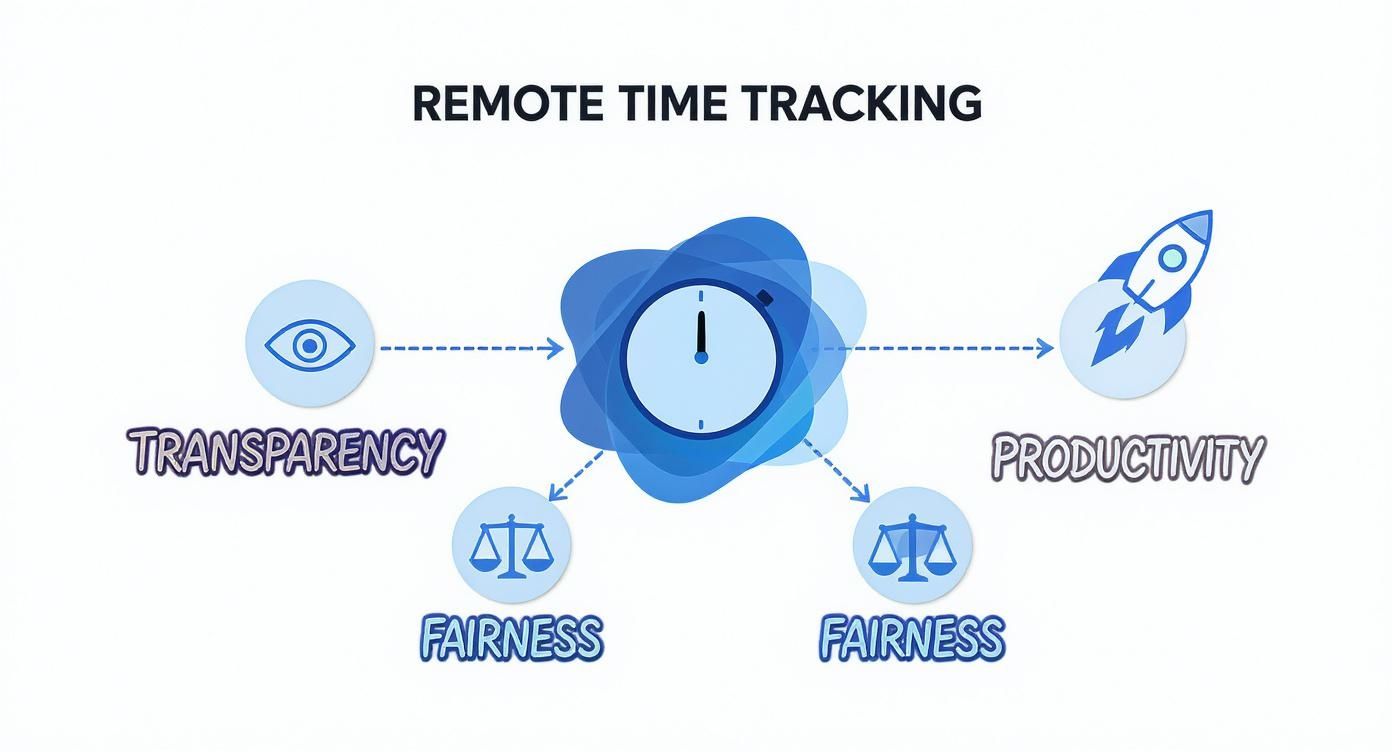
As the diagram shows, the central goal isn't just tracking; it's about creating an environment of transparency and fairness that ultimately boosts productivity for everyone.
From Raw Data to Smart Decisions
Raw data is just noise until you can make sense of it. The final core piece of modern tracking tools is robust reporting and analytics. This is what turns thousands of individual data points—tracked hours, app usage, and task progress—into clear reports that help you make smarter business decisions.
These analytics are what separate a simple time clock from a true business intelligence tool. They give you the high-level view needed to spot trends, predict roadblocks, and allocate resources with confidence.
With powerful reporting, managers can finally get real answers to critical questions:
- Which projects are actually bringing in the most profit?
- Is the workload spread fairly across the team, or is someone drowning?
- Where are the biggest time sinks in our process that we can fix?
The need for these tools has only grown. With roughly 28% of the U.S. workforce still working from home, companies have had to get serious about managing distributed teams effectively. This shift makes sophisticated reporting not just a nice-to-have feature, but a necessity for staying competitive.
How Time Tracking Fuels Business Growth and Efficiency
Think of remote employee time tracking software as more than just a digital punch clock. It's about turning raw data—minutes and hours—into a strategic playbook for your business. This information becomes the engine for smarter decisions, smoother operations, and real, sustainable growth. You're essentially shifting from managing in the dark to leading with a clear, data-backed perspective that directly hits your bottom line.

This shift is a game-changer because accurate time data gives you a solid foundation for several core parts of your business. It lets you move past guesswork and finally understand where your team's most valuable resource—their time—is actually going.
Get Payroll and Compliance Right, Every Time
Manual payroll is a minefield. A simple typo or a forgotten overtime shift can snowball into compliance nightmares, hefty fines, and, worst of all, broken trust with your team. Automated time tracking sidesteps all of that by creating a precise, undeniable record of every minute worked.
This means every paycheck is accurate, right down to the penny. For the business, this translates to:
- Less Admin Headache: Hours of tedious data entry and double-checking vanish, replaced by a simple, automated report.
- Lower Legal Risk: A clear, documented history of work hours is your best defense against wage and hour disputes.
- Stronger Employee Trust: When people know their pay is consistently accurate, it builds a culture of fairness and respect.
Turn Project Estimates into Profitable Realities
How many times has a project gone over budget because the initial time estimate was a shot in the dark? Time tracking data gives you the historical proof you need to build sharp, profitable project plans. By looking at how long similar tasks took in the past, you can create quotes and timelines that are grounded in reality, not wishful thinking.
This data gives you the power to:
- Invoice Clients with Confidence: Back up every billable hour with detailed, transparent reports that build stronger client relationships.
- Spot the Profit Drains: Quickly identify which projects or clients are consistently eating up more resources than they're worth.
- Bid Smarter on Future Work: Use your historical data to make more competitive bids, knowing exactly what it will take to deliver.
The real magic of time tracking happens when you use it to understand the story behind the hours. This insight helps managers fine-tune workflows, put the right people on the right tasks, and make decisions that drive real productivity.
Boost Productivity by Finding the Hidden Inefficiencies
Productivity isn’t about working faster; it's about working smarter. Remote employee time tracking software shines a light on the hidden roadblocks in your team's day. For example, a report might show your marketing team spends five hours every week manually pulling data for a report that could easily be automated. That’s a clear signal to find a tool or tweak a process to win those hours back for more important work. To dig deeper, check out our guide on productivity monitoring with time tracking software.
Adopting these tools is quickly becoming the norm. Today, a massive 96% of companies are using some form of time tracking, a trend that shot up with the rise of remote work. And it's not slowing down—by 2025, it’s predicted that 70% of large enterprises will be actively monitoring employee activities. Why? They recognize that automated tools save a huge amount of administrative time that used to be wasted on manual timesheets. This visibility helps leaders spot bottlenecks, make sure work is spread out fairly, and implement small changes that create big efficiency wins for the whole company.
Building Trust While Navigating Employee Privacy
Let’s be honest: the idea of tracking employee time can immediately bring up worries about privacy and micromanagement. It's the elephant in the room. But when you approach it with transparency and respect, remote employee time tracking software becomes a tool for fairness, not surveillance. The key is to completely shift the narrative from "we're watching you" to "we're supporting you."
This all starts with open communication. Before you even think about installing the software, you need to explain the "why" behind it. Frame the conversation around benefits that matter directly to your team, like ensuring accurate pay for every hour worked, preventing burnout by balancing workloads, and justifying the resources needed for future projects.
When employees see the software as a system built to guarantee fairness, they are far more likely to get on board. It’s about creating a culture where data supports the team instead of policing it.

Establishing a Transparent Usage Policy
A formal, written policy isn’t just a good idea—it's non-negotiable. This document needs to clearly lay out what is being tracked, when it’s being tracked, and how that data will be used. A solid policy is the bedrock of trust and ethical implementation.
Your policy should explicitly cover:
- Employee Control: Make it crystal clear that employees have full control to start and stop the timer. This shows that tracking only happens during active work periods and that personal break time is always private.
- Data Purpose: Clearly define what the collected data is for. Is it for payroll? Project billing? Identifying workflow bottlenecks? Be specific to leave no room for doubt.
- Data Access: Detail exactly who can see the tracking data. Limiting access to direct managers and HR ensures the information is used for its intended purpose and not for general snooping.
This level of transparency gets rid of the fear and replaces it with understanding. It turns the process from a mystery into a mutually agreed-upon standard for remote work.
Ensuring Compliance with Privacy Laws
Beyond building trust, you have a legal duty to protect employee data. Privacy laws like GDPR in Europe and others around the globe have strict rules for how personal information is collected, stored, and processed. These regulations don't just apply to customer data; they cover employee information, too.
Implementing time tracking software isn't just an IT decision; it's a commitment to ethical data stewardship. Ignoring privacy laws can lead to severe financial penalties and irreparable damage to your company's reputation.
When you bring in a time tracking tool that collects employee data, it's critical to know the relevant legal frameworks, such as Canadian data privacy laws, to stay compliant and maintain trust. Partnering with a software provider that puts security and compliance first is essential. Look for features like secure data encryption and clear data retention policies.
Ultimately, navigating privacy isn't an obstacle—it's an opportunity. It’s a chance to show your commitment to your team's well-being and build a stronger, more resilient remote culture founded on mutual respect.
How to Choose the Right Software for Your Team
Picking the right remote employee time tracking software feels like a huge decision, because it is. Get it right, and you’ll see clearer workflows and a bump in productivity. Get it wrong, and you risk creating a culture of friction and mistrust.
The secret is to tune out the noise from flashy features and zero in on what your team genuinely needs to do their best work.
Before you even think about demos or free trials, you have to get clear on your goals. What problem are you really trying to solve? Are you just trying to make payroll for hourly folks less of a headache? Or do you need granular data for client billing to see which projects are actually profitable? Maybe your biggest concern is spotting burnout before it happens by understanding workload distribution.
Nailing down these answers first acts as a filter, immediately cutting your list of options down to only the tools that can solve your specific challenges.
Define Your Core Requirements
Don't get distracted by a slick sales pitch. Before you talk to anyone, make a simple list: what are your absolute must-haves, and what are the "nice-to-haves"? This little bit of prep work will keep you grounded and focused.
Here are a few fundamentals to start with:
- Is It Easy to Use? If the software feels clunky or complicated, your team just won't use it. You're looking for an intuitive interface that people can pick up without a ton of training. The whole point is to cut down on admin work, not add more.
- Does It Have the Essentials? Make sure it covers the basics that actually provide business insights: automatic time capture, app and URL tracking, and reports you can actually customize and use.
- Can It Grow with Us? A tool that’s perfect for a team of ten should still work seamlessly for a team of one hundred. You don't want to be forced into another software hunt in a year because you've outgrown your current solution.
Getting this foundation right is more important than ever. The global time tracking software market is exploding, valued at USD 3.8 billion in 2025 and projected to soar to USD 16.1 billion by 2035. More options mean more noise, making your internal checklist your best tool for finding the right fit.
Evaluate Integrations and Support
A great time tracking tool can't live on an island. It needs to play nicely with the other software you rely on every single day. Think about your existing stack: payroll systems, project management platforms like Asana or Trello, and any invoicing software.
A tool with strong integrations acts as a central hub, pushing data where it needs to go automatically. This eliminates the soul-crushing task of manual data entry and can easily save your team dozens of hours every month.
Look for native integrations or, at the very least, an open API that allows your developers to build custom connections. At the same time, dig into the quality of their customer support. When something inevitably goes wrong, you need to know you can get a real, knowledgeable human to help you—fast. Check for multiple support channels like live chat, email, and phone.
It's also worth looking into platforms designed as top employee attendance tracking software, as they often share critical features with remote time trackers.
A Quick Word on DeskCove
This is exactly where a tool like DeskCove comes in. It was built from the ground up to hit that sweet spot for modern remote teams—offering powerful features without the complexity that drives people crazy. It gives you the essentials like automatic time tracking, activity insights, and detailed reporting, all wrapped in a simple, user-friendly package.
More importantly, DeskCove is designed to build trust, not break it. Its transparent approach gives employees total control over when tracking is on or off. It also integrates smoothly with the project management tools you're already using, so it fits into your workflow instead of forcing you to change it.
Software Selection Checklist for Remote Teams
Choosing the right software can feel overwhelming, but a structured approach simplifies the process. This checklist is designed to help you methodically evaluate your options and compare them against your team's specific needs. Use it to guide your demos and internal discussions.
| Evaluation Criteria | Key Questions to Ask | Importance (High/Medium/Low) |
|---|---|---|
| User Experience (UX) | Is the interface intuitive? How much training will the team need? Can employees easily start/stop timers and add notes? | High |
| Core Time Tracking | Does it support automatic time capture? Can it track offline time? Is there a mobile app for on-the-go tracking? | High |
| Productivity Features | Does it track app and URL usage? Does it offer optional screenshots or activity monitoring? Are these features customizable? | Medium |
| Reporting & Analytics | Can I create custom reports for payroll, billing, and project costs? Are the reports easy to understand and export? | High |
| Integrations | Does it integrate with our payroll, project management, and accounting software? Is there a public API available? | High |
| Privacy & Trust | Do employees have control over when tracking is active? Are privacy settings transparent and configurable? | High |
| Scalability & Pricing | Is the pricing model clear and predictable? Will the cost grow reasonably as our team expands? | Medium |
| Customer Support | What support channels are available (chat, phone, email)? What are their average response times? Is there a knowledge base? | Medium |
By thoughtfully working through these questions, you'll be in a much better position to choose a tool that not only meets your business requirements but also earns the buy-in of your team.
Frequently Asked Questions
Switching to remote employee time tracking software naturally brings up a few questions. From legality to team morale, let's tackle the common concerns leaders have when they're thinking about bringing these tools on board.
Is It Legal to Use This Software?
Yes, in most places, it's completely legal for a company to monitor activity on company-owned equipment during work hours. The absolute key to doing this right—both legally and ethically—is transparency.
You need a crystal-clear, written monitoring policy that every single employee reads and signs off on. Because rules can differ quite a bit, especially with privacy laws like GDPR in Europe, it’s always a smart move to get familiar with your local laws and keep communication with your team wide open.
Will Time Tracking Hurt Employee Morale?
It definitely can, but only if you roll it out like a "big brother is watching" mandate. The secret to keeping morale high, and even improving it, is all about the framing. Position the software as a tool for fairness, accurate pay, and better operations.
When your team understands that the data makes sure they’re paid for every minute they work and helps managers spread the workload to avoid burnout, they usually see it as a positive. The conversation should be about productive insights and team support, not just clock-watching.
The most successful rollouts get the team involved from day one. Emphasize that remote employee time tracking software is about building a more transparent and fair workplace for everyone, not about micromanagement.
How Does This Software Handle Breaks?
Modern time tracking platforms are built with real-world workdays in mind. Most of the top tools, including DeskCove, let employees manually start and stop the timer whenever they need to. This gives them full control, ensuring personal breaks and lunch hours stay private and off the clock.
On top of that, many systems come with an idle time detector. If there's no keyboard or mouse movement for a few minutes, the software can automatically pause tracking. This way, you can be sure that only active work time ever gets logged.
Ready to bring clarity and efficiency to your remote team? DeskCove offers a powerful, user-friendly solution designed to build trust and boost productivity. Start your free trial today and see the difference it can make.