Software to Monitor Remote Employees a Guide to Productivity

Software designed to monitor remote employees is all about replacing old-school, in-person observation with objective data. It gives managers a clear, data-driven window into how their teams work, helping them understand workflows, ensure everyone is accountable, and support their distributed teams in a more meaningful way. The real goal here isn't micromanagement; it's visibility.
Why Is Everyone Talking About Monitoring Software?
The massive shift to remote work didn't just change where we work—it completely upended how businesses operate. It brought a whole new set of management challenges that the old playbook just can't solve. When you can't see your team in person, you're left wondering: Are projects actually on track? Is the workload balanced, or is someone drowning? Are people feeling engaged or checked out? This distance creates a "visibility gap" that breeds uncertainty and kills efficiency.
This is exactly where software to monitor remote employees comes into play. Think of it less like a security camera and more like a data-driven compass for your remote team. Its main job is to provide objective insights that help you manage workflows, keep everyone on the same page with accountability, and offer support exactly where it's needed most. These platforms turn casual office check-ins into reliable data, making it easy to spot bottlenecks and celebrate wins, no matter where your team is.
The Rise of Remote Work Management
It's no surprise that as remote and hybrid work became the norm, the adoption of these tools skyrocketed. The numbers tell the story: recent data shows that over 73% of employers are now monitoring their remote workers, and 70% of business leaders are comfortable with the practice. This isn't a niche trend anymore; it's becoming a standard part of the management toolkit.
So, what does this look like in practice? By turning daily activities into measurable data, this software empowers managers to:
- Understand Workflow Patterns: You can see which apps and websites are used most for certain tasks. This helps you spot productive habits and identify potential time sinks.
- Ensure Fair Workload Distribution: Get a clear picture of how time is being spent across different projects. This is key to preventing burnout and making sure work is shared equitably.
- Provide Targeted Support: Activity data can be a lifesaver. If you see someone is struggling with a specific tool or taking longer than usual on a task, you can jump in and offer help proactively.
Before we dive deeper into the features, let's take a quick look at the core functions these tools provide.
Core Functions of Remote Monitoring Software
A quick look at the primary capabilities that define these tools, giving you a clear overview of what to expect.
| Function Category | Primary Goal | Common Features |
|---|---|---|
| Time & Activity Tracking | To measure productivity and work hours accurately. | Automatic timers, idle time detection, activity level metrics. |
| Application & URL Usage | To understand software use and identify distractions. | Tracking websites visited and applications used during work hours. |
| Visual Confirmation | To verify work and provide context for activity. | Optional screenshots, screen recording. |
| Project & Task Management | To connect time spent with specific work outputs. | Task tracking, project time allocation, budget monitoring. |
| Reporting & Analytics | To provide actionable insights from collected data. | Productivity reports, attendance records, custom dashboards. |
| Privacy & Compliance | To protect employee privacy and meet legal standards. | Data encryption, customizable settings, access controls. |
These functions work together to paint a complete picture of team productivity, helping you manage more effectively from a distance.
Ultimately, the goal is to foster a culture of trust and transparency. When implemented correctly, monitoring software becomes a tool for mutual benefit, providing employees with autonomy and managers with the confidence that work is progressing smoothly. Weighing the benefits against the drawbacks is a crucial first step, and you can explore the pros and cons of employee monitoring to understand the full picture. This approach ensures technology empowers your team rather than creating anxiety.
Essential Features Your Monitoring Software Must Have
Picking the right software to monitor remote employees can feel like you're navigating a crowded, noisy marketplace. It's easy to get distracted by flashy dashboards and endless feature lists. But the trick is to ignore the noise and focus on the core components that actually deliver value.
A great platform isn't just about tracking; it’s about giving you clear, actionable insights to help you manage smarter. Think of it like buying a car—you need to check the engine, transmission, and safety features, not just the paint color. Let's break down the must-have capabilities that turn a simple tool into a powerful management asset for any remote team.
This flowchart shows how the rise of remote work created new management hurdles, and how monitoring solutions are built to solve them.
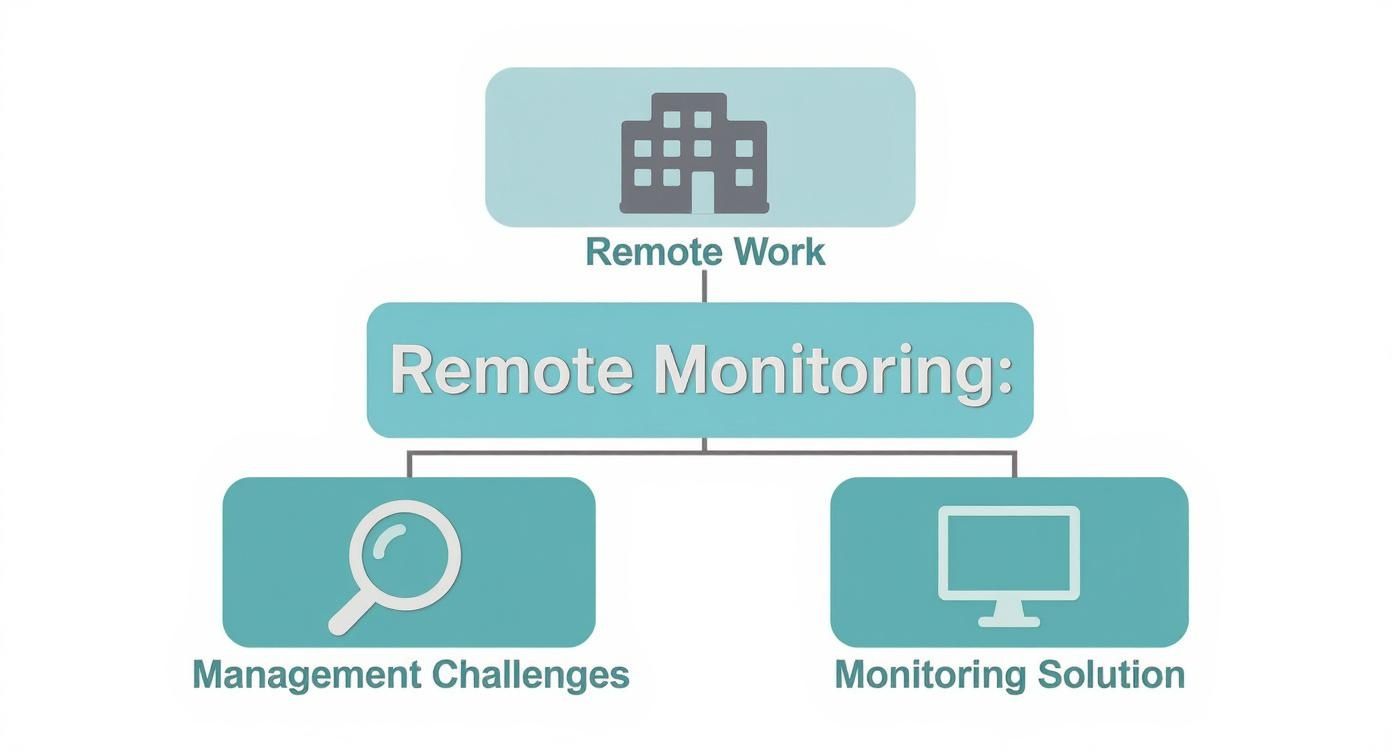
As you can see, there's a direct line from the shift to remote work to the need for specific management tools. Monitoring software is a direct answer to these modern challenges.
Accurate Time and Activity Tracking
First and foremost, any monitoring software worth its salt has to track time accurately. This is more than just logging hours for payroll; it’s the bedrock for understanding project costs, knowing how your resources are allocated, and getting a real sense of team productivity.
A solid time tracker should run quietly in the background, capturing work hours without your team having to constantly punch a clock. Look for smart features like idle time detection, which automatically pauses the timer when there's no activity. This keeps the data honest, giving you a fair and accurate picture for both managers and employees. Activity levels, often measured by keyboard and mouse clicks, add another layer of context, showing you engagement trends throughout the day.
Visual Confirmation with Screenshots
While time and activity data give you the numbers, screenshots provide the story behind them. This feature captures random or timed images of an employee's screen, offering a visual record of their work. It's a powerful way to verify that time logged is actually spent on assigned tasks.
Of course, this needs to be handled with care. The best platforms give you fine-grained control, letting you adjust how often screenshots are taken or even turn them off for certain users. If you want to see how this balance works in the real world, you can learn more about pairing time tracking software with screenshots to maintain both oversight and trust.
The point of screenshots isn’t to micromanage every single click. It’s to provide a quick, visual check-in that confirms work is on track. This is especially helpful for client billing where proof of work is sometimes required.
Application and URL Tracking
Understanding how the work gets done is just as important as knowing that it's getting done. This is where application and URL tracking comes in. It shows you exactly which software and websites your team are using during work hours, which is incredibly valuable for spotting both productivity enhancers and time sinks.
With this data, you can:
- Find hidden gems: Discover which apps your top performers are using and share those tools with the rest of the team.
- Uncover workflow problems: See if people are spending too much time on distracting websites or using inefficient software.
- Boost security: Flag any unauthorized or sketchy apps that could open the door to security risks.
Robust Reporting and Analytics
Raw data is just noise. The real magic of software to monitor remote employees is its ability to turn that data into clean, insightful reports. A strong reporting engine isn't a "nice-to-have"—it's a necessity. It should give you customizable dashboards and automated reports that make it easy to see trends and make decisions based on facts, not guesswork.
To dig into more advanced monitoring capabilities, including the role of AI, this guide on AI-Powered Human Risk Management is a great resource.
You absolutely need the ability to generate reports on:
- Productivity trends over days, weeks, or months.
- Time allocation across different projects and tasks.
- Application and website usage patterns for individuals and entire teams.
- Attendance and payroll data to make administrative work a breeze.
When these features work together, they create a complete system that gives you visibility, encourages accountability, and empowers you to support your team effectively, no matter where they are.
Balancing Productivity Goals with Employee Trust
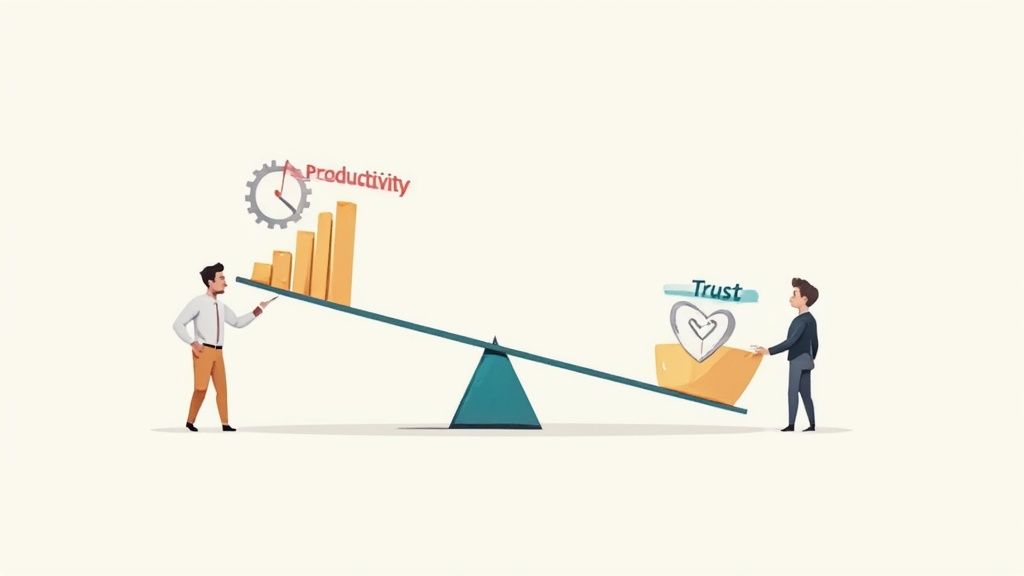
Rolling out employee monitoring software is a balancing act. On one side, you have productivity goals; on the other, you have employee trust. If you lean too far one way, you risk creating a culture of suspicion. But get it right, and you can build a more transparent and supportive work environment. This isn't about picking one over the other—it's about finding that sweet spot where technology connects people instead of creating divides.
The trick is to change the conversation entirely. Move away from words like "surveillance" and start talking about "support." When your team understands that the software is there to ensure workloads are fair, identify process bottlenecks, and help them do their best work, that initial resistance starts to melt away. The ultimate goal is a system where data helps everyone, giving managers the insights they need to lead effectively and employees the autonomy they want.
The Pillars of Ethical Monitoring
Putting this into practice isn't just about good intentions. It comes down to a clear framework built on three core pillars. If you skip any of these, you'll quickly see morale take a hit, turning a helpful tool into a source of anxiety.
- Complete Transparency: This one is non-negotiable. Your team needs to know exactly what is being monitored, how the data will be used, and why you’re collecting it in the first place. A surprise rollout is the quickest way to demolish trust.
- Clear Communication: Always explain the "why." Frame the software as a tool for improving operations and ensuring fairness, not as a digital babysitter.
- Informed Consent: Employees should clearly understand and agree to the monitoring policy, especially when using company devices. This sets a professional, legal, and ethical foundation from day one.
The tension here is very real. Despite the potential upsides, more than half of employees report feeling stressed by workplace monitoring, and a staggering 54% say they would think about quitting if it became too invasive. This just goes to show how critical a trust-first approach really is.
From Big Brother to a Supportive Coach
How your team perceives monitoring software comes down to one thing: how you use it. Is it a tool to catch people messing up, or is it there to help them win?
Think of it like the difference between a GPS in a delivery truck and a camera pointed at the driver.
- The GPS (Supportive Coach): It shows the most efficient route, alerts you to roadblocks, and helps you get to your destination (project goals) faster. It's all about helpful data, not judgment.
- The Camera (Big Brother): It just watches and records, making the driver feel constantly scrutinized. This approach breeds fear and kills any sense of ownership or creativity.
The best managers use monitoring data to start helpful conversations. When the data shows a project is falling behind, the supportive manager asks, "What's getting in your way, and how can I help clear the path?" The intrusive one just asks, "Why aren't you done yet?"
Building a Trust-Based Monitoring Policy
A formal, written policy is your roadmap. It cuts through any confusion and sets clear expectations for everyone. This document should spell out exactly what your software to monitor remote employees will and will not do.
Key Elements of a Fair Monitoring Policy:
- Define "Work Hours": State precisely when monitoring starts and stops. You should never track activity during breaks or personal time.
- Specify Monitored Data: Be explicit. List what's tracked (e.g., app usage, websites visited, activity levels) and what isn't (e.g., personal messages, webcam activation).
- Explain Data Usage: Clarify how the information will be used for things like productivity analysis, client billing, or workflow improvements. Reassure everyone it's not for punishment.
- Outline Privacy Protections: Detail who can access the data and the security measures you have in place to keep it safe.
Successful remote work is built on more than just software. For strategies that go beyond tools, these actionable remote team management tips can help you build a stronger cultural foundation. When you pair a thoughtful policy with great leadership, your monitoring software can become a tool that unites your team, not one that divides it.
A Practical Guide to Implementing Monitoring Software
Successfully rolling out software to monitor employees is far more about people than it is about technology. A rushed, top-down implementation can easily breed resentment and chip away at the very trust you've worked hard to build. The goal isn't to just "flip a switch" but to guide the change thoughtfully, making sure everyone sees the software as a tool for our collective success, not a mandate from on high.
Think of it like introducing a brand-new, complex play in sports. You wouldn't just hand the team a diagram and expect them to nail it in the next game. You’d explain the strategy, walk through each position, run some drills, and get feedback. A smart implementation roadmap works the same way, guiding your team from uncertainty to confident adoption.
Define Your Goals and Metrics First
Before you even think about installing anything, you have to answer the most important question: "What are we actually trying to achieve here?" Without a clear goal, monitoring just becomes aimless surveillance. Your objectives need to be specific, measurable, and tied directly to real business outcomes.
Are you trying to:
- Improve Project Profitability? Then your focus is on accurate time tracking for better client billing.
- Balance Workloads? You'll need insights into how tasks are distributed and where time is going.
- Boost Operational Security? You’ll want to concentrate on application usage and access controls.
Once you figure out your "why," you can set the key performance indicators (KPIs) to measure your success. This first step is absolutely critical—it ensures you use the tool with a clear purpose, collecting only the data you actually need.
Craft a Transparent Communication Plan
This is the make-or-break moment. It's where you win or lose the hearts and minds of your team, and transparency is non-negotiable. Your communication plan has to tackle potential worries head-on, leaving no space for rumors or suspicion to grow.
Your announcement should clearly cover:
- The "Why" Behind the Change: Explain the business challenge you're solving, whether that’s fairer workload distribution or more accurate project bids.
- What Will Be Monitored: Be completely explicit. Detail the specific data points you'll collect, like app usage or active time.
- What Will NOT Be Monitored: Reassure everyone that personal time, breaks, and private information are strictly off-limits.
- How the Data Will Be Used: Stress that the insights are for improving processes and offering support, not for punishment.
By leading with honesty, you frame the software as a helpful tool instead of a disciplinary one. That's essential for getting your team on board.
Train Everyone and Run a Pilot Program
People feel empowered when they understand what's going on. You absolutely must hold separate training sessions for managers and employees, because their roles and responsibilities with the software are different. Managers need to learn how to read reports and use the data for constructive conversations. Employees need to understand how the tool works and how it helps them directly.
A pilot program is your secret weapon for a smooth rollout. Pick a small, representative group of employees to test the software for a few weeks. This is your chance to gather real-world feedback, spot any technical glitches, and tweak your policies before launching company-wide.
This phased approach lets you iron out all the kinks in a controlled environment. By the time you roll it out to everyone, you’ll have a proven process, a refined policy, and a group of internal champions who can speak to the software's benefits. This thoughtful, people-first strategy turns what could be a difficult task into a collaborative success.
How To Choose The Right Software Partner
Picking a software partner to monitor your remote team feels like a huge deal because, frankly, it is. You're not just buying a tool off the shelf; you're bringing in a platform that will directly shape your team's day-to-day workflow and even influence your company culture. With so many vendors out there all claiming to be the best, the trick is to look past the flashy marketing and evaluate them like a seasoned pro.
This decision comes down to finding a partner whose tech fits your operational needs and whose values don't clash with your ethical principles. Think of it less like a software purchase and more like hiring a key team member. You need them to be reliable, easy to get along with, and able to grow as you do. The right partner makes remote management feel natural, while the wrong one can create more headaches than it solves.
Core Evaluation Criteria
To cut through the noise, you need to zero in on a few critical areas. These criteria will help you tell the difference between a true long-term partner and just another software provider.
- Ease of Use and Onboarding: The software has to be intuitive for everyone, from managers to employees. If it has a steep learning curve, people will get frustrated and won't use it, completely defeating the purpose of your investment.
- Scalability: The solution you choose must be able to keep up as your business grows. Whether you’re a team of five today or scaling to fifty next year, the platform needs to handle the load without breaking a sweat.
- Security and Compliance: Data security is absolutely non-negotiable. Make sure any vendor you consider uses strong encryption, has crystal-clear data privacy policies, and helps you stay compliant with rules like GDPR.
- Customer Support: When something goes wrong or you just have a question, you need to know you can get a hold of someone helpful—and fast. Look for vendors who offer live chat, phone support, and a solid knowledge base you can search anytime.
A truly great software partner provides more than just code. They offer a solution that feels like a natural extension of your management philosophy, blending powerful features with a user-friendly experience that respects employee privacy.
A Real-World Example With DeskCove
Let's make this more concrete. We can use DeskCove as a practical example of how to match a solution to your needs. This isn't a sales pitch—it's a way to demonstrate what you should be looking for when evaluating any software to monitor remote employees.
DeskCove was designed with a clean, intuitive dashboard at its core. This directly addresses the "ease of use" point, making sure managers can find the insights they need without needing weeks of training. For employees, the app is lightweight and runs quietly in the background, minimizing distractions and making adoption a breeze.
On top of that, DeskCove’s features are built around the data businesses actually need—like time tracking, activity levels, and app usage—without cluttering the interface with extras you'll never use. It gives you the essentials for making smarter management decisions. Its privacy-first options, like customizable screenshot settings and transparent data policies, support the ethical, trust-based approach we've been talking about.
You can see how different tools stack up on these points by exploring a curated list of the best employee monitoring software.
Matching a Vendor To Your Vision
With the market for these tools exploding, you have plenty of options. The global employee surveillance and monitoring software market was valued at around $648.8 million and is on track to more than double, hitting $1.465 billion by 2032. This boom is largely fueled by the shift to hybrid work, as nearly half of all employees now prefer remote options. As you navigate this growing market, you can find more insights on employee monitoring trends on fortunebusinessinsights.com.
To help you compare vendors systematically, use a checklist to guide your conversations and demos.
Vendor Evaluation Checklist
| Evaluation Category | Key Questions to Ask | Why It Matters |
|---|---|---|
| User Experience (UX) | Is the dashboard clean and easy to navigate? How much training is needed for managers and employees? | A confusing interface leads to low adoption and wasted investment. The tool should simplify work, not complicate it. |
| Core Features | Does it have the key features we need (e.g., time tracking, screenshots, app/URL tracking)? | Focus on features that solve your specific problems. Avoid paying for bloated software with extras you won't use. |
| Privacy & Ethics | Can we customize monitoring settings? Are data policies transparent to employees? | Building trust is crucial. The right tool supports transparency and gives you control to monitor ethically. |
| Security | How is our data encrypted? What are the vendor's data storage and access policies? | A data breach can be catastrophic. You need a partner who takes security as seriously as you do. |
| Support & Partnership | What are the support hours and channels (chat, phone, email)? What does the product roadmap look like? | Good support saves you from headaches down the road. A clear roadmap shows they are invested in long-term growth. |
Ultimately, choosing the right partner is all about alignment. Does the vendor’s philosophy on workplace transparency line up with yours? Does their product roadmap show they're committed to keeping your investment relevant in the future? This is a long-term commitment, so take the time to find a partner who truly understands and supports your vision for a productive, trusted remote team.
Answering the Tough Questions About Monitoring Remote Employees
Even with the best intentions, the idea of monitoring software brings up some perfectly valid questions. It’s smart to have these conversations early and openly. Let’s tackle some of the most common concerns head-on so you can move forward with a clear conscience.
Think of this as a no-nonsense guide to clearing up the gray areas and getting straight to the practical answers you need.
Is It Legal to Monitor Your Team?
For the most part, yes, it's legal for a company to monitor activity on devices it owns. The real issue, however, isn't just about what's legal—it's about what's right. The laws can get tricky and vary wildly depending on where you and your employees are located.
The golden rule here is unwavering transparency. You absolutely must have a crystal-clear, written policy that spells out exactly what you're tracking, how you're tracking it, and why it’s necessary for the business. Every single employee needs to read and agree to this policy before any monitoring software is installed. Trying to monitor personal devices without explicit, written consent is a legal minefield you don’t want to enter.
To be completely sure you’re on the right side of the law, always chat with a legal professional who knows the ins and outs of your local regulations. It’s a small step that protects everyone involved.
Will This Kill Team Morale?
It absolutely can—if you roll it out the wrong way. The impact on morale comes down to your approach and how you communicate the change. If you introduce the software like you're installing a security camera because you don’t trust anyone, you'll destroy morale overnight.
But what if you frame it as a tool for fairness, a way to spot workflow bottlenecks, and a method for offering better support? The reception can be completely different. Emphasize that the goal is to understand how work happens, not to spy on people. When the data is used to start helpful conversations and provide constructive feedback, it actually builds a more positive, high-trust culture.
What Metrics Genuinely Show Productivity?
Productivity is so much more than just the number of hours someone is clocked in. Staring at a timesheet doesn’t tell you anything about the quality of the work or the value created. The real gems are the metrics that show you trends and outcomes over time.
Forget about scrutinizing every minute of the day. Instead, zoom out and look at the bigger picture by analyzing things like:
- Productive vs. Unproductive App Use: This isn't about catching someone on social media. It's about seeing which tools genuinely help your team and which are just noise.
- Time Spent on Specific Projects: Are your resources going to the right places? This helps you keep projects on track and on budget without burning people out.
- Activity Level Trends: Look at engagement patterns over a week or a month. This can help you spot the early signs of burnout or identify top performers who might be ready for more responsibility.
The whole point is to figure out where time is really going so you can find opportunities to support your team in doing their best work.
Ready to get the visibility you need to manage your remote team effectively and ethically? DeskCove offers intuitive time tracking and productivity insights designed to build trust, not break it. See how our software can help you improve workflows and support your team’s success. Start your free trial today.