Time Tracking Software with Screenshots Explained

Time tracking software that takes screenshots is exactly what it sounds like: a tool that snaps pictures of a user's screen at regular intervals while they're on the clock. This creates a visual proof of activity, adding a much-needed layer of transparency that's incredibly helpful for remote and hybrid teams.
Think of it less like a監視 camera and more like a digital work journal that automatically documents progress. It's about verifying work, not just monitoring people.
Your Guide to Screenshot Time Tracking

With remote work becoming the new standard, managers and business owners are all asking the same question: how do you ensure your team is productive when everyone's scattered across different locations? The answer, more often than not, is found in the right technology—specifically, time tracking software with screenshots.
This isn't your basic start-and-stop timer. This kind of software gives you a visual record of the work being done, effectively bridging the physical gap between remote employees and their managers. Instead of just taking manual time entries at face value (which can easily be off), screenshot tracking provides concrete evidence of progress.
Understanding the Core Concept
At its heart, this technology is really about building trust through transparency. It’s not meant for micromanaging every click and keystroke. Instead, it’s designed to create a clear, shared understanding of how time is actually being spent on projects.
For freelancers and agencies, this is a game-changer. It gives clients undeniable proof of work, which helps sidestep billing disputes and ultimately builds stronger professional relationships.
The massive shift to remote and hybrid work has sent demand for these tools through the roof. The time tracking software market is growing fast, with forecasts expecting it to hit USD 16.1 billion by 2035—that's a compound annual growth rate of 15.5%. This explosive growth just goes to show how much businesses are relying on digital tools to manage a modern, distributed workforce. You can read more about the time tracking market's drivers and growth.
By capturing periodic screen grabs, the software creates an automated work diary. This helps managers verify that billable hours are being spent on assigned tasks, while also giving employees a detailed record of their own productivity patterns.
What You Will Learn in This Guide
This guide is designed to walk you through everything you need to know about using time tracking software with screenshots both effectively and ethically. We’ll cover all the key elements to help you make a smart, informed decision for your business.
Here’s a quick peek at what we'll cover:
- The Key Benefits: See how visual tracking can boost team productivity, sharpen billing accuracy, and make project management a whole lot easier.
- Essential Features: Learn which functions are must-haves, from customizable capture settings to privacy controls that respect your team.
- Ethical Implementation: Get a straightforward roadmap for introducing this software in a way that builds trust, not resentment.
- Choosing the Right Tool: Figure out the best criteria for picking software that actually fits your business needs and company culture.
My goal here is to cut through the noise and demystify this technology. We're moving past the common worries about "spying" to show its real value as a tool for verification, accountability, and mutual trust. By the end, you'll have a clear plan for putting a system in place that works for everyone.
How Does Screenshot Time Tracking Actually Work?
At its heart, time tracking software that uses screenshots is built on a simple, automated idea. Once a team member installs the small desktop app and clicks ‘start’ on a task, the software just hums along quietly in the background. It’s designed to be an invisible partner, not a resource hog that slows down their computer or gets in the way of actual work.
The main job of the software is to grab images of the screen at preset times. Think of it less like an invasive, always-on video feed and more like a security camera in a warehouse that just takes a quick snapshot every few minutes to confirm everything’s in order. This approach gives you a visual record of work happening without feeling overwhelming.
This automated process is what builds a more transparent workflow. For managers, it’s a straightforward way to see that the team is focused on their assigned projects. For employees, it creates a simple, undeniable log of their contributions.
The Mechanics of Screen Capture
The software can be set up to take screenshots in a few different ways, giving you the flexibility to match the tool to your company's policies. How often and in what manner these captures happen are the key settings that define how the system feels in practice.
Getting these settings right is all about striking a balance between accountability and employee comfort. The real goal is to verify work, not to micromanage every mouse click. If you're curious about the broader mechanics behind screen captures, exploring different types of general screenshot software can offer some useful context.
The most common ways these tools capture screens include:
- Random Intervals: The software snaps a picture at unpredictable moments within a certain window, like once every 10 minutes. This method discourages anyone from trying to "game the system" by only working when they think a screenshot is coming.
- Fixed Intervals: Some platforms let you set a rigid schedule, capturing a screen every five minutes on the dot. This offers a more predictable and consistent record of how a project is moving along.
- Customizable Settings: The best tools give managers the keys to adjust the frequency based on the project’s sensitivity or specific team roles, creating a more tailored approach to work verification.
This degree of control ensures the process aligns with your company culture or project needs, making it a flexible tool for different work environments.
The real power isn't just in taking a picture; it's in creating an objective, visual timeline of effort. This timeline eliminates guesswork and provides a clear, shared reference point for discussions about project progress and billing.
More Than Just Pictures: Activity Level Tracking
Modern screenshot time trackers do more than just capture images. They also incorporate activity level tracking, which measures keyboard and mouse usage to paint a fuller picture of engagement. It’s not about what you type, but that you're typing.
The system tracks keystrokes and mouse movements per minute and turns that data into a simple activity metric. A high activity level, for instance, shows the user is actively coding, writing, or designing. On the flip side, a low or zero activity level might just mean they’ve stepped away for a well-deserved coffee break.
This data is often displayed in reports, showing managers productivity patterns throughout the day. It adds a crucial layer of context to the screenshots, confirming not only that a team member was on the right screen but that they were actively engaged with their work.
Putting Privacy First
Any reputable software developer in this space knows that employee privacy is paramount. To that end, they build strong privacy controls directly into their platforms, giving both managers and employees the ability to use the tool ethically and with respect.
These features are non-negotiable for building trust:
- User-Controlled Timers: The employee almost always has total control over starting and stopping the timer. Tracking only happens during the work hours they choose to log, never after they’ve clocked out.
- Screenshot Deletion: Many tools empower employees to review and delete screenshots. If a personal notification pops up at the wrong moment or a screenshot is taken while they're on a quick break, they can remove it—no questions asked.
- Blur Features: Some advanced systems even offer optional blur settings that can obscure sensitive information within a screenshot, protecting personal data while still verifying that work is happening.
These controls change the dynamic from top-down monitoring to a collaborative partnership, ensuring the software serves as a tool for verification, not surveillance.
Must-Have Features in Your Tracking Software
When you're looking for the right time tracking software with screenshots, it's about much more than just the screen-capture feature itself. The best tools are a complete package, built to boost productivity, keep things fair, and give you real business insights. Think of it like buying a car—the engine is obviously critical, but you wouldn't get very far without good brakes, a clear dashboard, and modern safety features.
A great tracking tool works the same way, bringing together different capabilities to create one smooth, effective system. From flexible privacy settings to reports that write themselves, every feature has a job to do. Getting a handle on these core components is the first step to picking a platform that truly empowers your team, not just watches them.
This flow chart breaks down just how simple the process is—a quick, three-step journey from setup to verification.
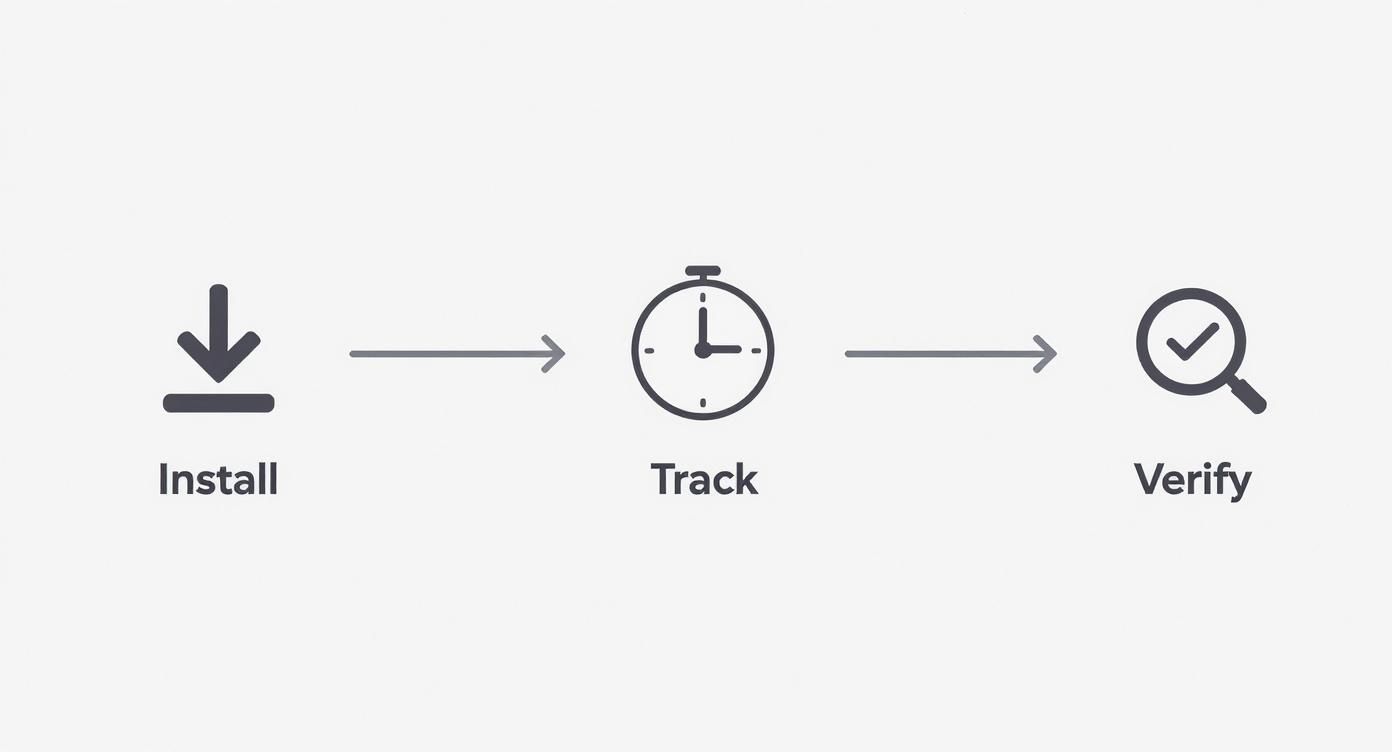
As you can see, the whole point of screenshot tracking is straightforward verification, not complicated surveillance.
Before settling on a tool, you'll want to dig into the specifics. We’ve put together a quick comparison table to highlight the features that really matter and why you should be looking for them.
Core Feature Comparison for Time Tracking Software
This table offers a snapshot of the essential features you should look for, what they do, and why they're so important for your business.
| Feature | What It Does | Why It's Important |
|---|---|---|
| Custom Screenshot Frequency | Lets you adjust how often screenshots are taken (e.g., once every 10 minutes or three times per hour). | It allows you to match the level of oversight to the task or project, balancing accountability with trust. |
| Activity Level Monitoring | Tracks keyboard and mouse movements to generate an activity score, without recording specific keystrokes. | Adds context to screenshots, showing that a team member is actively engaged, not just sitting at their desk. |
| Employee Screenshot Deletion | Empowers users to delete their own screenshots if they capture personal information or a break time. | It’s a huge trust-builder and shows respect for employee privacy, making adoption much smoother. |
| Automated Timesheets | Automatically generates accurate timesheets based on tracked hours and activity data. | Eliminates manual data entry, prevents errors, saves countless admin hours, and stops time theft. |
| Payroll & PM Integrations | Connects with your payroll and project management tools to sync data seamlessly. | Creates a streamlined workflow for billing clients, paying your team, and managing project budgets. |
| Comprehensive Analytics | Provides detailed reports on app usage, productivity patterns, and time allocation per project. | Transforms raw data into actionable insights, helping you spot bottlenecks and optimize resource allocation. |
Having this checklist helps you move beyond the marketing noise and focus on what will genuinely make a difference for your team's workflow and your company's bottom line.
Flexible Screenshot and Activity Settings
A one-size-fits-all approach to monitoring is a recipe for disaster. That’s why customizable capture frequency isn't just a nice-to-have; it's non-negotiable. The best platforms let administrators set different rules for different situations. Maybe one project only needs a screenshot once every 10 minutes, while another, more sensitive client project requires three per hour.
This level of control ensures the oversight matches the actual need, respecting your team's autonomy while keeping everyone accountable. You should also look for activity level monitoring, which tracks keyboard and mouse movements. This feature adds crucial context to the screenshots by confirming active work is happening—without ever recording what is being typed. That's a critical privacy distinction.
The goal isn't constant surveillance but meaningful verification. Features that allow you to tailor the monitoring intensity to specific roles or projects are essential for building a system based on trust and relevance.
Robust Privacy and Security Controls
For any screenshot tool to actually work, your team has to trust it. Plain and simple. This is where strong privacy controls become must-have features. Look for tools that put employees in the driver's seat by giving them the ability to delete their own screenshots. If a personal text message pops up on screen or a capture happens during a quick break, they should have the power to remove it.
Another game-changing privacy feature is screenshot blurring. This function can automatically obscure parts of the screen that might contain sensitive info, protecting personal data while still proving that work is getting done. Features like these aren't just about compliance; they show a real commitment to ethical monitoring and respect for privacy, which is absolutely key for getting your team on board.
Automated Timesheets and Payroll Integration
Let's be honest: manually filling out timesheets feels like a relic from another era. Modern time tracking software with screenshots takes care of all of it for you. As your team works, the system builds out accurate, detailed timesheets based on their tracked hours. No more guesswork, no more "creative" rounding, and no more wasted admin time.
This feature becomes even more powerful when it talks to your other business systems. The ability to integrate with payroll and project management software is a massive operational win. When tracked hours can be pushed directly to your accounting platform for payroll or invoicing, you create a seamless connection between work, payment, and billing. If you're looking to connect your different platforms, our guide can help you master time tracking tools with integration and build a much smarter workflow.
Comprehensive Reporting and Analytics
Screenshots and activity metrics are just raw data. They only become useful when they tell you a story. A powerful reporting dashboard is what turns all that information into a strategic asset for your business. With a good system, managers should be able to instantly see:
- Productivity Patterns: Pinpoint the most productive hours for the team or identify individuals who might be hitting a wall.
- Application and URL Usage: See which websites and apps are being used to get work done, helping to spot both great work habits and potential time sinks.
- Project Time Allocation: Know exactly how many hours are flowing into each project and task. This is mission-critical for accurate client billing and planning future projects.
These deep-dive analytics help project managers see problems coming before they blow up. For example, if a report shows a team is spending way too much time in a particular app, it might mean they need better training or a different tool altogether. This data-first approach lets you fine-tune workflows, use your resources wisely, and make smarter business decisions.
The Real Benefits of Visual Time Tracking
So, we've covered the mechanics of how these tools work. But let's get to the real conversation: what's the actual value they bring to a business? Implementing time tracking software with screenshots isn't just about logging hours. It’s about fundamentally changing how your business operates for the better. The benefits ripple across the entire organization, from individual focus and client trust to overall project success.
Think of it like adding a high-resolution camera to a complex machine. Without it, you’re just guessing if things are running smoothly. With it, you get a clear, visual confirmation that every gear is turning as it should, letting you fine-tune performance and prevent breakdowns before they happen. This visual proof of work builds a powerful foundation for growth.
Enhanced Team Productivity
One of the first things you'll notice is a real boost in team productivity. It’s just human nature—when work is visually documented, it encourages focus. Team members become more conscious of how they're spending their time, which naturally leads to fewer distractions and a stronger commitment to the task at hand.
This isn't about micromanagement; it's about creating an environment of accountability where everyone is pulling in the same direction. For instance, a marketing team can see exactly how much time goes into content creation versus admin tasks, allowing them to shift their efforts toward higher-impact activities.
The visual record also helps managers spot workflow patterns and bottlenecks that are slowing the whole team down. This kind of clarity is especially crucial for remote teams, a topic we explore more deeply in our guide on time tracking for remote employees.
Absolute Billing Transparency
For freelancers, agencies, and any business billing by the hour, this is a total game-changer. Vague, questionable timesheets are replaced with undeniable visual proof of the work performed. That simple shift turns the client billing process from a potential conflict into a straightforward, trust-building exercise.
Imagine sending an invoice that includes a secure link to a work diary filled with screenshots documenting every hour billed. There's just no room for doubt or disputes.
This level of transparency fosters stronger client relationships built on trust and mutual respect. When clients can see the effort and progress in real-time, they feel more connected to the project and confident in their investment.
This need for transparency is a huge reason why the market for these tools is exploding. As of 2023, the global time tracking software market was valued at USD 5.23 billion. It's projected to more than double, hitting USD 12.3 billion by 2030, largely driven by the demand for reliable verification in remote work. You can dig into the numbers yourself in this detailed industry analysis.
Improved Project Management
Good project management depends on knowing exactly where your resources are going. Time tracking software with screenshots gives managers an unprecedented, ground-level view of how a project is actually getting done. By reviewing activity logs and visual records, a project manager can quickly see who's excelling and, more importantly, who might be getting stuck.
Here’s how that plays out in the real world:
- Catching Problems Early: A manager notices from screenshots that a junior developer is spending way too much time on a single coding task. That visual cue prompts them to check in, offer help, or bring in a senior dev for guidance—turning a potential delay into a learning opportunity.
- Creating Accurate Timelines: By analyzing how long similar tasks took in the past, managers can build much more realistic and reliable project timelines for future work.
- Allocating Resources Smartly: The data clearly shows which tasks are the most time-consuming, allowing for better workload distribution and helping to prevent team burnout.
This proactive approach keeps projects on track and makes the team feel supported. It shifts the manager’s role from just a progress-checker to an active facilitator of success—a far more effective way to lead.
How to Implement Screenshot Software Ethically
Let's be blunt: rolling out time tracking software with screenshots can go south fast if your team thinks you're just installing a surveillance tool. The single most important factor in getting this right is trust. If you lose that, you've already failed.
The entire conversation has to be framed around transparency and mutual respect from the get-go. This isn't about installing software; it's about shifting the company culture from "employee monitoring" to "work verification." When you nail this approach, you build genuine confidence and give your managers a solid framework for a successful, respectful rollout.
It all starts with a proactive, crystal-clear communication plan. Don't ever surprise your team with new tracking software—that's a surefire way to breed resentment and anxiety. You have to get out in front of it and explain the "why" behind the decision.
Create a Transparent Policy
Before a single person installs the software, you need a detailed policy document in their hands. This is your chance to answer every question and address every concern before it even comes up. It should leave absolutely no room for interpretation.
Think of this policy not as a legal safety net, but as the foundation of trust. It's proof that the company is committed to using this tool ethically and responsibly.
Your policy needs to clearly spell out:
- What is being tracked: Be specific. Mention screen images, application usage, and general activity levels.
- When tracking occurs: Make it clear that tracking is only active when an employee starts the timer for a work task.
- Who can see the data: Define exactly which managers or administrators have access to screenshots and reports.
- How the data is used: Explain that the information is for verifying billable hours, managing project resources, and understanding productivity—not for punishing people.
Focus on Outcomes Over Surveillance
The most successful rollouts of time tracking software with screenshots are the ones that focus on productivity, not just presence. The data should be a tool to support your team, not to micromanage their every click. The goal is to shift management's focus from scrutinizing keystrokes to celebrating project milestones.
This means using the insights to spot where team members might be getting stuck or need support. For instance, if screenshots show an employee is spending way too much time on a single task, a manager's first thought should be to offer help, not criticism. For a deeper dive into this, resources on navigating AI ethics, compliance, and risk management in human resources offer valuable principles that apply to any monitoring technology.
The most ethical approach is to treat screenshot data as a tool for project management, not people management. Its purpose is to ensure projects stay on track and clients are billed fairly—not to create a culture of fear.
This reframes the software as a resource for improving workflows and making sure everyone is compensated fairly for their work. It becomes a tool that helps the whole team, rather than a method of control. This is especially vital for distributed teams, and our guide on how to track remote employees offers more strategies for building and maintaining trust from a distance.
Empower Your Team with Control
Empowerment is the ultimate antidote to fear. The best way to build trust is to give your employees direct control over their own data. This one simple move can completely change their perspective, turning the software from an invasive monitor into a personal productivity tool.
The best platforms get this. They build features that are designed from the ground up to respect employee privacy and autonomy. When you're looking at different software options, these features should be non-negotiable.
Essential Employee-Centric Features:
- User-Controlled Timers: The employee must always have full control over starting and stopping the timer. This reinforces the idea that tracking only happens during active work sessions they initiate themselves.
- Screenshot Deletion: Give employees the ability to review and delete their own screenshots. If a personal chat pops up or a capture happens during a quick break, they should have the power to remove it without asking for permission.
- Clear Visibility: A team member should always see a clear, obvious indicator on their desktop showing when the tracker is running. There should be absolutely no hidden or "stealth" monitoring.
By putting transparency first, focusing on supportive outcomes, and empowering your team with control, you can implement screenshot software in a way that actually strengthens your company culture. It becomes a shared tool for accountability and success, not a source of division and distrust.
Common Myths About Screenshot Monitoring
Let's be honest, the idea of a tool taking screenshots of your screen can feel a little… weird. It often brings up images of micromanagement and a serious lack of privacy. But most of these fears come from outdated ideas about how modern, professional time tracking software with screenshots actually works.
When you separate the myths from reality, it’s clear these systems are built for verification, not invasive surveillance. Let’s tackle some of the biggest misconceptions head-on.
Myth 1: It Records Everything 24/7
This is probably the biggest fear out there—that the software is always watching, capturing everything from personal chats to late-night browsing. For any reputable tool, this is simply not true.
These systems are user-activated. Tracking and screenshot captures only begin when an employee manually starts the timer for a specific task. The moment you stop or pause the timer, all monitoring activity stops. You are in complete control of when the clock is running, which means your personal time stays completely private.
Myth 2: It Destroys Company Culture
Another major worry is that bringing in screenshot monitoring will poison the well and create a culture of distrust. In practice, when it's rolled out the right way, the opposite often happens. By creating a clear, objective record of work, the software gets rid of ambiguity and guesswork.
This can actually build trust between managers and their teams, especially in remote setups where you can't just walk by someone's desk.
When used correctly, visual time tracking shifts the focus from "Are you working?" to "Here is the work being done." It's a tool for validating contributions and ensuring fair compensation, which can build a more transparent and accountable culture.
This move toward accountability is a big reason the market is growing so fast. The time and attendance software market hit USD 3.06 billion in 2024 and is projected to climb to USD 5.58 billion by 2033. This growth shows a wider trend of businesses using tech to boost transparency and efficiency. You can discover more insights about the time and attendance market to see the full picture.
Myth 3: It Is a Tool for Punishment
Many people worry that one "bad" screenshot—maybe a quick glance at an email notification—could be used against them. But the goal of this software isn't to play "gotcha" and catch people making mistakes. It’s about seeing the big picture of how a project is moving forward over hours and days.
Managers are looking at the overall pattern of activity, not just one isolated moment. A collection of screenshots tells a story of focus and progress. A single screenshot taken during a momentary distraction is just one tiny data point in a much larger, more productive story. Good companies use this data to support their teams, not to look for reasons to punish them.
Answering Your Top Questions
Even with a solid grasp of the benefits, you probably have a few practical questions about what time tracking software with screenshots looks like in the day-to-day. Let's get right into the most common concerns about privacy, functionality, and the legal side of things.
Is This Kind of Monitoring Software Even Legal?
Yes, in most places, it is completely legal for an employer to monitor activity on company-owned devices, especially during paid work hours. The absolute key here is transparency. Your legal standing is strongest when you have a clear, written policy that employees have read and agreed to, spelling out exactly what you're tracking and why.
But remember, laws can and do vary quite a bit from one region to another. It's always a smart move to chat with a legal professional to make sure your monitoring policy is fully compliant with local labor laws before you roll anything out.
Will the Software Track What's Happening on a Second Monitor?
It sure will. Most modern time tracking tools are built to capture activity across a user's entire setup, including multiple displays. When the software takes a screenshot, it typically grabs an image of all connected monitors, not just the main one. This gives you a complete picture of an employee's work and closes a common loophole.
This feature is pretty important for accountability. It stops a situation where someone might have work open on their primary screen but be watching videos or browsing social media on a second monitor while the clock is running. The whole point is to verify that all on-the-clock time is actually spent on assigned tasks.
Can Employees Just Cheat the System?
While some people might try to find a workaround, good software makes it incredibly difficult. Things like using a "mouse jiggler" or just leaving a static, work-related image open on the screen are easily spotted by tools that track activity levels alongside taking random screenshots.
When you combine the visual proof from screenshots with hard data on keyboard and mouse activity, you create a really solid verification system. If it's all set up correctly, it becomes almost impossible to "game the system" without the weird discrepancies showing up loud and clear in the activity reports.
Ready to build a more transparent and productive remote team? DeskCove gives you all the tools you need for ethical and effective work verification. Explore DeskCove's features today!