
7 Essential Project Management Checklists for 2025
In the complex world of project management, overlooking a single detail can derail timelines, inflate budgets, and lead to project failure. Success hinges on repeatable, standardized processes that ensure consistency and quality. This is where project management checklists transform from simple to-do lists into powerful strategic assets, providing a structured framework that guides teams from initial kickoff to final sign-off.
These checklists serve as the backbone for any successful project, ensuring no critical step is missed. They standardize tasks, clarify responsibilities, and create a clear roadmap for everyone involved. Whether you're onboarding a new team member, launching a new product, or managing a complex multi-stage project, having the right checklist is non-negotiable for maintaining momentum and hitting key milestones. To truly define project scope and requirements from the outset, exploring various Product Requirements Document (PRD) templates can be as crucial as the checklists themselves.
This guide eliminates the guesswork by rounding up the top 7 platforms for comprehensive project management checklists. We will explore practical, ready-to-use templates from Smartsheet, ClickUp, Asana, and more, complete with screenshots and direct links to help you get started immediately. Furthermore, we’ll demonstrate how integrating these checklists with a time-tracking solution like DeskCove provides unparalleled visibility into resource allocation and team accountability, turning well-laid plans into flawlessly executed projects.
1. Smartsheet
Smartsheet offers a comprehensive library of project management checklist templates, positioning itself as a powerful starting point for teams seeking structured, scalable project oversight. Its unique value proposition lies in its dual-access model: users can immediately download free, high-quality checklists in familiar formats like Excel or Google Sheets, or they can leverage them natively within the Smartsheet platform to unlock advanced automation and reporting capabilities.
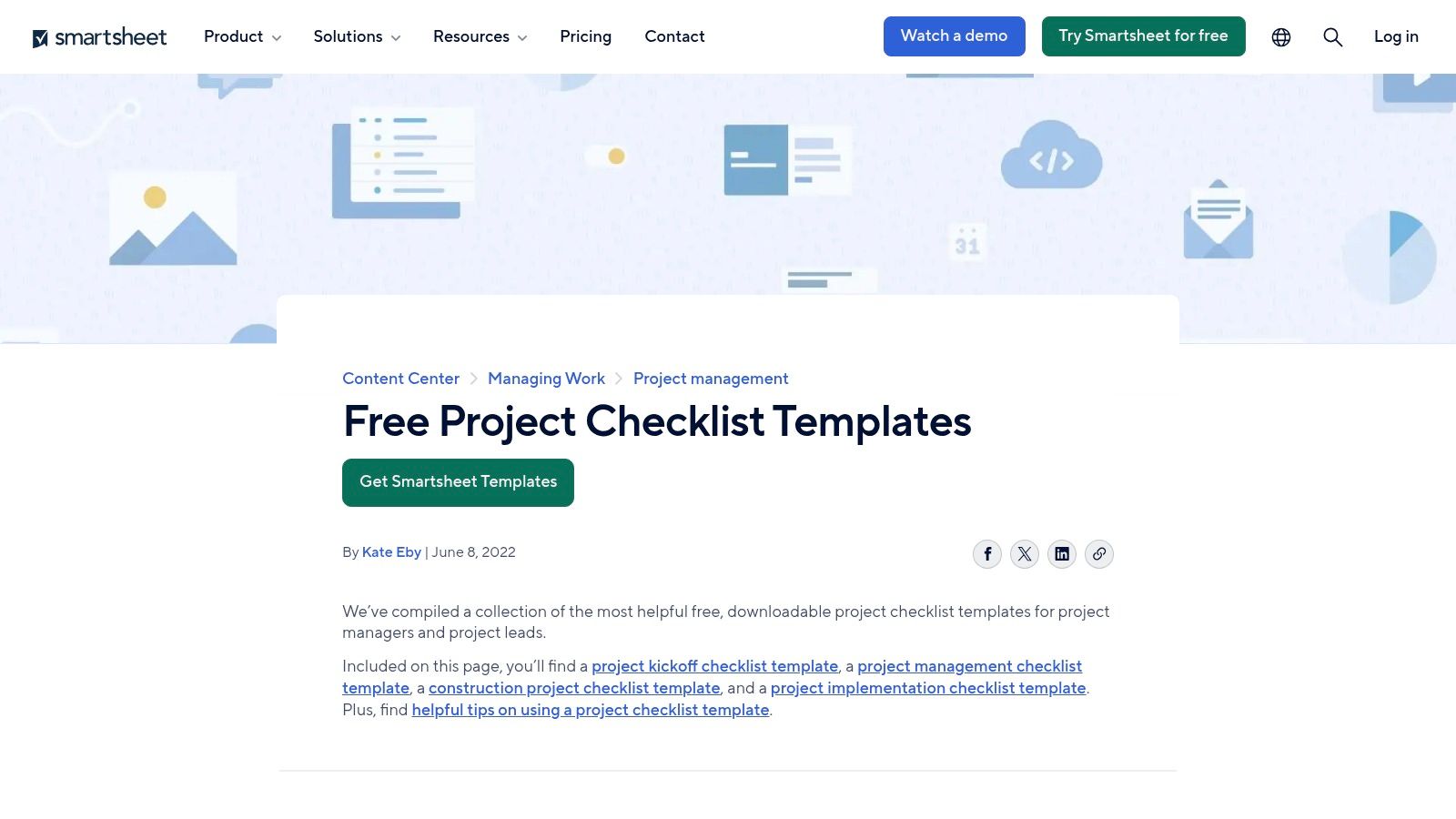
This flexibility makes Smartsheet an excellent choice for organizations at any stage of project management maturity. A small team can begin with a simple, printable project kickoff checklist, while a larger enterprise can use the same foundational template to build a fully integrated system with automated status updates, real-time dashboards, and integrated timelines.
Key Features and Offerings
Smartsheet's template gallery covers the entire project lifecycle, providing structured checklists for initiation, planning, execution, and closeout.
- Free Template Downloads: Instantly access and download a wide variety of checklists as Excel files without needing a Smartsheet account. This is ideal for quick, offline use or for teams not yet committed to a new platform.
- Native Smartsheet Integration: Using a template within Smartsheet transforms a static checklist into a dynamic project management tool. You can assign tasks to team members, set deadlines, and create automated alerts for pending or overdue items.
- Scalable Work Management: The platform's capabilities extend far beyond simple lists. As your project's complexity grows, you can integrate checklists with other features like Gantt charts, resource management views, and executive-level dashboards for a holistic project overview. To better understand how these visual timelines work, you can explore Gantt charts for effective project management.
- Automation Workflows: Set up rules to automate repetitive tasks, such as sending reminder emails when a deadline is approaching or requesting an update when a task's status changes.
Expert Tip: To maximize accountability, integrate your Smartsheet checklist with DeskCove. When a team member starts the timer in DeskCove for a specific task listed in your Smartsheet plan, their activity is automatically logged. This provides verifiable proof of work and accurate time data for each checklist item, making it easy to track progress and budget adherence.
How to Get Started
Accessing the basic templates is straightforward. Simply visit the Smartsheet website, navigate to their project checklist templates page, and download the Excel or Google Sheets file you need. No sign-up is required for these downloads.
To utilize the more advanced features, you will need to sign up for a Smartsheet plan. They offer a free trial, allowing you to test the platform's automation and collaboration tools before committing to a paid subscription, which is necessary for multi-user collaboration and premium features.
Website: https://www.smartsheet.com/content/project-checklist-templates
2. ClickUp
ClickUp provides a highly dynamic and integrated approach to project management checklists, moving them from static documents to actionable, automated components of your workflow. Its strength lies in treating checklist items as first-class citizens within its platform, allowing them to be nested, assigned, and incorporated into powerful automations. This makes it a standout choice for teams that want checklists to be deeply woven into their daily project execution and reporting.
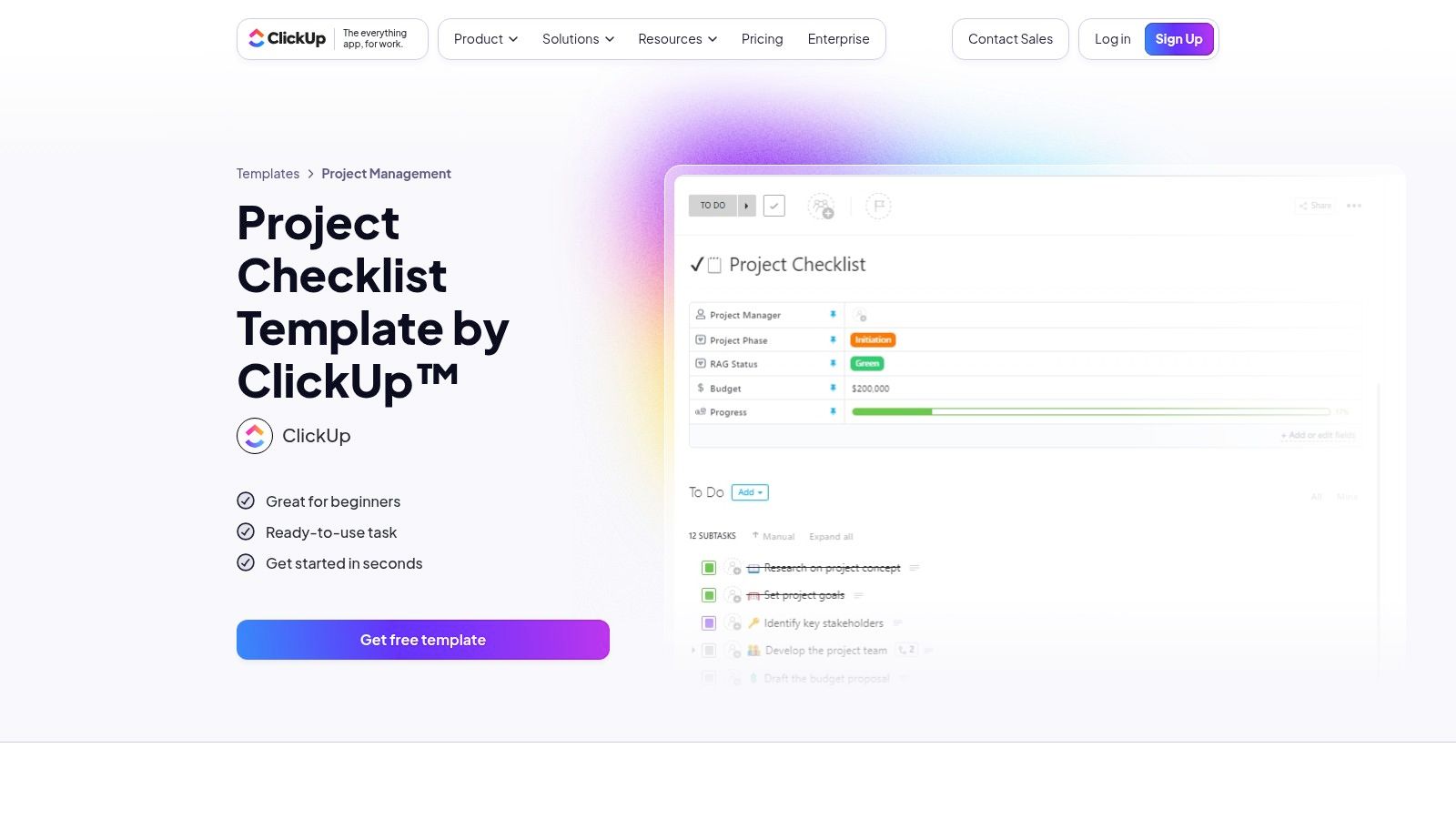
Unlike simple downloadable files, a ClickUp checklist is a living part of your project. You can start with a dedicated Project Checklist template or build your own from scratch. The ability to save any checklist as a reusable template and then automatically apply it when a new task is created or a project status changes is a massive time-saver for teams with repeatable processes.
Key Features and Offerings
ClickUp’s features are designed to make checklists more than just a list; they become an engine for productivity and a key part of your project management toolkit.
- Assignable Checklist Items: Individual checklist items can be assigned to different team members, complete with due dates. This ensures clear ownership and accountability for even the smallest sub-tasks within a larger project task.
- Nested Sub-items: Create detailed, multi-level checklists by nesting sub-items under main checklist points. This is perfect for breaking down complex tasks into manageable steps without cluttering your main project view.
- Reusable Templates: Any checklist you create can be saved as a template. This is invaluable for standardizing processes like new employee onboarding, product launch sequences, or client intake procedures.
- Powerful Automations: Set up rules to automatically apply a specific checklist template when a task is moved to a certain stage, assigned to a particular team, or created with a specific tag.
- Integrated Project Views: Checklist progress is visible within broader project contexts like List, Gantt, Calendar, and Workload views. This integration is a core strength of using a unified project management and time tracking software.
Expert Tip: Enhance accountability by pairing ClickUp with DeskCove. When a team member is assigned a specific checklist item in ClickUp, they can start the DeskCove timer for that task. This creates a direct, verifiable link between the checklist item, the time spent on it, and the work produced, providing managers with precise data for performance and budget analysis.
How to Get Started
ClickUp makes its checklist functionality widely accessible, as it is available on every plan, including the "Free Forever" tier. To begin, sign up for a free ClickUp account and explore their template library or create a task and start building a checklist within it.
To access more advanced features like unlimited custom fields, advanced automations, and more comprehensive reporting, you will need to upgrade to one of their paid plans. Be mindful of their user role and seat management policies, as some teams have noted recent changes that can affect costs for guest and external collaborator access.
Website: https://clickup.com/templates/project-checklist-t-2x1w5kn?utm_source=openai
3. Asana
Asana positions itself as a central hub for work management, offering an extensive and highly organized template gallery that serves as a powerful foundation for creating project management checklists. Its core strength lies in its ability to transform static to-do lists into dynamic, collaborative projects. Users can instantly duplicate and customize pre-built templates for anything from issue logs to complex project timelines, making it ideal for teams that need ready-made structures.
This versatility makes Asana suitable for teams across various departments, not just project managers. A marketing team can use a campaign checklist, while an operations team can deploy an onboarding checklist, all within the same platform. The ability to switch between List, Board, and Timeline views allows each user to manage their tasks in the format that works best for them, fostering widespread adoption and consistent workflow execution.
Key Features and Offerings
Asana’s template library is designed for immediate action, covering a vast range of business functions from operations and marketing to engineering.
- Extensive Template Gallery: Access a large, searchable library of templates for specific use cases like action item tracking, project timelines, issue logs, and team-specific workflows (e.g., marketing, IT, operations).
- Multiple Project Views: Manage your checklist-driven projects in different formats. The List view is perfect for simple to-do lists, the Board view uses Kanban-style cards for visualizing progress, and the Timeline view provides a Gantt-like perspective for scheduling.
- Actionable Task Management: Each item in a checklist can become a detailed task with assignees, due dates, comments, attachments, and subtasks. This adds layers of accountability and clarity to every step. To further organize these granular tasks, you can discover how a Work Breakdown Structure simplifies project management.
- Broad Integrations: Asana connects with hundreds of other tools like Slack, Google Workspace, and Microsoft Teams, allowing you to embed your checklists and tasks into your existing communication and collaboration workflows.
Expert Tip: Enhance task-level accountability by connecting Asana with DeskCove. When a team member starts the DeskCove timer for a specific Asana task, their work session is logged directly against that checklist item. This creates a transparent, time-stamped record, validating effort and providing precise data for project billing and performance reviews.
How to Get Started
You can begin using Asana’s templates by signing up for their free plan, which is suitable for individuals or small teams just starting. This plan allows you to create projects from templates and use the core task management features.
To unlock more advanced capabilities like Timeline view, custom fields, and automation rules, you will need to upgrade to a paid plan (Premium or Business). Asana offers a free trial for its paid tiers, giving you the opportunity to explore its full suite of features before making a commitment. Note that some users have reported concerns with seat bundling and template visibility, so administrators should review settings carefully.
Website: https://asana.com/templates
4. monday.com
monday.com transforms the concept of a checklist from a static list into a vibrant, visual, and highly collaborative workspace. Its strength lies in its extensive template center, offering not just simple lists but complete, pre-built project management solutions that include boards, dashboards, and powerful automations. This makes it an ideal platform for teams that prioritize visual workflow management and need customizable tools that adapt to their specific processes.
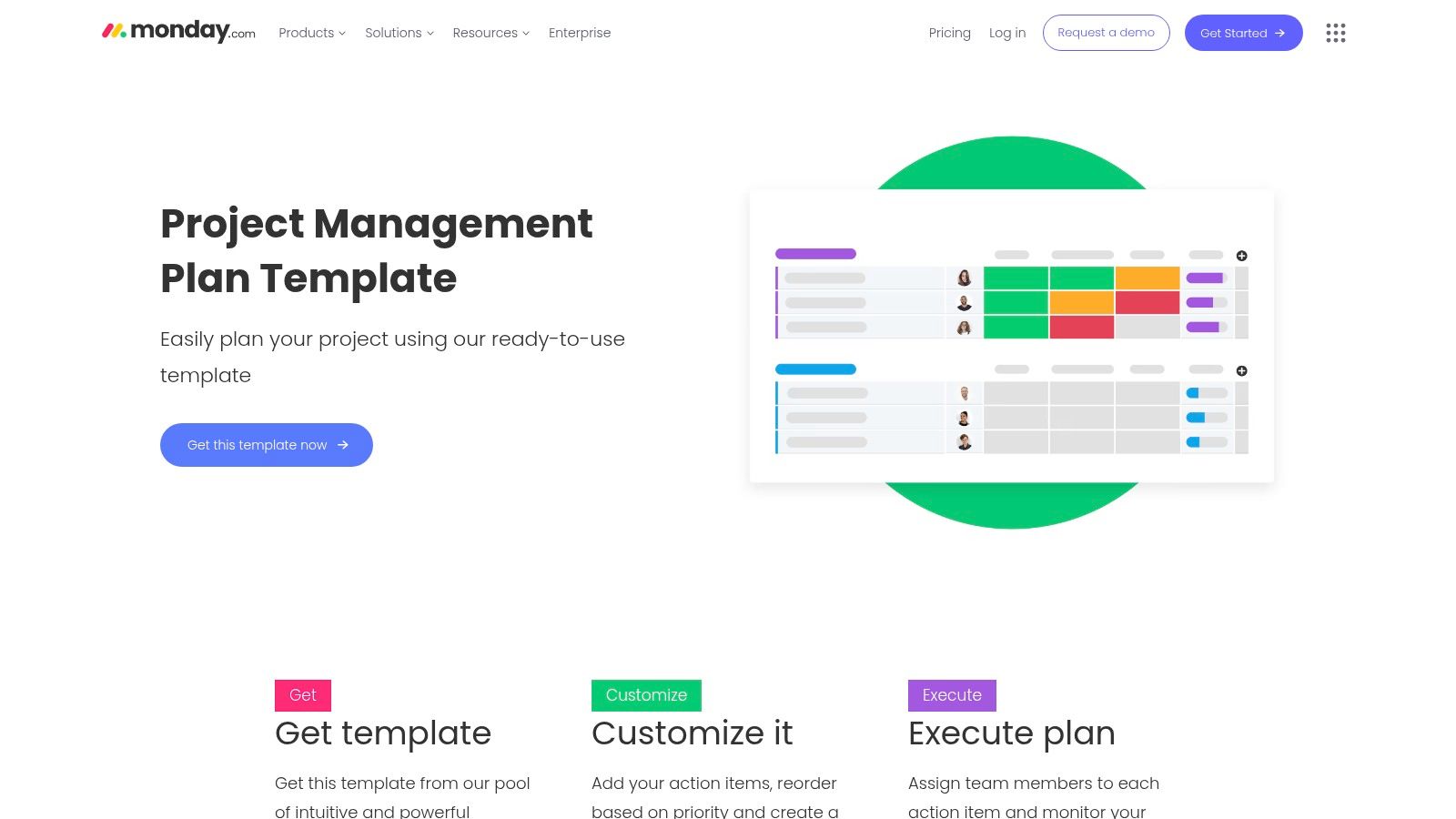
The platform is exceptionally beginner-friendly, with a colorful and intuitive interface that lowers the barrier to entry for team members of all technical skill levels. Whether you're starting with a high-level project plan or a detailed task checklist, monday.com allows you to visualize your project's progress through various views like Gantt, Calendar, or Kanban, turning checklist items into actionable, trackable work.
Key Features and Offerings
monday.com's templates are more than just starting points; they are fully functional, customizable frameworks for managing complex projects.
- Comprehensive Template Center: Access a rich library of templates including the Project Management Plan, Projects Overview, and checklist-style workdocs. These templates often come bundled with pre-configured boards, dashboards for reporting, and ready-to-use automations.
- Highly Visual and Customizable Workflows: Easily modify any template to fit your team's needs. You can add or remove columns, change statuses, and switch between different visual views (Timeline, Gantt, Calendar) to monitor your checklist progress in the format that makes the most sense to you.
- Built-in Automations: Automate routine tasks directly within your checklist boards. For example, you can set a rule to automatically notify a manager when a task's status is changed to "Done" or move an item to the next stage of the project lifecycle once all its sub-tasks are complete.
- Enterprise-Grade Governance: For larger organizations, monday.com offers managed templates. This feature allows administrators to create and maintain a standardized set of project templates, pushing updates to all instances to ensure process consistency and governance at scale.
Expert Tip: Link your monday.com board with DeskCove to create a seamless accountability loop. When an employee starts the DeskCove timer for a task assigned to them in monday.com, it creates an undeniable record of their focused work on that specific checklist item. This integration is perfect for validating billable hours and ensuring that time tracked directly corresponds to progress on the project plan.
How to Get Started
You can explore monday.com's template offerings directly on their website. To use a template, you'll need to sign up for an account. monday.com provides a free plan with limited features, which is great for individuals or very small teams to get a feel for the platform.
For access to the full range of features, including most automations, advanced reporting, and multiple board views, you will need to subscribe to one of their paid plans (Basic, Standard, Pro, or Enterprise). They offer a free trial of their Pro plan, allowing you to fully evaluate its capabilities before making a financial commitment.
Website: https://monday.com/templates/project-management-plan
5. Miro
Miro shifts the concept of a project management checklist from a linear document to a dynamic, visual, and collaborative canvas. It excels by providing a free, flexible Checklist Template within an infinite virtual whiteboard, allowing teams to not only track tasks but also to brainstorm, plan, and strategize around them. Miro's core strength is its real-time, visual-first approach, making it ideal for distributed teams that thrive on collaborative ideation and planning.
Unlike traditional spreadsheet-based tools, Miro allows a checklist to live alongside mind maps, user story maps, diagrams, and project roadmaps on the same board. This contextual approach empowers teams to see the bigger picture while managing the granular details. Teams can start with a basic checklist and organically expand the board to include all relevant project artifacts, creating a single source of truth for planning and execution.
Key Features and Offerings
Miro's template ecosystem is vast, providing structured starting points for virtually any collaborative session or project phase.
- Visual and Interactive Checklists: Move beyond static lists with interactive cards that can be tagged, assigned, and moved around the board. Organize checklist items into sections for different project phases or workstreams.
- Miroverse Community Templates: Access thousands of user-generated templates in the Miroverse. This library contains countless variations of project management checklists, from simple to-do lists to complex frameworks for retrospectives, workshops, and strategic planning.
- Real-Time Collaboration: Multiple team members can edit and comment on a checklist simultaneously. Cursors are visible in real-time, creating a shared digital space that mimics an in-person workshop, which is invaluable for remote and hybrid teams.
- Integrated Visual Tools: The true power of Miro is combining checklists with other visual tools. A checklist item can be directly linked to a detailed flowchart, a user persona, or a specific point on a project timeline, all within the same visual workspace.
Expert Tip: For enhanced task management, use Miro checklists for high-level planning and brainstorming during team workshops. As you finalize actionable items on the board, use the DeskCove integration to send these tasks directly to a more structured task management tool. When a team member starts tracking time on that task in DeskCove, it provides a seamless link between the initial creative plan in Miro and the focused execution tracked by DeskCove.
How to Get Started
You can begin using Miro's Checklist Template immediately with a free account. Simply visit the template page on the Miro website and choose to use the template. This will open it in a new board within your Miro workspace.
The free plan allows for up to three editable boards, which is sufficient for small projects or for trying out the platform. For larger teams needing unlimited boards, private board sharing, and advanced features, you will need to upgrade to one of their paid plans.
Website: https://miro.com/templates/checklist/
6. ProjectManager
ProjectManager serves as a valuable resource for teams seeking practical, free project management checklists that can be used immediately or scaled into a more robust software solution. It offers a large collection of downloadable templates, from task trackers to project dashboards, designed to bring clarity and control to any project. The platform's key advantage is its seamless upgrade path, allowing users to start with a simple Word or Excel checklist and later import it into the ProjectManager application to access live Gantt charts, Kanban boards, and collaborative tools.
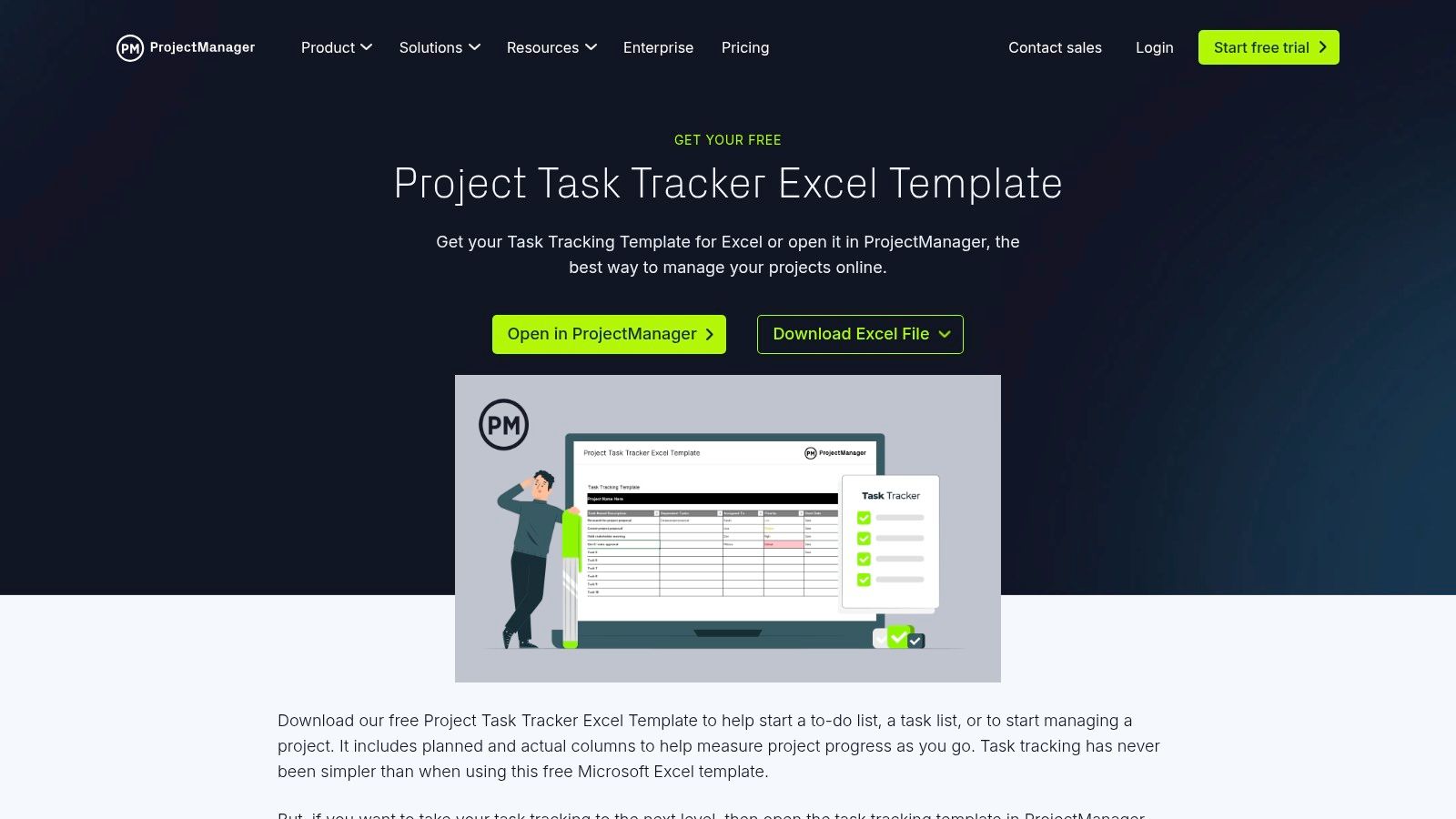
This approach makes ProjectManager an ideal bridge for teams transitioning from static spreadsheets to a dynamic project management environment. A project manager can instantly download a project task tracking template for a small initiative, and as the project's scope expands, they can upload that same file into the software to transform it into an interactive plan with real-time progress monitoring and team collaboration features.
Key Features and Offerings
ProjectManager's template library is extensive, providing checklists and tracking documents for various needs, including multi-project oversight and detailed deliverable management.
- Free Excel and Word Templates: Users can download numerous templates directly from the website without creating an account. This includes to-do lists, task trackers, and project review checklists that are ready for immediate, offline use.
- Software Integration: Any downloaded template can be imported into the ProjectManager web application. This converts the static checklist into a dynamic project plan, viewable as a Gantt chart, Kanban board, or calendar for more advanced management.
- Portfolio and Dashboard Templates: Beyond single-project checklists, the site offers templates for high-level oversight, such as multi-project trackers and dashboards, which are perfect for program managers and executives needing a consolidated view.
- Comprehensive Coverage: The collection is well-rounded, providing templates that function as effective project management checklists for tracking tasks, monitoring deliverables, and conducting project reviews from start to finish.
Expert Tip: Enhance the utility of a ProjectManager task list by integrating it with DeskCove. When an employee starts the DeskCove timer for a specific task from your ProjectManager checklist, the system automatically captures their work time. This creates a detailed and accurate log, linking every checklist item to the precise time spent, which is invaluable for payroll, client billing, and performance analysis.
How to Get Started
Accessing the free templates is simple. Visit the ProjectManager templates page and download the desired Excel or Word file directly to your computer. No sign-up is necessary for this, making it a quick and hassle-free process.
To leverage the more powerful, collaborative features, you must import your template into the ProjectManager software. This requires signing up for one of their paid plans. They typically offer a free trial, which allows you to explore the platform’s full capabilities and see how your static checklist transforms into a live, collaborative project hub.
Website: https://www.projectmanager.com/templates/project-task-tracking-template?utm_source=openai
7. Trello (Atlassian)
Trello takes a card-based approach to project management, integrating simple yet effective checklists directly into its Kanban-style workflow. Its value lies in its low-friction usability; teams can quickly create and manage task-level project management checklists without a steep learning curve. The platform is designed for visual organization, making it easy to see the status of individual tasks and their sub-components at a glance.
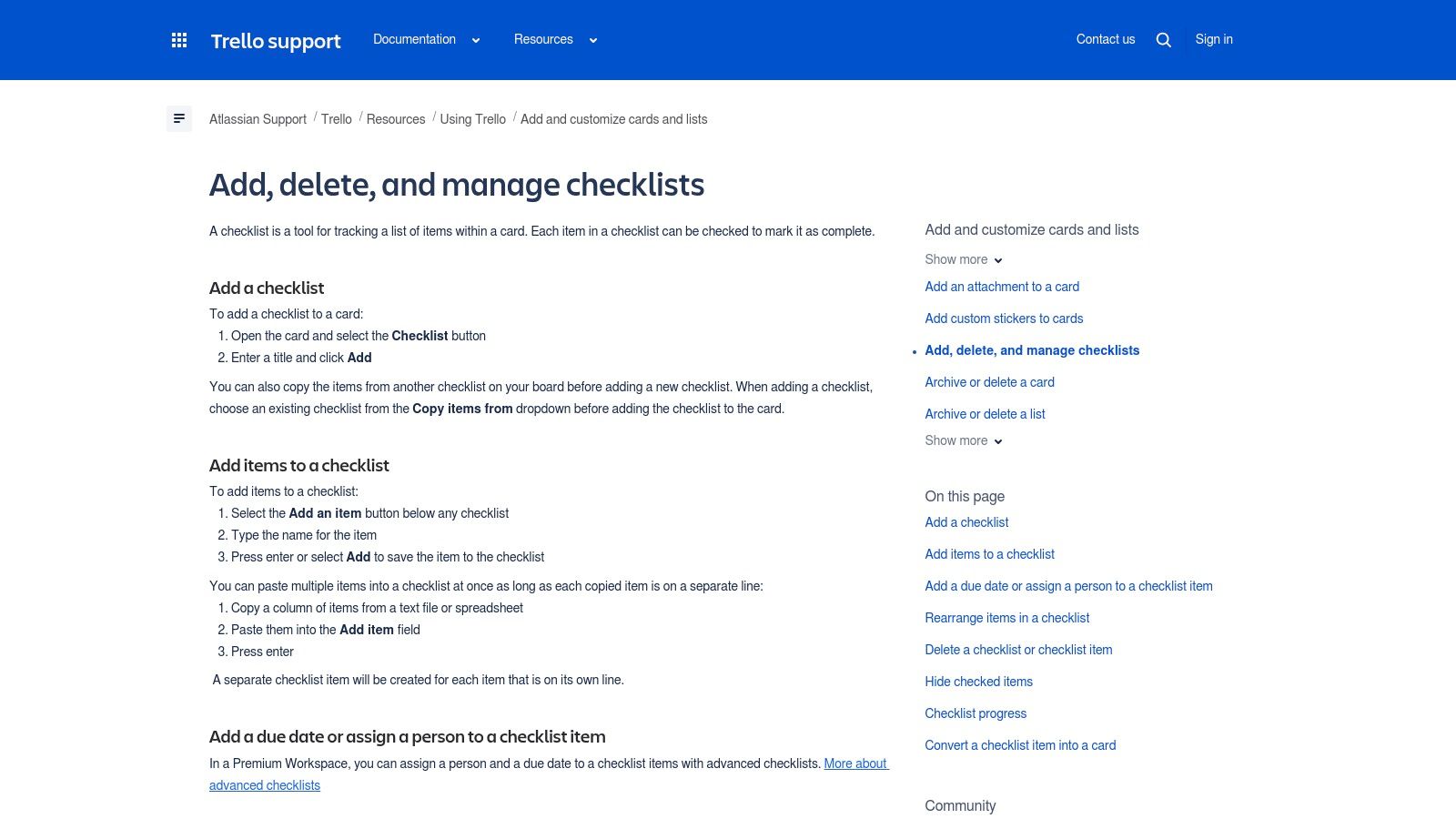
This makes Trello an excellent choice for teams that need simple, repeatable processes for common tasks, such as bug-fixing protocols or content publishing workflows. Its card-level focus is ideal for breaking down larger project deliverables into manageable, checkable steps, ensuring nothing is overlooked in the day-to-day execution.
Key Features and Offerings
Trello's checklists are built into the core functionality of its cards, offering a straightforward way to manage sub-tasks and standardize processes.
- Built-in Card Checklists: Every Trello card can contain one or more checklists. You can add items manually or bulk-paste a list from a spreadsheet or document, which Trello automatically converts into individual checklist items.
- Advanced Checklist Features (Premium): On paid plans, you can assign due dates and specific team members to individual checklist items, turning a simple to-do list into an accountable action plan.
- Template Cards and Boards: Create template cards with pre-populated checklists for recurring tasks. This allows you to standardize processes, such as a "New Blog Post" card that always includes checklist items for drafting, editing, SEO review, and publishing.
- Automation and Integration: Through Trello's Power-Ups and integrations with other tools, you can automate checklist creation. For instance, you can set a rule that automatically adds a "Client Onboarding Checklist" to any new card moved into the "New Clients" list. For advanced task visualization and project scheduling within Trello, consider exploring options like using external tools to create Gantt Charts for Trello.
Expert Tip: Enhance Trello’s simplicity with DeskCove’s accountability. When a team member starts a DeskCove timer, they can link it to a specific Trello card. This provides a clear record of the time spent on that deliverable, turning your visual board into a powerful tool for tracking productivity and ensuring that time billed aligns with the work completed on each card's checklist.
How to Get Started
Getting started with Trello's basic checklist features is free and immediate. Simply sign up for a free Trello account, create a board, and add a card. Within the card, you can click the "Checklist" button to begin adding items. The ability to copy entire boards or cards makes it easy to duplicate successful checklist structures across your projects.
To access advanced features like assigning members and due dates to individual checklist items, you will need to upgrade to a Trello Premium or Enterprise plan. These paid tiers also unlock more advanced automation capabilities and integrations essential for scaling teams.
Website: https://support.atlassian.com/trello/docs/adding-checklists-to-cards/
Top 7 Project Management Checklist Tools Comparison
| Tool | 🔄 Implementation complexity | ⚡ Resource requirements | 📊 Expected outcomes | 💡 Ideal use cases | ⭐ Key advantages |
|---|---|---|---|---|---|
| Smartsheet | 🔄 Medium — one‑click templates; automations require setup | ⚡ Low→Medium — free Excel downloads; subscription for automations/dashboards | 📊 Structured printable checklists that can evolve into automated PM dashboards | 💡 Teams wanting quick printable checklists with an upgrade path to automated work management | ⭐ Scales from simple checklists to automated reporting and dashboards |
| ClickUp | 🔄 Medium — nested, assignable checklists and automation rules | ⚡ Low — checklists on Free tier; paid tiers for advanced role/seat controls | 📊 Assignable, reusable checklist items integrated into multi‑view projects and automations | 💡 Teams needing assignable, reusable checklist items tied to Gantt/Calendar/Workload views | ⭐ Strong template reusability and deep automation integration |
| Asana | 🔄 Low→Medium — duplicateable templates; may need admin tuning | ⚡ Low — large searchable template gallery; seat bundling can affect cost | 📊 Cross‑team checklist workflows with flexible List/Board/Timeline views and integrations | 💡 Organizations seeking ready‑made project structures and checklist‑style workflows | ⭐ Extensive template coverage and flexible views for workflows |
| monday.com | 🔄 Medium→High — highly customizable templates and governance add admin work | ⚡ Medium→High — visual features and add‑ons can increase cost | 📊 Visual, governed workflows with dashboards and enterprise automation at scale | 💡 Teams that want visual workflows, managed templates and enterprise governance | ⭐ Visual UX, managed templates and rich automations/dashboards |
| Miro | 🔄 Low — board‑based visual checklists; less formal PM structure | ⚡ Low→Medium — free templates; paid for expanded collaborative capacity | 📊 Real‑time collaborative visual checklists combined with diagrams and roadmaps | 💡 Distributed teams running workshops, retros, planning and real‑time collaboration | ⭐ Excellent real‑time collaboration and large community template library |
| ProjectManager | 🔄 Low — downloadable Excel/Word templates; web app adds live features | ⚡ Low→Medium — many free templates; paid app for automation and dashboards | 📊 Printable checklists with optional upgrade to live Gantt/Kanban/Calendar views | 💡 Users who want immediate printable templates and a path to web‑based PM tools | ⭐ Large collection of practical templates bridging spreadsheets to PM software |
| Trello (Atlassian) | 🔄 Low — simple card checklists; Power‑Ups add complexity | ⚡ Low — very easy to start; assigning dates/people needs Premium | 📊 Lightweight, repeatable card‑level checklists with extensible integrations | 💡 Teams needing low‑friction task check‑offs and simple process standardization | ⭐ Very low friction to start and a broad ecosystem of Power‑Ups/extensions |
Turn Your Checklists into Actionable Data with DeskCove
We've explored a powerful lineup of tools, from Smartsheet's spreadsheet-like power to Miro's visual collaboration canvases, each offering unique ways to create and manage robust project management checklists. Whether you need ClickUp’s all-in-one customizability, Asana's user-friendly interface, monday.com's vibrant workflows, ProjectManager’s detailed Gantt charts, or Trello's simple Kanban elegance, the right platform is available to transform your project plans from static documents into dynamic, interactive roadmaps.
The core takeaway is that a checklist is more than a list of to-dos; it is a strategic asset. It standardizes processes, mitigates risks, and ensures critical steps are never missed. By implementing checklists tailored to each project phase, from initiation to closure, you create a system of accountability and a clear path to success. The true power of these tools is unleashed when your team adopts them not just as a mandate, but as a shared source of truth that clarifies expectations and streamlines collaboration.
From Static Plans to Dynamic Performance
Choosing the right tool is the foundational step, but the ultimate goal is to bridge the gap between planning and execution. A checklist on monday.com or a card on a Trello board represents a plan for how time and resources should be spent. But how can you be certain that the time allocated for a task is accurate? How do you identify hidden bottlenecks that aren't apparent on the checklist itself?
This is where integrating your chosen tool with a productivity monitoring solution like DeskCove becomes a game-changer. By connecting the tasks on your checklist with real-time data on how work is actually being done, you gain unparalleled insight. You can see precisely how much time is spent on "UI Design Review" in Asana or "Client Feedback Integration" in ClickUp, transforming your estimates from educated guesses into data-backed projections for future projects. This fusion of planning and monitoring elevates your project management checklists from simple organizational aids to powerful analytical instruments.
Actionable Next Steps for Implementation
As you move forward, focus on implementation rather than just selection. Your next steps should be strategic and team-focused to ensure successful adoption and long-term value.
- Start with a Pilot Project: Don't overhaul your entire workflow at once. Select a small, low-risk project and implement one of the tools we've discussed. Use this pilot to work out kinks, gather team feedback, and build a case for wider adoption.
- Prioritize Integration: Consider how your new checklist tool will fit into your existing software stack. A platform that seamlessly integrates with your communication apps, file storage, and, crucially, a time-tracking tool like DeskCove will minimize friction and maximize efficiency.
- Establish Clear Conventions: Define how your team will use the checklists. Create standardized templates, naming conventions for tasks, and protocols for updates. Consistency is key to making any project management system effective.
- Connect Tasks to Time: Once your checklists are in place, integrate DeskCove to begin tracking time against specific tasks. Use this data to analyze team productivity, validate project timelines, and identify which checklist items consistently take longer than planned. This feedback loop is essential for continuous improvement.
Ultimately, the most effective project management checklists are living documents, continuously refined by real-world data. By combining a structured platform with intelligent monitoring, you empower your team not just to follow a plan, but to understand, optimize, and master their workflow. You move from simply managing projects to engineering predictable and repeatable success.
Ready to transform your project plans into measurable results? See exactly how your team's effort aligns with your checklists by using DeskCove. Start your free trial today and gain the data-driven insights needed to optimize workflows, improve estimates, and ensure every task drives your project forward.


