Your Team Capacity Planning Template That Works

Feeling the constant pressure of over-committed teams, slipping deadlines, and general burnout? It’s a sure sign that guesswork is driving your project planning. A solid team capacity planning template is what you need to get a real handle on workloads, create achievable timelines, and keep your team from hitting a wall.
Why Your Team Is Overwhelmed And How To Fix It

Does it feel like your team is stuck on a treadmill that's always tilted a little too steep? It’s a familiar story. Passion and drive slowly get ground down by stress and exhaustion. This isn't a sign of a weak team; it's a direct result of having no real capacity planning in place.
When you don't have a clear picture of who is doing what, projects get handed out based on who seems available, not who actually is. This is how your key players become bottlenecks, drowning in tasks while others might be ready for more. The fallout from this is as predictable as it is damaging.
The Real Cost of Unchecked Workloads
When team capacity is a mystery, you're doing more than just risking a few missed deadlines. You're fostering an environment where quality dips, creativity dries up, and your best people quietly start polishing their resumes. The warning signs are usually small at first—a slight drop in engagement, a few more careless mistakes, or a team member who’s just a little too quiet.
These are just symptoms. The root cause is a systemic issue that a simple template can start to fix. Proper workload management is about so much more than just assigning tasks; it’s about setting a sustainable rhythm for your team’s success.
To get to the heart of the problem, it’s critical to implement proven strategies to prevent employee burnout. A good capacity plan is your first and most powerful step in that direction.
Gaining Clarity with a Structured Approach
The good news? You don’t need some overly complicated, expensive system to turn things around. A well-built team capacity planning template gives everyone a single source of truth. It offers immediate, visual feedback on your team's commitments so you can start making smarter decisions.
When you can see everyone's workload in a clear, organized way, you can spot overload risks weeks ahead of time—not when it's already too late. This proactive mindset is the foundation of any healthy, high-performing team.
A Look Inside Your Capacity Planning Template
Alright, let's move past the theory and get our hands dirty. This section is your guided tour of the downloadable team capacity planning template we've put together. Think of it as the quick-start guide to feeling confident the moment you open the file, designed to turn a jumble of data into clear, actionable insights for your team.
We built this template to be both powerful and easy to use. It’s all about ditching the manual guesswork that leads to burnout and mistakes, giving you a structured way to see your team's real workload. From individual availability to project-specific hours, every piece is there to give you the visibility you actually need.
The Core Building Blocks of the Template
At its heart, the template is organized around a few key areas that work together to paint the full picture of your team's capacity. You’ll find sections for team members, their roles, and their total available hours each week. This creates the baseline that everything else is built on.
From there, we get into project-specific tracking. This is where you'll list out all your current and upcoming projects, breaking them down into tasks and estimating the hours needed for each one. This separation is what helps you finally understand where everyone's time is really going.
The template also has columns for all that non-project work—the essential but often-forgotten tasks that eat into a team's week.
- Administrative Tasks: All that time spent on emails, internal reporting, and company processes.
- Team Meetings: Daily stand-ups, regular check-ins, and those long planning sessions.
- Paid Time Off (PTO): Vacations, holidays, and sick days that directly cut into available hours.
- Professional Development: Time set aside for training, workshops, or learning new skills.
By actually accounting for these activities, you get a much more honest view of each person's true availability. This helps you avoid the classic mistake of planning for a 40-hour workweek when, in reality, only 30 of those hours are available for project tasks. For a deeper dive into this, check out our guide on how to calculate FTE to boost your workforce planning.
Automated Calculations That Save You Time
One of the best features here is the built-in formulas. These automated calculations will save you from hours of spreadsheet headaches and kill the risk of manual errors. As you plug in your data, the template automatically crunches the numbers on key metrics.
The real goal here is instant feedback. The moment you assign a new task, the template recalculates utilization rates and immediately flags if someone is getting close to—or has already passed—their capacity. This lets you make adjustments on the fly, not after a problem has already blown up.
You’ll also see color-coded indicators that give you a quick visual on workload distribution. Green might mean healthy utilization, yellow could show someone is nearing their limit, and red is an immediate alert for over-allocation. This visual system makes it incredibly easy to spot potential issues at a glance.
A solid capacity planning template tracks everything from employee hours per week to job titles, project status, and commitment dates. More advanced versions even break things down by specific task names and project resource growth year-over-year. This kind of real-time insight helps prevent overloading your team and keeps you from missing deadlines. You can find more examples of template structures over at Smartsheet.
This whole approach is designed for clarity and control. By giving you a clear framework and automating the tedious math, the template lets you focus on what really matters—making smart decisions to balance workloads, keep projects on track, and support your team.
The table below breaks down the most critical components you'll be working with.
Key Components of Your Capacity Planning Template
This table summarizes the essential fields in the template, what they measure, and why they’re so critical for getting your planning right.
| Template Section/Field | What It Measures | Why It's Important |
|---|---|---|
| Team Member List | The names, roles, and standard weekly working hours for each individual on your team. | Establishes the baseline gross capacity for the entire team before any deductions. |
| Non-Project Time | Hours allocated to meetings, admin tasks, PTO, and other recurring commitments. | Calculates the net available capacity, providing a realistic view of project-ready hours. |
| Project & Task List | A breakdown of all active and upcoming projects, with estimated hours for each task. | Quantifies the demand on your team’s time and helps in accurate resource allocation. |
| Utilization Rate (%) | The percentage of a team member's available time that is allocated to work. | Instantly flags who is underutilized, at-capacity, or overloaded, enabling quick adjustments. |
Once you get these core components filled out, you’ll have a dynamic dashboard that reflects the true state of your team’s workload.
Getting Your Template Set Up for the First Time
Putting a new template into action is where the theory gets real. It can feel a little intimidating, but we'll walk through it with a practical, real-world scenario: a marketing team gearing up for a big new product launch. This example will give you a clear roadmap for setting up your own team capacity planning template correctly from day one.
The whole process really boils down to three things: understanding your team's real availability, defining the work that needs doing, and then matching the two. This is the core workflow.
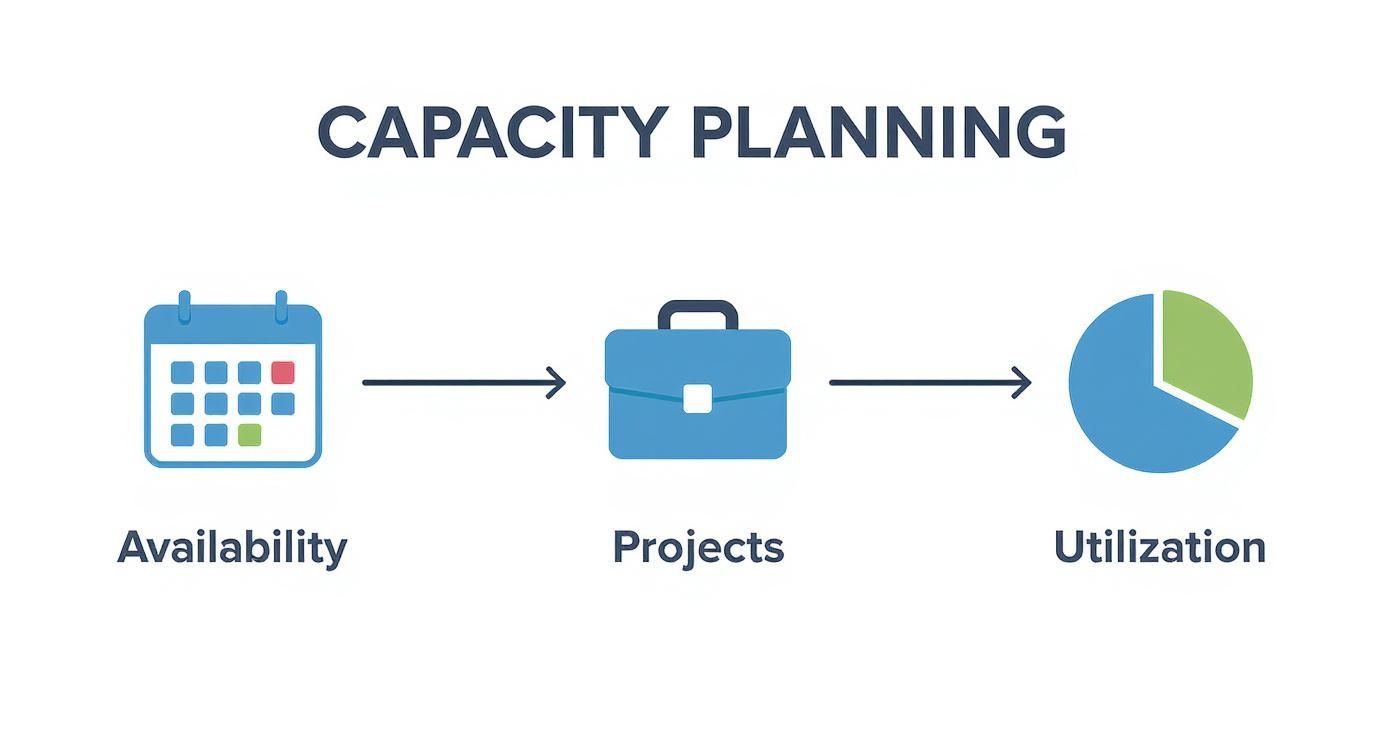
As you can see, solid planning starts with a realistic picture of your team's available time—long before you even start thinking about specific projects.
Gather Your Team’s Core Data
First things first: you need a roster. This isn't just a list of names; it’s about capturing the key details that define each person’s workweek.
Kick things off by listing every team member and their official role. For our marketing team example, this means listing out the Content Strategist, Graphic Designer, SEO Specialist, and Social Media Manager.
Beside each name, pop in their standard weekly working hours. For most full-timers, this will be 40 hours. Be precise here, though—if you have part-time folks or contractors, their hours will obviously be different. This number is what we call their gross capacity.
Calculate True Individual Capacity
Here's the most critical part: a 40-hour week is never 40 hours of pure project work. The next step is to figure out each person's net capacity, which is their genuine availability after you account for all the non-project stuff. Get this right, and your planning will be light-years more accurate.
You'll need to subtract the time spent on recurring activities like:
- Company-wide meetings: Think all-hands or departmental check-ins.
- Team-specific meetings: This includes daily stand-ups and weekly syncs.
- Administrative tasks: Time for slogging through emails, filing expense reports, and other admin.
- Paid Time Off (PTO): Factor in upcoming public holidays and any scheduled vacations.
Let’s apply this to Alex, our Graphic Designer, who works a standard 40-hour week.
| Commitment | Weekly Hours |
|---|---|
| Team Stand-ups & Syncs | 3.0 |
| Company All-Hands | 1.0 |
| Admin & Email Time | 4.0 |
| Total Non-Project Time | 8.0 hours |
When we subtract those 8 hours from Alex's 40-hour week, his true available capacity for project work is 32 hours. This is the realistic number you must use for assigning tasks. Failing to account for this "invisible work" is the number one reason teams get overloaded.
Break Down The Project Into Tasks
Okay, now you know your team's real availability. It's time to define the actual work. For the new product launch, the project manager needs to break that high-level goal down into smaller, concrete tasks.
This means listing out every single deliverable. For a campaign, that might include writing blog posts, designing social media graphics, building an email sequence, and managing paid ad campaigns.
The trick is to move from abstract goals ("launch the campaign") to tangible outputs ("design 5 ad creatives"). This makes estimating the time needed for each piece of work so much easier.
Once you have a full task list, the next challenge is putting an hour estimate on each one. If you're new to this, our guide on how to estimate project time has some great techniques to improve your accuracy. You can then assign these tasks to the right people in your template, always keeping their net capacity in mind.
And if you’re looking to build your own template from the ground up, exploring flexible digital tools like Notion Templates for team planning can be a fantastic starting point. By following these setup steps—gathering data, calculating net capacity, and detailing tasks—you'll turn a blank spreadsheet into a powerful tool for balanced, predictable work.
From Data To Decisions: Analyzing Your Results
Okay, your team capacity planning template is filled out. You've officially moved beyond guesswork and into the world of data. But the real magic isn't just collecting this information—it's learning how to read the story it tells. This is where a simple spreadsheet transforms into your most powerful decision-making tool.
Think of your completed template as a snapshot of your team's reality right now. Those utilization percentages, task allocations, and timelines aren't just numbers. They're direct signals about your team's health and your projects' chances of success. Getting good at interpreting these signals is the key to proactive management.
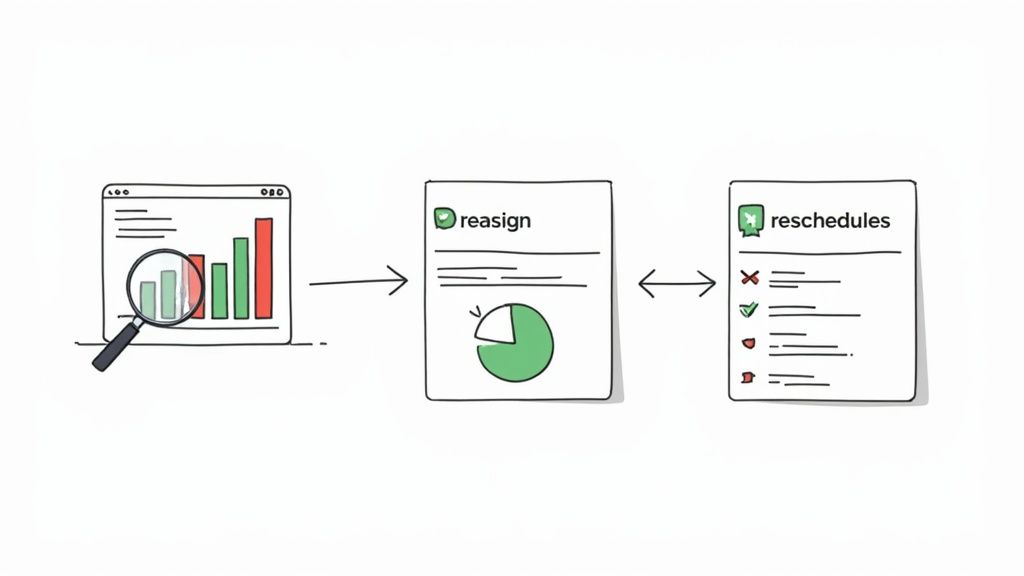
Spotting Red Flags and Hidden Opportunities
The first thing I always do is a quick scan for the outliers. Your eyes should jump to the numbers that just don't look right. These are your most urgent action items.
Look for these big red flags:
- Chronic Over-allocation: Is one of your key engineers consistently booked at 130% or even 150%? That’s not a superstar—it's a one-way ticket to burnout, mistakes, and shoddy work. This is the first fire you need to put out.
- Unbalanced Workloads: See one person running hot at 95% capacity while a teammate is cruising at 40%? This could mean you're not distributing tasks efficiently, or maybe there's a skills mismatch that needs addressing.
But it’s not all doom and gloom. Your template will also shine a light on some great opportunities.
- Untapped Capacity: That designer who’s only 60% utilized? They could be the perfect person to finally kick off that internal project, mentor a junior, or spend time on professional development that lifts the whole team.
- Project Dependencies: You might notice that a critical project path runs entirely through one person. You've just uncovered a "key person dependency" risk. Now you can get ahead of it by cross-training another team member.
By regularly scanning for these extremes—both high and low—you shift from a reactive manager putting out fires to a strategic leader who prevents them from even starting.
Taking Concrete Action Based on Your Findings
Spotting an issue is only half the job. The real value comes from the moves you make next. Your template gives you the hard data to back up your decisions with your team and any stakeholders.
What to Do About Overloaded Team Members
When someone is deep in the red, "work harder" is the worst thing you can say. The data gives you a much smarter playbook.
- Re-prioritize Tasks: Can a lower-priority project wait? Your template shows you exactly what gets impacted, turning a vague request into a clear conversation about trade-offs.
- Adjust Timelines: If the work is critical, maybe the deadline isn't. Showing the allocation data makes it painfully obvious that the current timeline is a fantasy.
- Reassign Work: Is there a specific task you can offload to someone with more bandwidth? Your template makes it easy to spot who has room on their plate.
- Make a Case for More Help: If the entire team is over-allocated, your template becomes undeniable proof that you need to hire or bring in a contractor.
What to Do With Underutilized Team Members
On the flip side, seeing someone with low utilization is an opportunity you can't afford to waste.
- Assign New Initiatives: Now’s the time to tackle that "nice-to-have" project that’s been collecting dust on the back burner.
- Offer Support: Ask them to jump in and help an overloaded colleague. This is great for team cohesion and helps spread skills around.
- Invest in Growth: Encourage them to use the downtime for training or certifications that align with where the team is headed.
This whole analytical process is at the heart of modern workforce management. There's a big shift happening away from static, outdated planning methods. Dynamic capacity planning gives you real-time visibility, letting you reallocate people on the fly. This leads to smarter forecasting, less waste, and better use of talent across all your projects. To see more on this, check out some of the latest resource management trends and their benefits.
Ultimately, analyzing your results is how you make sure your team is not just busy, but productive, balanced, and genuinely engaged.
Advanced Strategies for Mastering Capacity Planning
Once your team gets into a good rhythm with the basics, your team capacity planning template starts to change. It's no longer just a simple tracking sheet; it becomes a powerful source of historical data. This is where you can graduate from day-to-day assignments and start mastering truly proactive planning.
These next-level strategies are designed to help you tap into that data, sharpen your accuracy with real-time tools, and adapt your whole process for the realities of modern, flexible teams. It’s how you take a good planning system and make it great.
From Historical Data to Future Forecasting
Think of your filled-out template as more than a record of past work—it's a predictive tool just waiting to be used. By analyzing what’s already happened on previous projects, you can spot valuable patterns that make future estimates far more accurate.
Just look back at a recently completed project in your template. Compare the initial time estimates for tasks against the actual hours logged. Did designing ad creative consistently take 20% longer than you planned? Were bug fixes always underestimated by half? These insights are pure gold.
This historical data helps you build a much more realistic forecasting model. Instead of guessing how long a new website build will take, you can base your estimate on the last three you did. This approach turns reactive planning into a proactive strategy, letting you anticipate resource needs for future quarters with real confidence.
Integrating Real-Time Time Tracking Data
Estimates are a crucial starting point, but integrating them with real-time data is how you achieve the next level of precision. Tools that track employee productivity and project time, like DeskCove, can feed actual work hours directly into your planning process. This closes the gap between your plan and what’s actually happening on the ground.
This kind of integration removes the manual guesswork from tracking actuals. It gives you an objective look at where time is truly being spent, often shining a light on "invisible work" or hidden inefficiencies.
For example, your template might allocate ten hours for a task, but the time tracking data shows it’s consistently taking fifteen. This isn't a red flag about performance; it’s a clear signal that your initial estimate was off. Armed with that knowledge, you can adjust future plans for similar tasks, making your entire capacity model more reliable.
The screenshot below shows how a project management time tracking feature provides granular detail on where hours are going across different projects.
This level of detail is exactly what you need to compare planned versus actual hours, allowing you to fine-tune your future estimates with precision.
Managing Capacity for Remote and Hybrid Teams
Managing a distributed team brings unique challenges that a standard template might not cover right out of the box. You have to account for different time zones, asynchronous communication, and varied work schedules, which all demand a more flexible approach to capacity planning.
Here are a few specific techniques that work well for remote and hybrid environments:
- Define Core Collaboration Hours: Even when working asynchronously, it helps to establish a few overlapping hours where the team is expected to be online for real-time collaboration. Block this time off in your template as a fixed commitment for everyone.
- Buffer for Communication Lags: Asynchronous work often comes with built-in delays. A question asked at the end of one person's day might not get answered until the next morning. It's smart to add a small buffer—think 10-15%—to tasks that require cross-functional input to account for this.
- Visualize Time Zones: Add a simple column to your template noting each team member's primary time zone. This small tweak helps managers assign time-sensitive tasks more thoughtfully and stops them from scheduling meetings at awful hours for part of the team.
The goal isn't to force a remote team into a rigid, nine-to-five box. It's about creating a planning structure that respects their flexibility while still providing the clarity and predictability the business needs.
Running Effective Capacity Review Meetings
Your template shouldn't be some siloed document that only one person ever looks at. To make it a shared source of truth, you need to bring the team into the process with regular capacity review meetings. These sessions are what transform the template from a top-down tool into a collaborative planning resource.
Keep the agenda simple and focused:
- Review Current Allocations: Kick things off with a brief look at the current week's workload. Is anyone feeling overloaded? Is anyone seeing a blocker that wasn't on the radar?
- Look Ahead (Next 1-2 Weeks): Shift focus to upcoming priorities and tentative assignments. This is the perfect time for team members to give their input on task estimates or raise concerns about dependencies.
- Adjust and Confirm: Based on the discussion, make real-time adjustments to the plan right there in the meeting. This collaborative approach builds a sense of shared ownership and gets everyone aligned on what's important.
By making capacity a regular, transparent conversation, you create a culture where managing workload is a shared responsibility, not just something a manager does. That makes your whole planning process more resilient and your team far more engaged.
Common Capacity Planning Questions
Even with a solid template in hand, you’re bound to run into questions once you start putting it all into practice. It's totally normal. Think of this next part as your quick-reference guide for the most common hurdles I've seen managers face when they first dive into using a team capacity planning template.
My goal here is to get ahead of your questions and give you some practical, no-nonsense answers.
How Often Should I Update the Template?
Here’s the thing: for a capacity plan to be anything more than a pretty spreadsheet, it needs to be a living document. A "set it and forget it" approach just doesn't work.
For most teams I’ve worked with, a weekly update hits the sweet spot. This rhythm lets you account for new tasks that pop up, shifting priorities, and those inevitable unexpected sick days before they completely derail your plan.
Beyond that weekly check-in, it’s a smart move to do a more thorough review either monthly or right before a major new project kicks off. This keeps your long-term planning from drifting too far from reality.
Who Should Use a Capacity Planning Template?
This isn't just a tool for professional project managers with a PMP certification. Anyone who's responsible for a team's workload can get a massive benefit from this.
- Team Leads and Department Heads: They’re in the trenches, balancing daily tasks and making sure no one on their team is drowning in work.
- Marketing Managers: Perfect for juggling multiple campaigns, product launches, and content calendars while allocating creative resources effectively.
- IT Managers: Crucial for striking a balance between putting out daily fires (support tickets) and making progress on big infrastructure projects.
- Agency Owners: Gives you a crystal-clear picture of how client work is spread across your entire team, so you can see who has bandwidth for the next project.
If your job involves assigning work and making sure deadlines are met, this template was built for you.
The real magic of a capacity template is that it makes workloads visible. Once you can actually see the full picture, you can stop guessing and start making data-backed decisions that prevent burnout and keep projects on track.
What’s the Ideal Team Utilization Rate?
I see this all the time. Managers aim for 100% utilization, thinking it means peak efficiency. In reality, it's a recipe for burnout and leaves zero wiggle room for anything unexpected. Trust me on this one.
A much healthier—and more realistic—target is somewhere between 70-85% capacity. This builds a necessary buffer into your team's schedule.
That buffer isn't for slacking off. It's for:
- Urgent, last-minute tasks that always seem to materialize out of thin air.
- The space needed for creative thinking and genuine problem-solving.
- Opportunities for professional development, training, and learning new skills.
Planning for this range keeps your team humming along productively without pushing them to their breaking point.
How Do I Write a Basic Capacity Plan?
Getting started is way simpler than you might think. First, just list out your team's available hours for a set period, like one week. The key is to remember to subtract all the non-project time—think weekly team meetings, 1-on-1s, and admin work—to find their true available capacity.
Next, make a list of all the projects and tasks on the docket, and attach a realistic hour estimate to each one. Finally, you play matchmaker, assigning the right tasks to the right people based on their skills and how much time they actually have. The goal is to balance the workload fairly and be ready to adjust if you see anyone is over-allocated.
Ready to stop the guesswork and gain true clarity on your team's workload? DeskCove provides real-time data on project hours and productivity, seamlessly integrating with your planning process to make your forecasts more accurate. See how you can build a more balanced and productive team by visiting https://deskcove.com.