Time Tracking for Freelancers: A Practical Guide to Boosting Productivity

Time tracking is simply the process of logging the hours you spend on client projects and your own business tasks. For freelancers, this isn't just about counting minutes; it's about collecting the raw data you need to bill clients accurately, figure out which projects are actually making you money, and make smarter decisions for your business.
Think of it less as a chore and more as your secret business intelligence tool. It’s what helps you maximize both your earnings and your efficiency.
Why Time Tracking Is a Freelancer's Secret Weapon
Let's be real—the phrase "time tracking" can bring up images of corporate micromanagement, even when you're the boss. But for freelancers who are serious about growth, it has nothing to do with watching the clock. It’s all about understanding where your most valuable asset—your time—is actually going.
This simple habit is the bedrock of turning a freelance side hustle into a sustainable, profitable business. You might start by just logging hours to fill out an invoice, but the real magic happens when you start using that data to diagnose the health of your entire operation.
Pinpoint Your Most Profitable Work
Ever finish a project and feel like you put in a ton of effort for not much reward? Without data, that’s just a gut feeling. With time tracking, it's a hard fact you can actually do something about.
Let's say you have two clients. Client A pays you a flat $1,000 for a project that you now know consistently takes you 25 hours. Meanwhile, Client B pays $800 for a project that only takes 10 hours. On the surface, Client A looks like the bigger payday. But the data tells a completely different story:
- Client A's Effective Rate: $40/hour
- Client B's Effective Rate: $80/hour
That insight is pure gold. It shows you that finding more "Client B" type projects will double your real hourly rate without you having to work a single extra minute.
Protect Yourself from Scope Creep
Scope creep is the silent profit killer for so many freelancers. It starts with one "quick little favor" from a client that wasn't in the original agreement. Then another. Before you know it, you’ve sunk an extra five unpaid hours into a "finished" project.
By tracking every task, you create an objective, undeniable record of all the work you've done. When a client's requests start to wander outside the initial scope, you have a clear, data-backed timesheet to support a conversation about adjusting the project fee or timeline.
Quote Future Projects with Confidence
How do you price that new project inquiry that just landed in your inbox? A lot of freelancers just guess, which almost always leads to undercharging and getting burned out. Good time tracking habits eliminate the guesswork.
By looking back at similar past projects, you can see exactly how long specific tasks actually took you. This historical data is your new best friend for building accurate, profitable quotes that account for everything—from the initial research phase all the way to those final revisions. This doesn't just ensure you get paid fairly; it also builds massive trust with clients through transparent and predictable pricing. For a deeper dive, understanding how to integrate time tracking into your workflow now can make a significant difference.
Building Your Perfect Time Tracking Workflow
Let's be honest: a time tracking system you never use is worse than having no system at all. The goal isn't to find the flashiest, most feature-packed tool out there. It's to build a practical, sustainable workflow that actually fits into your daily routine without feeling like a chore. The best time tracking system is the one you forget is even running.
It all starts with picking the right method for you. You don't need to dive headfirst into sophisticated software if a simple approach gets the job done. The sweet spot is finding a balance between capturing detailed data and keeping things simple enough to stick with.
This isn't just busywork. Logging your hours is the foundational step toward understanding your real profitability, which in turn lets you quote future projects with confidence. It’s a direct line to working smarter, not just harder.
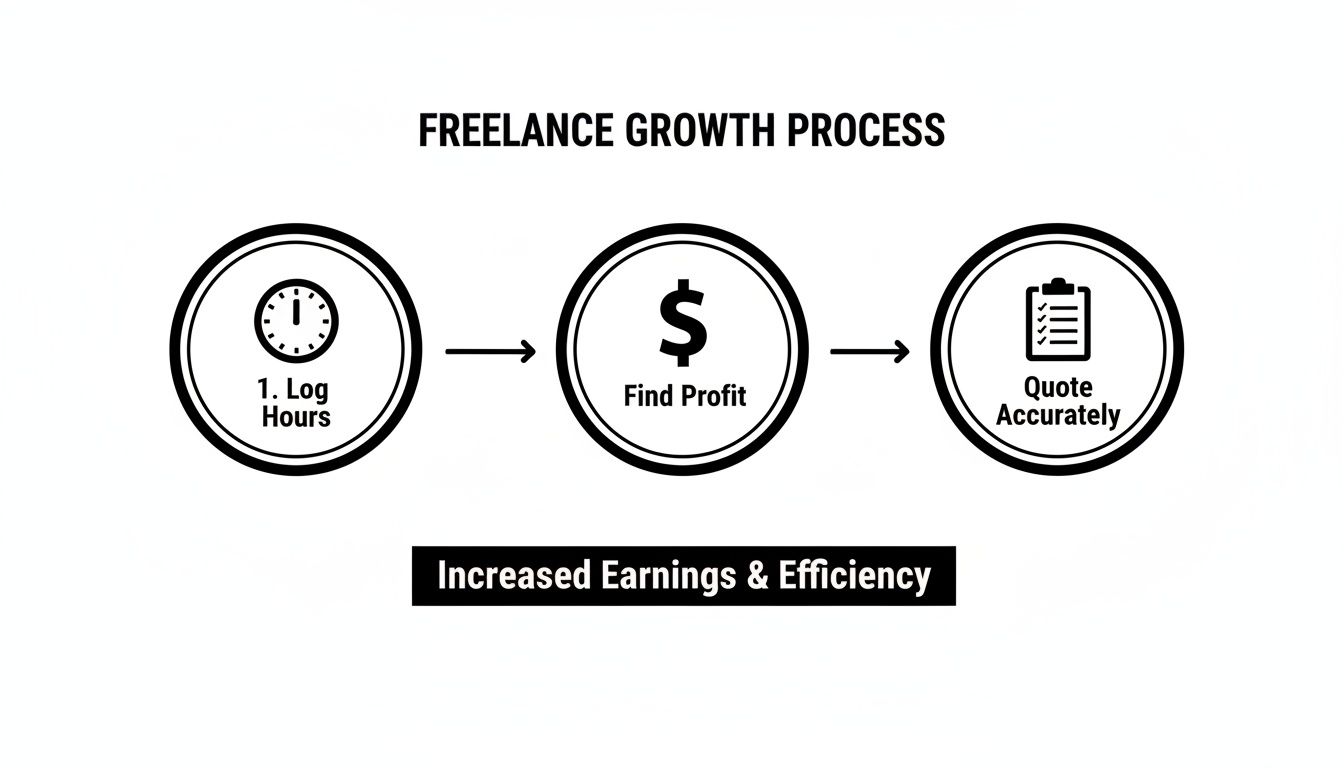
As you can see, tracking time isn't just an admin task—it's the engine for real business growth.
Setting Up Your Structure
Once you've settled on a method, the next move is to create a logical structure for how you'll categorize your time. This framework is what transforms raw time logs into actionable business intelligence. Without it, you're just collecting numbers without any context.
A solid structure typically has three layers:
- Clients: The highest level. This gives you a bird's-eye view of who's taking up most of your time.
- Projects: The specific jobs you're handling for each client, like "Website Redesign" or "Q3 Blog Content."
- Tasks: The individual activities that make up a project. This is where the magic happens and the real insights are found.
Nailing your task categories is absolutely crucial. You want them to be specific enough to be meaningful, but not so granular that you spend more time categorizing than you do working.
Think of a well-designed task list as a diagnostic tool for your freelance business. It instantly flags where your effort is going and uncovers those sneaky time-sinks that quietly eat into your profits.
For example, a freelance writer's task list will look completely different from a web developer's. It's all about personalizing it to your specific services.
Real-World Task Examples:
- For a Graphic Designer:
- Discovery Call
- Mood Board Creation
- Initial Concepts
- Client Revisions
- Final File Prep
- For a Social Media Manager:
- Content Curation
- Copywriting & Scheduling
- Community Engagement
- Monthly Reporting
- Client Communication
These examples show how getting specific with tasks paints a crystal-clear picture of a project's entire lifecycle, from start to finish.
From Manual Logs to Powerful Software
While a simple spreadsheet is a fantastic starting point, dedicated time tracking software brings some serious advantages to the table that manual methods just can't compete with. These tools automate the whole process, serve up insightful reports, and often plug right into the other software you're already using.
To create a truly cohesive operation, think about pairing your time tracker with dedicated project management software designed for freelancers. Many of these platforms bundle time tracking with task management and invoicing, creating a single command center for your entire business.
So, when do you make the leap? The signal is usually when the administrative hassle of manual tracking starts costing you more time than it's saving. If you're spending more than a few minutes a day wrestling with your timesheet, it's probably time for an upgrade.
Choosing Your Freelance Time Tracking Method
Picking the right tool depends entirely on where you are in your freelance journey. A simple spreadsheet might be perfect today, but an all-in-one platform could be what you need next year. Here's a quick breakdown to help you decide.
| Method | Best For | Pros | Cons |
|---|---|---|---|
| Manual Spreadsheet | Freelancers on a tight budget or those just getting started. | Free, completely customizable, and simple to set up. | Prone to human error, lacks automation, and has zero reporting features. |
| Basic Time Tracker App | Freelancers who just need a simple start/stop timer without all the bells and whistles. | Low cost, incredibly easy to use, and almost always has a mobile app. | Reporting is often limited, few integrations, and rarely includes invoicing. |
| All-in-One Software | Established freelancers juggling multiple clients and complex projects. | Automated tracking, deep reporting, built-in invoicing, and project management tools. | Can have a steeper learning curve and comes with a monthly subscription cost. |
Ultimately, choosing the right tool is less about cramming in features and more about matching it to your current needs. A simple, consistent process will always beat a complicated one you ditch after a week. The perfect workflow is one that gives you invaluable data without creating an administrative headache—empowering you to make smarter, more profitable decisions for your business.
Drawing the Line Between Billable and Non-Billable Time
Unpaid work is the silent profit killer in any freelance business. It’s the proposal you spent three hours writing, the "quick chat" with a potential client that turned into a free consulting session, and the hours spent chasing down invoices.
Effective time tracking for freelancers isn't just about logging project work. It’s about drawing a sharp, clear line between the hours that make you money and the hours that simply cost you time.
At its core, billable time is any work performed directly for a client that contributes to a specific, paid project. This is the design work, the coding, the writing, the strategy sessions—the core services your clients hire you for.
Everything else? That's non-billable time. It’s all the essential but unpaid stuff you have to do to run your business. These are the hours you spend being your own CEO, marketing director, and accountant, all rolled into one.

Identifying Your Non-Billable Tasks
Before you can get a handle on your unpaid hours, you have to know what they are. I've seen so many freelancers get a shock when they finally start tracking these tasks and see just how much of their week they consume.
Common non-billable activities include:
- Business Development: Writing proposals, responding to inquiries, networking, and initial client consultations.
- Marketing: Updating your portfolio, writing blog posts, managing social media, and creating case studies.
- Administration: Sending invoices, bookkeeping, managing contracts, and organizing files.
- Professional Development: Taking courses, reading industry articles, and learning new software.
These tasks are vital for growth, but they don't directly generate revenue. When you ignore them in your time tracking, you're looking at a dangerously incomplete picture of your business's health. You might think you're earning a great hourly rate on a project, but that number plummets when you factor in the ten unpaid hours it took to land and manage the work.
Turning Non-Billable Data into a Diagnostic Tool
So, why bother tracking hours you can't bill for? Because that data is a powerful diagnostic tool. It shines a light on your inefficiencies and helps you understand the true cost of doing business.
The administrative burden is huge; research shows that almost half of freelancers spend around 6 hours weekly on non-billable tasks like accounting and client acquisition. A staggering 47% dedicate 10-20% of their work time to these essential chores.
By tagging every non-billable hour, you essentially create a report card for your business operations. Are you spending way too much time writing proposals that go nowhere? Is your invoicing process a time-sucking mess? This data gives you the hard evidence you need to make strategic changes.
For example, let's say you discover you're spending eight hours a month on bookkeeping. Suddenly, investing in accounting software that costs $30 a month but saves you six of those hours becomes a complete no-brainer. The software more than pays for itself in reclaimed, potentially billable time.
Factoring Admin Time into Your Rates
Ultimately, every hour you work—billable or not—needs to be compensated. The most successful freelancers don't just eat the cost of their non-billable time; they build it directly into their project rates.
Here's a simple way to approach it:
- Track Everything: For one full month, meticulously track every single hour you work. Separate billable from non-billable.
- Calculate Your Ratio: Figure out what percentage of your total work time is non-billable. If you worked 160 hours total and 40 of those were non-billable, that's a 25% non-billable ratio.
- Adjust Your Rate: You need to increase your target hourly rate to cover that non-billable time. If your desired rate is $80/hour, but you spend 25% of your time on unpaid tasks, your billable rate needs to be higher to compensate for that lost time.
This strategic approach ensures your pricing reflects the total effort required to deliver a high-quality service, not just the time you spend actively working on a client's project. To dig deeper into this, our guide on maximizing efficiency and profitability with non-billable time offers even more strategies.
This transforms time tracking from a simple logging activity into a core part of your pricing strategy, directly boosting your bottom line and building a more sustainable freelance career.
Turning Your Tracked Hours into Paid Invoices
Meticulously tracking your hours is a fantastic start, but let's be honest—it doesn't actually pay the bills. The real magic happens when you turn those logged minutes into professional, paid invoices. This is where all your hard work tracking time pays off, transforming that raw data into the cash flow your freelance business needs to thrive.
A great invoice does more than just ask for money. It’s a reflection of your professionalism, a tool for building trust, and a clear summary of the incredible value you delivered. Getting this final step right is what ensures you get paid accurately and on time, closing the loop on a successful project.
Building the Perfect Freelance Invoice
Think of your invoice as the final handshake with your client. A confusing or sloppy document can lead to payment delays and a string of frustrating emails. To sidestep that headache, every single invoice you send should contain a few non-negotiable elements.
Here’s a quick checklist for every invoice:
- Your Business Information: Your name or company name, address, and how to reach you.
- Client Information: The full name and address of the person or company you're billing.
- A Unique Invoice Number: This is absolutely critical for your own records and makes it simple for clients to reference payments.
- Clear Dates: Always include the date the invoice was issued and the payment due date.
- An Itemized Breakdown: This is where your time tracking data becomes the star of the show. List the services you provided, the hours worked on each, your hourly rate, and a subtotal for each item.
- The Grand Total: The final amount due, making sure to include any taxes or pre-approved expenses.
- Payment Terms and Methods: Spell out exactly how you want to be paid (e.g., bank transfer, Stripe) and your deadline (e.g., Net 15, Net 30).
This level of detail creates total transparency, showing your client exactly what they’re paying for and reinforcing the value you provided.
From Timesheet to Invoice Automatically
Manually copying hours and task descriptions from a spreadsheet into an invoice template isn't just boring—it's an open invitation for expensive mistakes. One little typo could mean under-billing a client by hundreds of dollars. That’s why integrating your time tracker with your invoicing software is a total game-changer for any serious freelancer.
For any kind of project-based billing, detailed timesheets are the foundation for a smooth invoicing process. This push for transparency is a huge reason the global time tracking software market is expected to jump from $3.8 billion in 2025 to a staggering $16.1 billion by 2035.
When you connect your tools, you can generate a detailed, accurate invoice from your tracked hours with just a click. The system pulls everything—project details, task descriptions, and total time—automatically, wiping out human error and saving you a ton of admin time every month.
Handling Different Billing Models
Your invoicing process will naturally change based on how you charge your clients. If you're billing hourly, your invoice will be a direct summary of your timesheet. For fixed-price projects, things look a little different, even though the time tracking in the background is just as important.
- Hourly Projects: Your invoice will break down each task category (like "Web Development" or "Content Research") with the corresponding hours and your rate. Simple and clear.
- Fixed-Price Projects: You'll probably bill based on milestones (e.g., 50% upfront, 50% on completion). Your invoice will list the project milestone instead of the hours, but your internal time data is what tells you if the project was actually profitable.
No matter the model, your tracked time is your proof of work and your guide to profitability. When you're ready to improve this process, you can learn more about how online invoicing can boost efficiency and save time in our detailed guide. And for freelancers with clients across the globe, figuring out how to accept international payments is a crucial next step after you've nailed your time tracking.
Using Your Time Data to Work Smarter, Not Harder
Once you've been tracking your hours for a while, you're sitting on a goldmine of business intelligence. This is the moment where time tracking for freelancers stops being a chore and starts becoming your strategic roadmap for growth. Your timesheets are no longer just for billing; they're a powerful dashboard showing you exactly how your business really works.
By treating your time data as a performance metric, you can stop relying on gut feelings and start making decisions backed by hard evidence. This data holds the answers to the questions that will shape your freelance career—like which clients are actually profitable, what tasks are secretly draining your day, and where you should focus your energy for the biggest payoff.

Uncover Your True Profitability
On the surface, the client with the biggest invoices looks like your best one. But your time tracking data tells the real story through a simple but powerful metric: your effective hourly rate. This number cuts through the noise and shows you precisely where your time is most valuable.
All you have to do is run a report showing the total hours you've logged for a client versus the total revenue they brought in over a set period, like the last quarter.
Let's look at a real-world scenario:
Imagine you have two main clients:
- Client A (Tech Startup): Paid you $6,000 last quarter. Your time report shows you logged 150 hours.
- Client B (Marketing Agency): Paid you $4,500 last quarter. Your time report shows you logged 50 hours.
A quick bit of math reveals a huge difference:
- Client A's Effective Rate: $40/hour
- Client B's Effective Rate: $90/hour
Now that's an insight. Even though Client A paid you more overall, Client B is more than twice as profitable for every hour you work. The strategic takeaway is crystal clear: find more clients like Client B.
Identify and Eliminate Time Sinks
Time sinks are those sneaky tasks that eat up way more of your day than you think, all for very little return. Your detailed time reports are the perfect tool for hunting them down. Scan your data for tasks that consistently take longer than you'd expect or activities that just don't contribute much to your bottom line.
Common culprits include:
- Endless minor revisions from clients that weren't clearly scoped.
- Clunky administrative processes, like creating invoices from scratch every month.
- Answering the same client questions over and over in emails instead of creating an FAQ.
Parkinson's Law famously states that "work expands so as to fill the time available for its completion." By seeing exactly where this is happening, you can set smarter internal deadlines and take back hours of your week.
For example, if you notice that "Client Revisions" consistently eat up 25% of a project's total time, that's a massive red flag. This data gives you the proof you need to go back and adjust your contracts, maybe by adding a limit to the number of free revisions or charging for anything beyond the initial scope.
Sharpen Your Project Estimates
One of the hardest parts of freelancing is quoting new projects accurately. Quote too low, and you're working for peanuts. Quote too high, and you might not get the job. Your historical time data is the secret to ending this guessing game for good.
Before you send out that next proposal, pull up reports from three similar projects you've already completed. But don't just look at the total time. Dig into the task-level data to see how the work was distributed.
Example Project Breakdown:
A web designer looking at past "5-Page Brochure Site" projects might see a pattern like this:
- Discovery & Kickoff: 4 hours
- Wireframing: 8 hours
- UI Design Mockups: 15 hours
- Client Revisions (Round 1 & 2): 6 hours
- Development & Testing: 20 hours
- Launch & Handover: 3 hours
Armed with this kind of detailed breakdown, you can build your next quote with total confidence, knowing every phase is based on real-world numbers.
You can also spot outliers. If one project took 15 hours for wireframing instead of the usual 8, you can dig in and find out why. Maybe the client's brief was vague, causing a ton of rework. This analysis not only helps you quote better next time but also helps you refine your onboarding process to prevent the same problem from happening again. That's how you get more efficient and more profitable over time.
Got a Question? Common Freelancer Time Tracking Hurdles
Even with the best system in place, the reality of freelancing is messy. Theory is one thing, but a busy workday full of curveballs is another. When you're new to time tracking for freelancers, you're bound to run into those tricky, in-between moments that leave you wondering what to do.
Let's walk through some of the most common questions I hear from other freelancers. Getting these sorted out will help you build a time tracking habit that's consistent, accurate, and, most importantly, profitable.
How Do I Handle Constant Interruptions?
This is a big one. Your day is humming along, and then an unscheduled client call comes in. The dog needs to go out. Your kid needs help with a project. What happens to your timer? The key is to make pausing it an absolute reflex.
Most time tracking apps have a giant start/stop button. Treat it like a stopwatch. The instant you get pulled away, hit pause. The second you're back at your desk, hit start. If an interruption is super short—say, under a minute or two—it's sometimes easier to just make a mental note and subtract that time from your work block later.
What's the Best Way to Track Tiny Tasks?
What about those little two-minute jobs? Firing off a quick email reply or uploading a file can feel like more effort to track than the task itself. But trust me, those little bits of time add up. If you're billing hourly, ignoring them is like leaving money on the table every single day.
A simple solution I love is "batching." Here's how it works:
- Keep a running list on a notepad or in your project management tool called something like "Micro-tasks."
- As you knock out these tiny jobs, just jot them down.
- At the end of your day, tally it all up. You'll probably be surprised. Then, you can log it as a single entry like, "Client Comms & Admin" for 30 minutes.
This method captures all your billable work without driving you crazy by starting and stopping the timer every five minutes.
Should I Actually Let Clients See My Timesheets?
This is all about trust and transparency, but the answer really depends on your billing model and the specific client relationship.
If you’re charging by the hour, then yes, providing a detailed timesheet is pretty standard. It builds confidence and shows the client exactly what they're paying for—they can see the time spent on "Content Research," "Drafting," and "Revisions." It professionalizes the whole exchange.
But for fixed-price projects? It's usually not necessary. The client agreed to a price for the final product, not for the hours you pour into it. In that case, your time log is purely for your own analysis—to make sure the project was actually profitable for you.
Ugh, What if I Forget to Track My Time?
It happens to the best of us. You get locked into a state of flow, and two hours later, you realize you never started the timer. Don't panic, and definitely don't just chalk it up as a loss.
Your best bet is to immediately reconstruct the time. Look for your digital breadcrumbs:
- Check the timestamps on emails you sent.
- Look at the "last modified" details on the files you were working on.
- Scan your browser history to see when you started that research rabbit hole.
Use these clues to piece together a reasonably accurate manual time entry. The trick is to do it right away. Trying to remember what you did three days ago is a losing game. A few minutes of detective work ensures you get paid for every bit of your hard work.
Ready to transform your productivity and ensure every minute is accounted for? DeskCove provides freelancers with the tools needed for automatic time capture, detailed reporting, and seamless productivity monitoring. Stop guessing and start knowing where your time goes. Discover how DeskCove can streamline your freelance business today.