Time Management for Freelancers Your Guide

When it comes to time management, a freelancer's best friend is a solid, structured system. It all starts with figuring out where your time actually goes, drawing some firm lines in the sand with boundaries, and using proven methods like time blocking to keep your money-making work separate from all the admin that keeps the lights on.
Getting this right can turn chaotic days into calm, productive, and profitable workflows.
Why Freelance Time Management Feels Impossible

The freedom of freelancing is amazing, right? But that freedom comes with a hidden price tag: you're not just the talent anymore. You're the project manager, the accountant, the salesperson, and the entire IT department, all rolled into one. It’s this constant juggling act that makes mastering your time feel like a constant uphill battle.
Every day is a minefield of potential distractions. You open your laptop for a "quick email check," and an hour later you're still knee-deep in non-urgent client questions, pushing your real work further and further back. Before you know it, the line between your work life and home life has completely vanished, and your home office feels like it’s open 24/7.
The Mental Drain of Constant Juggling
One of the biggest culprits here is context switching. Think about it: one minute you're designing a client's logo, the next you're sending an invoice, then you jump over to LinkedIn to hunt for new leads, and then it's back to the logo. Every single switch forces your brain to hit the reset button, which eats up a surprising amount of mental energy and, of course, time.
This constant gear-shifting leaves you feeling busy but not productive. You might collapse at the end of the day feeling exhausted, having ticked off a dozen little things, but your most important, billable projects have barely budged.
The core challenge for freelancers isn't a lack of time—it's a lack of structure. Without a boss or a 9-to-5 schedule, you have to build your own systems for productivity and accountability from scratch.
The Unseen Cost of Non-Billable Work
So many freelancers completely underestimate just how much non-billable work it takes to simply keep the business afloat. All those hours spent on marketing, bookkeeping, and client emails are absolutely essential, but they don't directly put money in your pocket. This creates a constant tug-of-war between working on your business and working in it.
And it's not just a feeling; the numbers back it up. Nearly half of all freelancers are losing serious time to unproductive tasks. A whopping 43% spend around 10-20% of their week on admin like chasing new clients and doing their books. For many, that’s easily 5-6 hours of unpaid work every single week.
The endless notifications from social media don't help, either, making it feel even more impossible to focus. Sometimes, just understanding the benefits of a social media detox can be a powerful first step in getting your concentration back.
Ultimately, this cycle of distraction, context switching, and administrative overload is why freelancing can feel so overwhelming. But if this sounds familiar, you're not alone. Recognizing these universal struggles is the first move you can make toward building real strategies to reclaim your schedule, slash your stress levels, and build a more profitable freelance career.
Find Where Your Time Really Goes
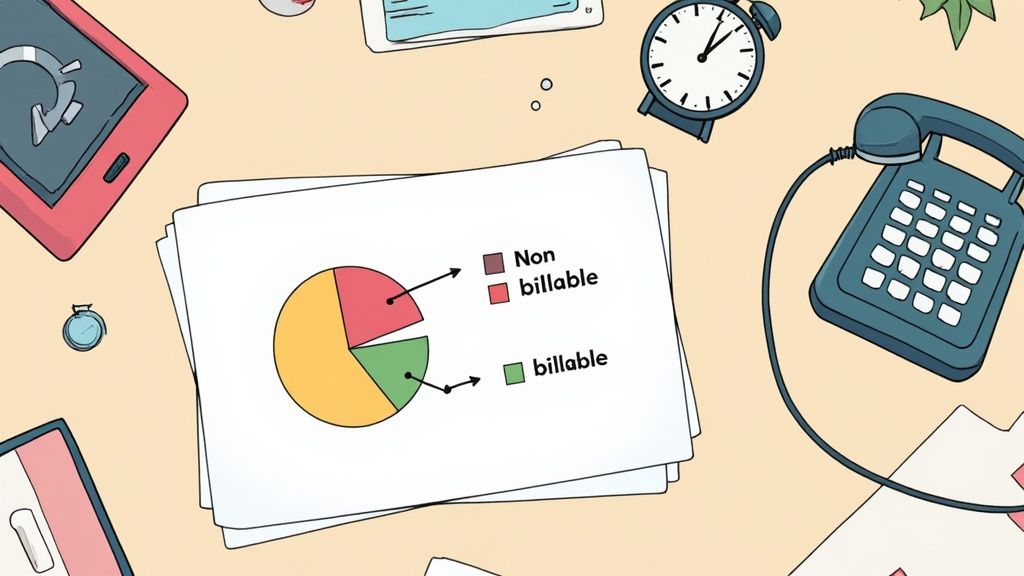
Before you can build a better schedule, you need a painfully honest look at where your time is actually going. You can’t fix a leak until you find it, and the same principle applies to your workday.
Most of us freelancers think we have a pretty good handle on our hours. We remember the big chunks of client work, but we conveniently forget the endless stream of tiny interruptions and "quick checks" that eat away at our focus and profitability.
Conducting a time audit is like turning the lights on. It’s not about judging yourself for that hour you lost scrolling through social media; it’s about getting the raw data you need to make smarter decisions.
How to Start Your Time Audit
Forget wrestling with complex spreadsheets or manual logs—that just adds another tedious task to your plate. The goal here is to make tracking as invisible as possible for a short stretch, usually one or two weeks is plenty to see the real patterns emerge.
You’ve got two main routes to go.
Manual Tracking (The Old-School Way):
- A Simple Timer: Your phone's stopwatch app is perfect. Start it when you begin a task ("Drafting proposal for Client X"). Stop it when you switch gears ("Answering emails"). It's basic but effective.
- A Notebook: At the top of each hour, just jot down the main thing you worked on. It’s less precise, but it still shines a light on your major time sinks.
Automatic Tracking (The Set-It-and-Forget-It Way):
- Use Tracking Software: Modern tools run silently in the background, logging which apps and websites you’re using without you having to do a thing. This gives you a completely unbiased look at your digital habits.
- Check the Reports: At the end of the week, the software gives you a breakdown. You can see exactly how many hours went into that big project versus how much time was spent in your inbox or on YouTube.
The secret ingredient, no matter which method you choose, is consistency. Track it all—the deep work, the coffee breaks, and those "five-minute" social media detours. After a week, you’ll have the truth laid out in front of you.
Uncovering Your Hidden Time Wasters
With your data in hand, it’s time to play detective. Look for the patterns, the surprises, and the "aha!" moments that show you where you can make real improvements. Getting this clear, data-backed insight is a game-changer, which is exactly why you should integrate time tracking into your workflow now.
Real-World Example: The Designer's Email Trap
A freelance designer I know felt like she was drowning in work but not making progress. She tracked her time for just one week and was floored by the results. Those "quick email checks" she was doing all day? They added up to nearly 75 minutes every single day.
These weren't focused communication sessions. They were reactive interruptions that shattered her creative flow, costing her over six hours of prime billable time every week.
This is the kind of discovery that actually sparks change. The problem shifts from a vague feeling of being "too busy" to a specific, fixable issue. Once you see the true cost of those little habits, you can build a real strategy to reclaim your time, like scheduling just two or three dedicated blocks for email per day.
Create Your Freelance Rulebook
Your time audit just gave you the unfiltered truth about where your hours really go. With that data, it’s time to flip the script. Stop just tracking your time and start actively defending it.
This means you need to build your own personal freelance rulebook—a clear set of priorities and boundaries that dictates how you work, who you work with, and when you’re on the clock.
Without a rulebook, you’re just reacting. You’re a pinball bouncing between client emails, last-minute requests, and every notification that dings. That reactive mode isn’t just exhausting; it’s unprofitable. A solid framework puts you back in the driver's seat, letting you proactively manage your schedule and, just as importantly, teach your clients how to work with you.
Prioritize Your Tasks With a Freelancer Twist
A classic for a reason, the Eisenhower Matrix is a powerhouse for prioritization. It gets you to sort tasks by urgency and importance. But for freelancers, this isn't just about client work. It’s a balancing act between making money now and building a business for the future.
Here's how to adapt it for your one-person show:
- Urgent & Important (Do First): These are the on-fire, no-excuses tasks. We're talking about a client project due tomorrow or stamping out a critical bug on a live site. They get your immediate attention.
- Not Urgent & Important (Schedule): This is the magic quadrant. This is where your business grows. It’s networking, updating your portfolio, learning that new skill you've been putting off, or outlining a new service. These tasks don't yell for attention, but they're absolutely vital for long-term survival and success.
- Urgent & Not Important (Delegate or Minimize): Welcome to the productivity trap. This quadrant is full of other people's priorities masquerading as your own. Think non-critical emails or those "can you hop on a quick chat?" requests. Batch them, use templates, or just learn to say "not right now."
- Not Urgent & Not Important (Eliminate): Your time audit probably made this quadrant painfully obvious. This is the mindless scrolling, the inbox refreshing, the over-organizing of your desktop icons. Cut it out.
When you filter your to-do list through this lens, you start making intentional choices. You finally carve out calendar space for growth activities instead of letting them get constantly steamrolled by the daily flood of client demands.
Set Professional Boundaries That Stick
Think of boundaries as the guardrails that protect your time, your focus, and your sanity. This isn't about being difficult; it's about being a professional who knows what they need to do their best work. Clear boundaries also have a funny way of teaching clients to respect you and your process, leading to much healthier partnerships.
Setting boundaries isn't a sign of inflexibility. It's a sign of a professional who understands how to deliver their best work. When you're focused and well-rested, your clients get a better outcome.
Start by defining your rules of engagement. What are your working hours? What's your preferred way to communicate (e.g., email over Slack DMs)? What’s the official process for revisions or new requests?
Get these defined, then communicate them clearly and early—ideally right in your project proposal or during the client onboarding process.
Handling Scope Creep Gracefully
Scope creep is the silent killer of freelance profits. It always starts with a small, innocent-sounding request: "Could you just add one more graphic?" or "Can we just tweak this headline a bit?" On their own, they’re tiny. But together, they pile up into hours of unpaid work. Knowing how to handle this is essential if you want to master calculating billable hours.
Instead of a hard "no," which can feel confrontational, you need a polite and professional script to steer the conversation back on track.
Try a script like this:
"That’s a great idea! The current project scope covers [mention original deliverables]. I'd be happy to work on this new request. I can put together a separate quote for it, which would add approximately [X hours/days] to the timeline. Would you like me to proceed with that?"
This simple response does three things perfectly:
- It validates the client's idea, making them feel heard.
- It gently points back to the original agreement.
- It reframes the extra work as a new, billable task, putting the ball back in their court.
By establishing these rules—prioritizing with purpose, setting clear boundaries, and managing scope—you're not just managing your time. You’re building a sustainable structure for your entire freelance business and shifting from a reactive service provider to a proactive business owner.
Adopt a System That Actually Works
Having a set of rules is one thing, but a real system is what turns those intentions into a productive, predictable routine. If you don't have a consistent approach, you’ll inevitably fall back into old habits, letting your inbox and client requests run your day instead of the other way around.
Great time management for freelancers isn't about finding some magical, one-size-fits-all technique. It's about borrowing from proven systems to build a framework that fits your workflow, your energy levels, and the unique rhythm of your projects.
The real goal here is to shift from just reacting to a to-do list to proactively designing your day. This is the secret to staying focused, dodging burnout, and consistently hitting your deadlines with high-quality work.
Master Your Focus with Time Blocking
Time blocking is a deceptively simple but incredibly powerful method. You literally schedule your entire day into dedicated blocks of time for specific tasks. Instead of staring at a vague list of things to do, your calendar becomes your boss, telling you exactly what to work on and when.
For a freelance writer, a time-blocked morning might look like this:
- 9:00 AM – 10:30 AM: Deep Work on Client A's blog post (zero email, zero social media).
- 10:30 AM – 10:45 AM: Quick break—grab coffee, stretch your legs.
- 10:45 AM – 12:00 PM: Research and outline for Client B's whitepaper.
This method forces you to be honest about how long tasks actually take. It also creates firm boundaries between different kinds of work, which is crucial for cutting down on the mental drain of context switching between creative projects and admin chores.
This workflow is a great visual for the foundational process—auditing your time, prioritizing what matters, and then protecting that time. It's the perfect setup before you dive into a system like time blocking.
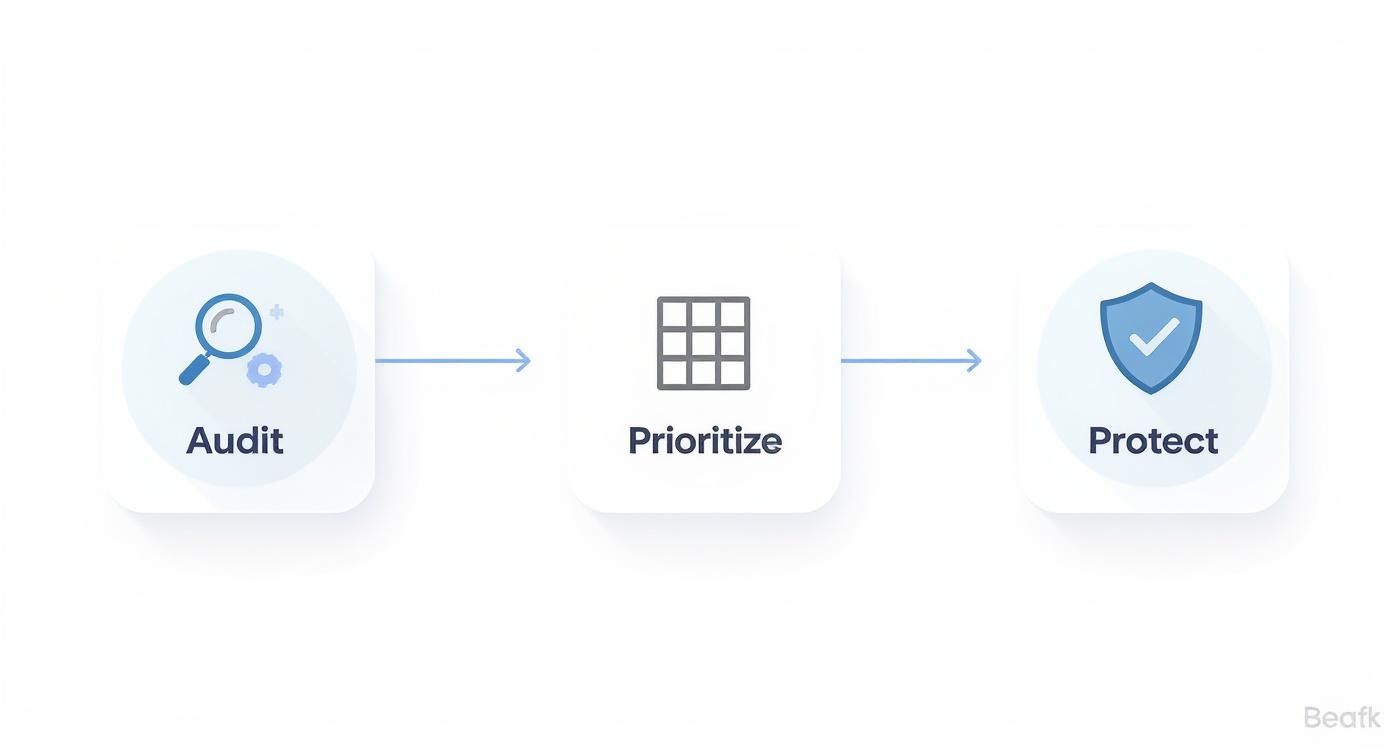
By following this flow, you’re not just picking a technique at random. You're building a system on a solid foundation of what you actually need.
Beat Burnout with the Pomodoro Technique
When you're facing a massive, complex project that requires hours of concentration, the Pomodoro Technique is a lifesaver. The idea is simple: work in focused 25-minute sprints (called "Pomodoros"), separated by short 5-minute breaks. After four rounds, you take a longer break of 15-30 minutes.
This technique is brilliant for a couple of reasons. First, it makes huge, intimidating tasks feel much less scary. "Write a 5,000-word report" is enough to make anyone procrastinate, but "work on the report for one Pomodoro" feels totally doable.
Second, those built-in breaks are non-negotiable. They force you to step away, rest your eyes and your brain, and come back with fresh energy. This simple rhythm is a powerful antidote to the mental fatigue that leads to burnout and sloppy mistakes—a common trap for freelancers trying to power through long days.
The real magic of these systems isn't the exact time intervals; it's the intention behind them. They are tools to help you consciously manage your energy and attention—your two most valuable resources as a freelancer.
More freelancers are adopting structured work patterns to reclaim their work-life balance. The average freelancer's workweek has now settled around 40 hours per week. Recent data shows 28% of freelancers work exactly that much, while 38% work over 41 hours. This is a noticeable shift from years past when 45+ hour weeks were the norm, showing a clear move toward working smarter, not just longer. You can dig into more details on these freelancer work-hour trends.
Comparing Popular Time Management Techniques for Freelancers
With so many methods out there, it can be tough to know where to start. Each system has its own strengths and is better suited to different types of work and personalities. This table breaks down some of the most popular options to help you find your best fit.
| Technique | Core Principle | Best For Freelancers Who… | Potential Drawback |
|---|---|---|---|
| Time Blocking | Schedule every minute of your day into dedicated task blocks. | Like structure and need to protect time for deep work. | Can feel rigid; unexpected tasks can derail the whole day. |
| The Pomodoro Technique | Work in short, focused 25-minute intervals with breaks. | Get easily distracted or feel overwhelmed by large projects. | Constant interruptions can make it hard to get into a deep flow state. |
| Eat the Frog | Tackle your most difficult and important task first thing in the morning. | Tend to procrastinate on big, important tasks. | Might not work for those whose creative energy peaks later in the day. |
| The Eisenhower Matrix | Categorize tasks based on urgency and importance. | Juggle many tasks and need help with ruthless prioritization. | Can lead to over-analyzing instead of doing, especially at first. |
Ultimately, you don't have to pledge allegiance to just one system. The most successful freelancers often mix and match to create something that works for them.
Build Your Own Hybrid System
The best freelancers rarely stick to one system religiously. They experiment and create a hybrid model that works for their brain and their business.
For example, you could use time blocking to map out the big-picture structure of your day, but then use the Pomodoro Technique inside your deep work blocks. This gives you a high-level plan for the day and a micro-level strategy for staying on task.
A Freelance Writer's Hybrid Day:
- 9:00 AM – 12:00 PM (Time Block): "Client Writing"
- Inside this block, she uses Pomodoros: 25 minutes of writing, 5-minute break. She repeats this cycle until the 3-hour block is up.
- 12:00 PM – 1:00 PM (Time Block): "Lunch & Walk" (A hard-and-fast rule, no working).
- 1:00 PM – 2:00 PM (Time Block): "Admin & Email" (No need for Pomodoros, just focused work to clear the decks).
Try these methods out. See what feels good and what feels like a chore. The goal is to build a reliable, repeatable system that cuts down on decision fatigue and lets you save your best energy for the work that actually moves the needle.
Use Technology to Work Smarter

If your systems are the engine of your freelance business, then technology is the high-octane fuel that makes it run. Seriously. Letting smart tools handle the repetitive, mind-numbing admin work is one of the fastest ways to claw back billable hours. It frees you up to focus on the creative, strategic tasks clients actually pay you for.
And I'm not just talking about a shared calendar. I mean building a small, integrated tech stack that puts the tedious parts of your day on autopilot, keeps communication flowing, and gives you the hard data you need to run your business like a pro.
Streamline Your Projects and Communication
Hopping between your email, a project brief in a Google Doc, and client feedback buried in a Slack channel is a surefire way to miss details and burn daylight. This is exactly why dedicated project management tools are a non-negotiable part of effective time management for freelancers.
Platforms like Trello, Asana, or ClickUp pull everything for a project—tasks, deadlines, files, and conversations—into one central hub.
- Centralized Communication: No more digging through ancient email threads. All project-related chats happen right where the work does.
- Clear Task Ownership: You can build out checklists and slap due dates on everything, giving you a crystal-clear visual of what’s next on your plate.
- Client Visibility: Many of these tools let you invite clients to a project board. They get a transparent view of your progress without you having to send constant "just an update" emails.
For freelancers, finding clever ways to automate can be the difference between constant overwhelm and smooth sailing. For example, you can learn how to automate your LinkedIn content creation and truly master your schedule and save yourself hours of marketing work every single week.
Embrace Automatic Time Tracking
Manual time tracking is a decent start, but it has one massive flaw: you have to remember to do it. Automatic time tracking tools, on the other hand, run quietly in the background, capturing your activity without you ever hitting a start or stop button. The level of accuracy you get is something manual methods just can't touch.
These tools do way more than just fill out a timesheet. They generate powerful reports on which apps and websites you're using, offering up incredible insights into your actual work habits and productivity patterns.
This data is your secret weapon. It lets you create rock-solid invoices backed by proof, estimate future projects with confidence, and pinpoint exactly which non-billable tasks are eating into your profits.
When you can show a client a detailed breakdown of the 5.5 hours you spent on their project, complete with activity logs, it instantly boosts your professionalism and stops any billing questions before they start. This is especially true when you find the best time tracking for freelancers, as the right software makes this whole process effortless.
Create an Integrated Freelance Tech Stack
The goal here is to pick tools that play nicely together and reduce the friction in your day. A simple—but super effective—tech stack might look something like this:
| Tool Category | Example Tool | Primary Function |
|---|---|---|
| Project Management | Asana | To organize all client tasks, deadlines, and communications in one place. |
| Time Tracking | DeskCove | To automatically track hours and activity for accurate billing and productivity analysis. |
| Scheduling | Calendly | To eliminate back-and-forth emails for booking client meetings. |
| Invoicing | Wave | To create professional invoices and track payments without manual spreadsheets. |
This isn't about collecting a bunch of shiny new apps. It's about being strategic. Choose a few core tools that solve your biggest administrative headaches, learn them inside and out, and then let them do the heavy lifting. By automating the backend of your business, you free up your most valuable asset—your time—to focus on delivering amazing work and growing your client list.
Common Freelance Time Management Questions
Even when you've got the best systems and tools dialed in, freelancing will always find a way to throw a wrench in your plans. A perfect schedule is one thing, but the real challenges? Dealing with that one client who never sleeps, finding your drive when you're your own boss, and just knowing when to call it a day.
This is where the theory ends and reality begins. We're going to tackle the practical, everyday questions that pop up when you’re trying to truly master time management for freelancers. Let's skip the fluff and get straight to advice you can use today.
How Do I Handle a Client Who Constantly Ignores My Boundaries?
Ah, the classic freelance headache. You’ve clearly laid out your working hours, but a certain client thinks "urgent" emails at 9 PM and weekend calls are part of the deal. The only way through this is to be firm, polite, and—most importantly—consistent.
Every time you reply to one of those late-night emails, you're accidentally teaching them your boundaries are just suggestions. The fix is simple: stop doing it. Make it a hard rule to only respond during your official work hours.
Here’s how you can gently but firmly reinforce those boundaries without torpedoing the relationship:
- Acknowledge their message first thing the next business day. This proves you’re responsive without being available 24/7.
- Remind them of the process. A simple, friendly line works wonders: "Thanks for sending this over! Just a quick reminder, my office hours are 9 AM to 5 PM, so I'm just getting to this now."
Consistency is everything. After you politely hold your ground a few times, most clients will get the message and adapt. You're not being difficult; you're training them on how to work with you professionally.
What’s the Best Way to Stay Motivated When Working Alone?
The silence of a home office can be a double-edged sword. It’s fantastic for deep focus, but the lack of team energy can drain your motivation fast. With no manager looking over your shoulder, you are 100% responsible for your own momentum.
The key is to create your own structure and build in some accountability.
- Set Clear Daily Goals: Ditch the vague to-do list. Before you start each day, define your top three "must-win" tasks. This gives you a clear finish line to aim for.
- Create "Fake" Deadlines: You've probably heard of Parkinson's Law: work expands to fill the time you give it. If a client gives you two weeks, set your own internal deadline for ten days. That self-imposed urgency is a powerful focus booster.
- Schedule Breaks and Rewards: Don't just take a break when you feel fried; schedule them. After you knock out a tough task, give yourself a real reward—a walk outside, your favorite coffee, or 15 minutes with a good book.
Motivation isn't something you have; it's something you create. By building smart routines and celebrating the small wins, you generate the momentum to keep going, even when you're flying solo.
How Can I Accurately Estimate How Long a Project Will Take?
Underestimating your project time is one of the quickest ways to lose money and burn yourself out. If you've been tracking your time, you're already way ahead of the game. That historical data is your single most reliable source for future estimates.
Look back at similar projects you’ve already done. How many hours did that initial draft really take? What about all the back-and-forth for revisions? A data-driven approach takes the guesswork out of the equation.
If you’re pricing out a totally new type of project, break it down into the smallest possible pieces. Don't just estimate "Build a Website." Get granular:
- Discovery Call & Proposal: 2 hours
- Wireframing: 6 hours
- Homepage Design Mockup: 8 hours
- Development: 20 hours
And finally, always add a buffer. A 15-20% contingency is standard professional practice. This buffer is your safety net for unexpected client feedback, tech glitches, or just life getting in the way. It protects your timeline, your profit margin, and your sanity.
Ready to stop guessing and start knowing where every minute goes? DeskCove provides automatic time tracking and detailed activity reports, giving you the hard data you need to build better estimates, create spot-on invoices, and truly own your freelance schedule. Start tracking your time with DeskCove.