A Guide to Productivity Tracking Software
Ever thought about a fitness tracker, but for your team's projects? That’s the easiest way to think about productivity tracking software. It’s a tool designed to give you a clear, data-driven picture of how work actually gets done, moving past guesswork to show you exactly where time is being spent and how projects are moving along.
What Is Productivity Tracking Software Anyway?

In a world where remote and hybrid work is the new norm, managers can't just walk around the office to get a feel for the team's pulse. This is where productivity tracking software steps in. It fills that visibility gap, helping you understand workflows without having to micromanage every little detail. The goal is to get the objective data needed to make smart decisions and truly support a distributed team.
These tools have come a long way from the simple digital timesheets of the past. Today's platforms are powerful assets that help pinpoint bottlenecks, smooth out processes, and build a culture of transparency. It’s not about watching over someone's shoulder; it's about understanding the rhythm of the work itself.
The Shift from Presence to Performance
The whole idea is to change the focus from looking busy to being effective. Instead of just clocking hours at a desk, these tools help measure the actual outcomes and effort tied to specific goals. This creates a results-focused environment where contributions are valued based on real data.
By providing a clear and unbiased record of work, productivity tracking software empowers both employees and managers. It builds a foundation of trust where performance is measured by output, not just logged hours.
This data-driven approach is a game-changer. It helps answer critical business questions that used to be left up to pure intuition:
- Project Profitability: Are our most resource-intensive projects actually profitable?
- Workload Distribution: Is the work spread evenly, or are a few people heading for burnout?
- Process Inefficiencies: Where are the recurring delays in our project timelines?
- Tool Usage: Are we getting our money's worth from our software subscriptions?
More Than Just Monitoring
It’s really important to draw a line between productive oversight and intrusive surveillance. While some tools have features that can feel a bit like "Big Brother," the real purpose of good productivity tracking software is empowerment. You can learn more about the distinction by understanding what is computer monitoring and how to implement it ethically. The focus should always be on gathering insights to help people, not to control them.
When employees have access to their own data, these tools become powerful for self-management. Team members can see where their time is going, spot their own distractions, and take ownership of their efficiency. That level of autonomy is key to building a modern, high-performing team. Ultimately, this software is a strategic tool designed to optimize performance, build accountability, and foster a culture where everyone is always improving.
The Core Features That Drive Team Performance
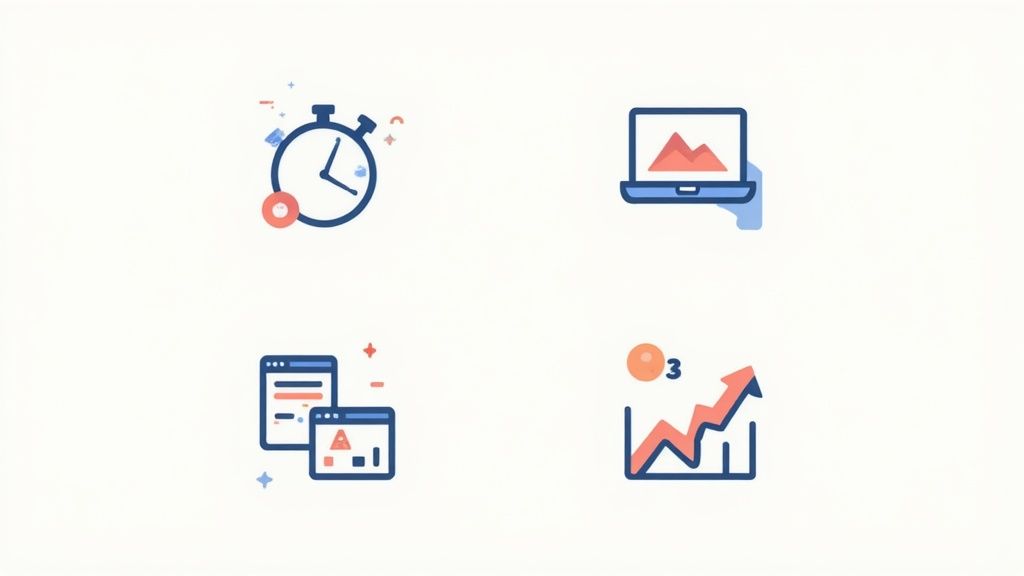
To really get what productivity tracking software can do, you have to look under the hood. These aren’t just a random collection of tools; they’re an integrated system built to bring clarity to how your team works. Each feature plays its part, turning raw activity data into a clear picture of performance.
Think of these features like the different instruments in an orchestra. One violin is nice, but when you bring in the entire string section, the brass, and the percussion, you get a complete, insightful composition. It’s the same with your team's workflow.
Let's break down the essential features that form the engine of a high-performing team.
To give you a quick overview, these are the must-have features you'll find in any solid productivity tracking platform. Each one solves a specific problem, and together, they provide a comprehensive view of team performance.
Essential Features of Productivity Tracking Software
| Feature | Description | Primary Benefit |
|---|---|---|
| Automated Time Tracking | Captures work hours automatically in the background without manual input. | Eliminates inaccurate manual timesheets, ensuring precise data for payroll, billing, and project costing. |
| Intelligent Activity Monitoring | Logs the applications and websites used during work hours to identify digital habits. | Helps teams understand focus drains and optimize their digital workflows for deeper, more productive work. |
| Integrated Project Management | Links tracked time directly to specific projects, tasks, or clients within the software. | Provides a real-time connection between effort and progress, enabling proactive budget and timeline management. |
| Insightful Analytics and Reporting | Consolidates all collected data into visual dashboards and easy-to-read reports. | Turns raw data into actionable insights for managers and gives employees a transparent view of their contributions. |
Now that you have the big picture, let's explore what makes each of these components so crucial for modern teams.
Automated Time Tracking
At its core, this software gets rid of the soul-crushing task of filling out manual timesheets. We've all been there—trying to remember what you worked on last Tuesday afternoon. It's a recipe for inaccuracy. Automated time tracking just runs quietly in the background, logging work activity without getting in the way.
This simple automation is the foundation for everything else. It guarantees that every minute spent on a project is captured, which is non-negotiable for accurate payroll, client billing, and keeping projects on budget. The market for this tech tells the story: valued at USD 5.23 billion in 2023, it's expected to hit USD 12.3 billion by 2030. You can dig into more data on the time tracking software market to see just how fast it's growing.
Intelligent Activity Monitoring
Going a step beyond just how long people work, modern tools give you a window into how that time is actually spent. Intelligent activity monitoring logs which applications and websites are used during work hours. This isn't about playing "big brother"; it's about understanding digital habits to spot and remove productivity roadblocks.
For example, you might see that your team is constantly jumping between three different messaging apps. That's a huge tell—maybe it’s time to consolidate onto a single platform. This feature helps answer critical questions like:
- Which software subscriptions are actually worth the money?
- Where are the biggest digital distractions coming from?
- Are we context-switching ourselves into exhaustion?
By sharing this data with employees, you give them the power to manage their own focus and build better, more sustainable work habits.
Integrated Project Management
This is where the magic really happens—connecting time spent directly to tangible results. The best productivity platforms let you assign every logged minute to a specific project, task, or client. This creates a live, undeniable link between effort and progress.
By linking time directly to tasks, managers gain an unparalleled, real-time view of project health. It moves budget tracking from a retrospective report to a live dashboard, enabling proactive decision-making.
Imagine a project manager noticing that a key task is already taking 25% longer than planned. With that real-time alert, they can jump in immediately. They can offer help, bring in more resources, or adjust the project timeline before the budget gets completely blown.
Insightful Analytics and Reporting
Finally, the analytics dashboard is where all this rich data comes together to tell a story. It translates raw numbers—hours logged, apps used, tasks done—into simple, visual reports that anyone can understand. This is what separates basic time tracking from true performance optimization.
These dashboards give managers the hard data they need to guide their teams with confidence. You can easily spot top performers, see which teams might need a little extra support, and identify your most profitable projects at a glance. For employees, it offers a transparent look at their own contributions, validating their hard work with concrete facts.
How Remote and Hybrid Teams Benefit
When teams started working from anywhere, productivity tracking software became more than just another tool—it became the bridge connecting everyone. For remote and hybrid setups, these platforms provide the structure and clarity needed to succeed, turning the challenges of distance into real advantages for both employees and managers.
This isn't about trying to digitally replicate the old office environment. It’s about building a new foundation of trust and accountability that’s based on data, not just on who’s physically present. The software creates a clear, transparent record of work, which naturally shifts the focus from hours clocked to results delivered.
It's no surprise the demand for these solutions is surging. The global productivity management software market was valued at around USD 59.88 billion in 2023 and is expected to hit USD 149.74 billion by 2030. That explosive growth, marked by a 14.1% CAGR, is all driven by the need for a central digital space that actually supports modern work. You can read the full analysis on this market growth to dig deeper into the trend.
Empowering Remote Employees with Data
For team members working from home, productivity software offers an objective way to show their contributions. It cuts through any ambiguity and provides a concrete record of effort that speaks for itself, especially during performance reviews. It builds a strong case for why they deserve that next step in their career.
This data is also incredibly useful for self-management and avoiding burnout. By looking at their own activity logs, employees can:
- Protect Work-Life Balance: Spot patterns of working late or skipping breaks, catching the early signs of burnout before it becomes a real problem.
- Validate Hard Work: See a direct line between their effort and how a project moves forward, which is a huge boost for motivation and job satisfaction.
- Improve Personal Focus: Figure out their most productive hours and what distracts them most, allowing them to structure their day for peak performance.
When employees have access to their own data, the tool stops feeling like a supervisor and starts feeling like a personal coach. It encourages a sense of ownership and autonomy, which are absolutely critical for keeping remote teams engaged.
Gaining Visibility Without Micromanagement
For managers leading scattered teams, the biggest headache is often just not knowing what’s going on. Productivity tracking software solves this by giving them a high-level view of workflows without having to constantly ping people or interrupt their focus. It answers the key questions that are otherwise impossible to gauge from afar.
The real win for managers is getting to shift from a style based on presence to one based on performance. The software provides the data needed to trust your team, hand out work intelligently, and offer help exactly when and where it's needed most.
With this kind of data, managers can lead much more strategically. They can confidently make sure projects are on track across different time zones, distribute workloads fairly to prevent anyone from getting overwhelmed, and pinpoint team members who might be struggling with a task and could use a little extra training or support. This data-backed approach builds a stronger, more resilient team.
As teams learn to navigate the complexities of remote and hybrid work, having the right technology is key. On that note, you might want to explore a complete guide to the best hybrid work tools to get a broader look at what can empower your workforce.
Ultimately, these platforms help create a work environment where trust and autonomy are the default. By focusing on results and providing clear proof of contributions, productivity tracking software makes remote and hybrid models not just work, but work really well.
How to Choose the Right Productivity Software
Picking the right productivity tracking software can feel like you're lost in a sea of options. But with a clear plan, you can turn that overwhelming task into an empowering one. The absolute first step? Figure out your main goal. Don't get distracted by shiny features; start by defining the core problem you're trying to solve.
Are you an agency bleeding money from inaccurate client billing? Maybe your remote team is struggling to stay focused, or you just have no real idea if your projects are actually profitable. This specific goal is your compass. It will guide every decision you make and ensure you end up with a tool that fixes a real problem, not just another monthly subscription fee.
Define Your Key Evaluation Criteria
Once you know your "why," it’s time to figure out your "what." This means creating a checklist of your non-negotiables—the things the software absolutely must do for your team. Think of it as drawing up the blueprint for your perfect solution before you even start window shopping.
A solid evaluation framework should always cover these key areas:
- Ease of Use: Let's be honest, if the software is a pain to use, your team won't use it. An intuitive interface that requires little to no training is a top priority.
- Integration Capabilities: The tool needs to play nice with the software you already use every day. Look for smooth integrations with your project management apps like Asana or communication platforms like Slack.
- Scalability: Pick a solution that can grow alongside your business. Will the pricing and features still work for you when your team doubles in size?
- Security Protocols: You’re handing over sensitive company data, so this is critical. Make sure the software has rock-solid security, like data encryption, and complies with privacy laws.
Put Software to the Test
Reading reviews and watching demos is a good start, but there's no substitute for getting your hands dirty. This is where free trials become your best friend. Don’t just sign up and forget about it; treat it like a real-world pilot program.
The best way to test productivity tracking software is to get it in the hands of the people who will use it every single day. Their feedback is the truest test of whether it will sink or swim.
Assemble a small pilot group of team members and have them use the software on an actual project. This is how you get practical, honest feedback on how it fits into their daily workflow. Ask them pointed questions: Does it feel intrusive? Does it actually help you focus? Is the data it provides useful to you? Their answers are worth more than any sales pitch.
Compare Pricing and Value
Finally, you have to make sure your choice fits the budget. Pricing models for this kind of software are all over the map, from per-user monthly fees to tiered plans with different features. It's so important to look past the sticker price and think about the overall value.
A cheaper tool that’s missing one critical integration could end up costing you far more in wasted time than a slightly pricier one that fits into your workflow perfectly. Lay out what’s included in each plan and match it back to the problems you identified at the very beginning. This makes sure you're investing in something that will deliver a real return.
The business productivity software market is expected to grow by USD 119.4 billion between 2025 and 2029, largely because companies need better workflow integration and analytics. Understanding the growth of the business productivity software market shows that making a smart choice now sets you up for the future.
If you’re ready to start your search with a solid list, check out our guide on the best time tracking apps available to see how the top contenders stack up. By defining your goals, setting clear criteria, and testing everything, you'll find a tool that genuinely empowers your team.
Ensuring a Smooth Software Rollout and Adoption
Choosing the right productivity tracking software is just the first step. The real test is how you introduce it to your team. A successful launch is about people and managing change, not just installing a program, and it all hinges on clear, transparent communication right from the start.
The process below lays out the basic steps for defining your needs, evaluating options, and ultimately selecting the right software for your team.
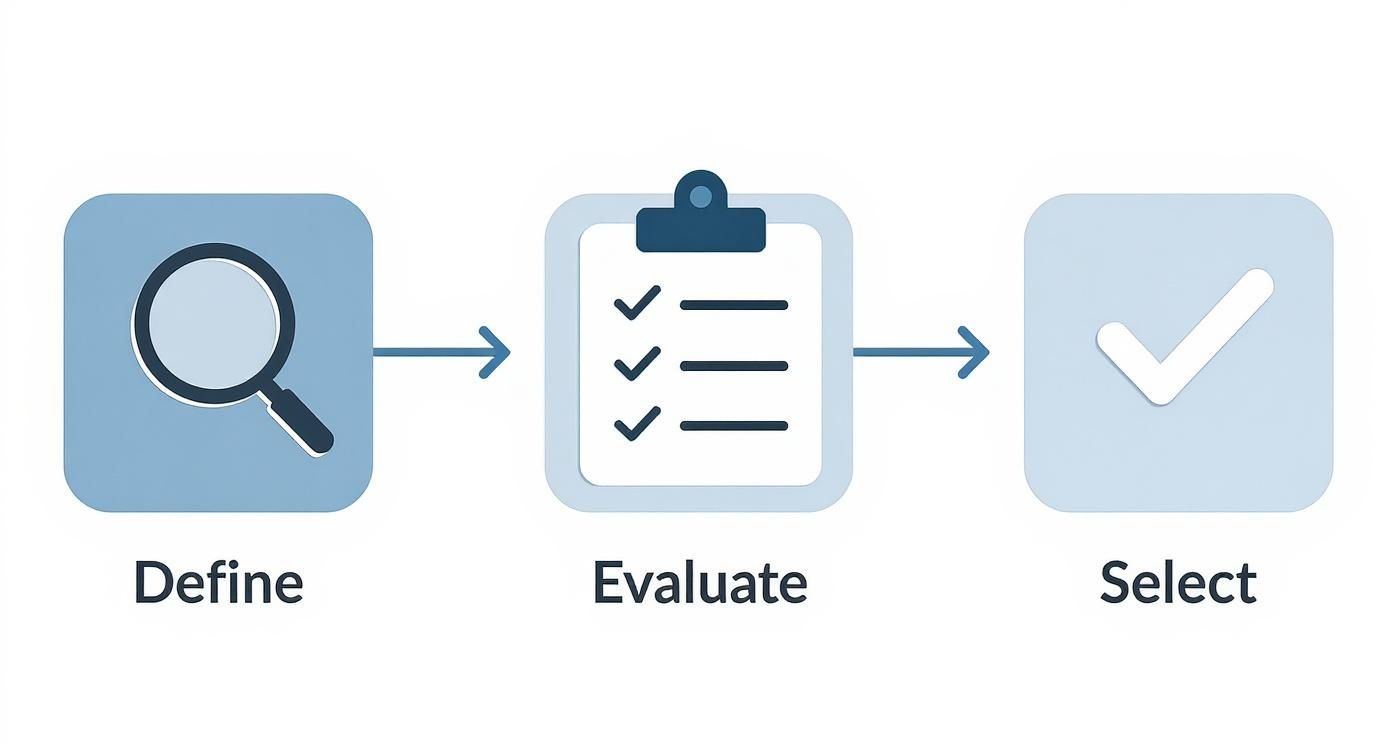
Following a structured approach like this ensures the tool you pick actually aligns with your core goals before you even think about implementation.
The biggest mistake managers make is framing the software's purpose incorrectly. It is absolutely essential to present the tool as a way to improve how you work and support the team, not as a surveillance tactic. This framing builds the trust and psychological safety needed for people to actually buy in.
Crafting Your Implementation Strategy
A "big bang" rollout where everyone starts using the software at once is a recipe for chaos. A much smarter path is a phased implementation. This lets you iron out any kinks on a smaller scale and build positive momentum for a company-wide launch, minimizing disruption and boosting your chances of long-term success.
Your phased rollout plan should have a few key stages:
- Form a Pilot Group: Get a small, representative group of employees to be the first users. This team can test the software in a real-world setting, flag potential roadblocks, and provide honest, invaluable feedback.
- Gather Feedback and Refine: Use what you learn from the pilot phase to figure out what works and what doesn't. This is your chance to adjust settings, clarify policies, and create helpful resources based on the experiences of your initial users.
- Identify Internal Champions: Within your pilot group, some people will naturally become advocates for the new tool. Empower these champions. Let them share their positive experiences and help guide their colleagues during the wider rollout.
This step-by-step process turns implementation from a top-down mandate into a collaborative effort. By getting employees involved early, you create a sense of ownership that is critical for team buy-in.
The goal isn't just to implement a tool; it's to cultivate a new, more data-informed way of working. When employees see the software as a resource for their own growth and focus, resistance naturally fades.
Prioritizing Training and Support
Even the most intuitive software needs proper training to unlock its full potential. To make sure everyone feels confident from day one, you have to provide comprehensive, easy-to-access training resources. A one-off session is rarely enough—ongoing support is what really makes the difference.
Consider creating a mix of training materials to suit different learning styles. This could include:
- Live Training Sessions: Host interactive workshops, either in-person or virtual, where team members can ask questions in real-time and get immediate answers.
- On-Demand Video Tutorials: Create short, focused videos that cover specific features or workflows. This allows employees to learn at their own pace, whenever they need a refresher.
- Written Guides and FAQs: Develop a clear, searchable knowledge base that provides quick answers to common questions and troubleshooting steps.
Beyond the initial training, make sure you have a clear channel for ongoing support. Let your team know exactly who to contact with questions or technical problems. When employees feel supported, they're far more likely to embrace new technology and integrate it into their daily routines. Proactive training and support are investments that pay off massively in smooth adoption and long-term use.
Navigating the Ethical and Privacy Landscape

When you introduce productivity tracking software, you’re doing more than just adding another tool to your tech stack. You’re making a statement about your company culture. The single most important part of this process is trust.
Getting this right means shifting your mindset. These tools shouldn't be about surveillance; they should be about supporting and empowering your team to do their best work.
It's tempting to brush past employee privacy concerns, but that's a huge mistake. Without a foundation of mutual respect, even the most powerful software will backfire. You have to draw a clear, firm line between gathering helpful performance insights and slipping into invasive micromanagement.
Building a Transparent Monitoring Policy
The bedrock of any ethical approach is a clear, written monitoring policy. This isn't the place for vague language or corporate jargon. The document needs to explain exactly what is being tracked, why it’s being tracked, and how that data will be used.
Your policy is your promise to the team that the goal here is improvement, not intrusion.
Make sure the policy explicitly states that data collection is strictly limited to work-related activities. This simple commitment goes a long way toward calming fears about personal time or private information being monitored. A well-crafted policy isn't just a legal CYA document; it's your first and best tool for building trust.
The most effective policies are built on consent and transparency. When employees understand the "why" behind the data and have access to their own information, the software becomes a tool for personal growth, not a source of anxiety.
Fostering a Culture of Trust
Real buy-in happens when employees see how the software benefits them. One of the best ways to get there is by giving every team member full access to their own data. When people can see their own productivity patterns, they’re empowered to self-manage and find ways to improve on their own terms.
On top of that, managers need to be trained to use these insights for constructive feedback, not criticism. The data should be a conversation starter about workload balance, process bottlenecks, or the need for more resources. Taking time to explore the pros and cons of employee monitoring can give leaders a much more balanced perspective.
Doing your homework on the tools themselves is also crucial. Before committing to any software, it is vital to review its privacy policy to fully understand how user data is handled and protected. This small step shows your team you're serious about protecting their privacy.
At the end of the day, ethical productivity tracking actually strengthens a culture of mutual respect. When you use data to support, guide, and empower, you can boost performance while reinforcing the trust that holds your entire team together.
Frequently Asked Questions
Diving into productivity tracking software can bring up a few important questions. It’s smart to get clear, straightforward answers before you commit. Here are some of the most common queries we hear from teams just like yours.
Is Productivity Tracking Software Legal?
Yes, in most regions, it's perfectly legal for a company to monitor the use of its own devices and assets. The critical thing to remember, however, is that legality hinges on transparency and sticking to local labor and data privacy laws, like the GDPR.
The absolute cornerstone of a legal and ethical approach is a clear, written policy. Your team needs to read and agree to it. This policy should spell out that monitoring is strictly for work-related activities, making it clear that personal privacy is respected.
How Do You Prevent a Negative Impact on Morale?
This is a big one, and the answer comes down to communication and purpose. It's vital to frame the software not as a watchdog, but as a tool to help understand workflows and make processes better for everyone.
When employees see the software as a resource to help them manage their own focus and showcase their hard work, it shifts from being a source of anxiety to a tool for empowerment.
To get there, you need to:
- Involve Your Team: Don't just spring it on them. Ask for their input during the selection process to create a sense of shared ownership.
- Provide Data Access: Give employees full access to their own data. This lets them self-manage and track their own progress without feeling like they're in the dark.
- Use Insights for Support: Train your managers to use the data for positive, constructive conversations about workload, resources, and roadblocks—not for micromanagement.
When the software is used to help rather than to control, it can actually give morale a boost by bringing clarity and recognizing all the hard work that goes into a job well done.
What Is the Typical ROI on These Tools?
While the exact return on investment will differ from one company to the next, the gains usually show up in a few key areas. Many businesses see an immediate financial benefit from more accurate billing, as the software captures every billable hour that might have slipped through the cracks with manual tracking.
Beyond that, better resource management leads directly to more profitable projects. When you can see exactly where time is going, managers can make smarter calls to keep projects on budget. Finally, a huge win comes from spotting and fixing inefficient workflows, which leads to higher team output and a much better track record for hitting deadlines.
Ready to unlock your team's full potential with clear, actionable insights? DeskCove provides the tools you need to understand workflows, improve efficiency, and build a culture of trust and accountability. Start your free trial today and see the difference data-driven productivity can make.