
12 Best Project Management Tools for Freelancers in 2025

Being a freelancer means you're not just the expert, you're also the project manager, accountant, and client relations specialist all rolled into one. Juggling multiple clients, deadlines, and deliverables without a solid system is a direct path to missed details and burnout. The right project management tools for freelancers aren't just a nice-to-have; they are the central command center for your entire business. A good tool streamlines communication, clarifies deliverables, tracks progress, and ultimately, frees you up to focus on the work you excel at.
This guide moves beyond generic feature lists to provide a practical, in-depth breakdown of the best platforms available. We'll explore specific use cases, honest limitations, and key features to help you choose the tool that best fits your unique workflow. For each option, you'll find direct links and screenshots to give you a clear picture of its interface and capabilities.
While many of these platforms include time tracking, some freelancers need more specialized functionality. Beyond general project management, many find immense value in dedicated solutions; you can explore the top 5 time tracking apps for freelancers to further enhance your productivity stack. Our goal is to help you build a more organized, profitable, and sustainable freelance career.
1. DeskCove
DeskCove earns its top spot by offering a powerful, data-driven approach to time and productivity management, making it one of the most robust project management tools for freelancers and small agencies. It excels at providing concrete, actionable insights into how time is spent, bridging the gap between hours logged and actual work accomplished. The platform automates time tracking and captures minute-by-minute activity, randomized screenshots, and optional webcam images, giving you an undeniable record of your work for clients.
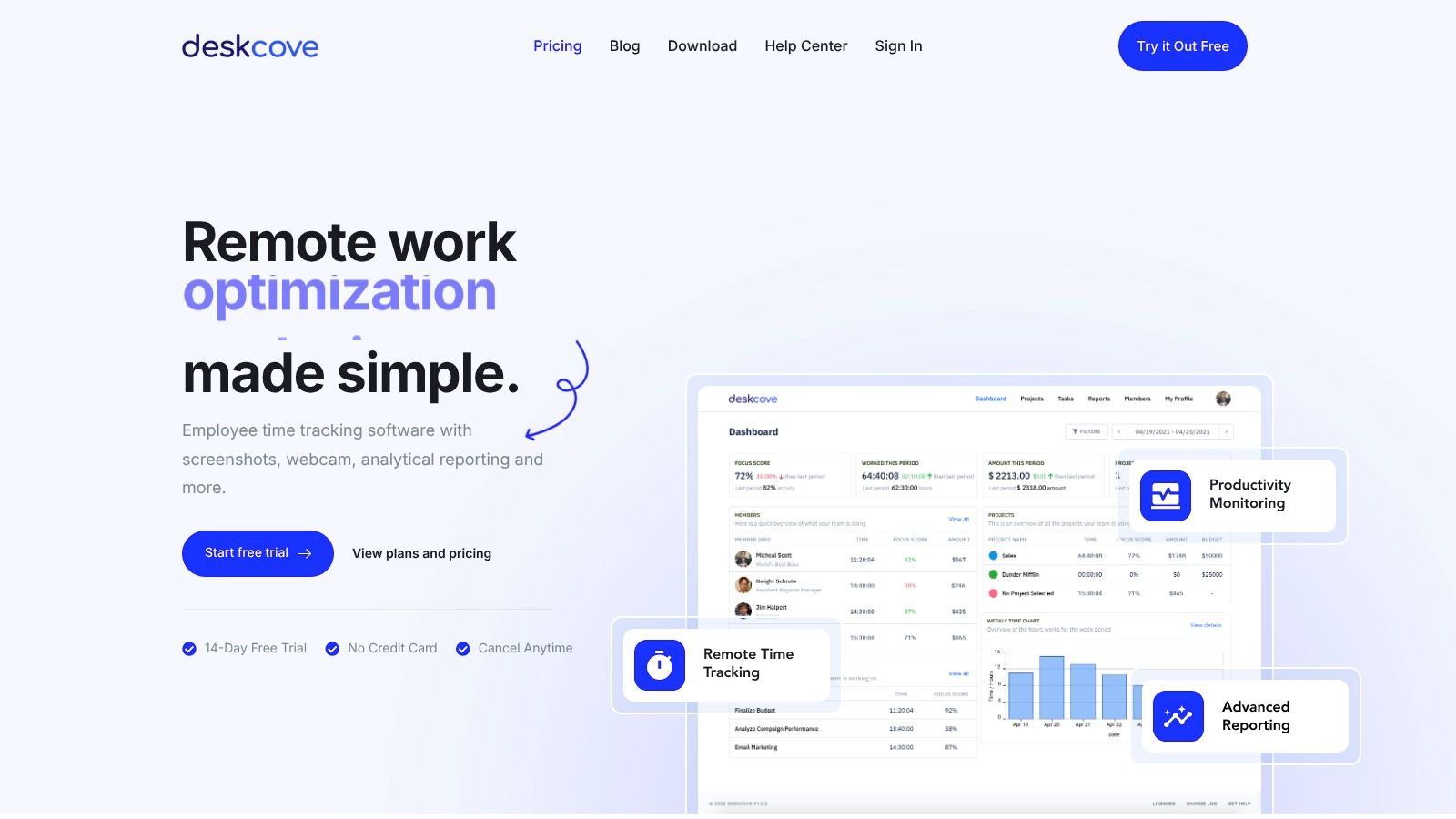
Unlike generic timers, DeskCove ties every tracked minute directly to specific projects and tasks. This allows freelancers to produce detailed, verifiable timecards and reports that justify invoices and demonstrate progress. Its strength lies in transforming abstract time tracking into a powerful analytical tool, enabling you to identify workflow bottlenecks, accurately scope future projects, and manage client budgets with precision.
Key Features and Benefits
- Comprehensive Monitoring: Automatic time capture, minute-level active window tracking, screenshots, and webcam captures provide irrefutable proof of work.
- Actionable Reporting: Detailed timecards and analytics connect hours directly to projects, tasks, and budgets, helping you optimize workflows and profitability.
- Granular Control: Monitoring settings are configurable per user, allowing you to tailor the level of oversight to specific client agreements or project needs.
- Accessible Pricing: The Basic plan is straightforward at $10 per user/month, including unlimited screenshots and a 14-day free trial without requiring a credit card.
Considerations
The primary drawback is the potential for perceived intrusiveness. The screenshot and webcam features necessitate a transparent conversation with clients about privacy and data handling. While highly effective for accountability, its monitoring capabilities may not be suitable for every client relationship unless clear policies are established upfront.
Website: https://deskcove.com
2. Asana
Asana is a powerhouse among project management tools for freelancers, offering a comprehensive suite of features that scales from solo task management to complex, multi-stakeholder projects. It excels in providing visual clarity through its multiple project views, including lists, Kanban-style boards, calendars, and a Gantt-like timeline. This flexibility allows freelancers to plan project phases, track dependencies, and share progress with clients in a format that makes sense for everyone involved.
One of Asana’s standout features for freelancers is its robust client collaboration capability. On paid plans, you can invite unlimited free guests to your projects, giving clients a clear view of progress without needing a full paid seat. The platform's automation builder also helps streamline repetitive tasks, such as moving a task to "In Review" when a file is attached.
Pricing & Key Features
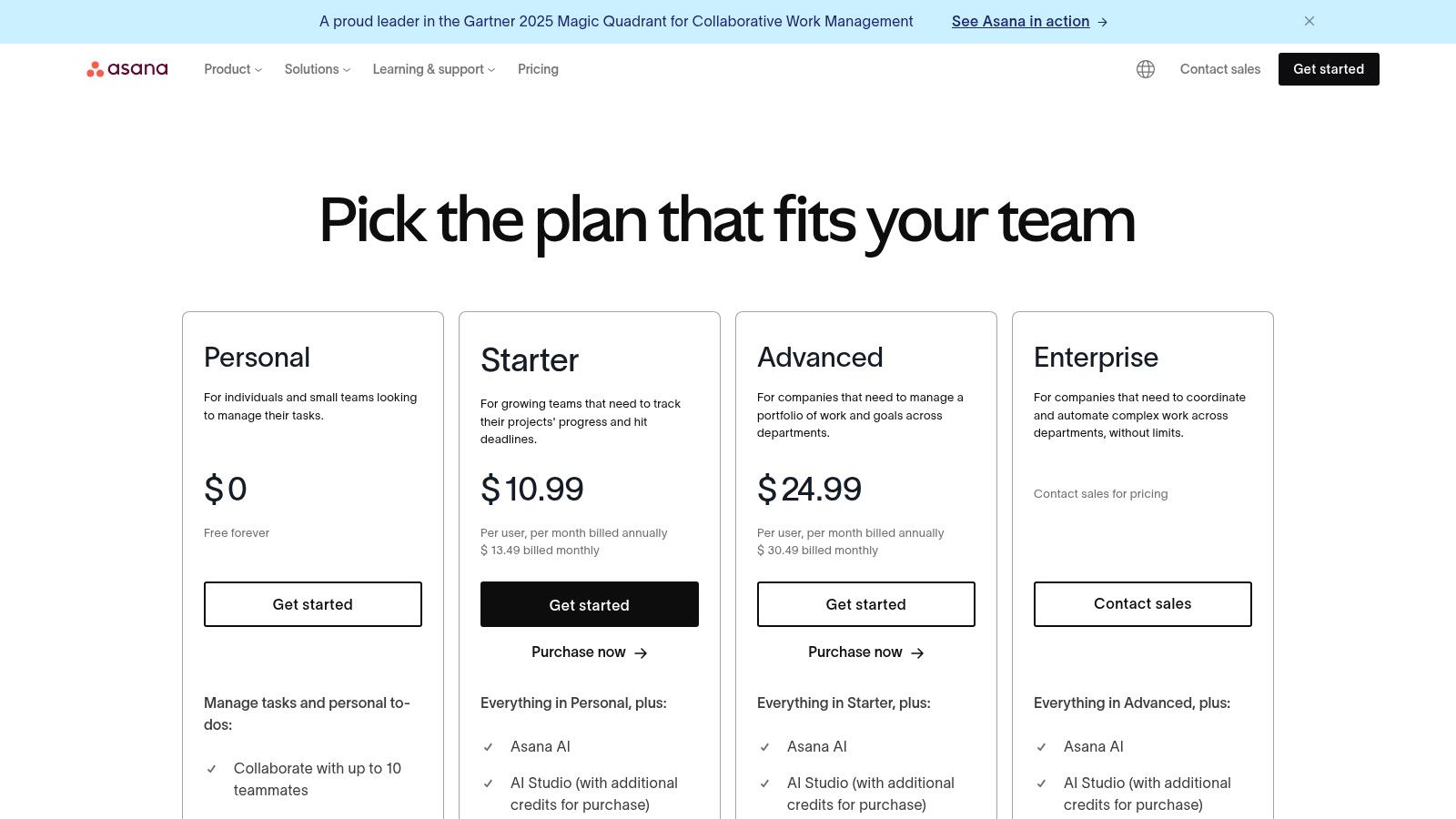
Asana offers a generous free tier for individuals or small teams just starting out. Paid plans unlock more powerful features:
- Premium ($10.99/user/month): Adds Timeline view, Workflow Builder, and unlimited dashboards.
- Business ($24.99/user/month): Includes advanced features like portfolios, workload management, and approvals.
Pros:
- Mature platform with extensive integrations (Slack, Google Drive, Adobe Creative Cloud).
- Multiple project views cater to different planning styles.
- Excellent for collaborating with clients via free guest access.
Cons:
- Can feel overly complex for very simple solo projects.
- Key features like workload management are locked behind higher-priced tiers.
You can learn more about how Asana compares with other tools for small teams and freelancers.
3. Trello
Trello is the quintessential Kanban-style project management tool, prized by freelancers for its simplicity and visual appeal. It uses a system of boards, lists, and cards to help you organize projects in a clear, linear workflow. This makes it incredibly intuitive for tracking tasks from a "To Do" list through to "In Progress" and "Completed" stages, which is perfect for managing a content pipeline, a design revision process, or any project with distinct phases.
Its strength lies in its low barrier to entry. You can set up a project board and share it with a client in minutes, making it an excellent, non-intimidating option for collaboration. Features like checklists, due dates, and Butler automation for simple repetitive tasks provide just enough power without overwhelming solo users. While it may not have the deep reporting of other platforms, its visual clarity makes it one of the best project management tools for freelancers who prioritize ease of use.
Pricing & Key Features
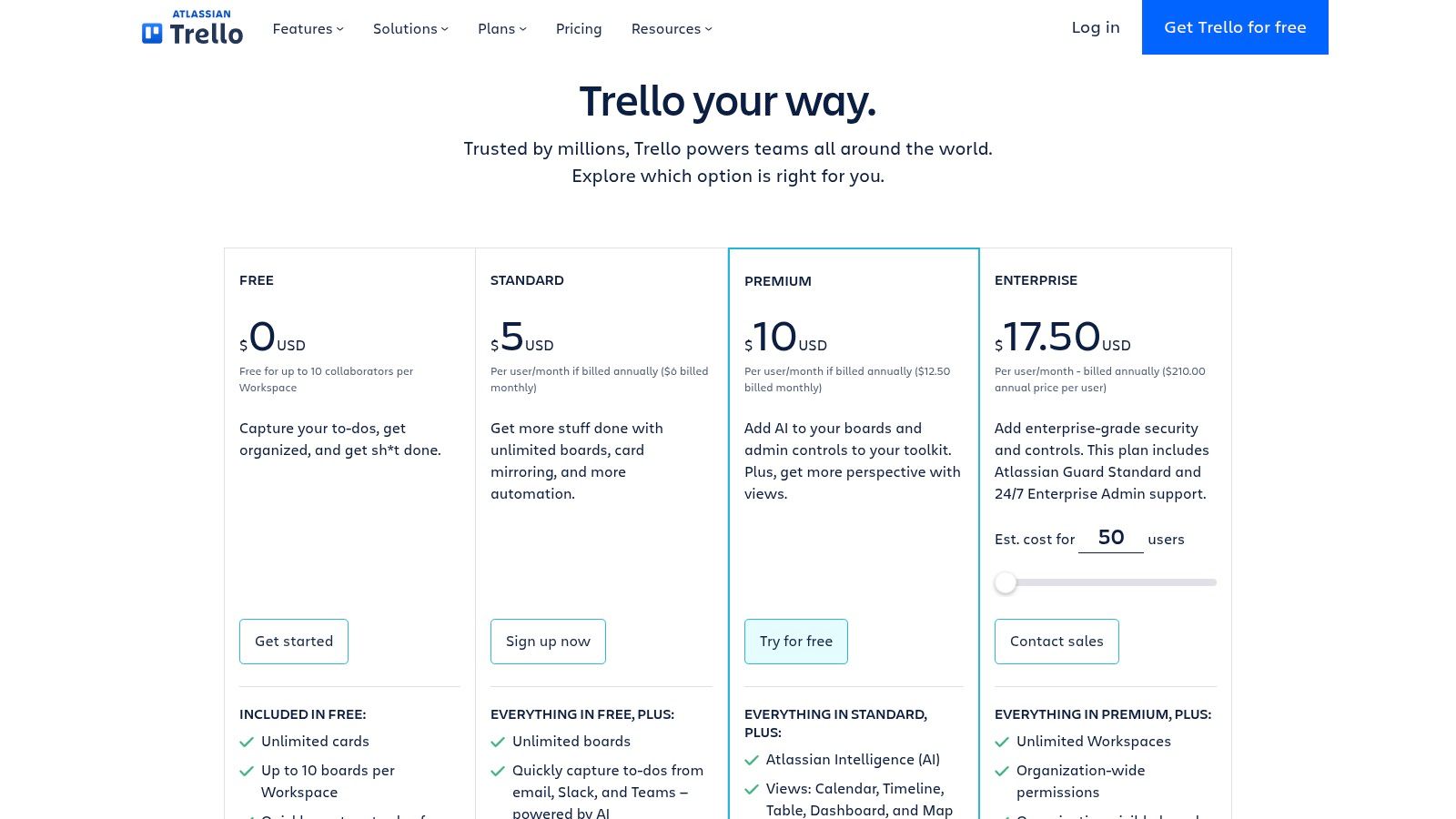
Trello’s free plan is very capable for individual use. Paid plans introduce more advanced views and automation.
- Standard ($5/user/month): Adds advanced checklists and unlimited boards.
- Premium ($10/user/month): Unlocks multiple views like Calendar, Timeline, and Table, plus more automation commands.
- Enterprise ($17.50/user/month): Adds organization-wide permissions and administration.
Pros:
- Extremely easy to learn and share with clients.
- Ideal for visual pipelines like editorial calendars or creative workflows.
- Generous free tier with unlimited cards and up to 10 boards.
Cons:
- Reporting and workload management are very limited compared to full PM suites.
- Managing many complex projects can become cumbersome without paid features.
You can explore how Trello integrates with time tracking tools to enhance its project management capabilities.
4. ClickUp
ClickUp positions itself as the "one app to replace them all," and for many freelancers, it lives up to that promise. It's an all-in-one work hub that combines tasks, docs, whiteboards, goals, and chat into a single, highly customizable platform. This makes it an exceptional choice among project management tools for freelancers who want to consolidate their entire workflow, from initial planning in a mind map to execution and final reporting, without juggling multiple subscriptions.
One of ClickUp’s biggest draws is its sheer depth of features available even on lower-cost plans. Native time tracking, extensive automations, customizable dashboards, and a wide array of project views (Gantt, timeline, mind map) provide an incredible amount of power. Freelancers can create a bespoke system that perfectly matches their project needs, whether they're a developer tracking sprints or a writer managing an editorial calendar.
Pricing & Key Features
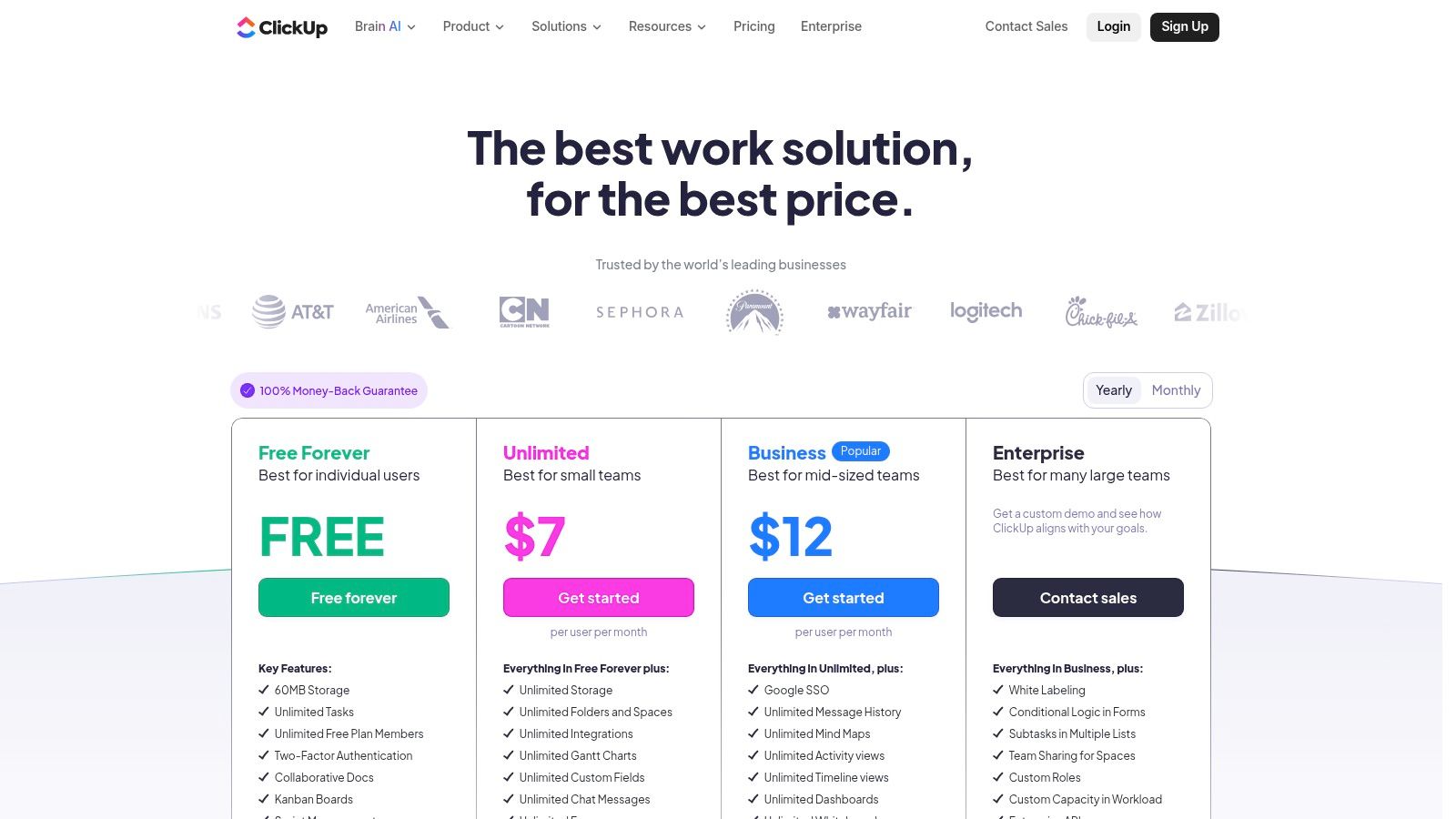
ClickUp offers a feature-rich free plan. Its paid tiers provide remarkable value:
- Unlimited ($7/user/month): Unlocks unlimited storage, integrations, and advanced features like dashboards and Gantt charts.
- Business ($12/user/month): Adds advanced time tracking, workload management, and more sophisticated automations.
Pros:
- Aggressive pricing offers strong value, especially at the Unlimited and Business tiers.
- Extremely customizable with multiple views, custom fields, and powerful automations.
- Rapid product development with new features released frequently, plus 24/7 support.
Cons:
- The vast number of features and customization options can be overwhelming for new users.
- Upgrades are workspace-wide, meaning you cannot upgrade just a single user seat.
You can explore ClickUp's full feature set on their pricing page.
5. monday.com
monday.com bills itself as a "Work OS," and for many freelancers, it lives up to that name. It's a visually vibrant and highly customizable platform that excels at making complex projects look simple and shareable. The core of monday.com is its colorful boards, which can be configured to manage everything from client pipelines and content calendars to detailed project tasks. This makes it one of the most client-friendly project management tools for freelancers who need to present progress in an attractive, easily digestible format.
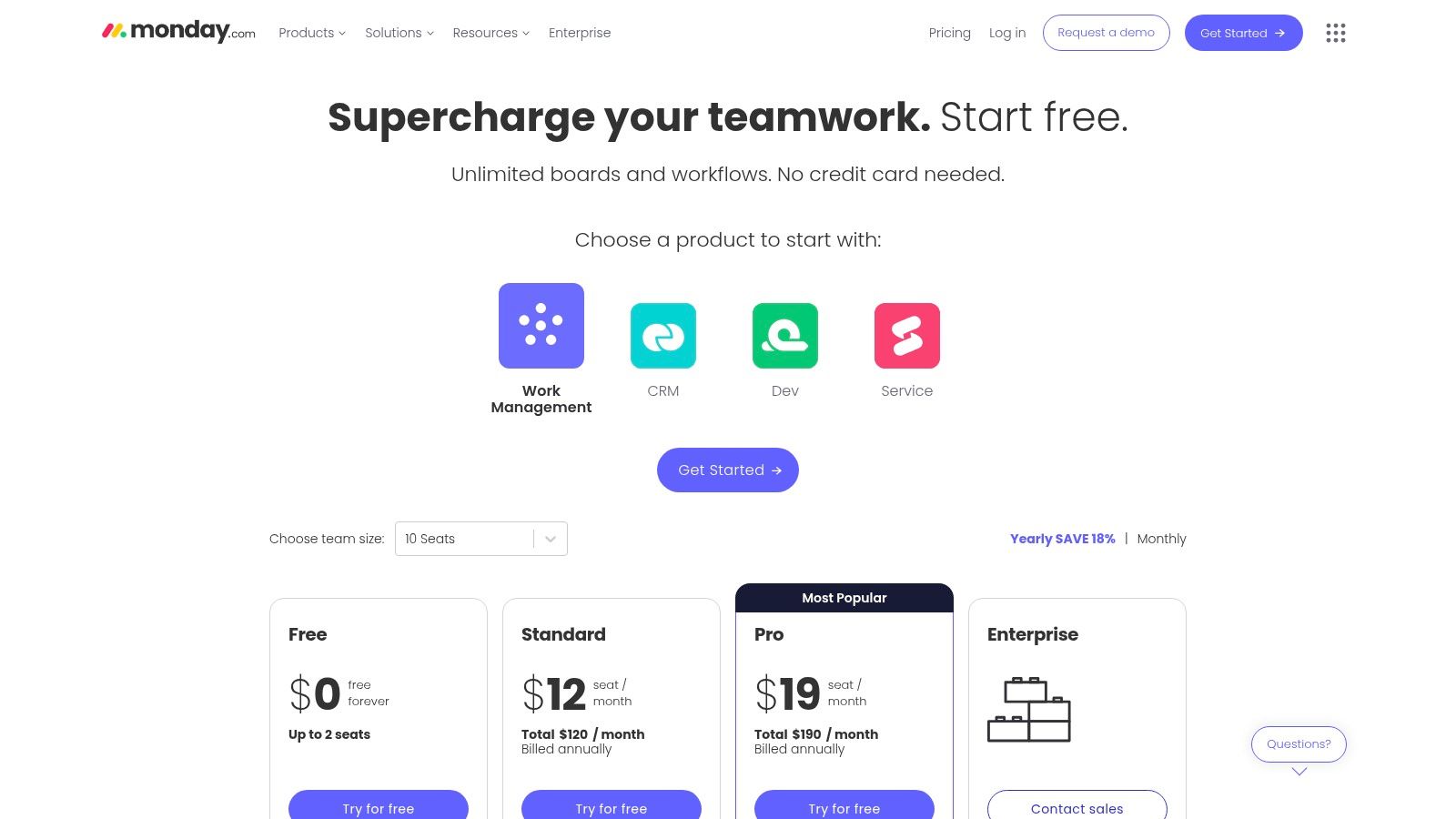
Its strength lies in its extensive template library and powerful automations. Freelancers can get started quickly with pre-built workflows for marketing, design, and development, then automate routine actions like sending status update notifications or moving tasks between groups. The ability to share specific boards with clients (on paid plans) enhances transparency and collaboration without giving them access to your entire workspace.
Pricing & Key Features
monday.com offers a free plan for up to two users. Paid plans unlock essential features for scaling freelance operations:
- Basic ($8/seat/month): Unlimited items and viewers, but limited features.
- Standard ($10/seat/month): Adds Timeline & Gantt views, automations, and guest access.
- Pro ($16/seat/month): Includes private boards, time tracking, and more automations.
Pros:
- Polished, intuitive UI with strong templates that are great for non-technical clients.
- Broad product line (CRM, Dev, Service) allows the tool to grow with your business needs.
- Powerful and easy-to-configure automations save significant administrative time.
Cons:
- Pricing structure often has a minimum seat requirement (e.g., 3 seats), which can increase the cost for solo freelancers.
- Many key features for freelancers, like time tracking and shareable boards, are on the Standard or Pro tiers.
You can explore plans and features on the official monday.com pricing page.
6. Basecamp
Basecamp is one of the original project management tools for freelancers and teams, championing simplicity and clear communication. It organizes work into distinct projects, each containing everything related to that job: message boards, to-do lists, schedules, documents, and a real-time "Campfire" chat. This all-in-one hub approach is designed to reduce the need to jump between different apps and keep clients and collaborators on the same page with minimal friction.
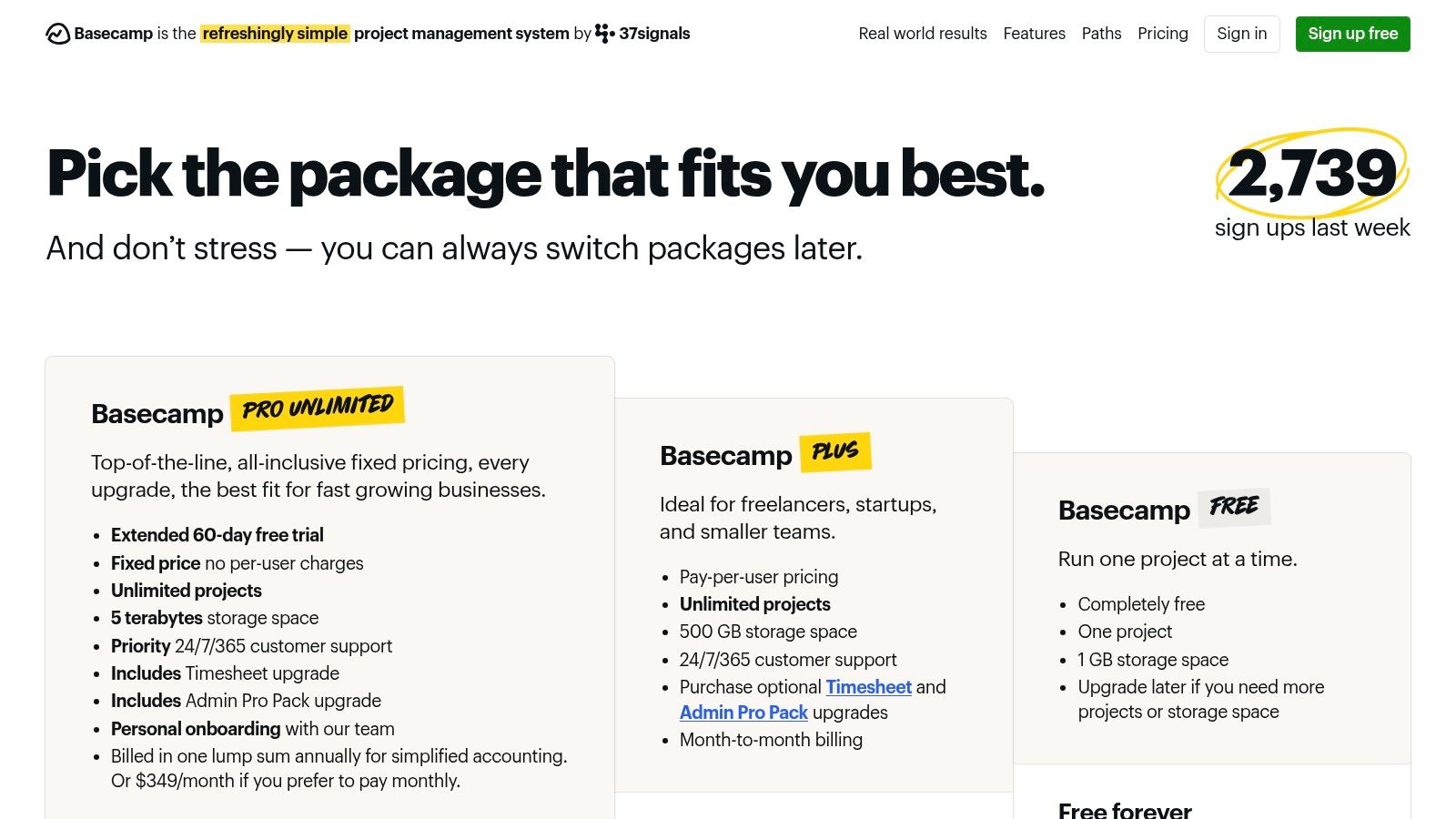
What makes Basecamp stand out for freelancers is its client-friendliness. On paid plans, you can add unlimited clients to projects for free, giving them access to specific messages, files, and to-do lists you choose to share. The platform's simple, non-technical interface means clients can get up and running without extensive training, making it an excellent choice for managing projects that require significant client input and approvals.
Pricing & Key Features
Basecamp offers a limited free plan and two straightforward paid tiers.
- Pro ($15/user/month): Includes all features for small teams, like unlimited projects and client access.
- Pro Unlimited ($299/month, flat rate): The best value for larger teams or agencies, offering unlimited users and 5TB of storage.
Pros:
- Extremely low friction for clients and requires minimal setup.
- All-in-one project hubs keep communication and tasks centralized.
- Predictable flat-fee pricing is great for scaling teams.
Cons:
- Lacks advanced project management features like dependencies or resource leveling.
- Less customizable than other platforms, following a very specific workflow.
You can learn more and sign up on the Basecamp website.
7. Airtable
Airtable transcends traditional project management tools by blending the simplicity of a spreadsheet with the power of a database. This unique approach allows freelancers to build completely custom workflows, from content calendars and digital asset managers to lightweight client CRMs. Its flexibility is its greatest strength, offering multiple views like grids, Kanban boards, calendars, and timelines to visualize data in the most effective way for any given project.
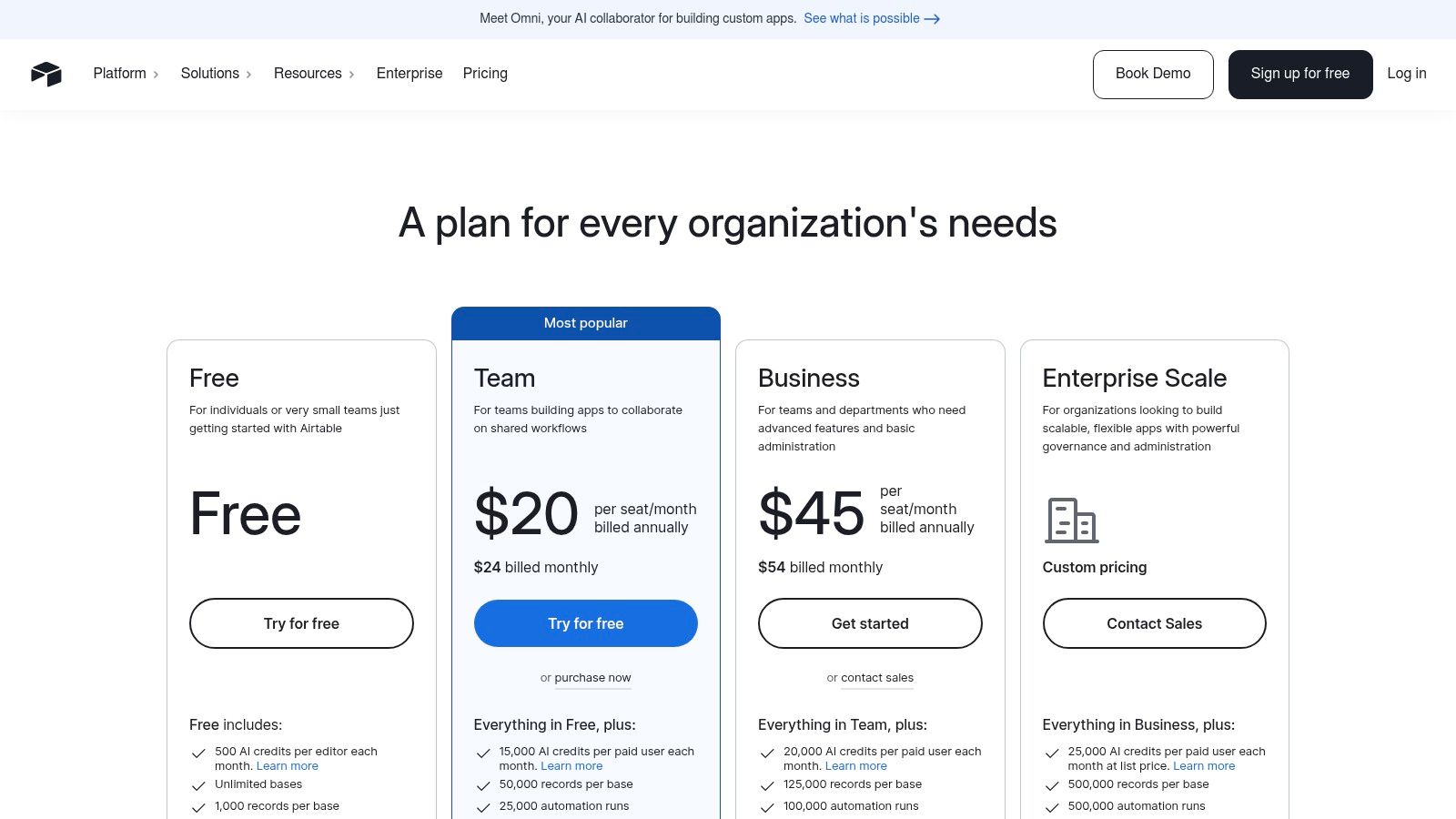
For freelancers managing asset-heavy projects, Airtable is a game-changer. You can create a "base" to track deliverables, link client feedback directly to specific assets, and use automations to trigger notifications when a status changes. The ability to design custom "Interfaces" provides a simplified, focused view for clients, showing them only the information they need to see without the complexity of the underlying database.
Pricing & Key Features
Airtable’s free plan is quite capable for solo freelancers. Paid plans expand collaboration and automation capabilities:
- Team ($20/seat/month): Adds more records, attachment space, and extended revision history.
- Business ($45/seat/month): Unlocks advanced features like two-way sync, granular permissions, and more automations.
Pros:
- Highly customizable to build bespoke systems without code.
- Strong for managing content, assets, and data-rich projects.
- Scales from simple trackers to robust, interconnected business systems.
Cons:
- Can require an initial investment in time to design and set up the data structure.
- Advanced features are on higher-priced tiers, and per-collaborator pricing can add up.
You can learn more about its plans and features on the Airtable pricing page.
8. Notion
Notion transcends traditional project management tools for freelancers by offering a unified workspace that combines docs, tasks, and wikis. Its greatest strength is its unparalleled flexibility, allowing you to build custom project hubs, client portals, and internal knowledge bases from scratch. Instead of a rigid structure, Notion provides building blocks like databases, pages, and embeddable content, which you can shape into a system that perfectly matches your workflow and branding.
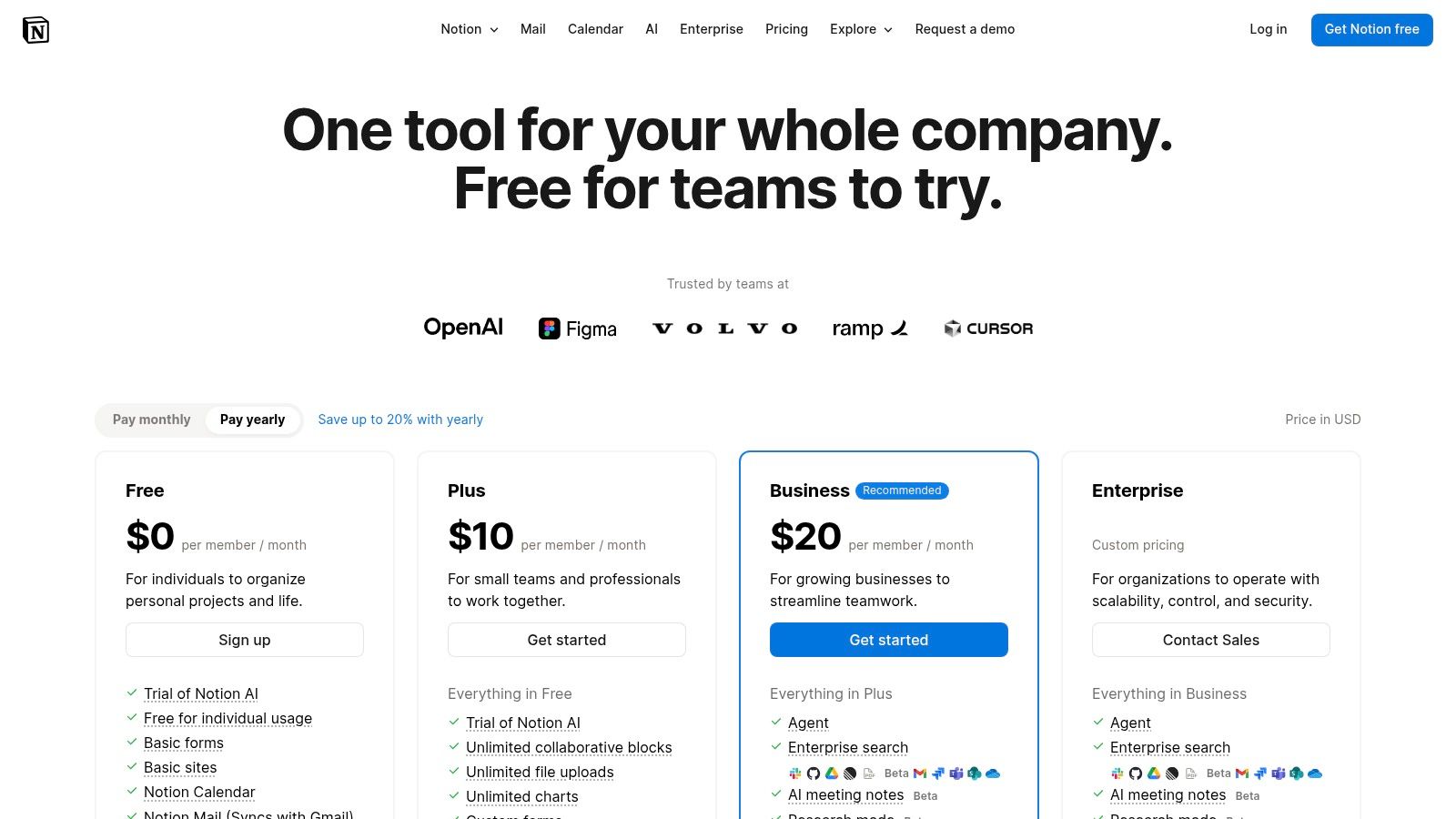
This makes it exceptional for creating branded client spaces where all project briefs, deliverables, feedback, and timelines live in one place. You can configure databases with table, board, calendar, and timeline views to track tasks, all within a document-centric environment. While it demands more initial setup, the result is a completely bespoke project management solution that can grow with your freelance business.
Pricing & Key Features
Notion has a powerful free plan for individuals. Paid plans add more collaboration features and higher limits:
- Plus ($8/user/month): Adds unlimited blocks for teams and a 30-day page history.
- Business ($15/user/month): Includes private teamspaces, advanced page analytics, and Notion AI.
Pros:
- Extremely flexible; can replace separate tools for docs, tasks, and knowledge bases.
- Great for creating branded client portals and reusable project templates.
- Strong community support with countless free templates available.
Cons:
- Requires system design and setup to be effective for project management.
- Lacks the out-of-the-box reporting found in dedicated PM tools.
- Recent pricing changes have limited AI features on lower-tier plans.
You can explore plans and sign up on the Notion website.
9. Paymo
Paymo is an excellent choice for freelancers who need a single platform to manage the entire project lifecycle, from initial estimate to final invoice. It tightly integrates project management with crucial financial tools like native time tracking, invoicing, and profitability reporting. This all-in-one approach helps solo professionals and small agencies streamline their administrative workload, ensuring that time spent on projects is accurately billed and that each project's financial health is clearly visible.
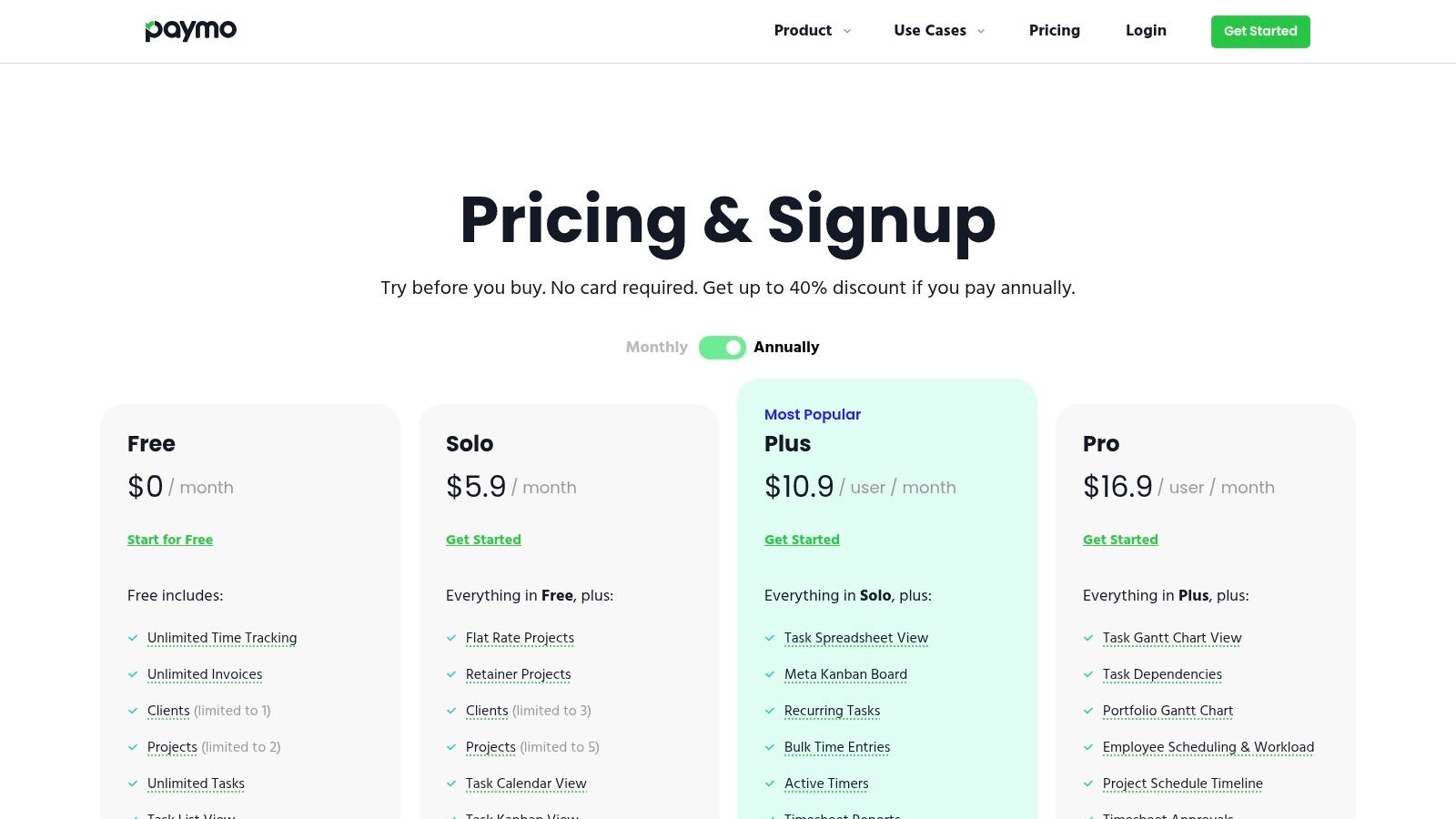
The platform offers multiple task views, including lists, Kanban boards, and Gantt charts, providing flexibility for different project styles. Its standout feature is the seamless connection between tasks, time entries, and invoices. You can generate an invoice directly from tracked time with just a few clicks, making it one of the most efficient project management tools for freelancers focused on billable hours. The workload and scheduling tools also help prevent burnout by visualizing team capacity.
Pricing & Key Features
Paymo has a free plan for solo freelancers, with paid plans adding more advanced features and team capabilities.
- Starter ($5.95/user/month): Great for freelancers, adds invoices, estimates, and integrations.
- Small Office ($10.95/user/month): Includes live time reports, recurring tasks, and Gantt charts.
- Business ($16.95/user/month): Unlocks employee scheduling, workload management, and portfolio Gantt charts.
Pros:
- All-in-one solution combining project management, time tracking, and billing.
- Strong financial reporting features, even on lower-priced tiers.
- User-friendly interface that simplifies complex workflows.
Cons:
- Fewer third-party integrations compared to larger platforms like Asana or Trello.
- Advanced scheduling and portfolio management are reserved for the highest tier.
You can explore more about Paymo and its time tracking features to see how it compares for managing billable work.
10. Bonsai
Bonsai is designed as an all-in-one business operating system specifically for freelancers, making it a standout among project management tools for freelancers. It tightly integrates task management with the entire client lifecycle, from proposals and contracts to time tracking and invoicing. This holistic approach means you can manage project tasks, track billable hours, and send invoices from a single, unified dashboard, eliminating the need to juggle multiple disconnected apps.
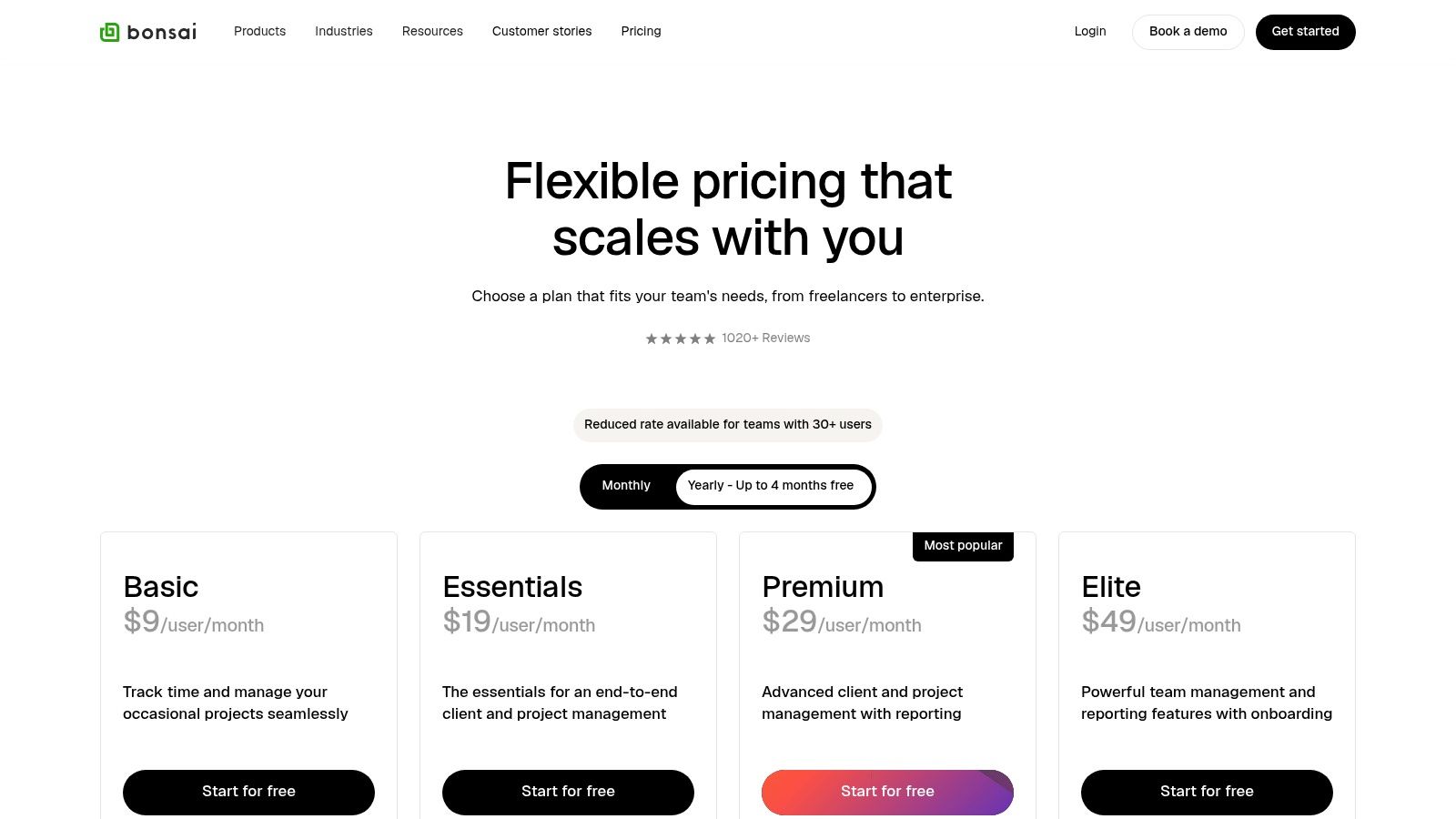
The platform shines with its client-facing features, including a dedicated client portal and professional templates for proposals and contracts. While Bonsai streamlines many aspects of freelance business including contracts, exploring various digital signature solutions for contracts can further enhance your legal processes. Bonsai’s strength lies in reducing administrative overhead, allowing you to focus more on creative work and less on paperwork.
Pricing & Key Features
Bonsai’s plans are structured to grow with your freelance business.
- Starter ($24/month): Includes unlimited clients & projects, proposals, contracts, invoicing, and time tracking.
- Professional ($39/month): Adds custom branding, workflow automations, and a client portal.
- Business ($79/month): Includes subcontractor management, multiple bank accounts, and advanced reporting.
Pros:
- Streamlines project management and billing in one tool.
- Starter templates for proposals and contracts speed up client onboarding.
- Excellent for freelancers who need an all-in-one business solution.
Cons:
- Heavier all-in-one approach may be more than some freelancers need.
- Some advanced reporting and permissions are gated to higher tiers.
You can explore Bonsai's pricing and features in more detail on their website.
11. Capterra
While not a project management tool itself, Capterra is an indispensable resource for any freelancer on the hunt for the perfect software. It's a massive software comparison and buyer’s guide site that aggregates hundreds of tools, complete with verified user reviews, feature breakdowns, and pricing snapshots. For freelancers, this platform streamlines the otherwise overwhelming process of researching and shortlisting project management tools that fit specific needs and budgets.
Capterra's strength lies in its powerful filtering and comparison capabilities. You can quickly narrow down the vast market by features (like time tracking or client portals), pricing models, and user ratings. This allows you to create a side-by-side comparison of your top contenders, helping you validate vendor reputations and make a data-driven decision before committing to a subscription. It’s a crucial first step in finding the right system to manage your freelance business.
Pricing & Key Features
Capterra is a free resource for users. Its value comes from its comprehensive research and aggregation features:
- Free to Use: Access all listings, reviews, and buyer's guides without any cost.
- Key Features: Includes category listings, filtering by price and features, side-by-side comparisons, and verified user reviews.
Pros:
- Broad coverage of the market provides a comprehensive view of available options.
- Verified reviews help validate a tool's reputation and real-world performance.
- Excellent for initial research and creating a shortlist of tools to trial.
Cons:
- Sponsored placements can sometimes appear at the top of category lists.
- Pricing information can occasionally be outdated; always verify on the vendor's actual website.
You can start your research on Capterra's project management software category.
12. AppSumo
While not a project management tool itself, AppSumo is a crucial resource for freelancers seeking budget-friendly software solutions. It's a marketplace that offers incredible time-limited deals, often including lifetime licenses, on a wide array of SaaS products. This makes it a goldmine for discovering emerging or niche project management tools for freelancers who want to build a powerful software stack without committing to hefty monthly subscriptions.
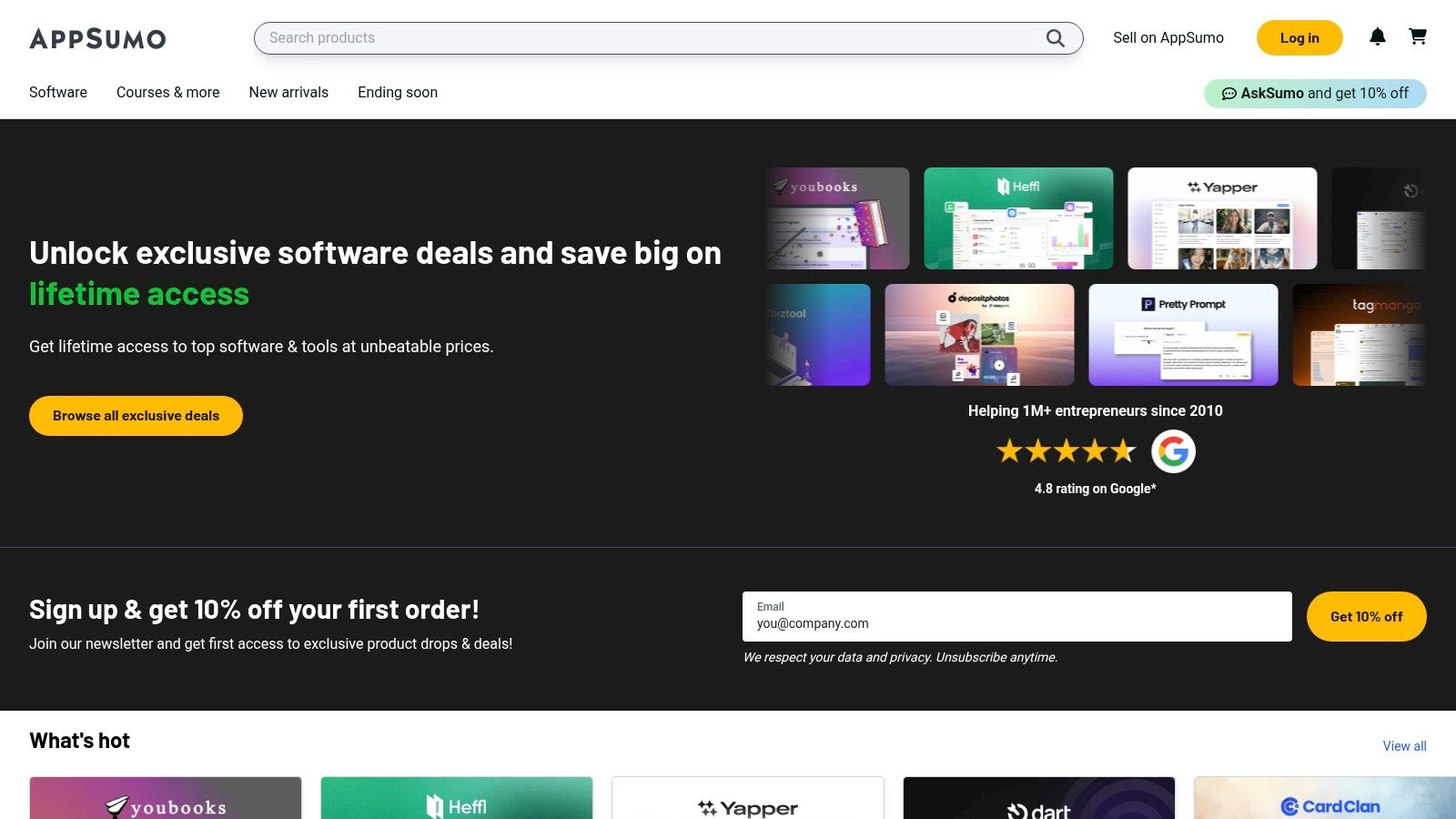
The key to using AppSumo effectively is to check in regularly for new deals on productivity and management software. You might find the perfect tool to manage client tasks, track your time, or organize your workflow for a one-time fee. The 60-day money-back guarantee on most deals provides a safety net, allowing you to thoroughly test a tool before fully committing.
Pricing & Key Features
AppSumo's pricing is deal-based, not a subscription. Deals are for specific software products and vary in price.
- Time-Limited Deals: Purchase tools, often with lifetime access, for a one-time fee.
- Wide Catalog: Includes PM software, CRMs, marketing tools, and other freelance utilities.
- 60-Day Guarantee: Offers a generous refund period on most purchases.
Pros:
- Huge potential for savings compared to standard SaaS pricing.
- Excellent platform for discovering new and specialized tools.
- The money-back guarantee reduces the risk of trying new software.
Cons:
- The quality and long-term viability of the software on offer can vary.
- "Lifetime" deals are dependent on the vendor's continued operation.
You can explore the latest software deals at AppSumo.
Comparison of 12 Freelance Project Management Tools
| Product | Core features ✨ | Target 👥 | Quality ★ | Pricing/Value 💰 |
|---|---|---|---|---|
| 🏆 DeskCove | Auto time capture, minute-level active-window logs, randomized screenshots + optional webcam, app & URL tracking, project/budget ties | 👥 Team owners, PMs, freelancers, SMEs | 4.5★ | 💰 $10/user·mo (Basic), 14‑day free trial (no CC) |
| Asana | Timeline/Gantt, boards, automations, dashboards | 👥 Teams & client-facing freelancers | 4.5★ | 💰 Freemium → paid tiers for advanced features |
| Trello | Visual Kanban, cards/checklists, Butler automations | 👥 Solo freelancers & small teams, clients | 4★ | 💰 Freemium; Premium for extra views & AI |
| ClickUp | Tasks, docs, whiteboards, native time tracking, goals | 👥 Teams wanting all-in-one hub | 4.3★ | 💰 Low-cost tiers; strong value on Unlimited/Business |
| monday.com | Boards, timelines, automations, shareable templates | 👥 Client-facing freelancers & growing teams | 4.2★ | 💰 Paid tiers; seat bundles can raise cost |
| Basecamp | Message boards, to-dos, schedules, simple file sharing | 👥 Freelancers wanting low-friction client hubs | 4★ | 💰 Flat-fee paid plan; client guests free |
| Airtable | Database-style tables, Kanban/timeline/Gantt, automations | 👥 Content-heavy freelancers & teams needing custom systems | 4.2★ | 💰 Freemium; per-collaborator pricing at higher tiers |
| Notion | Pages, databases (table/board/calendar), wikis & templates | 👥 Solo systems, client portals, knowledge bases | 4.1★ | 💰 Freemium; Business/Enterprise for AI & advanced features |
| Paymo | Tasks + native time tracking, estimates, invoicing, profitability | 👥 Solo/agency freelancers needing billing + PM | 4★ | 💰 Affordable tiers; Business unlocks advanced reports |
| Bonsai | Projects + contracts, proposals, invoicing, client portal | 👥 Freelancers who want billing/legal + PM in one | 4★ | 💰 Subscription; built-in contract/invoice templates |
| Capterra | Category listings, filters, verified reviews, side-by-side comparisons | 👥 Buyers researching PM/time tools | 4★ | 💰 Free to use; vendor pricing may vary |
| AppSumo | Time-limited deals, occasional lifetime offers, 60‑day returns | 👥 Bargain-seeking freelancers & tool explorers | 3.8★ | 💰 Pay-per-deal; big savings possible but variable risk |
Choosing Your Command Center: Final Thoughts on Freelance PM Tools
Navigating the landscape of project management tools for freelancers can feel overwhelming, but the journey is about finding a system that aligns with your unique workflow, not just adopting the most popular platform. We've explored a dozen powerful options, from the all-in-one complexity of ClickUp and the visual simplicity of Trello to the client-focused features of Bonsai and the integrated invoicing of Paymo. Each tool offers a distinct approach to organizing tasks, managing timelines, and collaborating with clients.
The central takeaway is that there is no single "best" tool. The ideal solution depends entirely on your specific needs as a freelancer. Are you a visual thinker who thrives on Kanban boards? Trello or Asana might be your perfect match. Do you manage complex projects with multiple dependencies and data sets? Airtable or monday.com could provide the structure you need. For those who blend project management with comprehensive business administration, tools like Paymo and Bonsai offer a streamlined experience.
From Selection to Implementation: Your Actionable Next Steps
Making a choice is only the first step; successful implementation is what truly transforms your business. To move forward, consider the following strategy:
- Identify Your Core Needs: Before committing, list your top 3-5 non-negotiable features. Is it client portals, integrated time tracking, invoicing, or a specific project view like Gantt charts?
- Leverage Free Trials: Nearly every tool discussed offers a free plan or a trial period. Dedicate a week to running a small, real-world project on your top two contenders. This hands-on experience is far more revealing than any feature list.
- Evaluate Scalability: Think about your business goals. Will this tool grow with you as you take on larger projects or potentially collaborate with other freelancers? A scalable platform prevents the headache of migrating systems down the line.
The ultimate goal is to create a "command center" for your freelance business that reduces administrative friction and frees you up to focus on high-value, billable work. The right combination of tools empowers you to manage your projects proactively, communicate with clients effectively, and maintain a clear view of your business's health.
The Power of Data-Driven Decisions
Regardless of which project management platform you choose, one element remains universally critical for every freelancer: understanding where your time is spent. Your time is your most valuable, non-renewable asset. While many PM tools have built-in timers, a dedicated time tracking application provides deeper insights into your productivity, helps you craft more accurate project proposals, and ensures you are billing profitably. This is where a tool like DeskCove becomes a vital part of your freelance tech stack. By pairing a robust project management system with precise, automated time tracking, you gain complete control over both your tasks and your time. This powerful combination is the cornerstone of a sustainable and scalable freelance career, allowing you to deliver exceptional results with confidence.
Ready to take control of your most valuable asset? See how DeskCove can provide the clarity and data you need to optimize your productivity and profitability. Start tracking your time with precision today by exploring the features at DeskCove.


