Best Project Management Software for Small Business

Choosing the best project management software for a small business often comes down to finding that sweet spot between powerful features and a design that doesn't require a user manual the size of a phone book. Tools like Asana, ClickUp, and Trello have become household names for a reason—they bring tasks and communication under one roof, turning messy workflows into organized, scalable systems. Think of the right software less as a task manager and more as an engine for growth.
Why Project Management Software Is a Growth Engine
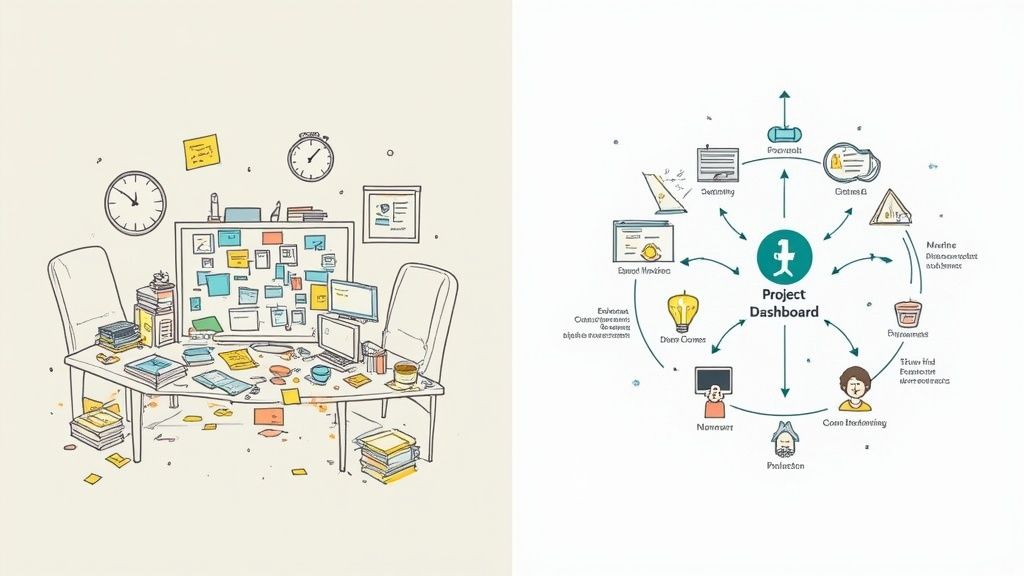
Does your day involve sifting through scattered tasks, chasing missed deadlines, and trying to make sense of chaotic team communication? You’re not alone. Many small businesses are stuck in a reactive loop, juggling priorities with messy email chains and disconnected spreadsheets. This isn't just frustrating; it's a genuine barrier to scaling your business.
Project management software flips the script by creating a central command center for everything your team is working on. No more hunting for that one file or trying to remember who’s doing what. Your team gets a single source of truth for project timelines, individual responsibilities, and real-time progress.
Centralize and Conquer Your Workload
At its core, any good project management tool is designed to bring order to chaos. By pulling all your projects into one place, you break down information silos and get everyone on the same page. For small teams where people are constantly wearing multiple hats, that clarity is a game-changer.
This simple shift from scattered notes to a unified dashboard delivers real business benefits:
- Improved Accountability: When every task has a clear owner and a firm deadline, everyone knows exactly what they need to deliver.
- Enhanced Collaboration: Communication happens right where the work is, cutting down on the need for endless meetings and back-and-forth emails.
- Better Client Outcomes: Organized projects lead to on-time delivery and higher-quality results, which is key to keeping clients happy.
The right tool doesn't just manage projects; it clarifies purpose. By creating a transparent workflow, you empower your team to focus on high-impact activities instead of administrative busywork.
Key Criteria for Choosing Your Software
To help you pinpoint the best project management software for your small business, we're breaking down the top contenders based on four make-or-break criteria. Getting these pillars right means you’ll pick a platform that not only solves today's problems but also grows with you tomorrow. It's one of the essential small business tools every owner should know about, setting you up for a more efficient and scalable operation.
| Evaluation Criterion | Why It Matters for Small Businesses |
|---|---|
| Ease of Use | A steep learning curve can kill adoption before it even starts. The tool has to be intuitive enough for your whole team to jump in. |
| Scalability | Your software needs to grow with you. Look for platforms that can handle more complex projects and bigger teams down the line. |
| Integration | The tool must play nice with the software you already depend on, like email, cloud storage, and calendars. |
| Cost-Effectiveness | Pricing needs to be straightforward, offering a solid return on investment without wrecking your budget. |
The value is clear when you look at the numbers. The global project management software market grew from USD 6.59 billion in 2022 and is on track to hit USD 7.24 billion by 2025. What's telling is that small businesses are a huge part of this trend—they're 13% more likely to adopt these tools than large corporations. (Learn more about the latest project management statistics).
How to Choose the Right Tool for Your Team
Before you even start looking at feature lists and pricing tiers, the first step is always to look inward. Picking the right project management software for your small business isn't about finding the tool with the most bells and whistles; it's about finding the one that actually solves your team's specific headaches. If you force your team into a workflow that feels unnatural, the tool will create more problems than it solves.
Start with a simple audit of how you work right now. Where are the real bottlenecks? Are deadlines getting missed because nobody knows who’s supposed to do what? Does it take hours to pull together client reports by hand? Nailing down these pain points gives you a clear map of what you actually need.
Identify Your Non-Negotiable Features
Once you know your challenges, you can turn them into a checklist of non-negotiable features. This shifts the focus from generic capabilities to practical, day-to-day solutions. For instance, if your projects are a series of dependent steps, then robust task dependencies are a must-have. If your team basically lives in Slack and Google Drive, then seamless integrations should be at the top of your list.
Think about these common needs for small businesses:
- Intuitive Reporting Dashboards: You need quick, data-driven insights without spending hours on setup.
- Simple Collaboration Tools: Things like in-task comments and file sharing keep all communication right where it needs to be.
- Effective Resource Planning: This is key to preventing team burnout and managing workloads fairly. To dig deeper into this, check out our guide on how resource management tools streamline project success.
This chart breaks down what small teams prioritize, and it’s no surprise that integrations often come out on top.
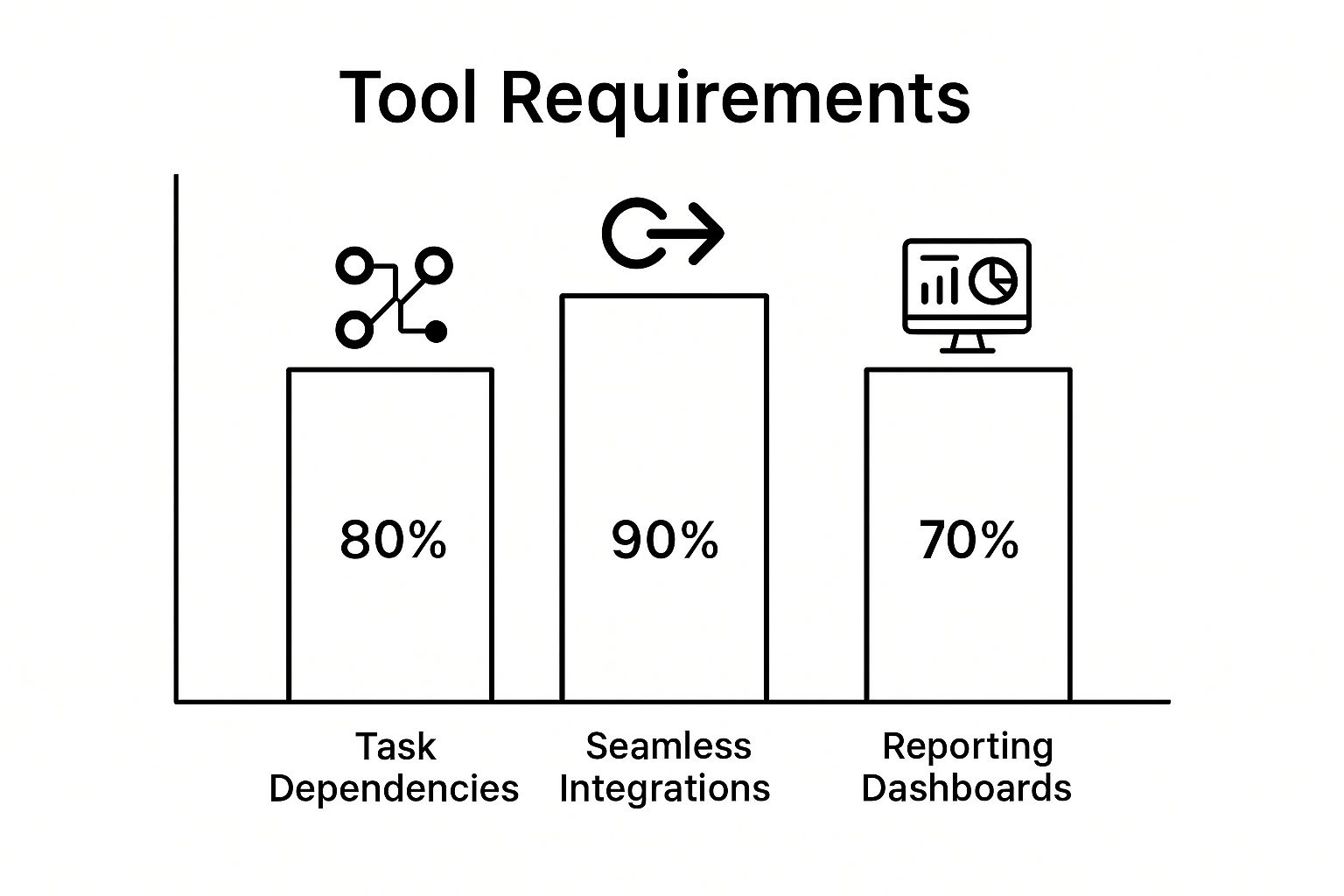
The data really drives home the point: while core functions like task management are essential, a tool’s ability to play nicely with the software you already use is often the biggest factor for getting your team on board.
Aligning Software with Your Business Goals
The final step is to take your personalized checklist and see how the different software options stack up. This methodical approach ensures your decision is based on reality, not just slick marketing. You’re looking for a partner that will make you more efficient, not just another monthly subscription.
Choosing a project management tool is like hiring a new team member. It needs to fit your company culture, communicate well with others, and contribute directly to your business objectives from day one.
Interestingly, even with the clear benefits, many businesses are still playing catch-up. As of 2025, only 23% of organizations worldwide use dedicated project management software, with many still leaning on spreadsheets or paper. For small businesses making the leap, the most sought-after features are file sharing, time tracking, and Gantt charts. What's more, 54% of employees feel that automation features in these platforms could save them over five hours a week—a huge opportunity for getting time back.
By focusing on your unique needs first, you can confidently pick a platform that will truly help your team get things done.
A Head-to-Head Comparison of Leading PM Tools
Alright, you've got your checklist of what your team needs. Now it's time to cut through the marketing fluff and see how the top contenders really stack up.
The world of project management software is buzzing, and cloud-based tools are leading the charge, especially for small businesses. It’s a huge market; in the U.S. alone, it's projected to hit $2.9 billion in revenue by 2025, mostly from subscriptions tailored to small teams. While giants like Microsoft and Atlassian get a lot of attention, there's a whole ecosystem of fantastic, specialized tools built for specific needs.
This isn't just another list of pros and cons. We’re going to dig into the core philosophy behind each platform to help you find the one that truly clicks with how your team works.
Asana: The Task-Driven Powerhouse
Asana is built on a simple but powerful premise: every task should be clear, actionable, and tied to a bigger company goal. It absolutely excels at building structure and making sure everyone knows who is doing what and by when. This makes it a go-to for teams juggling complex projects with a lot of moving parts.
Think of a small marketing agency launching a new campaign. Using Asana, you could map out the entire project—from initial research to the final ad going live—on its timeline view. It’s more than a calendar; it lets you set dependencies so that tasks happen in the right sequence. The design team can't start the creatives until the copy is approved, and Asana makes that relationship crystal clear.
- Core Philosophy: Clarity and accountability. Asana is all about wiping out ambiguity.
- Best For: Goal-oriented teams that need to manage detailed projects with lots of dependencies.
- Real-World Scenario: A product development team uses Asana's Portfolios to get a high-level view of progress across multiple launches at once, keeping leadership in the loop without bogging them down in details.
Asana shines when your process is king. If your business runs on structured, repeatable workflows and needs to connect daily to-dos with long-term strategy, this tool gives you the framework to do it.
That said, its strength in structure can sometimes feel a bit rigid for more free-flowing, creative work. Teams that live and breathe brainstorming might find its task-centric approach a little confining at first.
Trello: The Visual Workflow Champion
Trello has a completely different vibe. It's all about seeing your workflow. Using the Kanban method—a simple system of cards and columns—its drag-and-drop interface is so intuitive you can pick it up in minutes.
Imagine a small web design agency. They could set up a Trello board with columns like "Backlog," "In Design," "In Development," and "Launched." Each client project is a card that moves across the board, giving the whole team an instant, at-a-glance snapshot of where everything stands.
For teams that think visually and need a simple way to manage ongoing processes instead of rigid, time-bound projects, Trello is hard to beat. Its simplicity is its superpower.
Asana vs. Trello: The Situational Showdown
To make it real, let's put them head-to-head in a few common scenarios.
| Scenario | Asana is the Better Choice | Trello is the Better Choice |
|---|---|---|
| Complex Product Launch | Its timeline and dependency features are crucial for managing sequential tasks. | The simple board view may not capture the intricate relationships between tasks. |
| Weekly Content Calendar | Could be overkill; the structure might slow down a fast-moving content team. | Perfect for visualizing content moving from "Idea" to "Published." |
| Client Onboarding Process | Excellent for creating a standardized, checklist-driven onboarding template for new clients. | Good for tracking individual client progress but less ideal for enforcing a strict, repeatable process. |
While Trello is brilliant for its simplicity, it can get messy on highly complex projects. When cards start piling up, boards feel cluttered, and you'll need to rely on "Power-Ups" (integrations) for advanced features like time-tracking. For small businesses on a tight budget, it's worth checking out the best cheap project management software for teams to find options that pack more punch right out of the box.
ClickUp: The All-in-One Customization Engine
ClickUp’s goal is to be the "one app to replace them all." Its entire philosophy is built on ultimate flexibility. The idea is that the software should adapt to you, not the other way around. It offers a ton of different views—lists, boards, calendars, timelines—and lets you switch between them for the same project on the fly.
This makes ClickUp a beast for businesses with diverse teams. Your developers can use a sprint-based board view while the marketing team uses a calendar for the exact same project, and leadership gets a high-level dashboard report. The level of customization is practically infinite, from custom fields and statuses to complex automation rules.
- Core Philosophy: Total flexibility. ClickUp wants to be the single source of truth for all your work.
- Best For: Teams that need a highly adaptable tool and don't mind putting in some setup time to build their perfect system.
- Real-World Scenario: A remote-first company uses ClickUp Docs for its internal knowledge base, assigns tasks directly from documents, and tracks quarterly goals—all inside one platform.
But let's be real: that sheer number of features can be a double-edged sword. For a small business just getting started, the setup can feel overwhelming. Its power is in its customization, but unlocking it takes a bit of a learning curve.
Monday.com: The Visually Appealing Work OS
Monday.com positions itself as a "Work OS"—a platform where you can build just about any workflow you can imagine. Its biggest draw is its visually stunning interface combined with powerful automation and integration features. The colorful, spreadsheet-like boards are super intuitive and can be tricked out with dozens of column types, from status trackers to time-tracking widgets.
This makes Monday.com a great fit for teams managing more than just projects. People use it for CRM, marketing campaigns, and even inventory tracking. For example, a consulting firm could use a Monday.com board to manage its entire sales pipeline, then use automation to seamlessly turn a "Won" deal into a new project on a separate board.
Its visual DNA also makes reporting a snap. You can build dashboards with real-time charts and graphs without breaking a sweat, giving managers an immediate overview of team performance. This is especially handy when you're working with tools like Gantt charts for seamless project management.
Monday.com hits that sweet spot between a friendly interface and powerful, data-driven features. It’s perfect for teams who need strong visual organization and robust automation to connect the dots across their business.
While Monday.com is incredibly capable, its per-user pricing can add up fast for a growing team. Plus, some of its most essential features, like certain automations, are locked behind the more expensive plans.
PM Software Comparison for Small Business Needs
To help you make a quick decision, here's a side-by-side look at how these tools compare on the factors that matter most to small businesses. We're focusing on their core strengths and who they're truly built for.
| Tool | Ideal For | Core Strengths | Pricing Model | Scalability |
|---|---|---|---|---|
| Asana | Teams needing structured, repeatable processes and goal tracking. | Task dependencies, timelines, and portfolio management. | Per user, per month, with a robust free tier. | Excellent, built for growing teams. |
| Trello | Visual thinkers and teams managing continuous workflows. | Simplicity, intuitive Kanban boards, and ease of use. | Per user, per month, with a generous free plan. | Good, but relies on Power-Ups for complexity. |
| ClickUp | Businesses wanting a single, highly customizable platform for everything. | Extreme flexibility, multiple views, and built-in docs. | Per user, per month, with a feature-rich free tier. | Very high, can adapt to almost any need. |
| Monday.com | Teams that value visual appeal, automation, and dashboard reporting. | Visual interface, powerful automations, and reporting. | Per seat (in bundles), per month, with a limited free tier. | High, with strong enterprise features. |
At the end of the day, picking the right tool means matching its core DNA to your team's culture. There’s no single "best" platform—only the one that’s best for you. By looking past the feature lists and understanding these fundamental differences, you can find a tool that genuinely empowers your team to do their best work.
Putting the Software to Work in Your Business
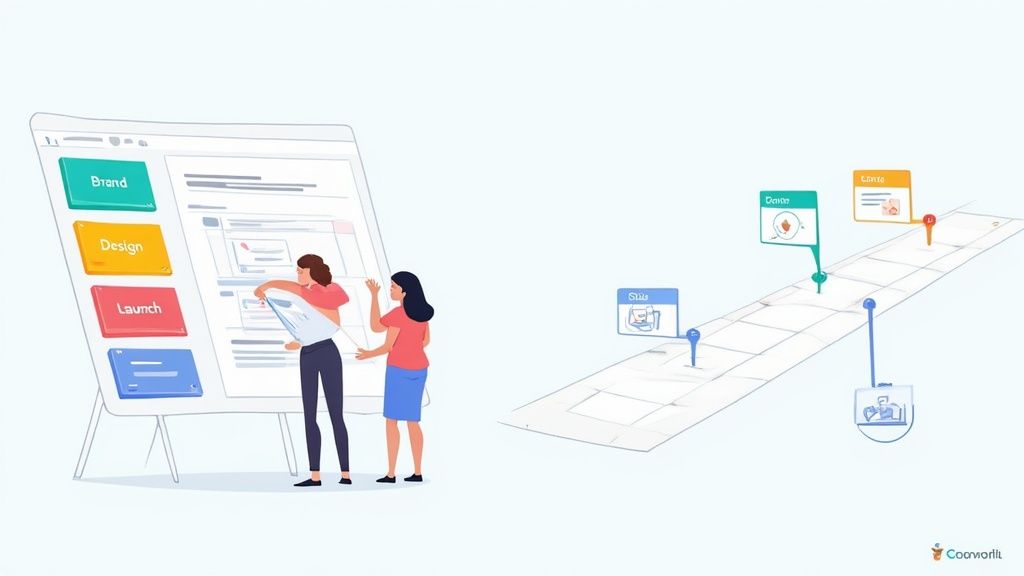
Moving from a list of features to real-world application is where you’ll really figure out the best project management software for your small business. A tool's true worth isn't just what it can do, but what it helps you do—better, faster, and with a lot less friction. The decision becomes much clearer when you start to visualize how a platform will actually fit into your team's day-to-day grind.
Let’s walk through a few common situations small businesses face and see how different tools might solve their specific, everyday headaches. By matching features to actual outcomes, you can get a gut feel for which software’s philosophy clicks with your team’s workflow.
Scenario One: The Creative Agency Rebrand
Picture a small creative agency juggling a massive client rebrand. You've got multiple stakeholders to please, deadlines that feel impossibly tight, and a mix of creative work and administrative grunt work. In this chaos, visibility is everything. The client needs to see progress, and your team needs to stay on the same page.
This is where Trello’s visual Kanban board really shines, acting as the project’s central command center.
- “Client Feedback” Column: Set up a dedicated lane where the client can drop comments or new requests as cards. This simple move keeps all feedback in one place and stops crucial notes from getting buried in endless email chains.
- “Design in Progress” Column: Designers can attach their mockups directly to the cards they’re working on. This gives the project manager and the rest of the team an instant visual status update without having to ask.
- “Ready for Review” Column: Once a task is done, dragging the card here can automatically notify the project manager. It’s a simple, visual cue that work is ready to be checked before it goes to the client.
This drag-and-drop system brings immediate clarity. Anyone, from the copywriter to the client, can see the exact status of every deliverable at a glance, boosting transparency and cutting down on those "just checking in" meetings.
Scenario Two: The Remote Tech Startup Launch
Now, think about a remote-first tech startup trying to coordinate a complicated product launch. The team is scattered—developers, marketers, and sales reps are all in different places. The biggest hurdle? Managing dependencies. Marketing can’t build tutorials until the development team locks in the final features.
This is a classic case where a tool like Asana excels. It provides the rigid structure needed for a project that has to unfold in a specific sequence across multiple departments.
In this situation, the right software is like a conductor for an orchestra. It ensures each section plays its part at the perfect time, turning a jumble of individual tasks into a successful launch.
Using Asana’s Timeline view, the project manager can map out the entire launch schedule from start to finish. You can set up task dependencies so one task physically cannot start until the one before it is marked complete. If a development sprint gets delayed, the timeline automatically pushes back all the connected marketing and sales tasks, showing everyone the ripple effect on the final launch date. For a remote team, this kind of proactive visibility is a game-changer. Beyond the daily grind, this level of planning also helps with strategic exercises like mastering project pre-mortems.
Scenario Three: The Consulting Firm Juggling Clients
A small consulting firm has a different problem: they’re managing a dozen client projects at once while also needing to track billable hours and who’s working on what. They need one platform that gives them both a high-level, 30,000-foot view and the ability to drill down into the nitty-gritty of each project. This is where ClickUp’s all-in-one, customizable setup can be a lifesaver.
The firm could create a separate “Space” for each client, which keeps all related tasks, documents, and conversations neatly bundled together.
- Custom Statuses: They can create their own workflow statuses that make sense for their business, like “Awaiting Client Approval” or “Pending Invoice.”
- Time Tracking: Consultants can log hours directly on the tasks they’re working on. This data can then be pulled to generate accurate invoices without any guesswork.
- Dashboard Views: The partners can build dashboards that pull data from all projects, giving them a consolidated view of active work, team workloads, and projected revenue.
This depth of customization means the firm can mold the software to mirror its actual business processes, from landing a new client to delivering the final report and getting paid. By looking at these real-world scenarios, you can stop comparing abstract feature lists and start choosing the tool that will genuinely solve your most pressing business challenges.
Getting Your Team On Board and Making the Final Call
Picking the best project management software for your small business is a huge step, but the real work starts now. The success of any new tool depends entirely on your team actually using it, which means you need a smart plan to get everyone bought in. This last phase is all about making a smooth transition from choosing the tool to making it a core part of your daily workflow.
A smooth rollout starts with a clear strategy. Instead of flipping a switch for the entire company, try a pilot project first. Grab a few key team members and run a real, but small, project through the new system. This gives you a chance to spot any issues and create a handful of internal experts who can help others get up to speed later.
Which Tool Fits Your Business Vibe?
Every business operates differently. The perfect tool for a scrappy startup won't necessarily work for a client-first agency. Here’s a quick breakdown to help you match a tool to your company’s DNA.
-
For the Fast-Moving Startup: If your world revolves around agile sprints and quick pivots, you need a tool that can keep up. Something like Asana or ClickUp is built for this, with features that handle complex dependencies and track progress toward big, ambitious goals.
-
For the Client-Focused Agency: When client communication is everything, transparency is king. Trello or Monday.com shine here. Their visual, board-style layouts make it incredibly easy for both your team and your clients to see exactly where a project stands at a glance.
-
For the Established Service Provider: If your business is built on repeatable processes, you need a tool that brings consistency. Asana is a fantastic choice, thanks to its powerful template feature. You can build out project templates for everything from client onboarding to service delivery, ensuring nothing gets missed.
How to Make Onboarding Painless
Great software fails all the time because of poor adoption. The key is to make the switch feel like a solution, not a chore.
Your goal isn't just to get your team using the software—it's to get them to believe in it. Position the new tool as the answer to their biggest headaches, like endless meetings, confusing email chains, and a lack of clear priorities.
To get your team on board, create training materials that are actually useful. Nobody wants to read a 50-page manual. Instead, record short video tutorials for common tasks, like "How to Create and Assign a Task in 5 Minutes." Pair these with a simple one-page cheat sheet, and the new tool will feel way less intimidating.
Don't waste your free trial, either. Use it to run a real project from start to finish, not just to click around and explore features. This is the ultimate test—it will show you exactly how the software performs under the pressure of real deadlines and team collaboration. By the time your trial is up, you'll be making a decision based on real-world experience, not just a features list.
Frequently Asked Questions
Diving into the world of project management software can feel overwhelming. You’ve got questions, and we’ve got answers. Here are some of the most common queries we see from small business owners trying to find the right tool for their team.
Think of this as your final checklist before you commit. We're covering everything from cost and scalability to the must-have features that will actually make a difference to your bottom line.
Is Free Project Management Software Really Free?
Yes, many top-tier platforms offer a genuinely free-forever plan, not just a short-term trial. These "freemium" versions are built for solo operators or tiny teams and usually cover the basics like task lists and simple collaboration. They're a brilliant way to get started without pulling out the company credit card.
However, you have to know the trade-offs. Free plans almost always limit the number of users, active projects, or the amount of file storage you get. The really powerful features—like Gantt charts for complex timelines, detailed performance reports, and sophisticated automations—are typically locked away in the paid tiers.
How Do I Know When To Upgrade To A Paid Plan?
You'll know it's time to upgrade when your team starts hitting a wall. If you’re constantly archiving projects to stay under the limit or you can't add a new team member because you’ve hit the user cap, the free plan is holding you back.
Another clear sign is when you need more firepower. Are you struggling to track how projects are progressing? Do you need to connect your project tool with other software you rely on every day? When you start needing advanced reporting, task dependencies, or integrations to keep things running smoothly, upgrading unlocks the tool's true potential.
Think of upgrading as an investment in efficiency. When the time saved by premium features outweighs the monthly cost, the decision to upgrade is a clear win for your business's productivity.
What Is The Most Important Feature For A Small Business?
While every business is different, the one feature that consistently delivers the most value is a centralized task management system. This is your command center. It gives every person on your team total clarity on what they need to do, when it's due, and how their work contributes to the bigger picture.
Beyond that core function, a few other features are critical for most small teams:
- Collaboration Tools: Things like in-task comments, file sharing, and team mentions keep all conversations in one place, cutting down on endless email chains.
- Simple Reporting: You don't need complex analytics, but a basic dashboard showing project progress and who's working on what provides priceless insight for making better decisions.
- Mobile Accessibility: If your team isn't always tied to a desk, a solid mobile app is non-negotiable for keeping projects moving forward.
Choosing the best project management software for your small business isn’t about finding the tool with the most features. It's about matching a platform's strengths to your team’s unique workflow and future goals.
Ready to transform your team's productivity and bring clarity to your projects? DeskCove offers powerful time tracking and project monitoring tools designed to help you manage resources, improve efficiency, and drive growth. Start tracking your projects with DeskCove today.