Time Tracking With Screenshots A Practical Guide

Time tracking that relies on screenshots gives you a visual paper trail of the work being done, offering undeniable proof of activity for remote teams. This approach goes way beyond a simple start-stop timer. By capturing screen images at regular intervals, it adds a layer of accountability and transparency that benefits everyone, from managers to the employees themselves. It’s a fantastic way to verify work on specific projects, especially when it comes to client billing or just keeping a distributed team in sync.
Why Visual Time Tracking Matters for Remote Teams
When your team is spread out, understanding how time is really being spent is a huge priority. A basic timer logs hours, sure, but it doesn’t tell the whole story. This is where having visual proof becomes so valuable, shifting the focus from just clocking in to truly understanding work patterns and making sure the whole team is on the same page.
Let’s be clear: this isn’t about micromanagement. It’s about creating a shared sense of clarity. For managers, it’s a reliable way to confirm that project milestones are actively being worked on. For team members, it provides solid evidence of their contributions, which can be a lifesaver during performance reviews and ensures they get paid fairly for every minute they work.
Building Trust Through Transparency
At its heart, the biggest win with time tracking with screenshots is the transparency it brings to the table. It finally answers the big question: “What was actually getting done during this time?” This clarity is a game-changer in a few key areas:
- Accurate Client Billing: You can show clients visual proof of work, which puts an end to billing disputes and helps build much stronger, trust-based relationships.
- Fair Workload Distribution: Managers get a real sense of who’s getting buried in work and who might have the bandwidth to take on more, leading to a much better-balanced team.
- Enhanced Focus: Just knowing that work is being visually documented often encourages employees to stay on task and cut down on distractions.
This move toward greater transparency is part of a much bigger trend in how we manage work. The global time tracking software market is expected to grow significantly, driven by the demand for tools that can actually verify active work.
By providing a clear, unbiased record of activity, visual time tracking helps build a foundation of trust. It ensures everyone is on the same page, turning accountability into a tool for mutual success rather than a method of control.
To get you started, we’ve put together a quick table outlining the main advantages for both managers and employees.
Key Benefits of Screenshot-Based Time Tracking
| Benefit | Impact for Managers | Impact for Employees |
|---|---|---|
| Increased Accountability | Provides clear evidence of work progress and helps identify productivity roadblocks. | Offers undeniable proof of their contributions and effort on tasks. |
| Improved Transparency | Creates a shared understanding of project status and team activity across the board. | Protects them during performance reviews and ensures fair pay for hours worked. |
| Enhanced Productivity | Visual data helps in optimizing workflows and distributing workloads more effectively. | Encourages focus on high-priority tasks and minimizes time spent on distractions. |
| Accurate Project Billing | Justifies invoices to clients with visual proof, reducing disputes and building trust. | Validates the time spent on client projects, ensuring they are compensated properly. |
This table just scratches the surface, but it shows how this single feature can create a positive ripple effect throughout an organization.
Ultimately, tools like DeskCove are designed to bridge the physical gap between remote teams and their managers. They turn abstract hours logged on a timesheet into tangible proof of effort, fostering an environment where both productivity and accountability can flourish. If you’re curious about how this fits into a bigger picture, our guide on automated time tracking is a great next step.
Setting Up Screenshot Tracking the Right Way
Diving into a new system doesn’t need to be a headache. The initial setup is your chance to build a process that genuinely supports your team’s unique workflow, with transparency at its core. If you get the configuration right from the start, time tracking with screenshots becomes a tool for accountability, not an intrusive Big Brother.
First things first, you need to get your team into the DeskCove environment. This means sending out invitations and assigning each person to their specific projects. By organizing your team this way, you’re immediately creating a structured framework that makes it much easier to track progress and keep an eye on budgets.
Customizing Your Capture Settings
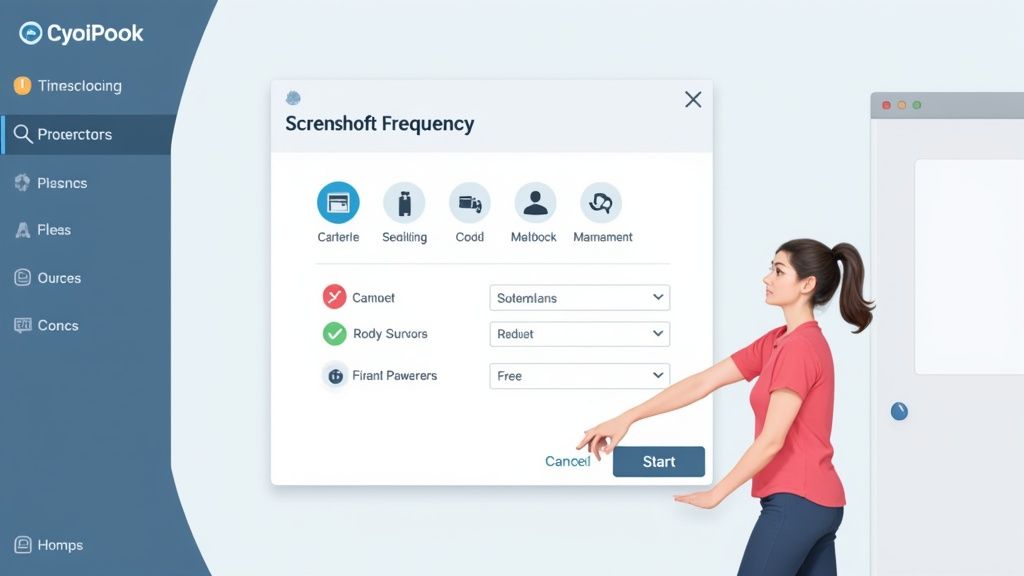
Once everyone’s on board, it’s time to flip the switch on the screenshot feature and customize it. This is where you can really tailor the system to fit your management style and what your projects demand. The trick is to find the right balance for how often screenshots are taken.
- For high-trust environments or long-term projects, you might decide one screenshot per hour is plenty. This gives you a light-touch overview without making anyone feel like they’re constantly being watched.
- For fast-paced projects or detailed client work, bumping the frequency up to every 10 or 15 minutes offers a much more detailed view of activity. This is perfect for justifying billable hours and showing clients exactly what they’re paying for.
DeskCove lets you apply different settings for different teams, which is a lifesaver. Your design team might need a different capture frequency than your development team, and having that flexibility is key to getting everyone to adopt the system successfully.
To really lay the groundwork for effective visual time tracking, it helps to understand the technical side of things. If you want to dive deeper, there’s a great expert guide on how to record screens and video that can bring you up to speed.
The goal isn’t just to monitor; it’s to create clarity and empower your team. A thoughtful setup transforms screenshot tracking from a simple monitoring tool into a powerful resource for boosting productivity and proving your team’s value.
At its heart, the process is pretty straightforward. It’s all about capturing, categorizing, and reporting on work activities, as this image shows.
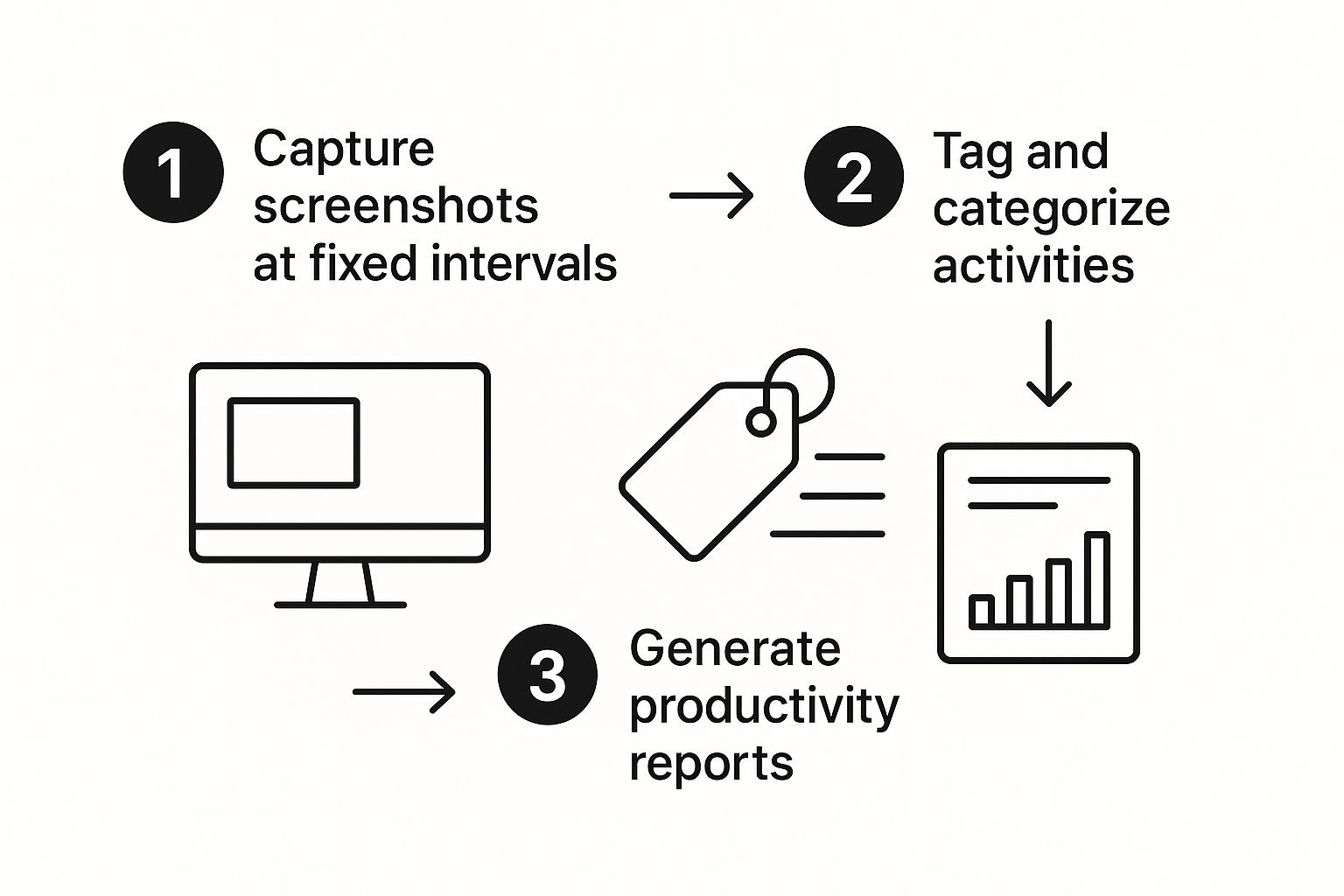
This simple flow demonstrates how raw visual data gets turned into real, actionable insights that help you make smarter project management decisions. It ensures every captured image has a purpose beyond just simple verification.
Implementing Screenshot Monitoring with Trust and Transparency
Successfully rolling out screenshot monitoring has far less to do with the technology itself and much more to do with earning your team’s trust. While any new system needs a thoughtful introduction, the personal nature of visual tracking makes this step absolutely critical. Your goal isn’t to create a sense of being watched—it’s to build genuine buy-in.
This all starts with open, honest communication. Don’t just announce the change; explain the “why” behind it. Frame the conversation around shared benefits like guaranteeing accurate client billing, balancing workloads more fairly, and creating a clear, undeniable record of everyone’s valuable contributions.
Because this is such a sensitive topic, solid communication is non-negotiable. It’s worth exploring proven strategies to improve communication at work to ensure your whole team is on the same page.
Crafting a Clear and Fair Usage Policy
Before a single screenshot is taken, you need to draft a transparent usage policy. This document is your pact with your team, showing them the tool will be used responsibly and ethically. Leave no room for ambiguity.
Your policy should clearly outline:
- What is being tracked
- How often screenshots are captured
- Who has access to the data
Crucially, you need to emphasize the privacy-first features that protect your team. Make sure to highlight functionalities like screenshot blurring or the employee’s ability to delete a screenshot taken during an unscheduled break. This puts control back in their hands and reinforces that the system is about professional accountability, not personal intrusion.
By focusing on mutual benefits and employee empowerment, you can shift the conversation from activity monitoring to celebrating productive outcomes. This proactive approach turns a potentially sensitive topic into a positive discussion about fairness and clarity.
This transparent approach really pays off. A global survey of businesses using this kind of software found that over 70% of managers reported a significant increase in accountability. Even better, many organizations saw a reduction of up to 15% in unproductive work hours, which led directly to more accurate project cost assessments.
When you lead with transparency, you can implement time tracking with screenshots in a way that actually strengthens team trust and boosts everyone’s performance.
Turning Screenshot Data into Productivity Insights
Screenshots aren’t just for checking if someone is at their desk. Think of them as a rich, visual log of how work actually gets done on your team. When you move past simple activity verification, you can start using the visual evidence in DeskCove to uncover some seriously useful patterns in team performance and workflow.
By spending a little time reviewing these visual reports, you can connect the dots between the hours your team logs and the actual output. This isn’t about micromanagement or catching people scrolling social media. It’s about understanding the natural rhythm of your team’s workday.
Spotting Trends and Distractions
The real magic of time tracking with screenshots happens when you take a high-level view. Let’s say you notice a particular task is consistently blowing past its deadline. A quick scan of the screenshots for that project might show a team member constantly switching between three different complex apps. That’s a huge tell—it could mean they need better tools, a second monitor, or just dedicated blocks of uninterrupted time.
On the flip side, you might see non-work apps popping up during what should be peak focus hours. This doesn’t automatically mean someone is slacking off. More often than not, it’s a sign of burnout or a need for a quick mental break. It opens the door for a supportive conversation, not an accusation.
Don’t just look for activity. Use the visual data to start conversations about making workflows better, justifying new resources, or identifying where a little extra training could go a long way. This is how you turn simple data into a powerful management tool.
To get the most out of this, it helps to combine what you’re seeing with broader strategies for measuring team productivity. This gives you the full picture. For more hands-on advice, you can also dig into our guide on how to boost productivity with employee time tracking.
Ultimately, this approach helps you make smart, informed decisions that genuinely support your team. You stop reacting to problems and start proactively building a more efficient and happier work environment.
Addressing Common Concerns and Building Confidence
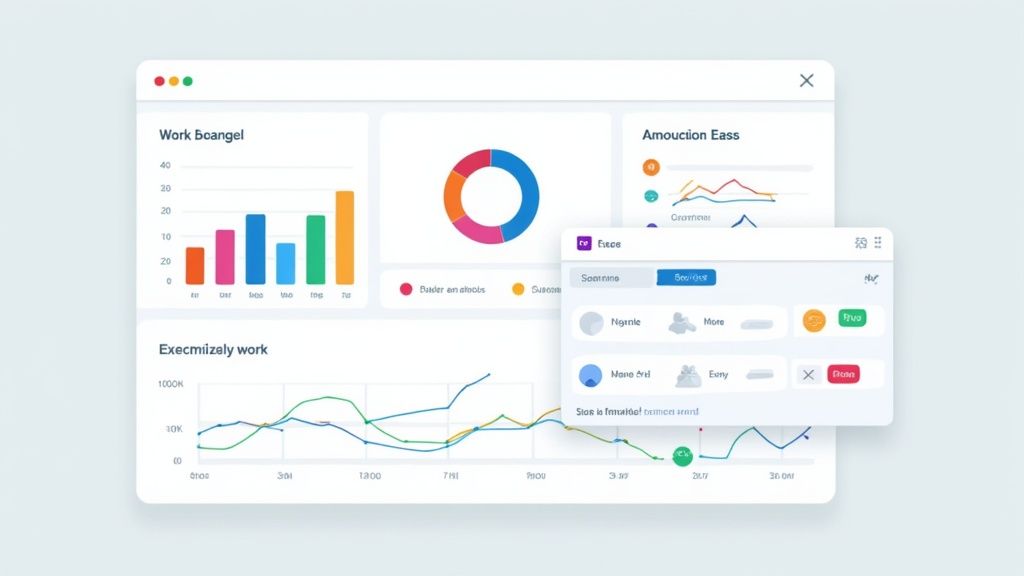
Let’s be honest: when you first mention time tracking with screenshots, some team members will naturally have questions. It’s totally normal. Concerns about privacy, micromanagement, and data security are valid, and the best way forward is to tackle them head-on.
Your goal is to frame this tool not as a surveillance camera, but as a system built for fairness and transparency. Start by being direct about how it works and, more importantly, why you’re using it. Explain that the screenshots are there to verify work for client billing and project management, not to watch their every move. This small shift in perspective can make all the difference.
Empowering Employees with Control
One of the most powerful ways to build trust is by showing your team the features that put them in the driver’s seat. Many people worry about a screenshot accidentally catching a personal message or a quick break. Tools like DeskCove are designed specifically to handle these situations.
Here’s what you should highlight:
- Employee-Controlled Deletion: Make it clear that employees can review and delete any screenshot. If the system snaps a picture during an unexpected personal call, they have the power to remove it immediately, no questions asked.
- Clear Notifications: Let your team know the app provides clear notifications when a screenshot is taken. This isn’t secret monitoring; it’s a transparent process they are always aware of.
Giving employees this level of control is fundamental. When your team feels respected and empowered, they’re far more likely to see the software as a helpful part of their workflow.
The focus should always be on using screenshot data to support success, not to enable surveillance. By highlighting employee-centric privacy features, you create an environment where technology reinforces a culture of mutual trust and respect.
As remote work continues to grow, tools like this are becoming standard. In fact, you can find more details on this trend and explore the market research behind time tracking software.
Proper implementation also helps you master compliance with labor laws using time tracking software.
Your Questions About Screenshot Tracking, Answered
When you’re thinking about bringing screenshot tracking into your workflow, questions are going to come up. It’s only natural. Let’s tackle some of the most common ones head-on, so you can get a clear picture of how this actually works for real teams.
Is Screenshot Time Tracking Legal and Ethical?
Yes, in most places, it’s perfectly legal for a company to monitor its own devices, as long as there’s a clear, transparent usage policy that everyone is aware of. No surprises.
The ethical side of the conversation really comes down to intent. The goal should always be about legitimate business needs—like making payroll accurate or spotting workflow issues—not about playing Big Brother. The best approach is to get your team’s consent and use tools that have privacy baked right in. It’s about balancing business goals with genuine respect for your employees.
How Do Screenshots Actually Improve Productivity?
It’s simpler than you might think. Screenshots create a visual record of the work being done, which naturally helps people stay focused and cut down on multitasking with non-work-related tabs. It adds a subtle but effective layer of accountability.
For managers, this visual data is invaluable for spotting where projects are getting stuck or where the team might need more support. For employees, it’s concrete proof of their effort, which is great for ensuring they’re invoiced correctly and recognized fairly in performance reviews. Over time, it just helps everyone build better time management habits.
What If a Personal Screenshot Is Accidentally Captured?
This is a huge concern, and modern tools are built specifically to handle it. Platforms like DeskCove are designed to give employees control by notifying them every time a screenshot is taken.
The most critical feature here is employee control. Your team members should have the ability to review their own screenshots and immediately delete any that might contain personal info or were snapped during a break. This puts them in the driver’s seat.
This single function shifts the tool from a simple monitoring system to a personal productivity partner. It gives your team the final say over their own data, which is fundamental for building a healthy, transparent, and trusting work environment.
Ready to build a more transparent and productive remote team? With DeskCove, you can implement time tracking with screenshots in a way that builds trust and delivers powerful insights. Start your free trial today.