Choosing the Best Employee Monitoring Software
Choosing the best employee monitoring software isn't just about picking a tool with the most features. It really starts with getting clear on what you're trying to achieve. For a lot of companies, solutions like DeskCove are a way to get a clear picture of team productivity, especially when people are remote. Features like time tracking and activity monitoring give you the data you need to see what's actually happening.
What Is Employee Monitoring and Why It Matters Now
Let's ditch the textbook definition for a moment. Instead of thinking about employee monitoring as a security camera, picture it more like a fitness tracker for your entire business. It’s designed to give you objective, real-time data on your company’s operational health, helping you spot performance trends and find opportunities to improve.
Modern tools have moved way beyond simple time-logging. They've become powerful analytics platforms that help managers stop guessing and start coaching. Instead of just asking, "Are my people working?" leaders can now find answers to much more important questions:
- Is the workload spread evenly, or are a few people carrying the team?
- Do we have the right processes in place for peak efficiency?
- Where are the hidden roadblocks slowing down our projects?
- Are any of our top performers on a path to burnout?
This changes the entire conversation. Monitoring becomes a core part of business intelligence, not just a way to keep tabs on people.
A Response to Modern Work Challenges
The explosion of remote and hybrid work completely rewrote the management playbook. Leaders who were used to managing by walking around the office suddenly faced a new reality. Gaining visibility into what their distributed teams were doing became a massive challenge.
This isn’t just a feeling; the data backs it up. One 2022 survey found that a staggering 85% of employers felt anxious about productivity when their teams worked remotely. This widespread "productivity paranoia" sent the demand for monitoring tools through the roof. In March 2020 alone, search interest for this kind of software shot up by 75%, and it's stayed high ever since. You can dig deeper into these market trends over at Fortune Business Insights.
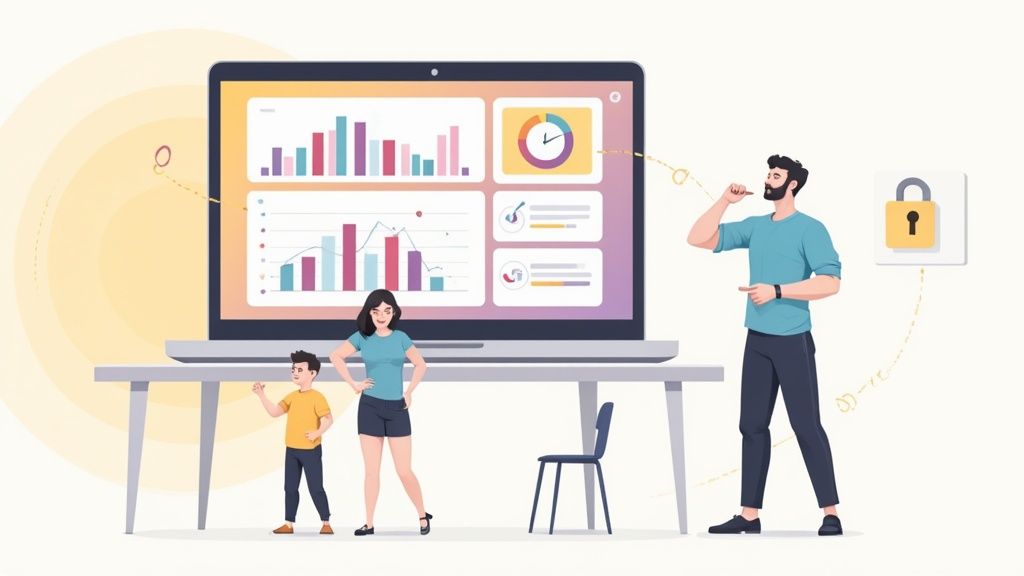
The image below gives you a good idea of what these systems can actually track.
As you can see, it's about more than just clocking in and out. Modern platforms often include everything from keystroke logging to email monitoring, showing just how detailed this data can be.
From Surveillance to Strategic Insight
The smartest way to use the best employee monitoring software is to frame it as a tool for support, not just oversight. It's about collecting insights to make better decisions that help everyone—the company and the employees.
By looking at workflow data, a manager can see where someone is getting stuck and offer specific help. It turns a subjective performance review into an objective, productive chat about real-world challenges and growth.
At the end of the day, the goal isn't just to track hours; it's to improve outcomes. When you roll out monitoring software with full transparency and a focus on continuous improvement, it becomes a game-changer. It gives you the clarity you need to build a stronger, more efficient, and more secure team, no matter where everyone is logging in from.
What Are the Core Features of Modern Monitoring Tools?
If you're trying to pick the best employee monitoring software, you need to look past the flashy sales pages and get into the nitty-gritty of what these tools actually do. Modern software isn't a one-size-fits-all solution; they are robust platforms with very specific capabilities. Getting a handle on these core functions is the first step to creating a checklist that matches what your business truly needs.
At a high level, the features fall into three main buckets: tools that measure productivity, features that protect your business, and functions that deliver powerful performance insights. When you break them down, you start to see how each piece of the puzzle contributes to a much clearer picture of your team's day-to-day work.
This visual breaks down the essential pillars you'll find in most modern monitoring software, covering everything from time tracking to crucial security functions.
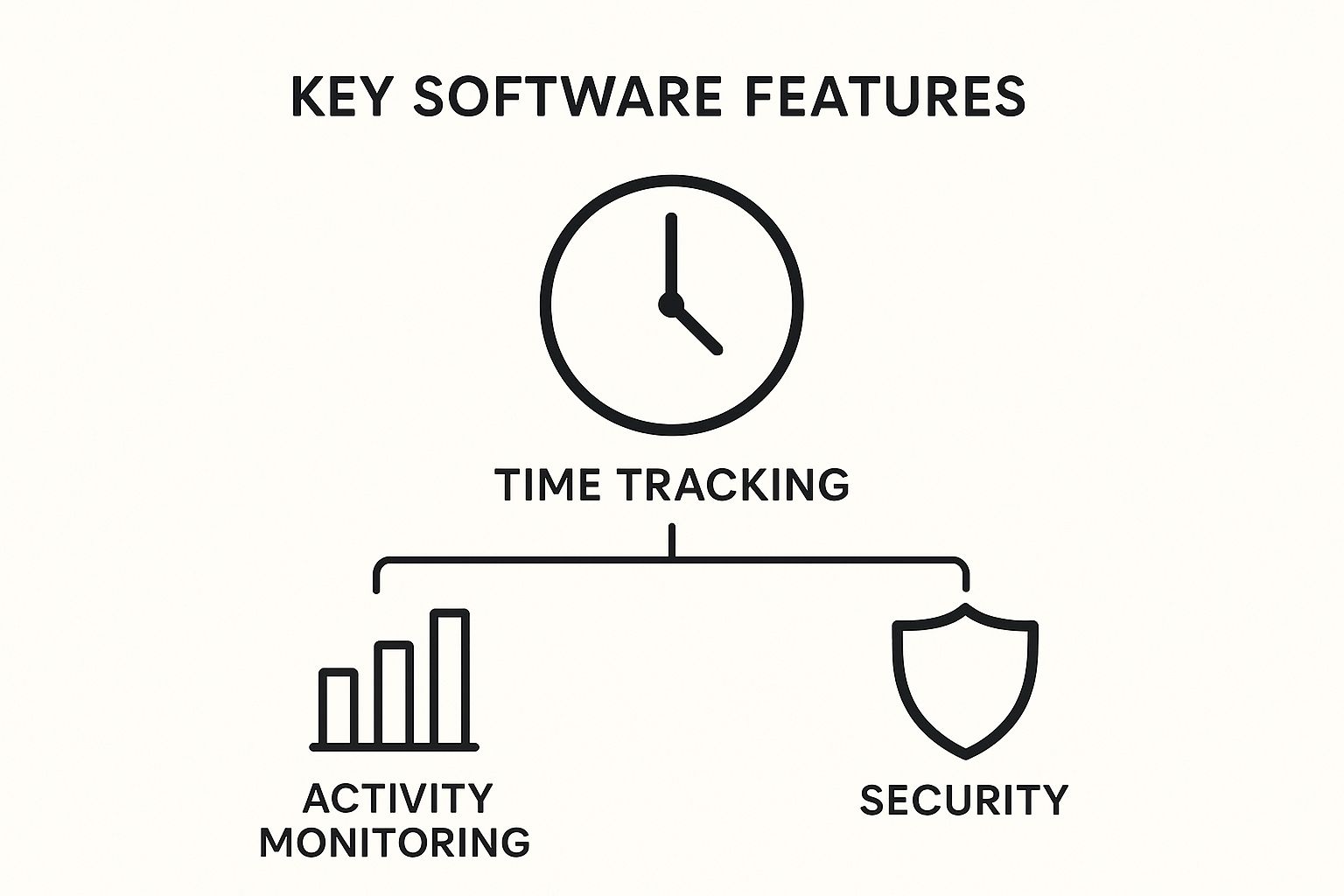
As you can see, a well-rounded tool addresses productivity (the clock), work activity (the chart), and security (the shield) to give you a complete operational view.
To give you a clearer idea of how these features come together, here's a quick breakdown of the essentials you should be looking for in any top-tier employee monitoring platform.
Essential Features of Top Employee Monitoring Software
This table breaks down the core features, their primary purpose, and the key benefits they offer to businesses.
| Feature Category | Specific Functionality | Primary Business Benefit |
|---|---|---|
| Productivity Tracking | Automated Time Tracking, Activity Metrics, Idle Time Analysis | Provides an accurate, objective look at how time is spent, helping to identify bottlenecks and improve workload distribution without manual timesheets. |
| Security & Compliance | App/URL Usage Tracking, Data Loss Prevention (DLP), Screen Captures | Safeguards sensitive company and client data, prevents unauthorized data transfers, and ensures compliance with industry regulations. |
| Performance Analytics | Project Dashboards, Team Reporting, Workflow Pattern Recognition | Transforms raw data into actionable insights for better project forecasting, resource allocation, and identifying opportunities for process improvement. |
Each of these categories plays a vital role. Without one, you're only getting a partial view of your team's performance and your company's operational health. Now, let's explore what each of these feature sets looks like in action.
Productivity Insights: The Engine of Performance
This group of features is all about answering one simple question: "How is our time actually being spent?" They go way beyond just clocking in and out, offering a detailed look at daily work patterns. This is how you spot—and remove—the little roadblocks that kill efficiency.
Think of these tools as the foundation for understanding your team's workload and focus. They provide the raw data you need to have productive, fact-based conversations about performance.
Here are the key productivity features you'll see:
- Automated Time Tracking: This is the baseline. The software automatically records work hours without anyone needing to fill out a timesheet. It guarantees accurate payroll and sets the stage for every other productivity metric.
- Activity Metrics: This feature monitors keyboard and mouse usage to calculate activity levels throughout the day. It helps you see the difference between active work and passive screen time, giving you a much better sense of genuine engagement.
- Idle Time Analysis: This function specifically flags long periods of inactivity. It's incredibly useful for seeing when an employee might be stuck, dealing with a tech issue, or has simply stepped away, adding important context to their day.
Security Guardrails: Protecting Your Digital Assets
With teams spread out everywhere and cyber threats on the rise, security features are no longer optional. These tools act like a digital fence around your company, protecting sensitive data from both accidental leaks and malicious intent. It's about peace of mind.
Consider these features your silent, proactive defense system, always working in the background to minimize risk.
The point isn't to watch every single click. It's to build a secure environment where your team can do their best work, knowing that critical business information is safe from both internal and external threats.
Essential security functions to look for include:
- Application and URL Usage Tracking: This feature logs the websites and apps employees access during work hours. Beyond just security, it can expose shadow IT (unapproved software) and even uncover redundant software subscriptions, which can lead to big cost savings.
- Data Loss Prevention (DLP): More advanced platforms can flag or even block the transfer of sensitive information, like copying files to a USB drive or emailing a confidential document. This is a must-have for any industry with strict compliance rules.
- Screen Captures: This function periodically takes screenshots of an employee's screen, offering a visual record of their work. If you want to understand how this can be implemented ethically and effectively, you can explore guides on time tracking with screenshots.
Performance Analytics: Turning Data into Decisions
This is where the real strategic magic happens. Performance analytics features take all the raw data collected by the other tools and spin it into reports and dashboards that are actually easy to understand. They help you zoom out from individual clicks and keystrokes to see the bigger picture—team-wide trends, project momentum, and potential roadblocks.
These insights empower managers to stop guessing and start coaching. They can use objective data to guide their teams, spot early signs of burnout from consistently high activity levels, or pinpoint the workflow bottlenecks that are slowing everybody down.
Top analytical capabilities to look for:
- Project and Task Dashboards: These give you a live look at how much time and effort is going into specific projects or tasks. This is invaluable for accurate client billing, managing budgets, and forecasting for future work.
- Team and Individual Reporting: Pull detailed reports on everything from productivity trends to application usage. This data is gold for performance reviews, figuring out who needs help, and identifying training opportunities.
- Workflow Pattern Recognition: Over time, the software starts to recognize recurring patterns in how work gets done. This helps you optimize processes, automate tasks that don't need a human touch, and design smarter workflows from the ground up.
The Strategic Business Impact of Monitoring Software
It’s easy to get lost in a long list of software features. But the real value of the best employee monitoring tools isn’t just about what they do—it’s about the strategic impact they have on your business. When you use them thoughtfully, these platforms become powerful assets that strengthen three core pillars: team productivity, data security, and operational efficiency.
This is about turning raw data into a clear roadmap for smarter, more profitable decisions.
And it’s no longer a niche practice. By 2025, digital oversight had become a normal part of corporate culture, with 96% of companies worldwide using some form of time-tracking software. One research firm found that 71% of employees are digitally monitored, a jump of nearly 30% from the previous year. This isn't a temporary fad; it's a fundamental shift toward data-driven management.

Elevating Team Productivity
The most immediate benefit people see is a productivity boost, but it's not just about tracking hours. The real win comes from using data to spot and eliminate friction in your workflows. This software gives managers objective insights, helping them pinpoint exactly where projects are getting bogged down.
For example, a manager might see that one team consistently spends way too much time on a specific task. Instead of jumping to conclusions about performance, the data opens the door for a constructive conversation. It might turn out there’s a broken process, a need for better tools, or a gap in training that needs to be filled.
This approach transforms managers into effective coaches. They can move beyond guesswork and use concrete data to offer specific, actionable support that helps their people succeed and feel more engaged.
Reinforcing Critical Data Security
With teams spread out everywhere, protecting sensitive information is tougher than ever. Every remote connection is a potential weak spot. Employee monitoring software adds a crucial layer of defense, standing guard over your company’s most valuable assets—your client data and intellectual property.
This is especially vital for businesses in regulated industries. The software can automatically flag risky behavior, like unauthorized file transfers or visits to sketchy websites, helping you stop data breaches before they happen. It also provides a clear audit trail that proves you’re doing your due diligence and reinforces a security-first culture across the organization.
Here are a few key security advantages:
- Preventing Data Leaks: Actively watches for—and can block—the unauthorized movement of sensitive files to external drives or cloud services.
- Ensuring Compliance: Creates a verifiable log of user activity, which is essential for meeting regulatory standards in fields like finance and healthcare.
- Protecting Intellectual Property: Helps lock down proprietary information by tracking who accesses it and how it’s used, cutting down the risk of internal theft.
Optimizing Operational Efficiency
Ultimately, all the insights you gather from monitoring should translate directly into a more efficient and profitable business. By understanding exactly how time and resources are being used, leaders can make far more accurate strategic decisions.
Think about project management for a second. When you have precise data on how long specific tasks actually take, you can build much more realistic project timelines and budgets. This helps prevent scope creep and ensures client expectations are managed properly from day one.
When you look at the strategic benefits, it's all about how these tools contribute to the bottom line. You can dive deeper and explore how to improve business efficiency with smart leverage and apply those same principles. This data-driven approach lets you assign your top talent to high-value projects, spot underused software licenses to trim costs, and forecast future staffing needs with confidence.
How to Select the Right Software for Your Business
Picking the right employee monitoring software can feel like you're lost in a maze. So many options, all shouting about being the best. The secret is to cut through the marketing noise and stick to a clear, structured game plan. This is your guide to choosing a tool that doesn't just check the boxes on features, but actually fits your budget, your goals, and your company's DNA.
Think of it like buying a car. You wouldn't just grab the one with the biggest engine. You'd think about gas mileage, how many people it needs to fit, safety ratings, and how it feels on your daily drive. In the same way, the "best" software isn't a one-size-fits-all solution; it's the one that's right for your specific business journey.
Define Your Primary Goals
Before you even glance at a feature list, you need to answer one simple question: "What problem are we actually trying to solve?" Without a clear goal, you'll end up paying for a bunch of fancy tools you never touch. Your goals are the filter that will instantly shrink the pool of options to a manageable size.
Start by zeroing in on your main objective. Are you focused on:
- Boosting productivity? You’ll want to look at tools with strong activity metrics, idle time tracking, and project-based time logging.
- Enhancing security? Your priority should be solutions that offer robust URL filtering, application usage logs, and features that help prevent data leaks.
- Improving payroll accuracy? You'll need software with rock-solid automated time tracking and smooth integrations with your payroll system.
- Ensuring legal compliance? It’s critical to choose a tool built to support your industry's rules. When done right, you can master compliance with labor laws using time tracking software and sidestep expensive legal headaches.
Your "why" always determines your "what." Knowing your primary objective is the single most important part of making a good choice. Don't rush past this step.
Assess Your Unique Business Context
No two companies are the same, and the reality of how your team works will massively influence which software is the right fit. A tool that's perfect for a 20-person design agency could be a total disaster for a 500-seat call center.
Take a hard look at these factors:
- Team Size and Structure: How many people are you monitoring? Are they in the office, fully remote, or a mix of both? The software needs to be able to scale and deploy easily for your specific setup.
- Industry-Specific Needs: A software development team cares about different metrics than a customer support team. Find a solution that understands your world, whether that means tracking time against code repositories or analyzing call durations.
- Technical Environment: Is your team on Mac, Windows, or Linux? Make sure the software has stable, fully-featured agents for every operating system your people actually use.
Evaluate Beyond the Feature List
A powerful feature is worthless if it's too complicated for anyone to figure out. The user experience—for both admins and employees—is a huge piece of the puzzle that often gets ignored. An intuitive dashboard means people will actually use it, which reduces the training headache for your managers.
Once you have a shortlist, it's time to dig deeper into the practical side of things:
- Ease of Use: How quickly can a manager pull the report they need without digging through a manual? If the system is a pain to use, it will just gather dust.
- Integration Capabilities: The best monitoring software plays well with others. It should connect seamlessly to the tools you already rely on, like your project management platform, communication apps, and payroll systems.
- Customer Support: When something goes wrong—and it will—you need help from people who are responsive and know what they're doing. Check reviews and try to test their support during your trial period. Slow support can turn a small glitch into a full-blown crisis.
- Scalability and Pricing: Find a solution with a clear, transparent pricing model that can grow with you. Steer clear of platforms with confusing tiers and hidden costs that make it impossible to budget for the future.
By following this framework, you go from being overwhelmed by choices to making a confident, informed decision. You’ll end up with a tool that not only gives you valuable insights but also aligns with how your team really works, setting you up for success in the long run.
Balancing Monitoring with Employee Trust and Privacy
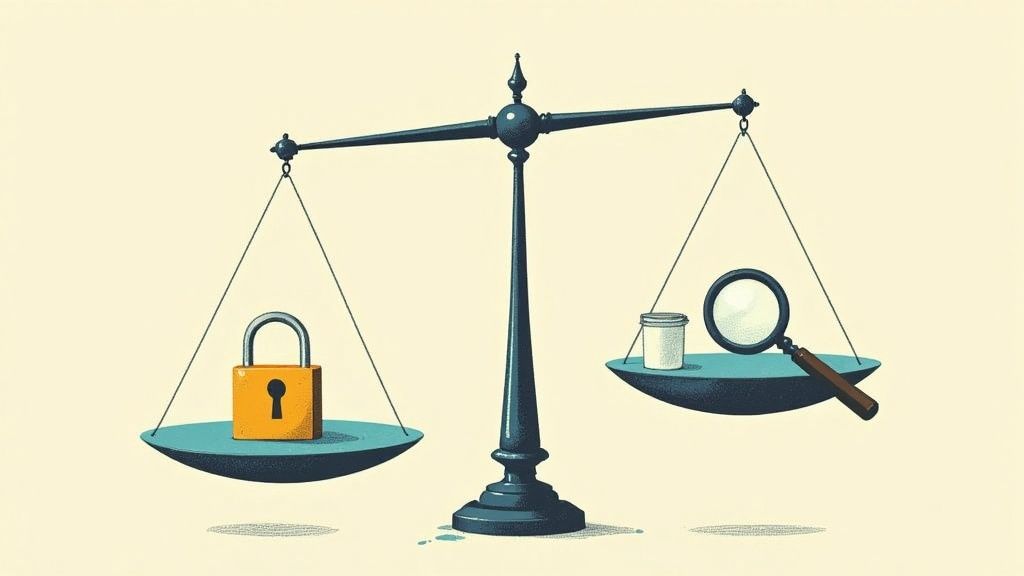
Bringing employee monitoring software into your company is a huge cultural decision, not just a technical one. You're walking a fine line between gaining helpful insights and keeping a culture of trust. The secret to getting it right isn't to be sneaky about it—it's to be completely transparent and use the data to help people grow, not to punish them.
This all starts with a crystal-clear, comprehensive monitoring policy that you share openly. Before a single piece of software gets installed, every person on your team needs to know exactly what’s being monitored, why you’re doing it, and how that information will be used to support them and the business. When you leave things ambiguous, you create suspicion. Clarity builds trust.
Establishing a Transparent Monitoring Policy
Think of your monitoring policy as a constitution for your company’s ethical standards. It’s designed to get rid of fear and speculation by setting clear expectations for everyone. It’s a mutual agreement that protects both the company and your employees, making sure everything is fair and consistent.
Your policy needs to spell out:
- The "What" and "Why": Be specific about what activities you're tracking (like application usage or time spent on projects) and the concrete business reasons behind it, such as making project workflows smoother or ensuring clients are billed accurately.
- Data Usage and Access: Clearly define who can see the monitoring data and for what specific, constructive reasons—like for performance coaching or figuring out how to best allocate resources.
- Employee Privacy Boundaries: Reassure your team by stating what you will never track. This could include personal device usage, keystrokes (to avoid capturing passwords), or any monitoring during non-working hours.
When you're rolling out a new system, you have to carefully balance oversight with maintaining trust and following privacy laws. A great starting point is to review general privacy policy considerations, which can give you a solid framework for your own internal rules.
Legal Fundamentals and Ethical Considerations
Beyond just building trust, you absolutely have to be legally compliant. Privacy laws can be wildly different depending on where you and your employees are located, and a misstep can lead to serious legal and financial trouble. Talking to a legal expert isn't just a good idea; it's a must-do to ensure your monitoring practices are completely above board.
But legality is just the minimum requirement. The companies that do this best go a step further and focus on using the software ethically. The real goal is to create an environment where monitoring is seen as a supportive tool, not a punitive one.
The core principle should be simple: data is used to help, not to micromanage. It's a tool for spotting where people are struggling, celebrating wins, and having constructive conversations—never for creating a culture of fear.
Fostering a Positive and Supportive Environment
Ultimately, you want monitoring to be a natural part of a culture that values performance and growth. That means changing the story from "surveillance" to "support." Don't just let the data sit on a manager's dashboard; use it to empower your team. To get a full picture of this dynamic, it's worth exploring the pros and cons of employee monitoring, which provides critical context for making these decisions.
Here are a few practical ways to build this positive culture:
- Share Insights Directly with Employees: Give people access to their own productivity data. This transparency empowers them to manage their own time and spot areas where they can improve.
- Use Data for Constructive Feedback: When you have performance conversations, ground them in objective data. This takes the personal sting out of feedback and shifts the focus to collaborative problem-solving.
- Focus on Trends, Not Transgressions: Look at team-level patterns and workflow improvements instead of nitpicking every moment of low activity. Celebrate the efficiency gains and use the data to make everyone's job a little easier.
The Future of Workforce Analytics and Performance
The world of employee monitoring is undergoing a major shift. What started as basic activity tracking is now blooming into the sophisticated field of workforce analytics. The future isn’t just about watching screens—it’s about understanding the intricate patterns of how people collaborate, engage, and thrive.
This change is turning monitoring tools from simple oversight instruments into smart platforms for strategic leadership.
At the heart of this transformation are artificial intelligence and machine learning. Tomorrow's best employee monitoring software won’t just tell you what happened yesterday; it will help you see what’s coming next. Imagine a system that analyzes communication flows and project data to flag potential delays, giving you a chance to step in before a deadline is ever missed. This moves you from reactive problem-solving to proactive leadership.
From Activity Tracking to Holistic Insights
The next wave of monitoring tools is leaving individual productivity scores behind. The focus now is on a much bigger picture: team health and the real dynamics of how work gets done. Instead of just counting keystrokes, these platforms will analyze how teams interact, who works together most effectively, and where communication snags are slowing things down.
The goal is to spot early signs of burnout or disengagement before they snowball into bigger problems.
This isn't a niche trend; it's a massive, growing market. The global Employee Monitoring Solutions market was valued at around USD 1.39 billion in 2025. North America is leading the charge, making up over 40% of that revenue. The United States alone represents a market size of USD 406.51 million, and it's projected to grow at a CAGR of 6.6%, largely fueled by the demands of remote work.
Predictive Analytics and Employee Empowerment
Looking ahead, the future of workforce analytics will lean heavily on the principles of continuous monitoring to offer real-time insights into how systems and teams are performing. This isn't about creating a surveillance culture. It's about building a smarter, more supportive work environment for everyone.
The most adaptive platforms will use predictive analytics not to micromanage, but to empower. By delivering intelligent, actionable insights, these tools will help leaders become better coaches and employees become more self-aware, fostering a culture of continuous improvement and mutual trust.
The 'best' software of tomorrow will be an adaptive platform, ready for whatever the future of work holds. It will be a tool that respects privacy, gives people access to their own data for self-improvement, and equips leaders with the insights needed to build resilient, high-performing teams, no matter where they work.
Frequently Asked Questions About Employee Monitoring
Jumping into employee monitoring can bring up a lot of questions. Getting clear, straightforward answers is the best way to feel confident and make sure you roll out the best employee monitoring software in a way that’s both smooth and ethical.
Let's tackle some of the most common things leaders ask.
Is Employee Monitoring Software Legal?
Yes, for the most part, employee monitoring is legal, especially when it’s happening on company-owned computers and equipment. The laws, however, can change quite a bit depending on where you are.
The golden rules are transparency and consent. You absolutely need a clear, written policy that every employee reads and signs off on. It's also a smart move to chat with a legal expert to make sure you’re following all local and national privacy rules to a T.
Can Monitoring Tools Be Installed on Personal Devices?
Putting monitoring software on an employee's personal device (often called BYOD, or "Bring Your Own Device") is a legal minefield. It's generally a bad idea unless you have explicit, fully informed consent, as it opens up a huge can of worms regarding privacy.
If your team uses their own gear, you need an ironclad BYOD policy. This document should spell out exactly what the expectations and boundaries are to protect both your people and your business.
The cleanest and safest route is to keep monitoring strictly on company-issued equipment. This creates a hard line between work life and personal life, which goes a long way in maintaining trust and avoiding legal headaches.
How Do You Introduce This Software Without Damaging Morale?
How you introduce the software is just as critical as the tool itself. You want your team to see it as a tool for support and fairness, not as big brother watching over their shoulder.
Here’s how to get the rollout right:
- Communicate Early and Openly: Give everyone a heads-up well in advance. Explain the "why" behind the decision—maybe it's to get more accurate data for project bids or to make sure workloads are being distributed fairly.
- Focus on the Benefits for Them: Point out how the software helps guarantee they’re paid accurately for every hour worked. Or how it provides objective, unbiased data that can be used in performance reviews, removing guesswork.
- Provide Comprehensive Training: Walk your team through the software. Show them how it works, what it tracks, and—most importantly—how they can access their own data to stay on top of their own productivity.
Ready to get a clear view of your team's productivity while building a culture of trust? See how DeskCove gives you the powerful, easy-to-use tools needed to fine-tune workflows and help your remote team thrive. Learn more at https://deskcove.com.