What Is Resource Utilization A Practical Guide

Resource utilization isn't just another buzzword—it's a critical measure of how efficiently your team’s available time is being used for productive, billable work. Think of it as the percentage of an employee's total available hours that are spent pushing projects forward and generating revenue. It helps you answer a crucial question: are your most valuable assets, your people, working to their full potential without being stretched to the breaking point?
Understanding Resource Utilization And Why It Matters
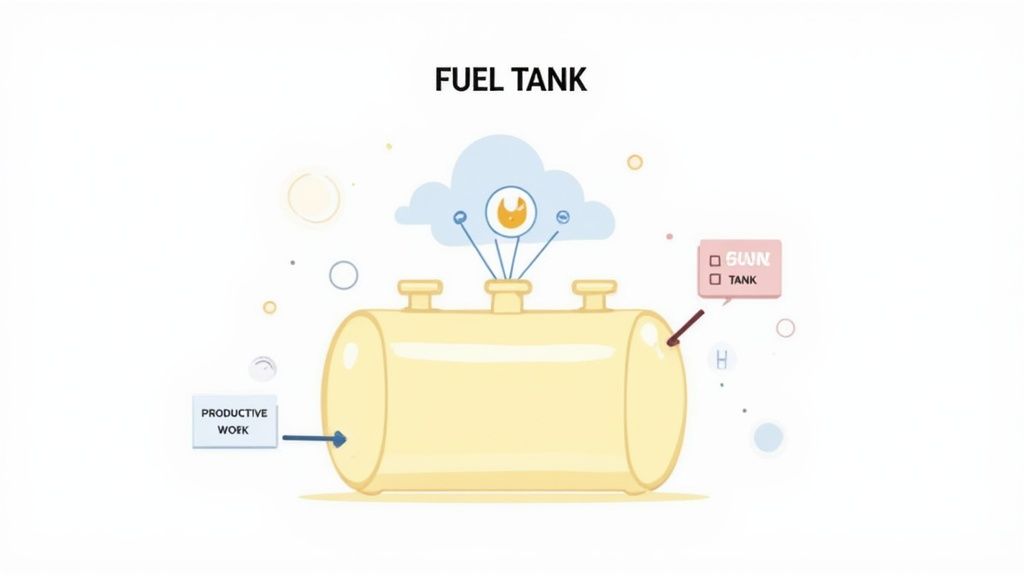
Imagine your team’s weekly capacity is a full tank of gas. Resource utilization tells you exactly how much of that fuel is powering projects versus how much is wasted idling in traffic or taking inefficient detours. It’s a foundational piece of effective resource management, giving leaders a clear snapshot of team productivity and overall operational health.
But let's be clear: this isn't about micromanaging every single minute. Instead, it’s about gaining strategic insights that lead to smarter business decisions. When you track utilization properly, the data shows whether your team is perfectly balanced, spread too thin, or has untapped potential just waiting for the right assignment.
The Strategic Importance Of Tracking Utilization
Keeping an eye on resource utilization is about so much more than just keeping people busy; it directly strengthens your bottom line and builds a more stable organization. It creates a clear line from daily tasks to high-level financial goals, ensuring that every bit of effort translates into real value.
Here’s why it’s so important:
- Boosts Profitability: When you maximize the hours spent on billable work, you directly increase revenue. Strong utilization means your investment in payroll is delivering a healthy return.
- Improves Project Scoping: Looking at historical utilization data gives you a rock-solid baseline for estimating future projects. This leads to more realistic timelines, tighter budgets, and far fewer costly surprises down the road.
- Sharpens Financial Forecasting: Consistent tracking helps you see future staffing needs before they become urgent. You'll know exactly when it’s time to hire or if you have the capacity to take on that next big client.
- Prevents Employee Burnout: On the flip side, consistently high utilization rates—often anything creeping above 90%—can be a major red flag for burnout. Identifying overworked team members allows you to redistribute workloads before morale and quality take a hit.
To help you grasp these concepts quickly, here’s a breakdown of the core components.
Core Components Of Resource Utilization
| Component | Description | Example |
|---|---|---|
| Total Capacity | The total number of hours an employee is available to work in a given period. | A full-time employee has a capacity of 40 hours per week. |
| Billable Hours | The hours spent on client-facing or revenue-generating tasks. | A designer spends 25 hours on a client’s branding project. |
| Non-Billable Hours | Time spent on internal meetings, administrative tasks, training, or proposals. | The same designer spends 5 hours in team meetings and training. |
| Utilization Rate | The percentage of total capacity spent on billable or productive work. | (25 billable hours / 40 total hours) x 100 = 62.5% utilization rate. |
These simple metrics give you a powerful lens through which to view your entire operation.
By understanding who is available and what skills they have, you can align the right people with the right projects. This not only boosts efficiency but also plays a huge role in capacity planning, which is fundamental to scaling your operations sustainably. You can learn more about building a solid foundation with our guide on what is capacity planning.
Ultimately, mastering resource utilization creates a more predictable and stable work environment. For a deeper dive into optimizing your team, this article on What Is Headcount Efficiency And How To Improve It is a great resource. By getting clarity on how your team's time is actually spent, you can steer them toward greater efficiency, profitability, and long-term success.
The Hidden Costs Of Poor Resource Planning

Bad resource planning isn't just a minor scheduling issue—it's a silent killer of profits and team morale. When you have no real grasp of what is resource utilization, you're essentially flying blind, and the consequences can be devastating. This is more than just shuffling tasks; it's a major business risk that eats away at your bottom line.
Failing to plan properly pushes you into one of two equally damaging traps: underutilization or overutilization. Think of them as two sides of the same costly coin, each with its own set of hidden costs that can sabotage even the most brilliant teams.
The Problem Of Underutilization
Underutilization is the quiet budget killer. Every hour a skilled team member sits idle is an hour of potential you’re paying for but not using. That wasted payroll is a direct hit to your profit margins, turning your most valuable assets into expensive overhead.
But the damage doesn't stop at the balance sheet. When people feel their skills are being wasted, their motivation plummets. Boredom sets in, creativity dries up, and pretty soon your top performers start looking for a new job where they can actually make an impact.
Take Team A, a group of talented developers stuck in a project lull. Their days are spent on busywork while their real skills go stale. The company is bleeding money on their salaries, and the team's morale is in a nosedive.
The Danger Of Overutilization
On the flip side, you have overutilization—a surefire path to burnout. Pushing your teams to their absolute limit, with utilization rates constantly humming above 90%, might look like peak productivity on a spreadsheet. In reality, it’s completely unsustainable.
When people are stretched that thin, quality is always the first thing to go. Rushed work leads to mistakes, crucial details get missed, and you end up delivering a subpar product. Not only does this lead to burnout and high turnover, but it also tanks your reputation with clients.
Now picture Team B, drowning in back-to-back deadlines with no time to breathe. They're pulling all-nighters, stress is through the roof, and they're cutting corners just to survive. The project might get done on time, but it’s riddled with bugs, resulting in an unhappy client and expensive rework that wipes out any initial gains.
This struggle to find the right balance isn't just a business problem; it's a global one. Over the past 50 years, the global extraction of materials has tripled. Consumption is on track to jump another 60% in the next 25 years unless we get smarter about management. This trend proves that being "busy" isn't the same as being effective—whether you're talking about raw materials or your people. You can dig into more of these consumption trends from the United Nations Environment Programme.
How To Calculate Resource Utilization Accurately
Figuring out your resource utilization doesn't have to feel like complex algebra. At its heart, it’s a simple comparison: how much time is your team spending on productive work versus how much time they have available? The standard formula gives you a clean percentage that shows just how effectively your team’s time is being put to use.
The go-to formula is refreshingly straightforward:
(Total Productive Hours / Total Available Hours) x 100 = Utilization Rate
This calculation delivers a powerful KPI. But the real magic—and the accuracy—comes from how you define each part of that equation. Getting the inputs right is what turns this from a fuzzy metric into a sharp business tool.
Defining Productive Hours
First, let's break down Productive Hours. This isn’t just about the hours you bill to a client, though that's certainly a huge piece of the puzzle. Productive hours can include any task that genuinely pushes the business forward.
To get a true picture, you should consider including:
- Billable Client Work: The time spent directly on projects that bring in revenue. This is the easy one.
- Strategic Non-Billable Work: Time invested in things like business development, writing proposals, or internal projects that pave the way for future growth.
- Professional Development: Hours spent in training or earning certifications. This isn't lost time; it’s an investment that boosts your team's skills and the quality of your services.
The key is to decide what "productive" means for your business. A junior designer, for example, might have a lower billable target to make room for more training. That training time is still a highly productive use of their capacity.
Calculating Available Hours
Next up, you need to pin down the Total Available Hours. This isn't just a blanket 40-hour workweek. To get this number right, you have to subtract any time an employee is paid but isn't actually expected to be working on projects.
Your calculation for available hours must factor in:
- Paid time off (PTO) and vacation days
- Company holidays and sick leave
- Mandatory all-hands meetings or company-wide events
For instance, if a full-time employee works a 40-hour week but takes one day off, their available hours for that week immediately drop to 32. Tracking this accurately is vital because it keeps your utilization targets realistic and fair. This concept is also a cornerstone of good workforce planning, and you can learn more about how to calculate FTE to really dial in your capacity management.
Let's walk through a quick, real-world example:
Imagine a designer at a small agency works 40 hours a week. This past week, they logged 30 hours on client projects and spent 2 hours in a mandatory training session. Since both are productive, their total productive time is 32 hours. They didn't take any time off, so their available hours stay at 40.
Plugging that into the formula:
(32 Productive Hours / 40 Available Hours) x 100 = 80% Utilization Rate
This simple math shows the designer is working at a healthy, sustainable pace. The final piece of the puzzle is tracking this data consistently, and the method you choose can make all the difference in its accuracy.
Comparing Time Tracking Methods For Utilization Data
The data you feed into your utilization formula is only as good as the way you collect it. Different teams have different needs, so picking the right time tracking method is a critical first step.
| Method | Pros | Cons | Best For |
|---|---|---|---|
| Manual Spreadsheets | – No cost to start. – Highly flexible and customizable. |
– Prone to human error. – Time-consuming to maintain. – Lacks real-time data. |
Small teams or freelancers with simple projects who are just starting to track time. |
| Project Management Tools | – Time tracking is integrated with tasks. – Provides context for logged hours. |
– Can be less detailed. – May require manual start/stop timers. |
Teams already using a PM tool like Asana or Trello that want basic time insights. |
| Automated Time Trackers | – Highly accurate and objective data. – Runs in the background, reducing manual entry. – Captures all activity, not just "billable" tasks. |
– Can feel intrusive if not implemented properly. – Requires software installation. |
Teams focused on high accuracy, productivity analysis, and reducing administrative overhead. |
| Timesheet Software | – Structured and easy for payroll. – Good for tracking project budgets. |
– Relies on employee memory and honesty. – Can be a chore for employees to fill out. |
Service-based businesses like agencies or consultancies that need to track billable hours for invoicing. |
Ultimately, the best method is the one your team will actually use consistently. For maximum accuracy and minimal administrative burden, automated tools often provide the cleanest data, ensuring your utilization calculations are based on reality, not guesswork.
Moving Beyond A Single Utilization Metric
While a single utilization rate gives you a quick health check, it’s only telling you part of the story. Relying on that one number is like judging a car's performance by only looking at the speedometer—you're completely missing critical data from the fuel gauge and engine temperature. To really get a handle on performance, you need a more complete and contextual view of how your team is operating.
Digging deeper into supporting metrics is what turns your understanding of what is resource utilization from a simple percentage into a powerful diagnostic tool. When you start analyzing these related data points, you can uncover hidden inefficiencies, celebrate the right successes, and guide your team with real precision. It’s the difference between just tracking time and strategically managing your most valuable assets.
Key Metrics For Deeper Insight
To build that complete picture of your team’s health and project efficiency, start tracking these essential supporting metrics. Each one provides a different lens to view your operations through, revealing patterns that a single rate would definitely miss.
-
Billable vs. Non-Billable Hours: This is the classic breakdown, and for good reason. A healthy ratio ensures you're generating revenue, but a high amount of non-billable time isn't automatically a bad thing. It could be a strategic investment in training or business development. The key is knowing exactly where that non-billable time is going.
-
Scheduled vs. Actual Hours: This comparison is a powerful reality check for your project planning. A consistent gap between the hours you schedule for a task and the hours it actually takes is a major red flag. It often points directly to flawed project scoping, unrealistic expectations, or hidden roadblocks that are slowing your team down.
This concept map breaks down the simple but powerful calculation at the heart of understanding utilization.
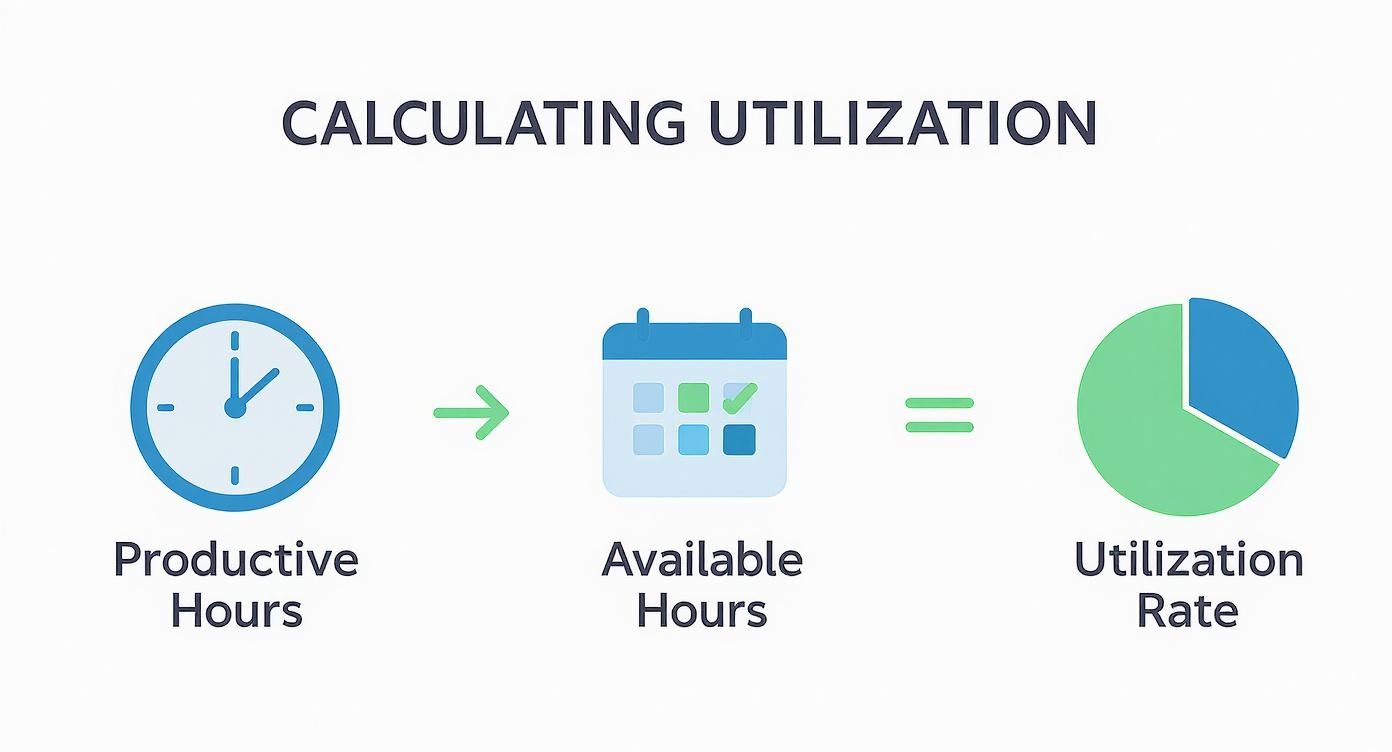
By clearly defining both productive and available hours, you can be confident that the resulting utilization rate is an accurate reflection of your team's real-world capacity.
What Is A Good Utilization Target
This all leads to the big question: what should you actually aim for? It might seem logical to target 100% utilization, but that’s a classic mistake and a direct path to burning out your team. A team running at full capacity has zero room for creativity, unexpected tasks, or professional growth.
A sustainable target is always more effective. For most professional services, the sweet spot is somewhere between 80-85%. This range strikes a healthy balance, making sure team members are productive on client work while still having time for essential non-billable activities like internal collaboration and learning.
Pushing for maximum utilization often brings diminishing returns, as the quality of work suffers and turnover rates start to climb. A slightly lower, more realistic target fosters a healthier, more innovative, and ultimately more profitable work environment. It’s an acknowledgment that people aren't machines and that a little bit of downtime is a necessary ingredient for high-quality work.
Actionable Strategies To Optimize Team Utilization
Knowing your team's utilization numbers is just the starting line. The real magic happens when you use that data to make smarter decisions and fine-tune your workflow. This is what separates the companies that just track metrics from the ones that build truly high-performing, balanced teams.
Turning those numbers into action means you have to get to the root causes of inefficiency. It's about shifting from constantly putting out fires to proactively planning ahead, setting every project up for success from day one. You're creating a system where foresight and clarity are what drive performance.
Improve Project Forecasting And Scoping
Accurate forecasting is the bedrock of good resource utilization. When projects are poorly scoped from the get-go, it kicks off a disastrous ripple effect: missed deadlines, blown budgets, and a team running on fumes. A fantastic way to sharpen your estimates is to run a project pre-mortem.
Before you even think about starting a new project, get the team together and ask one simple question: "Imagine this project has completely failed. What went wrong?" This exercise is brilliant at uncovering hidden risks and potential bottlenecks—things like scope creep or a sudden skill gap—before they have a chance to derail you.
When you analyze historical data from similar projects, you can ground your forecasts in reality, not just wishful thinking. This data-driven approach helps you set realistic client expectations and block out the right amount of time for your team, preventing both burnout and boredom.
Implement Dynamic Capacity Planning
Old-school, static plans often fall apart the second they meet the real world. That's where dynamic capacity planning comes in. It allows you to adjust workloads on the fly as priorities change and new projects land on your desk. This really only works if you have a centralized, transparent system where managers can see everyone's current and future workload at a glance.
That visibility is everything. It lets you spot who's nearing burnout and who has some breathing room, allowing you to reassign tasks quickly and keep things moving. A clear view of your team's capacity prevents logjams and ensures a smooth workflow, which is a massive part of successful resource allocation optimization. Plus, when everyone can see the bigger picture, it builds a culture of shared responsibility.
Effective resource management isn't about filling every available hour; it's about making sure the right hours are spent on the right tasks. A transparent system eliminates guesswork, empowering team members to manage their own time more effectively while giving leaders the insight to intervene when needed.
Prioritize High-Impact Tasks
Let's be honest: not all work is created equal. To get the most out of your team, you have to focus their energy on tasks that deliver real strategic value. This means getting ruthless with prioritization. Frameworks like the Eisenhower Matrix are great for helping you separate what's urgent from what's actually important.
Push your team to tackle high-impact, revenue-generating activities first. At the same time, find ways to slash the time spent on low-value, non-billable stuff. This could look like:
- Automating administrative work: Use tools to handle repetitive chores like reporting or scheduling.
- Streamlining meetings: Every meeting needs a clear agenda, a time limit, and a defined goal. No exceptions.
- Protecting deep work time: Block out chunks of the calendar for focused, heads-down work on the projects that truly matter.
By deliberately channeling effort toward what moves the needle, you'll naturally boost your team's productive output without just piling more hours onto their day. For more ideas, you can explore other strategies for improving operational efficiency that pair nicely with these techniques.
Common Questions About Resource Utilization
As you start putting resource utilization into practice, a few questions always pop up. It’s one thing to understand the theory, but making it work for your team and business goals is another beast entirely. Let’s clear up some of the most common hurdles.
Getting these practical concerns sorted out is the key to building a workflow that’s both sustainable and productive. It helps everyone, from managers to team members, get comfortable with a more data-informed way of managing capacity.
What Is a Good Resource Utilization Rate for a Professional Services Team?
While the perfect number can shift depending on your industry, a healthy and sustainable target for most professional services teams lands somewhere between 75% and 85%. This range is widely seen as the sweet spot for keeping people productive without burning them out.
So, why not shoot for 100%? A team that’s completely maxed out has no wiggle room. A 100% utilization rate leaves zero time for crucial non-billable work like professional development, internal meetings, or brainstorming ideas that fuel business growth. Pushing past 90% consistently is a recipe for disaster—it signals overwork, leads to burnout, and ultimately results in lower-quality work and higher employee turnover. On the flip side, dipping below 70% might mean you have untapped capacity and are leaving money on the table.
How Can I Improve Utilization Without Micromanaging?
Improving resource utilization is about smart, strategic oversight, not hovering over your team’s shoulders. The whole point is to empower your team with clear goals and the right tools, not to track their every move. Real improvement comes from a foundation of trust and transparency.
Instead of micromanaging, focus on these areas to boost efficiency:
- Provide Transparent Systems: Use a central project management platform where priorities, tasks, and deadlines are open for everyone to see. This clarity empowers team members to manage their own workloads effectively.
- Automate Data Collection: Bring in background time tracking tools that capture activity without demanding constant manual entry. This gives you accurate data for making decisions while letting your team stay focused.
- Hold Purposeful Check-ins: Ditch the generic "status update" meetings. Instead, have brief, regular check-ins focused on clearing roadblocks and talking about workload balance. This approach gives your team a real sense of ownership over their time and productivity.
The objective isn't to monitor every minute but to provide a framework where your team can thrive. When people have visibility into their own capacity and the company’s goals, they are better equipped to manage their time and contribute meaningfully.
Does Resource Utilization Only Apply to Billable Work?
Not at all. While the conversation often revolves around billable client hours, the core ideas behind resource utilization apply to everyone. For internal teams like marketing, IT, or HR, the focus just shifts from "billable hours" to "productive" or "strategic" hours.
The question simply becomes: how much of their time is spent on high-priority projects that directly support business objectives, versus administrative tasks or low-impact work? It’s all about making sure that every resource in your company—no matter the department—is being used effectively to push strategic goals forward. Every team contributes to the bottom line, and utilization helps measure that contribution.
Ready to gain crystal-clear visibility into your team's utilization and productivity? DeskCove provides the automated time tracking and detailed reporting you need to optimize workloads, prevent burnout, and boost profitability without micromanagement. See how your team's time is really being spent and make data-driven decisions with confidence by visiting https://deskcove.com.