Time Tracking Software Comparison Guide

Picking the right time tracking software is a huge decision for your business, not just another item on your admin to-do list. Think of it as more than a digital punch clock; it’s a tool that helps you fine-tune productivity, get payroll right every time, and actually see which projects are making you money. That's why a detailed time tracking software comparison is so important—it helps you find the perfect fit.
Why the Right Time Tracking Tool Is a Game Changer
With remote and hybrid teams becoming the norm, knowing how time is being spent is directly tied to your bottom line. The real challenge is cutting through the noise of countless options to find a tool that actually works with your team's culture, workflow, and goals. The wrong choice can breed mistrust, lead to messy billing, and cost you revenue.
The right software, on the other hand, brings clarity. It turns abstract hours into real data, showing you which projects are hitting their stride and where your resources are stretched thin. This guide will walk you through the essential things to look for so you can make a decision you feel good about.
Key Evaluation Criteria
To choose well, you need a solid framework. As we compare different platforms, we’ll keep coming back to a few key areas that really set them apart.
- Core Features: This is the nuts and bolts—automatic vs. manual time tracking, app and URL monitoring, and how it handles idle time.
- Privacy and Compliance: We'll look at how tools handle things like screenshots, data security, and features designed to build trust, not a "big brother" vibe.
- Scalability and ROI: A great tool should grow with you and deliver a clear return on investment by boosting efficiency and ensuring you bill for every minute.
The goal here is to get past the flashy feature lists and really understand how a tool’s philosophy will affect your day-to-day operations. Real value is found in software that fits into your workflow, not one that just adds more admin work.
Before we get into specific platforms, it’s worth thinking about the strategic importance of selecting the right productivity tools in a broader sense. The same logic applies directly to time tracking—the tool itself shapes the outcome.
Comparing Key Software Aspects
To lay the groundwork for a solid time tracking software comparison, let's break down the fundamental differences you’ll run into.
| Aspect | What It Means for Your Business | Key Question to Ask |
|---|---|---|
| Time Capture Method | Directly impacts how willingly your team uses it and how accurate the data is. Automatic is "set-it-and-forget-it," while manual needs active input. | Does our team need passive, always-on data, or are we better off with simple, task-based timers? |
| Productivity Monitoring | Gives you a window into app usage and focus. This can be as simple as logging app names or as detailed as activity analysis with screenshots. | How much visibility do we need to keep projects on track without making our team feel micromanaged? |
| Reporting Depth | This is all about getting data out for payroll, client invoices, or project budgets. Some tools give basic summaries; others offer deep analytics. | Do we just need simple timesheets, or are we looking for detailed reports that show project profitability and team performance? |
Ultimately, finding the right software is about lining up its features with what your business truly needs. You can learn more about why you should integrate time tracking into your workflow now to see the immediate benefits. We’ll use these criteria to put the top contenders under the microscope as we continue.
Establishing Your Core Evaluation Criteria
Choosing the right time tracking tool isn't about finding the one with the most bells and whistles. It's about zeroing in on the features that actually solve your team's specific problems.
Before you even look at a demo, you need to decide what's non-negotiable. What are the core functions you simply can't operate without? These become the benchmarks for any serious software comparison you undertake.
Core Capture Methods
How your team logs time is the foundation of the entire system. Automatic time capture is fantastic for consistency—it runs in the background with zero effort from your team, ensuring every minute is accounted for. It's perfect for busy environments where you can't afford to have people forget to start a timer.
On the other hand, manual timers offer control and are a great fit for task-based work, like you'd find in a design agency or consulting firm. It allows for more deliberate categorization of work, often after the fact.
Let's look at a couple of real-world examples:
- Auto Capture: Ideal for a fully remote customer support team where continuous monitoring helps with resource allocation without constant reminders.
- Manual Capture: A freelance writer might prefer this to meticulously log and categorize hours spent on research, drafting, and editing for different clients.
- Hybrid Models: Many of the best tools, including DeskCove, offer a mix of both, giving you the accuracy of automatic tracking with the flexibility of manual adjustments.
Monitoring and Validation
Once time is captured, you need ways to ensure it's accurate and context-rich. App and URL tracking is a must-have for understanding where time is really going—which tools are driving productivity and which are digital rabbit holes.
Idle time detection is another critical piece of the puzzle. It prevents padded timesheets by flagging periods of inactivity, ensuring you're paying for productive time, not just screen time. You can also add another layer of context with screenshots or periodic webcam captures, which can clarify what someone was working on without creating a culture of micromanagement.
"Balancing transparency with trust is key. Too much validation can undermine team morale.”
Reporting Clarity
Raw time logs are just data points; it's the reporting and analytics that turn them into business intelligence. A good dashboard should let you filter by project, client, or team member at a glance, giving you an instant snapshot of your operations.
Beyond pre-built dashboards, your tool must support custom reports for things like client invoicing, internal project costing, and performance reviews. This is where you get the real ROI.
The demand for these robust features is clear when you look at the market. The global time tracking software market was valued at USD 3.8 billion in 2025 and is projected to skyrocket to USD 16.1 billion by 2035, growing at a CAGR of 15.5%. You can dig into more of the time tracking software market findings to see why getting this right is so important.
The infographic below really drives home the core benefits.
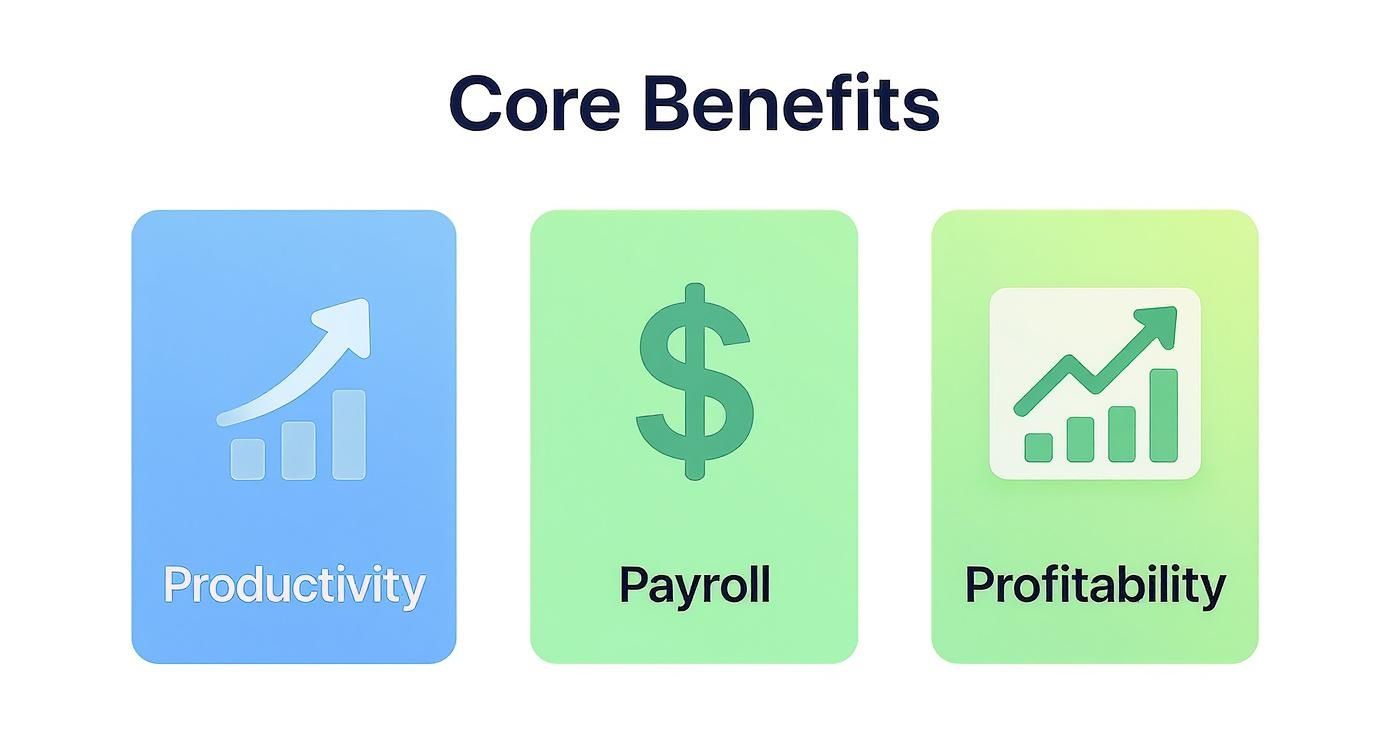
As you can see, improvements in Productivity, Payroll accuracy, and overall Profitability are all directly connected.
Essential Time Tracking Software Feature Matrix
To make this easier, I've put together a feature matrix comparing some of the essential capabilities you should be looking for. It gives you a clear, side-by-side view of how different tools stack up.
| Feature | DeskCove | Competitor A | Competitor B | Competitor C |
|---|---|---|---|---|
| Automatic Time Capture | Yes, with background sync | Yes, manual focus mode | Yes, periodic reminders | No, manual only |
| Screenshots & Webcam | Configurable intervals | Optional screenshots only | Limited webcam capture | None |
| App & URL Tracking | Granular by category | Lists only | Activity scoring | Basic inclusion/exclusion |
| Idle Time Detection | Customizable thresholds | Fixed 5 min | Automatic pause detection | Manual idle flagging |
| Reporting & Analytics | Custom dashboards & exports | Standard reports | Visual timelines | Basic timesheet exports |
This kind of structured comparison helps you quickly see where each platform shines and where it might fall short for your specific needs. It's a great starting point for building out your own evaluation checklist.
Creating Your Checklist
Now it's time to build your own personalized checklist. Start by ranking the features above based on what your team actually does day-to-day.
- Which time capture method aligns best with your existing workflows?
- How much oversight do you truly need to maintain productivity without eroding trust?
- What specific data outputs do you need for billing, project reviews, or payroll?
Once you have your priorities straight, pick your top two or three candidates and run them through a trial period using this checklist. Get direct feedback from your team on accuracy, ease of use, and whether the insights are genuinely helpful. This hands-on approach is the only way to know if a tool will really work for you.
Applying Criteria To Use Cases
Different teams will weigh these criteria differently. For instance, fully remote teams often need robust, always-on time capture with strong privacy controls to build trust.
Freelancers, on the other hand, usually get more value from simple manual entry and the ability to categorize their work after the fact. Agencies live and die by their reporting, needing granular data to provide total transparency for client billing.
“Customization will define whether your time tracking tool adapts to your unique environment.”
For SMEs, the sweet spot is often a balance between simplicity and powerful analytics. The goal is to find a tool that fits your company culture just as well as it fits your technical workflows.
Finally, don't forget about the practical stuff. Look at how easily a tool integrates with your existing project management or payroll systems. Check for flexible data export options and API access for future-proofing. Good training resources and migration support can also make all the difference in getting your team on board smoothly.
Comparing The Top Time Tracking Platforms
With our evaluation framework laid out, let’s see how the leading tools stack up in real business settings. A solid time tracking software comparison digs past marketing and looks at how each solution handles everyday challenges. We’ll put DeskCove side by side with three major rivals, examining user experience, reporting power, privacy settings, and more.
Rather than just ticking off features, we’ll explore the design philosophies behind each platform. Do they cater to solo freelancers craving simplicity or to enterprises demanding granular controls? By the end, you’ll know which tool aligns with your team’s workflow.
User Experience And Interface Design
The most effective time tracker is the one your team actually adopts. An overly complex layout kills adoption and skews data.
- DeskCove centers on a clean, intuitive dashboard. Managers see project health at a glance, and team members jump into time capture without a manual.
- Competitor A delivers a data-rich console ideal for power users, but newcomers can feel lost in the metrics.
- Competitor B strips everything down to a start-and-stop timer, perfect for freelancers but too bare-bones for growing teams.
- Competitor C uses a visual calendar view, great if you schedule by blocks but less flexible for task-driven workflows.
“DeskCove’s streamlined manager dashboard delivers key insights without forcing you to sift through endless menus.”
Reporting Depth And Customization
Capturing hours is one thing—turning that data into insight is another. Here’s where flexibility matters.
DeskCove offers robust, customizable reports that you can filter by project, team member, or date range. Exports for invoicing, payroll, or client presentations take seconds to generate.
Consider this scenario for an agency tracking billable hours across clients:
- With DeskCove, a project lead pulls a detailed report showing every logged hour plus screenshots for client validation.
- Competitor B only provides basic CSV exports, leaving you to piece together data manually.
- Competitor A has enterprise-grade analytics, but the best report options sit behind premium plans.
- Competitor C shines at timeline visuals but falls short on financial breakdowns.
Privacy Controls And Team Trust
Balancing oversight with respect for privacy is critical. You want accountability—not surveillance.
Here’s a quick glance at monitoring options across platforms:
| Platform | Screenshot Control | Blurring Options | Disable Screenshots |
|---|---|---|---|
| DeskCove | Granular frequency | Yes | Yes |
| Competitor A | All-or-nothing capture | No | No |
| Competitor B | None | N/A | N/A |
| Competitor C | Activity-level only | No | No |
This level of tailoring helps you gather the data you need while honoring your team’s privacy. For a deep dive into similar trust-focused comparisons, check out our guide on Clockify alternatives for efficient time tracking.
Real-World Use Case Analysis
Demand for these platforms is surging—one report from Straits Research pegs the market at USD 7.13 billion in 2024, climbing to USD 29.88 billion by 2033. You can explore more in the expanding time tracking software market.
Here’s which tool wins in two common scenarios:
-
Creative Agencies
DeskCove’s blend of auto time capture, screenshot validation, and exportable reports nails accurate billing and profit tracking. -
Global Remote Teams
With per-team privacy settings, DeskCove lets you respect cultural norms while keeping productivity transparent—striking the perfect balance.
These examples show that the “best” choice depends on your unique needs. By matching platform strengths to your workflow, you’ll select a tool that fits, not one you have to force.
Analyzing True Cost and Return on Investment
A software's price tag rarely tells you the whole story. To make a smart investment, you have to look past the monthly subscription fee and really dig into the total cost of ownership (TCO) and the potential return on investment (ROI). A proper time tracking software comparison isn't about finding the cheapest option; it's about uncovering the true financial impact on your business.
Many platforms, including DeskCove, use a straightforward per-user, per-month model, which is predictable and easy to scale up or down. Others might tempt you with tiered plans that lock key features behind higher price points, or freemium models that look great at first but often hide the most crucial functions behind a paywall.
Understanding Total Cost of Ownership
That monthly fee is just the starting line. The real cost is a mix of several hidden factors that can seriously strain your budget and team resources.
- Implementation Time: How long does it actually take to get the software set up and talking to your current systems? A complicated setup can mean dozens of lost work hours before you even start.
- Team Training: An intuitive platform like DeskCove needs very little training, which minimizes downtime. On the flip side, a clunky interface means pulling your team away from billable work for long onboarding sessions.
- Integration Costs: Does the software play nicely with your project management and payroll tools right out of the box? If not, you might find yourself paying for third-party connectors or hiring a developer to build custom integrations.
These indirect costs are a huge deal. A cheaper tool with a painful setup can easily end up costing you more in the long run than a slightly pricier but much more efficient alternative.
The most cost-effective solution is one that fits seamlessly into your existing workflow, minimizing disruption and maximizing adoption from day one. Hidden costs often stem from forcing your team to adapt to a poorly designed tool.
Calculating the Real Return on Investment
The real value of time tracking software is its ability to generate a positive ROI. This isn't just some abstract business concept; it's a measurable result driven by specific gains in efficiency. The investment pays for itself when it directly boosts profitability and makes your operations smoother.
The single biggest driver of ROI is better billing accuracy. By capturing every single second of work, businesses can plug the revenue leaks caused by unbilled hours. This is absolutely critical for agencies and freelancers who need to meticulously track billable hours to maintain a healthy cash flow and keep client trust.
Connecting Features to Financial Gains
Think about how specific features translate directly into dollars and cents. For instance, automated time capture gets rid of the manual errors and forgotten time entries that lead to under-billing. Detailed reports let managers spot unprofitable projects early, giving them a chance to reallocate resources and protect their margins.
Plus, cutting down on administrative overhead is a massive win. A system that automates timesheet collection and approval frees up managers and admin staff to focus on high-value tasks instead of chasing down paperwork. Those saved hours add up fast, contributing directly to your bottom line. When you analyze these factors, you can build a clear business case showing how the initial cost is easily outweighed by long-term financial and productivity gains.
Matching the Right Software to Your Business Model

Finding that one “perfect” tool is a bit of a myth. You need a solution that fits your workflow, your team size, and your goals.
A proper time tracking software comparison goes deeper than feature checklists. It guides you through real-world scenarios and shows which tools shine in different settings.
What works for a freelancer probably won’t suit a global enterprise. By mapping software features to your business’s unique structure, you can move from vague options to a clear, practical choice.
Freelancers And Solo Consultants
If you’re a solo pro, speed and simplicity are everything. Less time fiddling with settings means more time on client work. A handful of key features covers most needs:
- Simple Project And Client Management: Jump between clients without a hitch.
- Mobile Access: Log hours on your phone during meetings or travel.
- Effortless Invoicing: Export or generate reports for clean, accurate bills.
In most cases, a lean tool with manual time entry and basic reporting is enough. The idea is to track every billable minute without drowning in enterprise-grade bells and whistles.
Small Agencies And Growing Teams
As your crew expands, collaboration and scalability take center stage. Agencies juggle multiple projects, track capacity, and share clear data with clients. Look for features that:
- Project-Based Billing: Measure time by task and project to keep budgets in check.
- Team Dashboards: Get a live snapshot of workloads to prevent burnout.
- Integration Capabilities: Sync with your project management and accounting stacks. Agile teams often pair time tracking with top online planning poker tools for smoother sprint planning.
Putting these pieces together helps your agency stay on top of profit margins and resource planning without manual spreadsheets.
Large Remote Enterprises
Global teams need more than hours and minutes. They need data that drives strategy, security that meets compliance, and controls that protect sensitive information.
A large enterprise requires a platform that delivers not just time data, but also deep operational insights. DeskCove’s detailed monitoring and customizable reporting are built for this level of scrutiny, providing the clarity needed to manage a global workforce effectively.
Focus on these core areas:
- Advanced Security And Compliance: Custom data retention, strict permissions.
- Granular Productivity Analytics: Track app usage, spot bottlenecks, measure focus time.
- Scalable User Management: Support multi-layered org charts, divisions, and roles.
A quick look at market trends underscores this shift:
| Segment | 2023 Market Value | 2030 Projection |
|---|---|---|
| Time Tracking Software | USD 5.23 billion | USD 12.3 billion |
For more detail, check the Verified Market Research report on the time tracking software market.
Choosing DeskCove here makes sense. It pairs deep analytics with robust security controls—and scales as your enterprise does.
Answering Your Key Questions
Alright, you've seen the comparisons and weighed the features. Now it's time to tackle the practical, real-world questions that come up right before you pull the trigger on a new time tracking tool. Thinking through these points is what separates a smooth rollout from a bumpy one.
Let's move from comparison to confident action, making sure whatever you choose is a genuine asset from day one.
How Do I Ensure Employee Privacy With Time Tracking Software?
This is the big one. Success hinges on trust, not creating a "big brother" culture. Employee privacy has to be a top priority.
First off, only consider software with customizable privacy settings. You absolutely need the ability to disable screenshots, blur sensitive info, or even let employees delete their own time entries. Just as important is being upfront with your team. Draft a clear policy explaining what is being tracked and why, framing it around fair productivity measurement, not micromanagement.
Get your team involved in picking the tool. When you opt for a platform like DeskCove that offers such granular controls, you’re not just telling them you respect their privacy—you’re proving it.
This changes the entire conversation. It’s no longer about surveillance; it's about using data to improve workflows and guarantee everyone is compensated fairly for their work.
Can Time Tracking Software Integrate With My Existing Tools?
Yes, and it better. A tool that doesn’t play well with others just creates more work, forcing you to constantly juggle data between systems. It’s a deal-breaker.
Most modern platforms are built to connect with the project management tools you already use, like Jira, Asana, or Trello. The same goes for accounting software like QuickBooks and Xero. Before you commit, list your essential apps and double-check that the time tracker has native integrations or can connect through a service like Zapier.
This is the key to a seamless workflow. It stops the headache of duplicate data entry and truly gets the most value out of your entire software stack.
What Is The Best Way To Introduce Time Tracking To My Team?
How you frame it is everything. A successful rollout is all about communication. Position the software as a tool for fairness, transparency, and efficiency—never as a surveillance tactic.
Focus on the direct benefits to them:
- No More Manual Timesheets: They can ditch the tedious logs and spreadsheets.
- Accurate Pay for Extra Hours: Every minute of overtime is logged and compensated correctly.
- Showcasing Their Hard Work: They get concrete data to back up their effort and contributions.
My advice? Start small with a pilot program. Pick a small, enthusiastic group to test it out. Their feedback will be invaluable for ironing out kinks, and they’ll become your internal champions who can vouch for the tool. Follow that up with solid training and be ready to listen to and address any concerns.
Is Automatic Time Tracking Effective For Creative Work?
Absolutely. It might seem like it’s only for clear-cut, repetitive tasks, but automatic time tracking is a game-changer for creative roles. It quietly logs all computer activity, showing designers, writers, and developers exactly how much time they’re spending in Adobe Creative Suite, researching on the web, or collaborating in Slack.
This data is incredibly valuable. It helps creatives bill clients accurately for all the little bits of work that add up. It also helps them understand their own focus patterns and protects their time from the dreaded scope creep. Many tools let users categorize tracked time later, giving them the flexibility needed for a non-linear process while still delivering the hard data needed for billing and project management.
Ready to see how a clear, intuitive, and powerful time tracking solution can transform your team's productivity and profitability? DeskCove provides the detailed insights you need with the privacy controls your team deserves.
Start your free trial of DeskCove today and make your time work for you.