A Modern Guide to Managing a Remote Team

Managing a remote team isn't just a slight variation of leading people in an office—it's a whole new ballgame. It demands a fundamental shift in mindset, moving away from managing by presence ("butts in seats") to managing by outcomes. The real focus becomes the results your team produces, not the specific hours they clock in.
This new approach requires leading with intention, building a foundation of trust, and establishing crystal-clear communication to keep everyone connected and productive, no matter where they are.
The New Reality of Remote Team Leadership
Leading a distributed team is less about supervision and more about being an architect. You're not just managing tasks; you're building a digital ecosystem where trust, clarity, and connection can flourish. This guide goes beyond the basics to give you the practical, real-world strategies that seasoned remote leaders use to build teams that don't just survive, but thrive.
The global workforce has made a permanent pivot. Remote work isn't a trend anymore; it's a core component of modern business. By 2025, it's expected that more than 32.6 million Americans will be working remotely, a massive jump from just a few years ago. And it’s not just a U.S. phenomenon. Globally, places like Latin America have seen remote work explode from around 3% to nearly 30% of the workforce. You can discover more insights about these remote work projections.
This shift means the old management playbook is officially obsolete.
Core Pillars of Remote Team Management
To build a high-performing remote team, you need a solid foundation. These core pillars are the non-negotiables that turn the challenge of geographic distance into a strategic advantage for your company. Getting these right is the first step. For more in-depth strategies, check out these essential remote team management tips.
We'll dive deep into each of these areas, but first, here's a high-level look at what it takes to manage a remote team successfully.
| Pillar | Key Focus Area | Desired Outcome |
|---|---|---|
| Intentional Communication | Building predictable communication routines for async and real-time work. | A team that feels connected and informed without suffering from notification fatigue. |
| A Vibrant Digital Culture | Proactively fostering a sense of community, belonging, and shared values. | Engaged employees who feel like part of a team, not just isolated contributors. |
| Outcome-Based Performance | Shifting focus from activity monitoring to measuring results and impact. | A high-trust environment where empowered team members take ownership of their work. |
| Global Talent Acquisition | Using your remote-first model to attract and hire the best people anywhere. | A competitive advantage in hiring, with access to a diverse, global talent pool. |
Mastering these pillars is what separates struggling remote teams from the ones that consistently knock it out of the park. It's how you build an environment where your team is engaged, productive, and aligned, no matter which time zone they're in.
Hiring and Onboarding a Global Team
Building a world-class remote team doesn't just happen on an employee's first day—it starts the second you decide to hire. The way you attract, interview, and bring global talent into the fold is a make-or-break process for any remote team. It really does set the stage for long-term success or failure, and it requires a completely different playbook than in-office hiring.
Your job description is their first impression. It needs to do more than just list skills; it has to sell the remote experience. This is your chance to highlight things like autonomy, flexibility, and your company's genuine commitment to remote-first practices. Use language that speaks directly to people who are self-starters and independent problem-solvers.
Crafting a Remote-First Hiring Process
A successful remote hiring process is built from the ground up to test for the traits that really matter in a distributed team. Sure, technical skills are important, but you also need to find out if a candidate can communicate clearly in writing, manage their own time, and stay motivated without a manager looking over their shoulder.
This means you need to rethink the interview itself. A video call is a good start, but it's not enough. Consider adding a practical, asynchronous task to the mix.
- A Small Paid Project: Give them a small, relevant task that’s a slice of the actual work they’d be doing. This is an incredible window into their work quality, communication style, and ability to follow instructions without constant hand-holding.
- Scenario-Based Questions: Instead of hypotheticals, ask real-world questions like, "How would you handle a project roadblock when your manager is in a different time zone and offline?" This gets right to their problem-solving instincts and shows you if they're proactive communicators.
- Communication Audit: Simply pay attention. How clear and professional are their emails and written messages throughout the entire hiring process? It tells you a lot.
This approach helps you look past the polished resume and see how someone will actually operate within your team’s day-to-day workflow.
Here’s a look at the core lifecycle of remote team management, which all kicks off with attracting the right people.
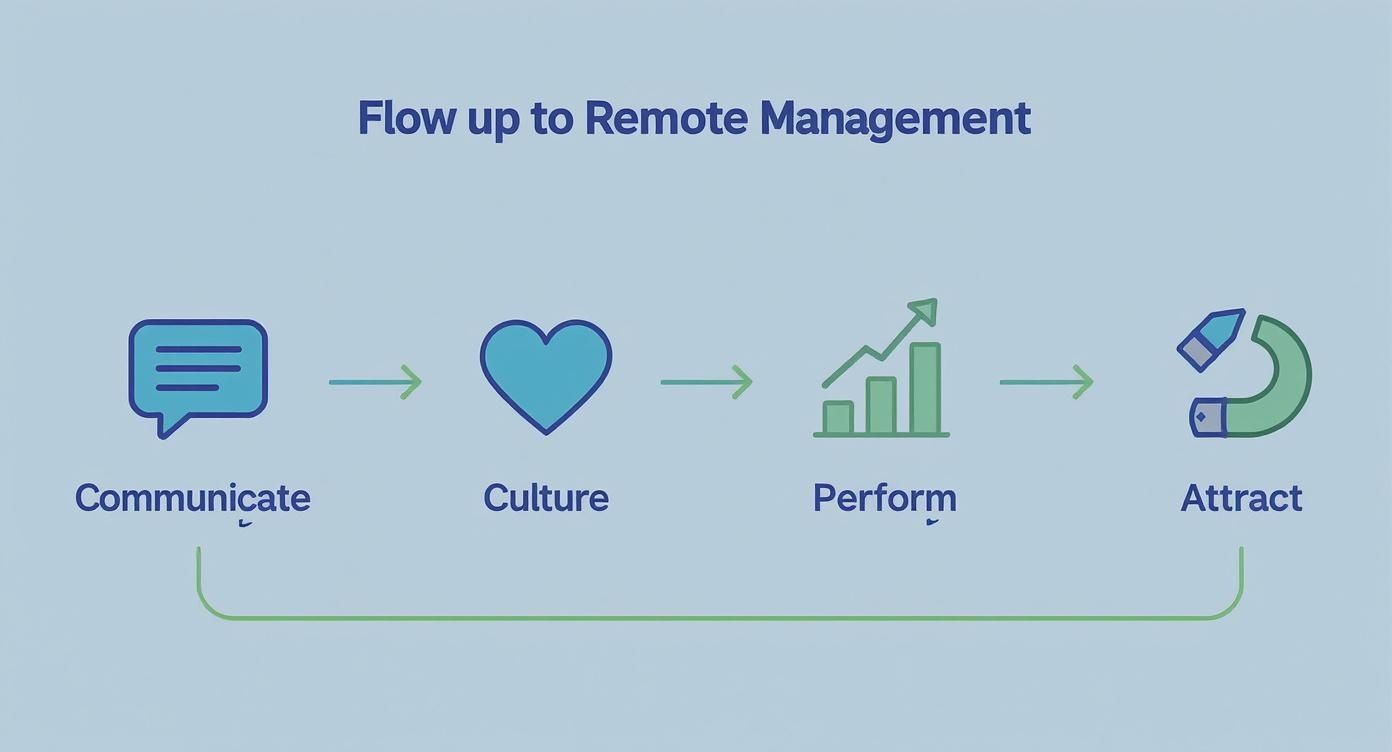
As you can see, the flow from attracting talent to building culture and driving performance shows that hiring is the foundation. Get this step right, and everything that follows becomes easier.
Designing an Unforgettable Onboarding Experience
A stellar onboarding experience makes a new hire feel like a true part of the team from day one, even if they’ve never shaken anyone's hand. It’s your best weapon against the isolation that can creep in with remote work and the fastest way to get them contributing meaningfully. A structured, thoughtful plan isn't just nice to have; it's non-negotiable.
A well-designed digital onboarding isn't just about shipping a laptop and sending login details. It's an intentional, multi-week journey that immerses a new hire in your company's culture, tools, and processes, ensuring they feel connected, confident, and ready to succeed.
Your onboarding should be a blend of structured learning and genuine personal connection. You're building both competence and camaraderie. For a deep dive into creating this kind of experience, check out our guide on how to onboard remote employees.
Here's what a simple weekly focus might look like:
- Week 1 Focus: Connection and Setup. This week is all about people. Schedule short, informal video calls with key team members. Make absolutely sure all their tech is working and they have access to every single tool. And don't forget to assign them an "onboarding buddy."
- Week 2 Focus: Process and Tools. Now it's time to dive into the team's workflow. Walk them through your project management software, explain the communication ground rules, and show them where to find important documents. Give them their first small, low-risk task to get their feet wet.
This kind of structured approach takes the anxiety out of starting a new job and helps new hires build momentum from the get-go.
Navigating Global Hiring and Compliance
Hiring internationally throws the doors open to an incredible pool of talent, but it definitely adds a layer of complexity. Figuring out contracts, benefits, and local labor laws can feel like a minefield for any manager. But the trend is clear—global teams are the future, and companies are figuring out how to solve these challenges.
The 2025 Global Workforce Report found that more than 50% of business leaders plan to increase their number of international hires. This isn't a niche strategy anymore; it's becoming an essential part of building a diverse, top-tier team.
But with great talent comes great responsibility. Global hiring demands careful attention to compliance to sidestep serious legal and financial headaches. It's one of those things you absolutely have to get right from the very beginning if you want to build a sustainable global team.
Designing Your Team's Communication System
In an office, communication can be spontaneous. A quick chat in the hallway, an overheard conversation, or a huddle around a desk can solve a problem in minutes. But when you’re managing a remote team, leaving communication to chance is a recipe for disaster. It’s the fastest way to create information silos, miss deadlines, and leave everyone feeling disconnected and frustrated.
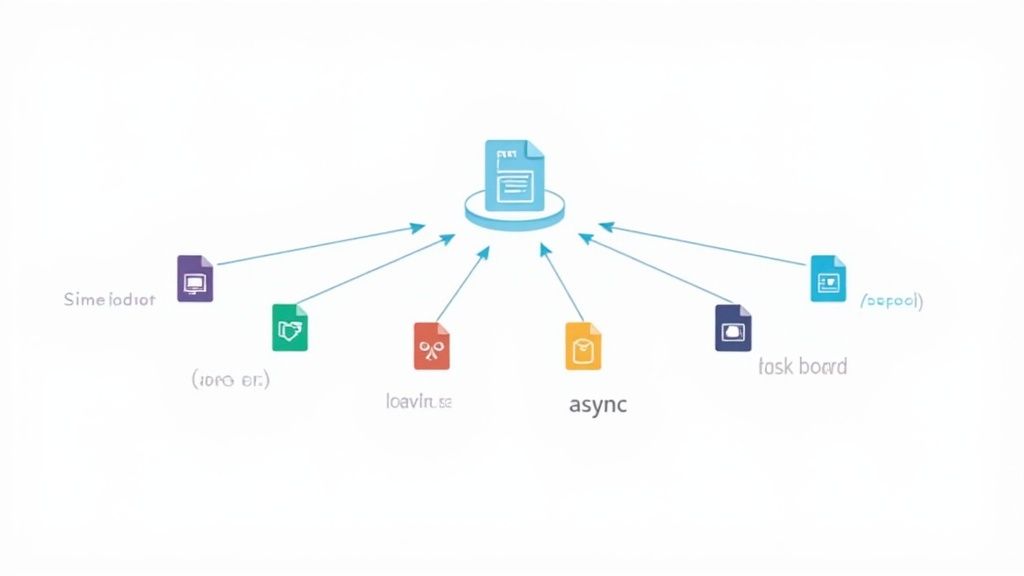
Successful remote leaders don't just communicate; they intentionally design a communication system. This isn't about buying more tools—it's about creating a clear, predictable architecture that defines how, when, and where information flows. You're building a framework that champions clarity, empowers your team to work autonomously, and—crucially—prevents notification fatigue.
Balancing Synchronous and Asynchronous Tools
The heart of any great remote communication system is a smart balance between two types of interaction: synchronous (real-time) and asynchronous (on your own time). Using the wrong tool for the job is a common pitfall that leads to either constant interruptions or painful delays.
Synchronous communication is immediate and interactive. It’s perfect for brainstorming sessions, urgent problem-solving, and building those all-important personal connections.
- Video Calls (e.g., Zoom, Google Meet): Use these for weekly team syncs, one-on-one check-ins, and complex discussions where tone and body language really matter.
- Instant Messaging (e.g., Slack, Microsoft Teams): These should be reserved for quick, urgent questions that are blocking progress. Think, "Does anyone have the login for the analytics dashboard?" not a long, drawn-out debate.
Asynchronous communication, on the other hand, is the bedrock of productive remote work. It respects different time zones, protects deep focus time, and allows for thoughtful responses. For a deeper look, you can learn more about how asynchronous communication enhances team productivity and focus.
- Project Management Tools (e.g., Asana, Trello): All task-specific updates, questions, and feedback should live here. A comment on a task card keeps the context and creates a searchable record for everyone involved.
- Email and Internal Docs: Use these channels for company-wide announcements, formal documentation, and detailed project briefs that require careful review, not an instant reaction.
The goal isn't to eliminate meetings but to make them more meaningful. If a topic can be resolved with a well-written comment in your project tool, it probably doesn't need a 30-minute call.
Establishing a Meaningful Meeting Cadence
Meetings are often the biggest time-sink for remote teams. A truly effective manager curates a meeting schedule that respects everyone's time and energy. The cadence should feel predictable and purposeful, not cluttered and draining.
Think of your meeting rhythm as the heartbeat of the team. It needs to be steady and reliable, giving structure to the week without overwhelming it.
Sample Weekly Meeting Cadence
| Meeting Type | Frequency | Purpose |
|---|---|---|
| Team-Wide Stand-Up | Monday (15 min) | Align on weekly priorities, identify potential blockers, and kick off the week. |
| Project Deep Dives | As Needed | Tackle specific, complex problems with only the relevant team members present. |
| One-on-One Check-ins | Weekly (30 min) | Discuss individual progress, career growth, and address any personal challenges. |
| Virtual "Water Cooler" | Friday (30 min) | A completely optional, non-work social chat to build camaraderie and wind down. |
This kind of structure provides predictable touchpoints for connection and alignment while maximizing the time available for focused, uninterrupted work. Each meeting has a clear purpose, which is the best way to prevent that dreaded "this could have been an email" feeling.
Creating a Single Source of Truth
Perhaps the most empowering thing you can do for your remote team is to give them easy access to the information they need to do their jobs autonomously. This means creating a Single Source of Truth (SSOT)—a central, organized knowledge hub for everything.
An SSOT isn't just a messy folder of random documents; it's a living library for your team's collective brain. A good one drastically reduces the number of "where can I find…?" questions and lets team members solve problems on their own, no matter what time it is.
Your SSOT should be the first place anyone looks for things like:
- Process Documentation: Step-by-step guides for recurring tasks.
- Company Policies: Clear information on PTO, expenses, and security protocols.
- Project Briefs & Roadmaps: The high-level goals and context behind the work.
- Meeting Notes: A searchable archive of key decisions and action items.
Tools like Notion, Confluence, or even a meticulously organized Google Drive can serve as your SSOT. Honestly, the specific tool matters less than the team's commitment to actually using and maintaining it. A well-kept SSOT is a cornerstone of a high-performing remote team, turning confusion into clarity and dependence into empowerment.
Measuring Performance and Productivity with Trust
One of the biggest mental hurdles for managers new to remote work is letting go of the old 'butts-in-seats' mindset. It’s a relic of the office. True remote leadership isn't about watching the clock; it’s about focusing entirely on outcomes.
This means building a culture where trust and empowerment are the default, and results are the only metric that truly matters. It’s not about seeing a green status dot next to someone's name. It's about aligning everyone's effort with the company's goals and giving them the clarity they need to succeed on their own terms.
Setting Clear Results-Driven Goals
The bedrock of any high-performing remote team is crystal-clear, measurable goals. When people know exactly what a "win" looks like, they can take ownership of their time and figure out the best way to get there.
This is where frameworks like OKRs (Objectives and Key Results) are so powerful. They create a direct line of sight from an individual's daily tasks to the company's biggest priorities.
An Objective is your big, ambitious goal (e.g., "Improve Customer Onboarding Experience"). The Key Results are the specific, measurable outcomes that prove you did it (e.g., "Reduce average time to first value from 5 days to 3 days"). This framework gives your team a roadmap, not just a to-do list.
The Role of Ethical Productivity Tools
Let's be honest: the conversation around productivity tools can get tense. Many people immediately think of surveillance and micromanagement. But when used the right way, these tools aren't for spying—they're for gaining insights to help everyone work smarter.
Modern tools can help you spot patterns, find workflow bottlenecks, and see where your team's collective time is going. This data is a supportive asset, not a weapon. For instance, if you see a developer is spending 30% of their week in unplanned meetings, that's not a personal performance issue. That’s a process problem that you, as their manager, can step in and fix.
A dashboard like this from DeskCove isn’t about judging individual activity. It’s about seeing team-wide trends that help you make better, more informed management decisions.
The real purpose of productivity tools is to create transparency and offer support, not to build a culture of surveillance. When you frame them as a way to find and remove roadblocks, they become a powerful ally for the whole team.
If you’re thinking about using these tools, doing it the right way is critical. You can learn more in our detailed guide on how to track remote employees ethically and effectively.
To help you decide what approach might be right for your team, it's useful to compare the different types of tools available. Each comes with its own functions, ideal use cases, and important ethical considerations.
Productivity Monitoring Tools Comparison
| Tool Type | Primary Function | Best For | Ethical Considerations |
|---|---|---|---|
| Time Tracking Software | Logs hours worked on specific tasks or projects. | Freelancers, agencies, and teams needing to bill clients accurately or manage project budgets. | Focus on project hours, not micromanaging breaks. Be transparent about why hours are being tracked. |
| Employee Monitoring Software | Captures detailed activity data like app usage, websites visited, and screenshots. | Highly regulated industries or roles where security and compliance are paramount. | High risk of creating distrust. Requires absolute transparency, clear policies, and employee consent. |
| Productivity Analytics Platforms | Aggregates anonymous data to reveal team-wide work patterns and collaboration trends. | Managers looking for high-level insights into team efficiency, meeting load, and focus time without individual surveillance. | Data should be anonymized and used for process improvement, not individual performance evaluation. |
| Project Management Tools | Tracks progress on tasks, milestones, and project deadlines. | Any team focused on delivering projects and tracking progress against goals. | Low ethical risk. Focus is on work output and project velocity, not personal activity. |
Ultimately, the best tool is one that aligns with your culture of trust and provides actionable insights to help your team, not scrutinize them.
Conducting Impactful Performance Conversations
In a remote team, you can't wait for a quarterly or annual review to talk about performance. The feedback loop is just too slow. Those formal reviews need to be supported by a steady stream of constructive, ongoing feedback.
Great virtual performance conversations are built on a foundation of regular, informal check-ins. These aren't just status updates. They're dedicated moments to discuss progress, clear roadblocks, and talk about career growth.
- Be Data-Informed, Not Data-Driven: Use metrics and OKR progress as the starting point for a conversation, not the final word. Ask questions like, "I see we're tracking behind on this key result. What's getting in your way?"
- Focus on Growth and Development: Frame your feedback around future opportunities, not just past mistakes. The conversation should always be a two-way street, focused on what support they need from you to succeed.
- Separate Performance from Pay: If you can, try to have conversations about performance feedback separately from discussions about raises or bonuses. This keeps the focus squarely on professional growth, not just the money.
By establishing a rhythm of continuous feedback, you create a culture where improvement is a constant, collaborative effort—not a stressful, once-a-year event.
Building a Strong Remote Culture
In an office, culture often feels like it just happens. It’s born from conversations around the water cooler, impromptu lunch breaks, and the general buzz of people working together. But when you’re managing a remote team, you can't rely on happy accidents. Remote culture has to be built with purpose.
This means you, as the leader, need to be the architect. Your job is to deliberately nurture a sense of belonging, trust, and a shared mission, even when your team is spread across different cities or time zones. You have to create the digital spaces where people can form real bonds, not just talk about project deadlines. If you don't, isolation creeps in fast, and morale and engagement will suffer.

Creating Digital Spaces for Connection
The first thing you lose in a remote setup is the spontaneous chat. You have to rebuild that online. The easiest way to start is by creating dedicated, non-work channels in whatever communication tool you use, like Slack or Microsoft Teams. These channels give people permission to be themselves and share parts of their lives beyond their job titles.
Think about creating channels for specific interests:
- #pets-of-the-company: A surefire way to get a daily dose of joy as people share pictures of their furry (or scaly) coworkers.
- #what-im-reading: Perfect for book lovers to swap recommendations and get into discussions.
- #gaming-guild: A spot for colleagues who want to team up in online games after the workday is done.
These digital campfires provide low-pressure spots for the kind of informal chats that build real relationships and trust over time.
Fostering Engagement Through Virtual Activities
Just having chat channels isn't enough. You need to actively combat loneliness and build team cohesion. A key part of this is implementing effective team building activities for remote workers to boost collaboration and keep spirits high.
These activities don’t need to be complicated or break the bank. The real goal is to create shared experiences that are genuinely fun and get people talking.
Simple Ideas for Virtual Team Building:
- Skill-Sharing Workshops: Ask a team member to lead a quick, informal session on a hobby they love. It could be anything—baking, coding a simple app, or even photo editing.
- Collaborative Online Games: Set aside time for a monthly game session using platforms that let people play in teams. It’s a great way to encourage communication and light-hearted strategic thinking.
- Virtual "Coffee and Learn": Host an optional, bi-weekly call where one person shares something interesting they've learned recently, whether it's related to work or not.
These structured social events are valuable touchpoints that help weave your team’s culture together.
The Power of Recognition and Appreciation
When you're not in the same physical space, great work can easily fly under the radar. You have to be loud and public with your praise. A strong culture of recognition makes everyone feel seen, valued, and connected to the mission. This has a direct impact on both productivity and how long people stick around.
The link between how employees feel and how they perform is clear. Studies show remote employees often see a productivity jump of 35% to 40% because they have fewer distractions and more focus. This setup also improves mental well-being by giving people more control over their work-life balance. But now, retention really depends on flexibility; about 64% of employees say they’d look for a new job if they were forced back to the office.
A peer-to-peer appreciation program can be incredibly powerful.
Creating a dedicated
#kudosor#propschannel is a simple but highly effective way to build a culture of recognition. Encourage everyone to publicly thank their colleagues for their help, great work, or just for having a positive attitude.
When a manager leads by example—regularly and specifically shouting out great contributions—it sets the tone for the whole team. It shows that appreciation is a core value, not just an afterthought. This practice reinforces the positive behaviors you want to see, creating a feedback loop of support and collaboration that is the hallmark of a strong remote culture.
Common Remote Management Questions Answered
When you move into a remote leadership role, you start running into problems you never even thought about in an office. It’s a completely different ballgame. Getting comfortable with these new challenges is what separates the good remote managers from the great ones. Let’s tackle some of the most common questions head-on with some practical, no-fluff answers.
How Do I Effectively Manage a Team Across Multiple Time Zones?
The secret to managing a team spread across the globe is to stop trying to make everyone work at the same time. You have to embrace an "asynchronous-first" approach. This means shifting your communication from expecting instant replies on Slack to writing detailed, thoughtful updates in your project management tool. The entire goal is to build a system where a project never gets stuck just because someone is asleep.
Of course, you still need to talk in real-time sometimes. The trick is to establish a few "core collaboration hours"—maybe just two or three hours a day—where everyone's schedules overlap. Protect this time fiercely. Use it only for critical, interactive meetings and make sure every single one has a clear agenda.
Most importantly, you need a single, central place for all important information. Think of it as your team’s brain. Whether you use Notion, Confluence, or just a well-organized Google Drive, this "Single Source of Truth" is non-negotiable. When processes, key decisions, and project specs are well-documented, people can find their own answers. They won't have to wait 12 hours for a response, which empowers them and shows you respect their time.
What Are the Biggest Mistakes New Remote Managers Make?
Hands down, the biggest blunder new remote managers make is trying to digitally replicate the physical office. It just doesn't work, and it usually backfires by creating a culture of anxiety and burnout.
The first sign of trouble is focusing on activity instead of results. If you're constantly checking people's status indicators or getting stressed about how quickly they reply to a message, you're managing presence, not performance. This creates a theatre of work where people feel they have to look busy, which kills the trust you need for a remote team to actually get things done.
Another classic mistake is letting culture happen by accident. You can't rely on organic "water cooler" moments. You have to be deliberate. This means scheduling virtual coffee chats, creating non-work channels for people to share hobbies, and making a huge deal out of team wins.
A manager's primary role shifts from being a supervisor to being a facilitator. The focus must be on removing roadblocks, providing clear goals, and trusting the team to deliver, not on monitoring their every move.
Finally, there's the plague of back-to-back video calls. "Zoom fatigue" is a very real thing that saps a team's energy and focus. A smart remote manager is the gatekeeper of their team's time. Before booking any meeting, they ask themselves, "Could this be an email, a Loom video, or a message instead?"
How Can I Ensure Our Remote Team's Data Stays Secure?
Keeping your data safe with a distributed team isn't about buying one fancy piece of software. It’s about creating multiple layers of defense through the right tech, ongoing training, and crystal-clear policies. Each layer helps protect company and customer information, no matter where your team members are logging in from.
On the technology side, a few things are absolutely essential:
- VPN Usage: Every team member must use a Virtual Private Network (VPN) whenever they access company systems. It’s like putting their connection inside an armored truck.
- Multi-Factor Authentication (MFA): This should be turned on for every single app the company uses. MFA is one of the single most effective ways to stop an account from being compromised, even if a password gets stolen.
- Secure Password Manager: Don't just recommend a password manager like 1Password or Bitwarden; mandate it. This ensures your team is using strong, unique passwords for every service without having to memorize them.
But tech alone won't save you. People are your first and last line of defense. You need to run regular, mandatory security training that covers real-world threats. Show them what a sophisticated phishing email actually looks like. Talk about the dangers of using public Wi-Fi without a VPN and what to do if they think their laptop has been stolen.
Finally, put it all in writing. Your remote work policy needs to be unambiguous about data protection standards, rules for using personal vs. company devices, and exactly who to contact the second a security incident is suspected. This trio of tech, training, and policy is your best defense.
Ready to manage your remote team with clarity and confidence? DeskCove provides the tools you need to track productivity, understand workflows, and support your team's success without micromanagement. Start improving your team's efficiency today.