Computer Monitoring Definition A Complete Guide

Let's be honest, the phrase "computer monitoring" can sound a bit… Big Brother. But in reality, it's just the practice of using software to observe and track user activity on a computer. Think of it less as surveillance and more like a dashboard for your company's entire digital workspace.
It's fundamentally about gaining clarity on how your digital resources are actually being used. The goal is to understand productivity, tighten up security, and boost efficiency.
What Is Computer Monitoring Really?
In today's workplace, especially with so many teams working remotely or in a hybrid model, almost everything happens on a screen. Trying to manage a business without understanding that digital activity is like flying blind. This is where a clear computer monitoring definition comes into play—it's the tech and methods used to gather data on how employees interact with their work devices.
This isn't about watching every single click. It's about collecting specific types of data to paint a clear, big-picture view of how work gets done. Key insights usually fall into three main buckets:
- Productivity Insights: Seeing how time is spent across different tasks, projects, and apps. This helps you spot workflow bottlenecks and find opportunities to work smarter, not harder.
- Security and Compliance: Making sure sensitive company data stays protected and that everyone is following internal policies and industry regulations.
- Resource Efficiency: Figuring out if you're getting your money's worth from software licenses and other digital tools. It’s a great way to optimize spending.
This infographic breaks down the core goals of computer monitoring in a simple, visual way.
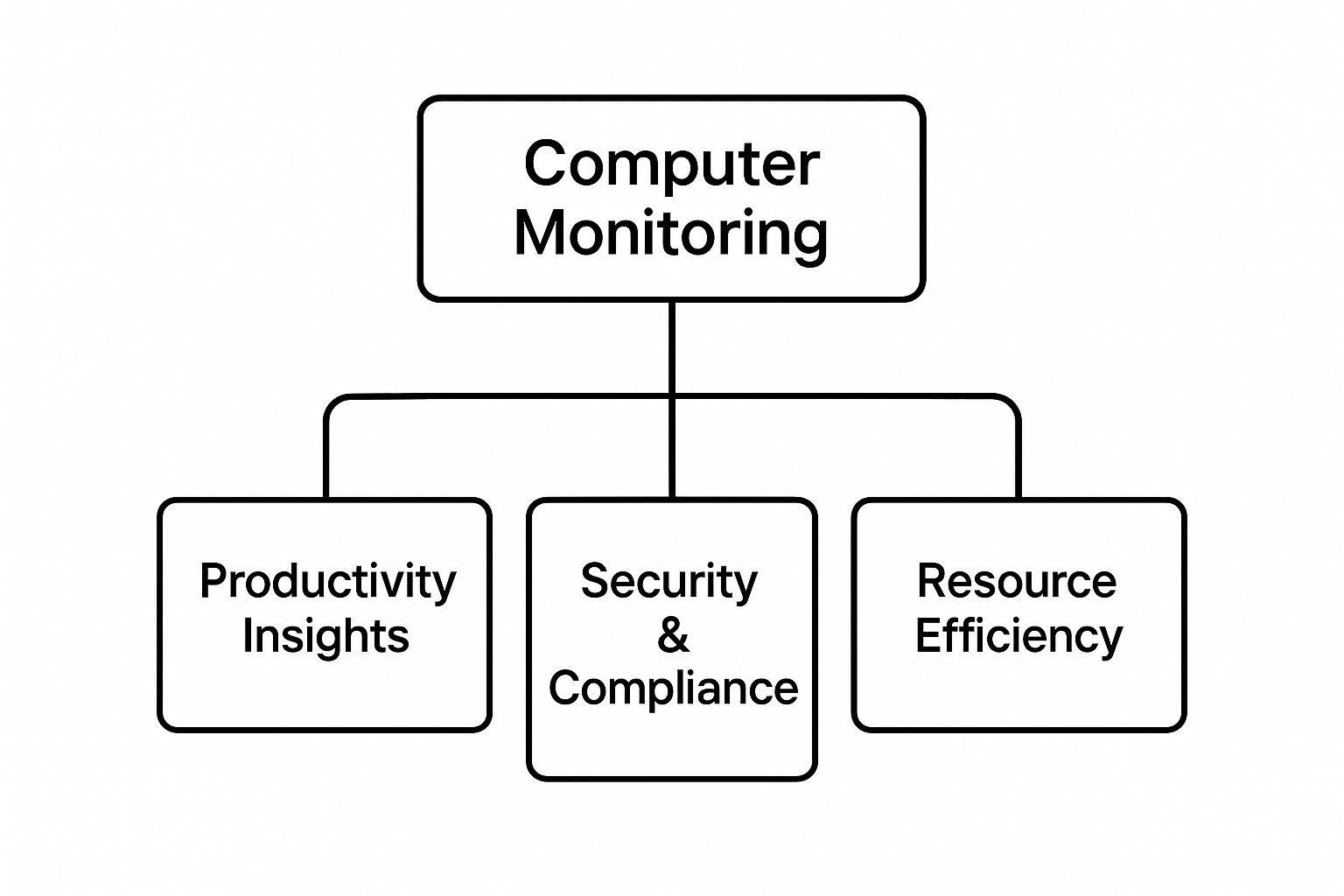
As you can see, these tools are designed to support a healthy, productive, and secure work environment—not to micromanage.
The Growing Importance in Business Strategy
It’s no surprise that more and more businesses are adopting these tools. The need for clear operational visibility and better security has never been greater. In fact, the global market for computer monitoring software is expected to hit roughly USD 12.5 billion by 2033, climbing at an annual growth rate of about 7.5% from 2025. That kind of growth shows just how essential these insights are becoming.
To help you get a quick overview, this table breaks down the main components of computer monitoring.
Key Facets of Computer Monitoring at a Glance
This table summarizes the primary areas that computer monitoring addresses, helping readers quickly grasp its scope and purpose.
| Monitoring Aspect | Primary Goal | Common Tools Used |
|---|---|---|
| Time Tracking | To understand how hours are allocated to tasks and projects, ensuring accurate payroll and project costing. | Automated timers, manual time entry logs, project management integrations. |
| App & URL Usage | To identify which software and websites are used for work, highlighting both productive tools and potential distractions. | Activity trackers, URL logging software, application usage meters. |
| Screenshot Captures | To provide visual proof of work for remote teams, verify activity on sensitive projects, and aid in dispute resolution. | Timed screen capture tools, on-demand screenshot features. |
| Keystroke/Mouse Activity | To measure engagement levels and ensure active work, differentiating between active and idle time. | Activity level meters, idle time detectors. |
Each of these elements provides a different piece of the puzzle, coming together to create a comprehensive view of team activity and performance.
The core idea is to transform raw data into actionable intelligence. When done right, monitoring provides a solid foundation for fair performance reviews, balanced workload distribution, and proactive security measures.
This proactive approach is what gives companies a real edge. It allows managers to support their teams effectively, offering help where it's needed most and celebrating achievements that are backed by objective data. If you want to dive deeper, you can also explore the concept of continuous monitoring, a related practice focused on ongoing risk assessment.
Ultimately, the goal is to create a transparent, efficient, and secure digital workspace where both the company and its people can thrive.
The Core Components of Modern Monitoring Software
To really get what computer monitoring is all about, you have to look under the hood. Modern software isn't just an on/off switch; it’s a whole suite of tools that each give you a unique peek into how work actually gets done. Think of it like a mechanic’s diagnostic toolkit—each instrument measures something different, but together, they paint a complete picture of performance.
These components are built to answer the big questions every business has: Where is our time going? Are we using our resources the right way? And in a remote world, how can we actually verify the work being done? Let's break down the four pillars that hold up most modern monitoring platforms.
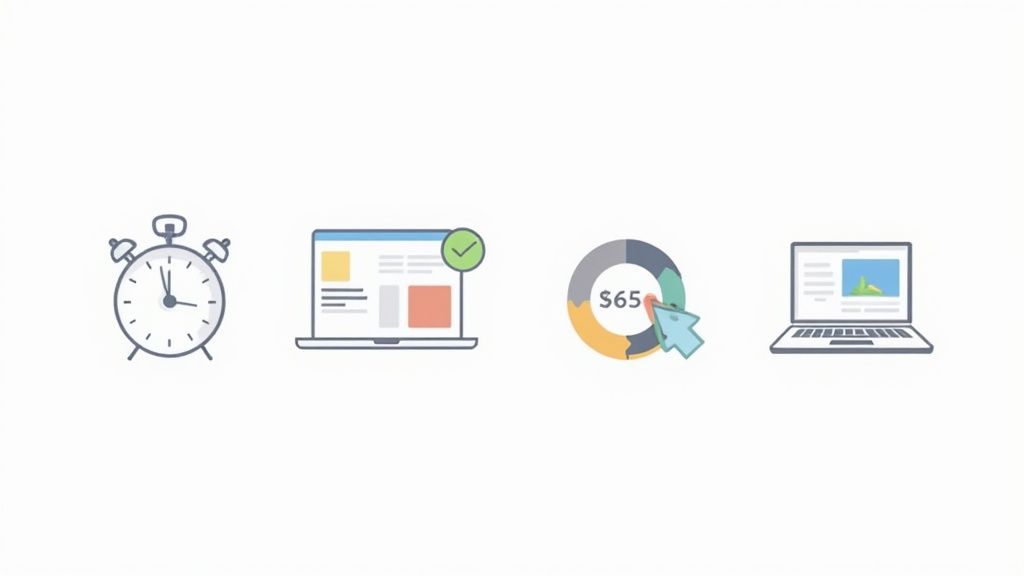
Time Tracking for Strategic Insights
On the surface, time tracking just logs the hours an employee is on the clock. But its real power comes from moving beyond a simple digital punch card. When you start connecting those hours to specific projects, tasks, and clients, time tracking transforms from a basic metric into a serious business intelligence tool.
Let's say you run a design agency. By tracking time, you might find out that a "quick" logo revision project actually ate up 30% more hours than you quoted. That data isn't about blaming the designer; it's about making your future quotes sharper and allocating your team's time more intelligently.
Time tracking provides the objective data needed to understand project profitability and workflow efficiency. It shifts the conversation from "how long did you work?" to "how was our time invested?"
This detailed view helps you spot hidden bottlenecks. If one phase of every project consistently runs long, that's a signal to improve a process or offer more training, which ultimately makes the whole team stronger. If you're looking to put this into practice, it's worth exploring how to boost productivity with the best computer monitoring software that builds these features right in.
Application and URL Tracking
This feature gives you a clear window into the digital tools and websites your team uses all day. It’s not about micromanaging every click, but about understanding digital habits and making sure company resources are being put to good use—productively and securely.
For instance, you might be paying for pricey software licenses. Application tracking could reveal that only a handful of people on the team actually use the tool, flagging a clear chance to cut costs.
On the flip side, it might show you that your team has found and adopted an unsanctioned—but super effective—new app. Discovering that could lead to a company-wide rollout that helps everyone. URL tracking simply helps ensure work time is spent on work and keeps your digital environment safe by flagging visits to potentially sketchy websites.
Screenshot Captures for Work Verification
Screenshots are probably the most misunderstood part of monitoring. When used the right way, they're a fantastic tool for verifying work and keeping everyone accountable, especially for remote teams where you can't just walk over to someone's desk.
Think of it as a quality assurance check. For a freelancer billing by the hour, random, low-resolution screenshots give the client peace of mind that their money is going toward active work on their project.
Modern systems give you a lot of control to protect privacy:
- Customizable Frequency: You can set screenshots to be taken at random intervals, from once every few minutes to just a couple of times per hour.
- Blurring Options: Sensitive information can be automatically blurred, confirming work is happening without exposing private details.
- Employee Control: Some platforms even let employees delete screenshots that accidentally captured personal info, as long as they make up the time.
This isn't about constant surveillance. It’s about building trust through transparency and giving everyone a simple, visual log of progress.
Activity Level Monitoring
Finally, activity level monitoring gives you a high-level view of engagement without being nosy. It measures productivity by tracking keyboard and mouse movements, turning them into simple activity percentages. This is a critical point: it tracks that someone is active, not what they are typing.
This approach completely sidesteps keylogging, which records every single keystroke and is a massive privacy red flag. Instead, you get a simple bar chart showing periods of high and low activity throughout the day.
This helps managers spot patterns. For example, if an employee’s activity always dips in the late afternoon, it could be the start of a conversation about flexible hours or shifting workloads to match their natural energy cycles—a change that could lead to better results for everyone.
Navigating the Productivity Paradox
You’d think that having more visibility into your team’s activity would automatically lead to better results. It just seems logical. But the link between monitoring and productivity is a lot trickier than a simple cause-and-effect relationship. This is where we run into the Productivity Paradox—a situation where more digital supervision doesn’t just fail to boost output, it can sometimes do the exact opposite.
When a computer monitoring system is rolled out without a thoughtful strategy, it can quickly turn from a supportive tool into a source of intense pressure. Instead of focusing on meaningful work, employees might start prioritizing the act of looking busy. This creates a culture of performance over progress, where the real goal becomes satisfying the tracking software instead of hitting actual business objectives.

This constant focus on activity is a fast track to burnout. When every single minute is scrutinized, the natural rhythm of a creative and thoughtful workday gets completely lost. People might feel forced to perform superficial tasks—like jiggling the mouse—just to keep their activity metrics high. This kind of behavior is the enemy of innovation and deep, critical thinking.
The Psychological Toll of Excessive Oversight
Constant digital surveillance can create a high-stakes environment where employees feel like they are perpetually under a microscope. That feeling can seriously erode the psychological safety that’s so vital for a healthy, collaborative team. When trust disappears, people become hesitant to take risks, ask for help, or experiment with new ideas—all the ingredients you need for genuine growth.
Think about a software developer trying to crack a complex coding problem. Their process might involve long stretches of just thinking, reading documentation, or sketching out ideas away from the keyboard. An activity-based monitoring tool could easily flag this as "idle time," creating pressure to just start typing anything, whether it’s productive or not.
This kind of pressure can lead to some pretty negative outcomes:
- Increased Stress and Anxiety: The feeling of being constantly watched can amplify work-related stress, taking a toll on mental well-being and job satisfaction.
- Reduced Autonomy: When people feel their every move is being judged, their sense of ownership and control over their work evaporates, leading to lower morale.
- Erosion of Trust: A heavy-handed approach to monitoring sends a clear message of distrust from management, which can do lasting damage to the employer-employee relationship.
When the definition of productivity is reduced to mere digital activity, the focus shifts from quality outcomes to superficial metrics. The true goal is to use monitoring to understand work, not just to watch it.
That shift in focus is absolutely crucial. The best monitoring strategies are built on a foundation of trust and transparency, using data to support and empower people, not to scrutinize them.
When More Work Doesn't Mean More Productivity
The data backing this paradox is pretty eye-opening. It shows a clear disconnect between the hours people log and the value they create. For example, statistical projections show that by 2025, about 70% of large companies will be using computer monitoring or time-tracking tools. But even with a corresponding rise in average working hours by over 2 hours per day and an 18% jump in after-hours work, productivity has paradoxically dropped by 8-19% in some sectors. This dip is often tied to increased communication overhead and a breakdown in real team collaboration. You can explore the full employee monitoring statistics to see more on these trends.
This really hammers home a critical lesson: activity does not equal achievement. A successful monitoring strategy has to look beyond the raw numbers and consider the context of the work being done.
Shifting Focus from Surveillance to Support
To avoid falling into the productivity paradox trap, the way you implement computer monitoring has to be strategic and employee-centric. The key is to frame the software as a tool for mutual benefit—one that gives managers insights for better decisions while offering data that helps employees manage their own time more effectively.
Here’s how you can reframe the approach:
- Focus on Team-Level Trends: Instead of singling out individuals, use aggregated data to spot bigger patterns. You might find departmental bottlenecks or inefficient workflows that need a closer look.
- Promote Transparency: Be upfront about what’s being monitored, why it’s happening, and how the data will be used. When people understand the purpose, they're far less likely to see it as intrusive.
- Use Data for Coaching: Managers can use productivity insights to open up supportive conversations, offering resources or adjusting workloads to help team members who might be struggling.
By navigating this paradox with care, companies can use monitoring to genuinely improve efficiency and support their teams, creating a culture where technology empowers people instead of just pressuring them.
Why Monitoring Is Essential for Remote Teams
Managing a team you can’t see in person brings its own unique set of challenges. When your people are scattered across different cities—or even time zones—the casual check-ins and natural oversight of an office just don't exist. This is where computer monitoring stops being a "nice-to-have" and becomes a core part of running a remote operation.
Think of it as a digital bridge. It closes the visibility gap that naturally opens up when everyone works from a different location. Without hard data, managers often have to rely on gut feelings or spotty information, which can lead to unfairness in performance reviews or how projects are assigned. Monitoring tools deliver the solid data needed to keep things transparent and fair for everyone, no matter where they log in from.
A clear, data-driven dashboard like this helps managers see team-wide productivity at a glance. It swaps out ambiguity for real, actionable insights, making sure everyone is aligned and on the same page.
Keeping Projects on Track and Workloads Balanced
In a remote setting, it’s all too easy for a project to slowly veer off course without anyone realizing it until it's too late. A good computer monitoring tool also doubles as a project management ally. By tracking the time spent on specific tasks and projects, managers get a live view of where things stand.
This allows for quick, proactive course correction. If one part of a project is eating up way more hours than planned, leaders can jump in to offer support, shift resources, or adjust timelines before the budget gets out of control. It turns project tracking from a manual, reactive headache into a dynamic, data-backed process.
On top of that, this data is invaluable for balancing workloads. It shines a light on who is consistently swamped and who might have the bandwidth to take on more. This helps prevent burnout and ensures work is spread out fairly across the team. Understanding these dynamics is a huge part of learning how to monitor remote employees the right way.
Bolstering Security and Compliance from Anywhere
When your team accesses sensitive company information from their home networks, your business's security perimeter suddenly gets a whole lot bigger. Every remote computer becomes a potential entry point for security threats. This is where monitoring plays a crucial defensive role.
By keeping an eye on application and URL usage, companies can make sure employees aren't visiting sketchy websites or using unauthorized, insecure software on their work devices. This simple oversight is a powerful defense against malware, phishing scams, and costly data breaches.
For remote teams, computer monitoring isn’t just about productivity. It's a foundational layer of cybersecurity and operational governance that protects both the company and its clients.
This is especially critical for businesses in regulated fields like finance or healthcare. They need to prove they're complying with data protection laws, and monitoring provides the audit trail to show that security rules are being followed, even by a distributed workforce.
Making Smarter Resource Management Decisions
Managing resources effectively is key for any business, but it’s even more important when you can't physically see how those resources are being used. Computer monitoring tools offer the kind of precise insights that lead to smarter financial and operational choices.
This is about more than just tracking time. Take software licenses, for example, which can be a major recurring expense. Monitoring data can quickly show you:
- Underused Software: You might discover that a pricey subscription is only being used by a couple of people on the team, opening the door for immediate cost savings.
- Workflow Bottlenecks: The data might reveal that your team is spending way too much time bouncing between different apps to get a simple task done. This insight can drive the adoption of more integrated, efficient tools.
- Training Gaps: If the team is struggling with a certain program, their usage patterns will show it. This is a clear signal that a bit of training could go a long way in boosting everyone's skills.
The global computer monitor market, valued at approximately USD 47.12 billion in 2025, is set to grow substantially, thanks to the rise of hybrid work and the need for high-quality displays that support detailed work. By giving you a clear window into how your digital resources are being used, monitoring ensures these investments are actually paying off.
Implementing Monitoring Ethically and Effectively
Rolling out computer monitoring software is about much more than just hitting "install." It calls for a thoughtful strategy built on a foundation of trust and transparency. If you just drop a tool on your team without context, even the best software can stir up resentment and fear.
The trick is to frame it correctly. This isn't about surveillance; it's about support. The goal is to make sure everyone sees the system as a tool for our collective success, not just a way to keep tabs on people. This shift from oversight to insight starts with open communication, long before any software is ever installed. Leaders need to get out ahead of it, explaining the what, why, and how to demystify the process and tackle concerns head-on.
Crafting a Clear and Comprehensive Monitoring Policy
The absolute cornerstone of doing this right is a crystal-clear monitoring policy. This document can't leave any room for doubt. It should be the single source of truth for both your team and their managers.
At its core, the policy needs to define the scope and rules for what data gets collected and how. This is often laid out in a formal logging and monitoring policy.
A solid policy needs to spell out a few key things so everyone is on the same page from the get-go.
Your policy must cover:
- What is Being Monitored: Be specific about the data points you're collecting—application usage, time on projects, activity levels. Vague language is your enemy here. Be upfront about what is and isn't being tracked.
- Why Monitoring is Necessary: Connect the dots for your team. Explain the business reasons behind it. Maybe you need to quote projects more accurately, balance workloads, or tighten up security. When you tie it to real business objectives, people understand.
- How the Data Will Be Used: Make it clear that the data is for improving processes, coaching, and ensuring work is distributed fairly. Reassure employees that the focus is on team-level trends, not nitpicking individual performance.
- Who Can Access the Data: Lock this down. Define exactly who can see the monitored data—like direct managers or HR—and for what specific, legitimate reasons. Confidentiality is key.
Just writing the policy isn't enough; you have to communicate it. Hold team meetings, give everyone a copy, and open the floor for questions. This level of transparency is non-negotiable if you want to build the trust needed for a healthy workplace.
Focusing on Trends Instead of Individuals
Here's the secret to effective monitoring: use the data to see the big picture, not to micromanage. The goal is to analyze combined metrics that show you patterns across the whole team or department. This helps you spot systemic issues without making anyone feel like they're under a microscope.
For instance, if the data shows an entire department is sinking way too much time into admin tasks, that's a signal. It tells you to look into clunky workflows or a need for better automation tools. The conversation becomes about process improvement, not a critique of one person's time management. You can get a more complete picture by exploring the pros and cons of employee monitoring to build a balanced approach.
Shifting the focus from individual performance metrics to collective operational insights turns monitoring into a constructive tool for strategic growth. It helps managers become better coaches and supporters for their teams.
This approach turns data from a potential weapon into a collaborative tool. It helps answer critical questions like, "Where are our projects hitting roadblocks?" or "Do we have the right software to get the job done?" These insights empower leaders to make smarter decisions that help everyone.
Ensuring Data Security and Privacy
When you start collecting employee data, you take on a massive responsibility to protect it. A rock-solid data security plan isn't just a good idea; it's a critical piece of any ethical monitoring setup. All the information you gather needs to be stored securely, using encryption and tight access controls to keep it from prying eyes.
Here are some best practices for data security:
- Secure Storage: All monitored data should be encrypted, both when it's being sent and when it's being stored.
- Strict Access Controls: Only authorized people should have access, with clearly defined roles and permissions.
- Data Retention Policies: Set a clear timeline for how long you'll keep data and when it will be securely deleted for good.
By making data security a top priority, you send a clear message that you're committed to protecting employee privacy. It reinforces that monitoring is a professional tool for business improvement, not a way to be intrusive. In the end, a strong ethical framework is what turns computer monitoring into a powerful asset that drives efficiency, supports your team, and builds a culture of transparency and shared success.
How DeskCove Gets Monitoring Right
It’s one thing to talk about ethical monitoring in theory, but putting it into practice is where things get real. DeskCove is built to bridge that gap, offering tools that deliver crucial business insights without stomping on employee autonomy. We're moving past the old, rigid computer monitoring definition to help you build a more transparent and supportive workplace.
This starts with features like automated time tracking. Instead of making your team constantly punch a clock, DeskCove just captures time spent on tasks and projects in the background. Managers get the accurate data they need for billing and project planning, and employees get to focus on what they do best—no micromanagement needed.
Turning Data into a Team Superpower
DeskCove’s URL and application tracking is another piece of the puzzle. The goal here isn't to police every single click. It's about understanding how work actually gets done. By seeing which apps and sites are used during billable hours, managers can spot both productivity boosters and common distractions, leading to better conversations about workflow.
This feature helps answer some really important questions:
- Are we actually using that expensive software subscription we pay for?
- Is the team missing a key tool that could make a certain task easier?
- Are there a few time-wasting websites that we should probably address in our company policy?
By focusing on the big picture—the aggregate data—DeskCove turns monitoring into a tool for making things better. The insights help you use your resources smarter and keep company time focused on what matters, building a culture of efficiency, not fear.
Building Trust Through Transparency
Screenshots are probably the touchiest part of any monitoring system, and we get that. That’s why DeskCove makes this feature incredibly flexible. The power is in the administrator's hands to set things up in a way that aligns with company policy and makes everyone comfortable. You can tweak how often captures happen or even turn them off completely for certain people.
This flexibility shifts screenshots from a "gotcha" surveillance tool to a simple way of verifying work. At the end of the day, DeskCove gives managers the insights they need to guide their teams effectively. At the same time, it empowers employees by giving them access to their own productivity data, creating a transparent environment where everyone can pull in the same direction with confidence.
Frequently Asked Questions About Computer Monitoring
Stepping into the world of computer monitoring naturally brings up some big questions. Getting clear, honest answers is the only way to use these tools in a way that’s both effective and ethical, making sure everyone on the team feels respected and in the loop. Let's tackle some of the most common ones.
Is Computer Monitoring Legal?
Yes, for the most part, monitoring company-owned computers and devices is legal. Employers have a right to protect their assets, keep productivity on track, and ensure their networks are secure.
That said, the specific laws can change quite a bit depending on your state or country, especially when it comes to employee privacy. The absolute best practice? Be upfront about it. Have a clear, written policy that every employee reads and signs. This document should spell out exactly what’s being monitored and why. It’s the cornerstone of a legal—and ethical—monitoring strategy.
Can Monitoring Software Invade Employee Privacy?
This is a huge concern, and a fair one. The short answer is: it depends entirely on how you use it. Ethical computer monitoring is all about understanding work-related activity on company devices, not peering into someone's personal life.
Good monitoring tools are built with privacy in mind. Many have features that blur sensitive information in screenshots or skip keylogging entirely to avoid capturing passwords or private messages.
To keep privacy front and center:
- Keep monitoring strictly to work hours and on company-owned equipment.
- Never track personal devices unless you have explicit, opt-in consent.
- Focus on the big picture—look at aggregated data and team trends instead of putting any single person under a microscope.
Will Monitoring Hurt Team Morale?
It absolutely can, but only if it's rolled out the wrong way. If monitoring is sprung on a team without warning or positioned as a tool to "catch" people making mistakes, it’s a fast track to a culture of anxiety and mistrust.
The key is to frame it as what it should be: a support tool. It’s there to help improve workflows, make sure workloads are balanced fairly, and provide objective data to help everyone succeed. When you’re transparent about the why and focus on using the insights for constructive, positive feedback, monitoring becomes a tool that builds the team up instead of breaking it down.
Ready to see how a balanced approach to monitoring can benefit your team? Discover how DeskCove provides powerful insights while respecting employee privacy. Learn more at DeskCove.com.