10 Remote Work Productivity Tips to Master in 2025

The shift to remote work has transformed from a temporary solution into a permanent career path for millions. While the flexibility is unparalleled, mastering the art of staying focused and productive outside a traditional office presents its own unique challenges. Distractions are everywhere, the lines between personal and professional life blur, and the structure we once took for granted has vanished. This guide moves beyond generic advice to offer a comprehensive set of actionable remote work productivity tips designed for immediate implementation.
Whether you're a manager leading a distributed team, a freelancer juggling multiple clients, or an employee navigating your home office, these proven strategies will help you reclaim your focus and build a sustainable, high-performance workflow. We will explore specific techniques for establishing a dedicated workspace, managing your schedule with time blocking, and minimizing the constant context-switching that kills efficiency. Each tip is designed to be practical, helping you move from simply being busy to being truly productive. To further enhance your remote work setup and gain comprehensive insights, consider these essential work-from-home productivity tips as a complementary resource. Let’s dive into the strategies that will help you thrive.
1. Establish a Dedicated Workspace
Creating a specific physical location for work is one of the most foundational remote work productivity tips. This dedicated area signals to your brain that it's time to focus, helping to establish clear boundaries between your professional and personal life. Without this separation, the lines can blur, leading to burnout or a constant feeling of being "on the clock." A proper workspace reduces distractions and creates a professional environment that improves your ability to 'leave work' at the end of the day.
This psychological trick of associating a specific place with a specific activity is powerful. When you consistently work in the same spot, you build a routine that makes it easier to transition into a productive mindset.
How to Implement This Tip
Even without a spare room, you can create a dedicated zone. The key is consistency and separation.
- Define Your Space: If you don't have a separate room, use a room divider, a bookshelf, or even a specific corner of a larger room. The goal is to create a visual and physical boundary.
- Invest in Ergonomics: A quality desk and an ergonomic chair are crucial for long-term comfort and health. This prevents physical strain that can tank your productivity.
- Optimize the Environment: Add plants and ensure proper lighting to improve your mood and focus. Keep work materials separate from personal items to minimize clutter and distractions. For a deeper dive, you can explore strategies for effective workflow management in a home office.
This approach is essential for anyone working remotely, from freelancers to entire teams. It establishes a professional foundation that supports all other productivity efforts.
2. Time Blocking and Schedule Management
One of the most effective remote work productivity tips is implementing time blocking, which involves dividing your day into dedicated blocks for specific tasks. This structured approach prevents multitasking and context-switching, a major drain on focus and energy. By assigning a job to every minute of your day, you ensure important projects receive the attention they deserve and create a rhythm similar to a traditional office schedule, which boosts accountability.
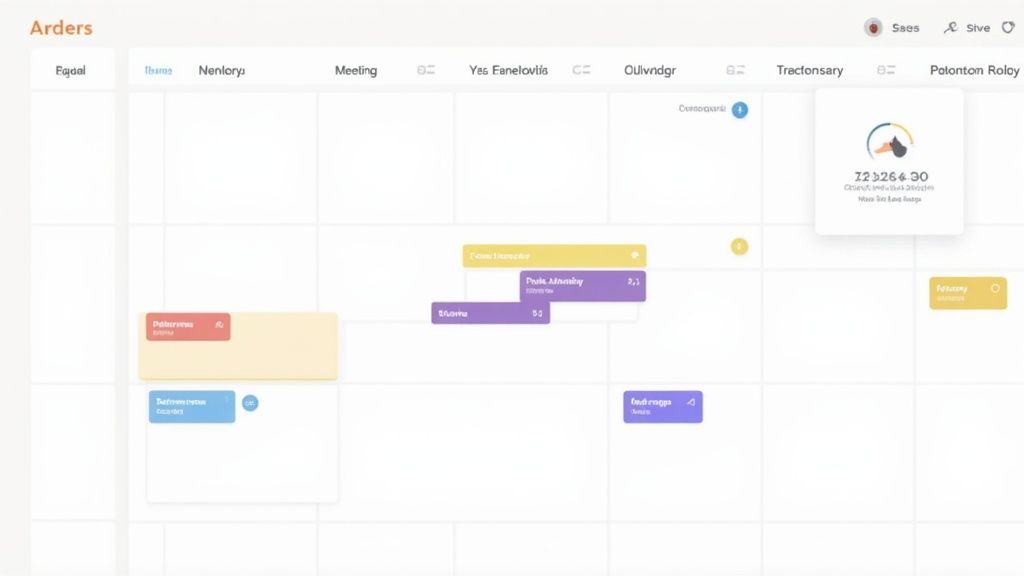
This method forces you to confront the reality of how much time you have and be more intentional with how you use it. When you actively schedule deep work sessions, you protect your most productive hours from distractions, ensuring you make tangible progress on high-priority goals instead of reacting to endless notifications.
How to Implement This Tip
Getting started with time blocking is straightforward, and digital calendars make it easy to visualize your entire week.
- Schedule Your Priorities: Identify your most important tasks (MITs) for the day and schedule them during your peak energy hours. A 90-minute block is often ideal, aligning with natural ultradian rhythms.
- Color-Code Your Calendar: Assign different colors to different types of work, such as deep work, meetings, administrative tasks, and breaks. This provides a quick visual overview of your day's structure.
- Include Buffer Time: Don't schedule your blocks back-to-back. Add 15-minute buffers in between to allow for transitions, grab a coffee, or simply reset before diving into the next task. For more strategies, explore guides on effective time management for remote workers.
- Review and Adapt: At the end of each week, review your schedule. See what worked and what didn't, and adjust your blocks for the upcoming week to continuously optimize your workflow.
3. The Pomodoro Technique
The Pomodoro Technique is a powerful time management method that enhances focus by breaking work into dedicated intervals. It involves working in 25-minute focused sessions, known as "pomodoros," separated by short, five-minute breaks. This structure creates a sense of urgency, combats procrastination, and prevents the mental fatigue that often accompanies long, uninterrupted work periods, making it one of the most effective remote work productivity tips.

This method leverages the psychological effect of deadlines to sharpen your concentration on a single task. After about four pomodoros, you take a longer break of 15-30 minutes. This cyclical approach is widely adopted by software developers and writers to maintain high-quality output throughout the day without succumbing to burnout. Its simplicity makes it easy to integrate into any remote workflow.
How to Implement This Tip
Getting started with the Pomodoro Technique requires minimal setup but maximum discipline during the focused intervals.
- Choose a Task and a Timer: Select a single task to work on and set a timer for 25 minutes. A physical timer can be more effective initially to create a tangible commitment.
- Work Until the Timer Rings: Focus exclusively on the chosen task. If a distraction arises, jot it down and immediately return to your work.
- Take a Short Break: When the timer goes off, mark one pomodoro as complete and take a five-minute break. Use this time to stretch, grab a drink of water, or do something completely unrelated to work.
- Rinse and Repeat: After four pomodoros, take a longer, more restorative break. Tools like the Marinara Timer can help you track your intervals and breaks automatically.
This technique is especially useful for tackling large, intimidating projects or for remote workers who struggle to stay focused amid household distractions.
4. Optimize Your Environment for Focus
Beyond just having a dedicated workspace, optimizing its sensory elements is a crucial step for achieving deep work. Your physical environment directly impacts your cognitive load, concentration, and ability to enter a flow state. By consciously managing noise, lighting, and visual clutter, you can remove subtle but significant barriers to productivity, making it easier to maintain focus for extended periods. This is one of the most impactful remote work productivity tips because it addresses the subconscious distractions that drain mental energy.
Applying concepts of intentional design to a home office allows you to create a personalized haven for concentration. Research has shown that environmental factors like lighting and temperature can significantly influence employee performance and well-being.
How to Implement This Tip
Optimizing your environment is about making small, strategic adjustments that yield significant returns in focus and efficiency.
- Control Your Sensory Input: Invest in a quality pair of noise-canceling headphones to block out household sounds. A white noise generator or app can also help create a consistent, non-distracting auditory backdrop.
- Manage Light and Vision: Position your desk near a window to maximize natural light, which is proven to boost mood and alertness. To combat digital eye strain, use blue light filtering glasses and follow the 20-20-20 rule (look at something 20 feet away for 20 seconds every 20 minutes).
- Minimize Visual Clutter: Keep only essential items and current project materials on your desk. A clean, organized surface reduces mental friction and helps you focus on the task at hand.
- Maintain Comfort: Ensure your room temperature is comfortable, ideally between 68-72°F (20-22°C). Adding plants can improve air quality and provide a calming visual element.
5. Regular Breaks and Movement
Taking intentional breaks and incorporating physical activity is a counterintuitive yet powerful remote work productivity tip. The human brain isn't designed for prolonged, uninterrupted focus. Regular breaks prevent mental fatigue, maintain energy levels, and combat the health risks of a sedentary work style. Stepping away from your screen increases blood flow, resets your focus, and can significantly boost creative problem-solving upon your return.
This isn't just theory; research supports this practice. Studies have found that short breaks were critical for reducing stress and improving concentration. Similarly, the widespread adoption of stand-up desks underscores the recognition that movement is directly linked to sustained performance. Forcing yourself to "power through" is often less effective than strategically resting.
How to Implement This Tip
Integrating breaks and movement requires intentionality, especially when you don't have colleagues prompting you to grab a coffee.
- Schedule Your Breaks: Don't wait until you feel fatigued. Use a timer to take a 5-10 minute break every 60-90 minutes of focused work.
- Move Your Body: Use these breaks for stretching, walking around your home, or doing a few simple desk exercises. Stepping outside for fresh air and natural light is especially beneficial.
- Protect Your Eyes: Follow the 20-20-20 rule to prevent digital eye strain. Every 20 minutes, look at something 20 feet away for at least 20 seconds.
- Stay Hydrated: Ensure your breaks include grabbing a glass of water, not just another cup of coffee. Proper hydration is crucial for cognitive function.
This approach is vital for long-term remote work success, ensuring you end your day feeling accomplished rather than completely drained.
6. Communication Tools and Boundaries
Establishing clear communication protocols and setting boundaries around availability prevents constant interruptions while ensuring necessary collaboration. This approach involves defining how and when your team connects, protecting focus time from the endless stream of notifications. Without these guardrails, remote workers often feel pressured to be constantly online, leading to burnout and decreased productivity from frequent context-switching.
Prioritizing asynchronous communication gives employees control over their schedules. By documenting communication guidelines and encouraging deliberate interaction, effective remote work productivity tips hinge on respecting deep work. It shifts the culture from immediate responses to thoughtful, well-timed collaboration.
How to Implement This Tip
Adopting mindful communication practices requires both the right tools and clear team agreements.
- Define Channel Purpose: Designate specific channels for specific topics (e.g., #urgent for immediate issues, #general for non-critical updates). This helps team members prioritize their attention. Beyond setting clear boundaries, leveraging the right remote work collaboration tools is paramount for maintaining seamless communication.
- Use Status Indicators: Encourage the use of status features in tools like Slack or Microsoft Teams to signal when you are in "focus mode," in a meeting, or away. This manages expectations for response times.
- Batch Your Communication: Instead of reacting to every notification, schedule specific blocks of time 2-3 times per day to check and respond to emails and messages. This preserves long, uninterrupted periods for deep work.
- Establish 'Office Hours': Clearly communicate your available hours to your team. This is especially critical in teams spanning multiple time zones and helps prevent after-hours messages.
This strategy is vital for creating a sustainable and productive remote work environment where focused work is the default, not the exception.
7. Goal Setting and Progress Tracking
Setting clear, measurable goals and tracking progress provides essential direction and motivation in a remote work environment. Without the direct oversight of a traditional office, this proactive approach creates accountability and makes your accomplishments visible. It transforms vague intentions into a clear roadmap, allowing you to see exactly what you've achieved and identify potential obstacles early on. This is one of the most effective remote work productivity tips for maintaining focus and momentum.
Agile development teams rely on sprint goals to deliver work in focused, iterative cycles. This structure provides the clarity needed to stay productive and aligned when working from anywhere.
How to Implement This Tip
Effective goal setting isn't about creating a massive to-do list; it's about defining a clear focus and measuring what matters.
- Be Specific and Realistic: Instead of a vague goal like "improve marketing," aim for "increase blog traffic by 15% this quarter." Set 3-5 high-impact goals for the week, not an overwhelming list of twenty.
- Break It Down: Deconstruct larger objectives into small, actionable daily or weekly tasks. This makes progress feel more manageable and helps build momentum.
- Track Visually: Use tools like checklists, Kanban boards, or simple spreadsheets to visualize your progress. Seeing how far you've come is a powerful motivator.
- Review and Adapt: Start each day or week by reviewing your goals. Be prepared to adjust them based on new information or changing priorities. The goal is progress, not rigid adherence to an outdated plan.
This practice is crucial for freelancers managing their own workload and for managers aiming to keep their teams aligned and engaged.
8. Minimize Distractions and Context-Switching
One of the most significant hurdles to remote work productivity is the constant battle against interruptions. Context-switching, or rapidly jumping between different tasks, fragments your attention and can devastate your efficiency. Research shows it can take over 20 minutes to regain deep focus after just one interruption, making distraction management a critical skill. By intentionally minimizing these shifts, you preserve your cognitive resources for high-value work.

The concept of "Deep Work" and technological features like Focus modes recognize that high-quality output requires uninterrupted concentration. Actively curbing distractions isn't just a preference; it's a strategic necessity for producing thoughtful, accurate, and creative work in a remote setting.
How to Implement This Tip
Protecting your focus requires a proactive, multi-layered strategy. The goal is to create an environment where deep work is the default, not the exception.
- Silence Digital Noise: Turn off non-essential notifications on your computer and phone during focus blocks. The constant pings from email, chat apps, and social media are primary culprits of context-switching.
- Create Physical Boundaries: If possible, place your phone in another room during deep work sessions. For household members, use a 'do not disturb' sign or have a clear conversation about your focus hours to prevent interruptions.
- Use Technology to Your Advantage: Employ website blockers to restrict access to distracting sites. Also, close all unnecessary browser tabs and applications to create a clean, focused digital workspace.
- Set Clear Communication Expectations: Let your team know you'll be offline for a set period and will respond later. This manages expectations and empowers you to disconnect without feeling guilty.
9. Develop a Consistent Routine
Developing a consistent daily routine is one of the most effective remote work productivity tips for creating structure and predictability. Routines reduce decision fatigue by making key actions automatic, signaling to your brain when it’s time to focus, relax, or sleep. For remote workers who lack the natural structure of a commute and office environment, a well-designed routine becomes an essential anchor for productivity and well-being.
This structured approach helps separate your professional and personal hours, preventing the workday from bleeding into your evening. Sleep experts have extensively documented how consistent wake and sleep times drastically improve cognitive function, mood, and focus. Similarly, many successful entrepreneurs credit their structured morning rituals with setting a productive tone for the entire day.
How to Implement This Tip
A successful routine isn't about rigid, minute-by-minute scheduling; it's about creating consistent anchors that guide your day.
- Create a "Pre-Work" Ritual: Start your day 1-2 hours before logging on. This period can include exercise, a healthy breakfast, or reading, allowing you to begin work feeling prepared and not rushed.
- Establish a Clear Start Time: Begin work at the same time each day. A simple ritual, like making a cup of coffee and reviewing your to-do list, can signal the official start of your workday.
- Schedule Your Breaks: Intentionally block out time for lunch and short breaks. Stepping away from your desk at consistent intervals prevents burnout and helps maintain high energy levels.
- Implement a Shutdown Routine: Create an end-of-day ritual to signal that work is over. This could involve reviewing tasks for the next day, tidying your desk, and closing all work-related tabs. This action helps you mentally disconnect.
10. Effective Use of Productivity Tools and Technology
Leveraging the right productivity tools is a cornerstone of modern remote work, acting as the digital infrastructure for your team. These tools streamline workflows, automate repetitive tasks, and create a single source of truth for projects. Rather than just being software, they are essential for reducing friction in daily operations, enabling seamless collaboration, and providing data-driven insights into team performance.
The key isn't adopting every popular app but choosing a select few that integrate well and solve specific problems. For example, using a tool for project management, another for communication, and an automation service to connect them creates a powerful, automated ecosystem. This strategic approach prevents "tool fatigue" and ensures technology serves, rather than complicates, your workflow, making it one of the most impactful remote work productivity tips.
How to Implement This Tip
Intentional tool selection and adoption are crucial for maximizing their benefits without creating unnecessary complexity.
- Start with Core Functions: Begin with 3-4 essential tools covering project management, communication, and documentation. Avoid collecting single-purpose apps that can fragment information.
- Prioritize Integration: Ensure new tools connect seamlessly with your existing technology stack. Use automation platforms to create workflows that reduce manual data entry and save time.
- Establish Clear Usage Norms: Create and share guidelines on how each tool should be used. For instance, define what constitutes an urgent message in a chat app versus a task comment in a project management tool to keep communication organized. A curated list of remote work productivity tools can help you make an informed choice.
- Conduct Regular Audits: Periodically review your toolset with your team. Ask what's working, what's redundant, and what could be improved. Don't be afraid to retire a tool that no longer adds significant value.
Remote Work Productivity: 10-Point Comparison
| Item | Implementation 🔄 (complexity) | Resource needs ⚡ (cost/time/tools) | Expected outcomes 📊 (impact) | Ideal use cases 💡 | Key advantages ⭐ |
|---|---|---|---|---|---|
| Establish a Dedicated Workspace | Medium — physical setup and boundaries | Medium-high — furniture, lighting, reliable internet | High — improved focus, work-life separation | Remote workers with available space; frequent video calls | ⭐⭐⭐ — clearer boundaries; fewer interruptions |
| Time Blocking and Schedule Management | Low–Medium — calendar discipline and planning | Low — calendar app, time to plan | High — more deep work, predictable schedule | Knowledge work, multi-project schedules, planning-heavy roles | ⭐⭐⭐ — reduces decision fatigue; improves focus |
| The Pomodoro Technique | Very low — simple timer-based routine | Very low — timer or app | Moderate–High — reduced procrastination, sustained energy | Short tasks, study sessions, attention-challenged workers | ⭐⭐ — easy to adopt; enforces breaks |
| Optimize Your Environment for Focus | Medium — adjust lighting, noise, ergonomics | Medium — lamps, headphones, ergonomic gear | High — faster flow entry; fewer errors; better health | Those sensitive to sensory input; long focus sessions | ⭐⭐⭐ — lowers cognitive load; improves comfort |
| Regular Breaks and Movement | Low — scheduling and habit formation | Low — short activity space or app reminders | High — less fatigue; improved creativity and health | Sedentary roles; long workdays; knowledge workers | ⭐⭐⭐ — prevents burnout; boosts energy |
| Communication Tools and Boundaries | Medium — policy setting and team alignment | Medium — collaboration tools, time for agreements | High — fewer interruptions; clearer expectations | Distributed teams; async workflows; client-facing roles | ⭐⭐ — predictable communication; protects focus time |
| Goal Setting and Progress Tracking | Medium — define goals and review cadence | Low–Medium — templates, dashboards, review time | High — greater alignment, motivation, measurable progress | Project-driven work; managers and individual contributors | ⭐⭐⭐ — clarifies priorities; increases accountability |
| Minimize Distractions & Context-Switching | Medium — habit change + technical controls | Low–Medium — blockers, app settings, discipline | Very High — higher quality work; faster completion | Deep work tasks: coding, writing, analysis | ⭐⭐⭐ — big gains in accuracy and speed |
| Develop a Consistent Routine | Medium — habit-building over weeks | Low — time investment; personal planning | High — reduced decision fatigue; better wellbeing | Remote workers needing structure; entrepreneurs | ⭐⭐ — predictable days; improved discipline |
| Effective Use of Productivity Tools & Tech | Medium–High — select, integrate, and train | Medium–High — subscriptions, integration, learning | High — automation, visibility, collaboration gains | Teams, scalable processes, complex workflows | ⭐⭐⭐ — automates work; provides data-driven insights |
Putting Your Productivity Plan into Action
The transition to remote work offers unparalleled flexibility, but true success hinges on mastering the art of self-management and intentional productivity. Throughout this guide, we've explored a comprehensive toolkit of remote work productivity tips, moving beyond generic advice to provide actionable strategies for managers, teams, and freelancers alike. From the foundational importance of a dedicated workspace and a consistent daily routine to advanced techniques like time blocking and the Pomodoro method, each strategy offers a pathway to greater focus and more meaningful output.
We’ve seen how optimizing your environment, setting clear communication boundaries, and strategically minimizing distractions are not just minor tweaks but fundamental pillars of a sustainable remote career. The key takeaway is that productivity isn't a single, monolithic concept; it's a personalized system built from consistent habits. Your ideal workflow will be a unique combination of these principles, tailored to your specific role, personality, and professional goals.
From Knowledge to Habit: Your Next Steps
Reading about these techniques is the first step, but real transformation happens through consistent application. The most common mistake is trying to implement everything at once, which often leads to overwhelm and abandonment. Instead, adopt a more strategic and incremental approach to build lasting change.
Here’s a simple, actionable plan to get started:
- Identify Your Biggest Bottleneck: Reflect on your typical workday. What is the single biggest obstacle to your productivity? Is it the constant ping of notifications (Communication Boundaries), the temptation of household chores (Dedicated Workspace), or a feeling of being perpetually busy but not productive (Goal Setting and Progress Tracking)?
- Select One or Two Core Strategies: Based on your primary challenge, choose just one or two tips from this article to focus on. If you struggle with unstructured days, commit to implementing Time Blocking for the next two weeks. If focus is your main issue, practice the Pomodoro Technique with unwavering discipline.
- Track and Measure Your Progress: You cannot improve what you do not measure. Keep a simple journal or use a digital tool to note how the new strategy impacts your focus, output, and overall well-being. This data provides the crucial feedback loop needed to refine your approach.
Mastering these remote work productivity tips is about more than just getting more done. It’s about regaining control over your time, reducing work-related stress, and creating a healthy work-life balance that allows you to thrive professionally without sacrificing your personal well-being. By building a deliberate, structured, and focused remote work system, you empower yourself to deliver high-quality work consistently, proving that exceptional performance is not tied to a physical office.
Ready to move from guessing to knowing exactly where your time goes? DeskCove provides automatic time tracking and powerful productivity analytics to give you the data-driven insights needed to optimize your focus. Start making informed decisions about your workflow and unlock your full potential by visiting DeskCove to learn more.