How to Monitor Remote Employees Without Losing Trust
Let's be honest, the key to making remote employee monitoring work is to stop thinking about it as surveillance. It's not about catching people slacking off. Instead, it’s about understanding workflows, spotting where your team gets stuck, and giving them the support they need to succeed. When you use tools like DeskCove with this mindset, you build transparency and trust, not resentment.
Balancing Productivity and Trust in Remote Work

When everyone went remote, managers everywhere faced the same challenge: how do we make sure work gets done without physically seeing our teams? The answer isn't micromanagement. It's about building a system that fosters both accountability and the freedom for your team to do their best work. Any effective monitoring strategy has to be built on clear goals, open communication, and the right tech.
This approach turns monitoring from a "big brother" tool into a collaborative instrument for growth. By focusing on outcomes instead of just the hours people are clocked in, you empower your team. The real goal is to get a clear picture of work processes, identify what’s slowing things down, and offer help exactly where it's needed.
The Modern Approach to Monitoring
It's no surprise that employee monitoring software has become common in remote setups. Right now, about 60% of companies with remote staff use some form of it, and another 17% are looking into it. The data shows why: among businesses that have adopted these tools, a staggering 81% reported a boost in worker productivity. This proves that when used the right way, these tools genuinely work. You can dig into more of these remote work statistics and their implications to see the full picture.
But a successful strategy is about more than just installing software. It’s about creating a culture where monitoring is seen for what it is—a tool to help everyone win.
A balanced strategy isn't just a single action; it's a combination of principles working together. We've found that the most successful companies build their approach on a few key pillars.
Pillars of an Effective Remote Monitoring Strategy
| Pillar | Objective | Key Action |
|---|---|---|
| Transparency | To build trust and ensure buy-in. | Clearly communicate what is being monitored, why it's being monitored, and how the data will be used. |
| Goal-Orientation | To focus on results, not just activity. | Tie monitoring data directly to progress on specific, measurable business objectives and project milestones. |
| Support | To act as a resource, not a disciplinarian. | Use the data to identify team members who are struggling and proactively offer assistance or training. |
| Empowerment | To foster self-management and accountability. | Give employees access to their own productivity data so they can manage their time and improve their own performance. |
These pillars work together to create a system that feels fair and supportive, rather than intrusive. It's about giving your team the tools they need to take ownership of their work.
The best remote monitoring strategies aren't about watching every click. They are about understanding workflows, removing obstacles, and creating an environment where high performance is the natural result of a supportive and transparent culture.
Ultimately, this balanced approach helps you build a resilient, productive, and happy remote team. It makes sure projects stay on track while strengthening the trust that's absolutely critical for any distributed workforce to succeed in the long run.
Building Your Monitoring Framework with DeskCove
Okay, let's move from the high-level ideas of trust and productivity to the nuts and bolts of setting things up. This is where your monitoring strategy really starts to take shape. The goal isn't to just flip a switch; it's to build a system with DeskCove that actually fits how your team works, not some generic, one-size-fits-all model. When you get this right, you get incredible insights without making anyone feel like they're under a microscope.
The first thing to get your head around is that different roles have totally different digital footprints. A developer’s productive day looks nothing like a marketer’s. One person might be deep in a code editor for hours on end, while the other is bouncing between social media platforms, analytics dashboards, and design software. Both are working hard, but their activity patterns are worlds apart.
Customizing Profiles for Different Roles
This is where DeskCove really shines. You can create custom monitoring profiles for different departments or even for specific individuals. This isn't just a nice feature—it's absolutely critical for getting accurate, fair data. Instead of a blanket policy, you get to define what "productive," "unproductive," or even "neutral" means for each role.
Think about your sales team. For them, CRM software, email clients, and LinkedIn are obviously productive. But for a content writer, spending an hour on a research-heavy site like Wikipedia could also be highly productive. This is the kind of nuance that ensures the data you collect actually reflects real work.
This visual breaks down the basic process of choosing and rolling out a monitoring tool.
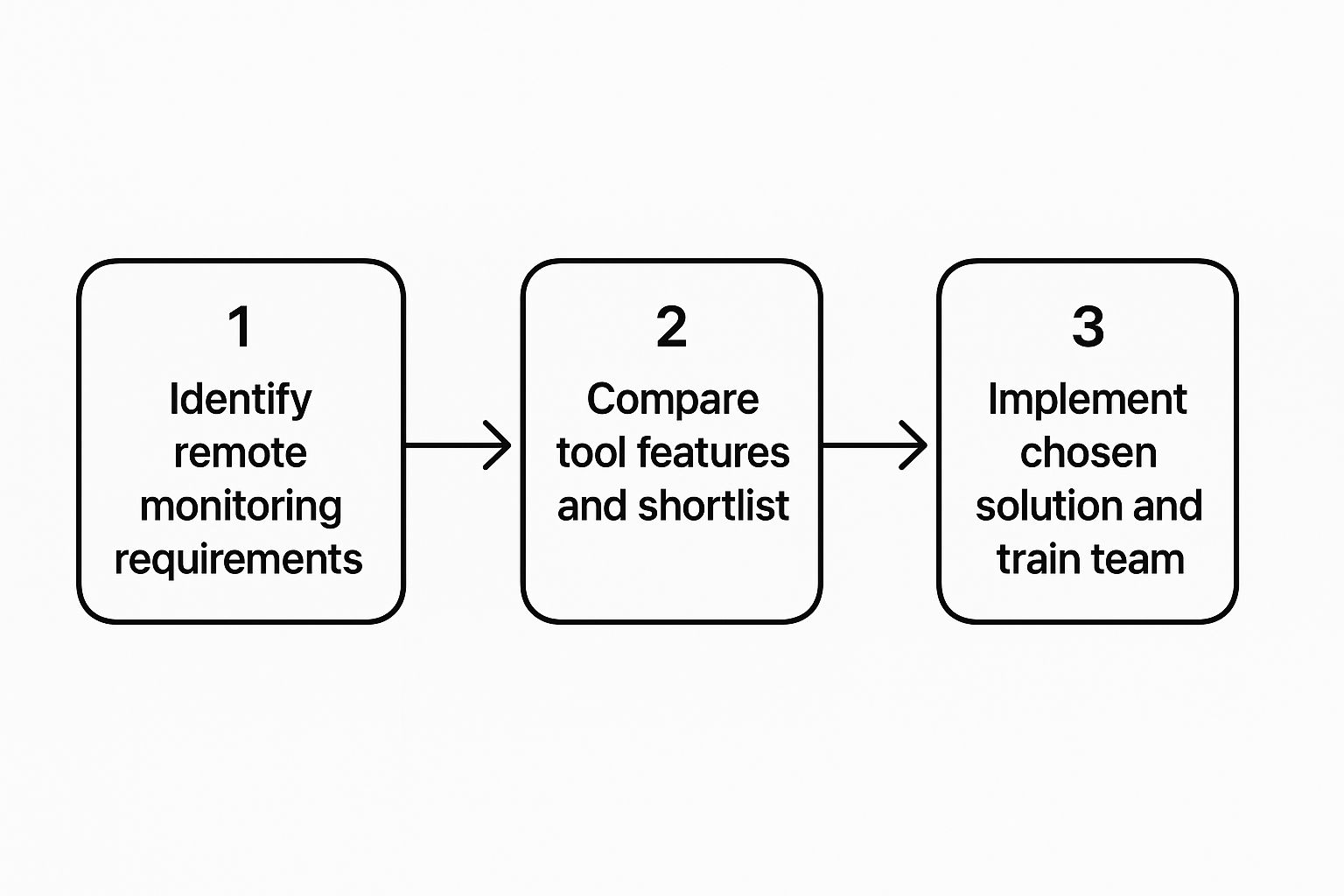
As the infographic shows, a successful rollout always starts with figuring out your specific needs before you start comparing and deploying tools.
Setting Up Automated and Transparent Tracking
With your role profiles defined, the next step is to set up automated time tracking and clear rules for application usage. This brings clarity for everyone. You want a system that runs quietly in the background, capturing data that helps both managers and employees see and understand their work patterns.
DeskCove's dashboard gives you a clean, at-a-glance overview of all this activity. To get it working for you, focus on configuring a few key elements:
- Automated Time Capture: The software should start tracking automatically when an employee clocks in. This simple step drastically reduces manual entry errors and "I forgot to start my timer" issues.
- Application Rules: Be specific here. Take the time to properly categorize the apps and websites your teams use. Getting this right from the start means your reports will be accurate and meaningful from day one.
- Alert Customization: You can set up alerts for things like excessive idle time or heavy use of unproductive apps. This allows you to address potential issues proactively instead of waiting for a weekly report.
My two cents: The most effective monitoring frameworks are built collaboratively. Don't just create these rules in a vacuum. Sit down with your team leads and ask them what "productive" really looks like for their departments. Getting their input ensures buy-in and helps create a system that feels supportive, not controlling.
Building out your framework is a foundational piece of the puzzle. If you want to see how DeskCove stacks up against other options, you might find our guide to the best employee monitoring software helpful. By investing the time to customize your setup now, you’re ensuring the data is relevant, the process is transparent, and the results will genuinely benefit the entire team.
Navigating Monitoring Laws and Ethics

Putting monitoring software in place is more than just a tech decision—it’s a huge ethical and legal one. If you want to monitor your remote team responsibly, you have to lead with transparency. This builds a foundation of trust, not fear. Without a clear, upfront policy, even your best intentions can look like invasive surveillance.
Your first move should be creating a detailed, easy-to-read monitoring policy. This document can't leave any room for confusion. It needs to spell out exactly what data you're collecting, the specific business reasons behind it, and how that information will actually be used to help the team and the company hit its goals.
With these tools becoming so common, clarity is non-negotiable. It's estimated that by 2025, 96% of companies will use some form of time-tracking software. The whole employee monitoring market is projected to hit $6.9 billion by 2030. This boom just underscores the urgent need for clear, ethical guidelines from the start.
Differentiating Ethical and Unethical Practices
So, where is the line between ethical monitoring and unethical surveillance? It's crossed when the focus shifts from work performance to personal intrusion. The golden rule is to always have a legitimate business purpose for every piece of data you collect.
-
Ethical Monitoring: This is all about tracking metrics directly tied to work. Think logging time against specific projects, checking app usage to make sure everyone has the right software, or analyzing workflows to spot and fix bottlenecks. These actions are designed to improve processes and support employees, not spy on them.
-
Unethical Surveillance: This is when monitoring bleeds into an employee’s personal life. Things like logging keystrokes to read private messages, secretly capturing webcam photos, or tracking activity during designated breaks. Practices like these absolutely demolish trust and can land you in serious legal trouble.
To make sure your approach is sound, it helps to align with established security principles. Looking into resources on securing your remote workforce with ISO 27001 standards can provide a solid framework that respects privacy while still protecting company data.
Creating a Fair Use Policy Checklist
Building a policy from scratch can feel like a big task. You can use this checklist as a starting point to make sure you’ve covered all the important bases, creating a framework that protects both the company and your people.
- State Your Purpose Clearly: Explicitly define the business goals. Are you trying to improve project bidding, ensure workloads are distributed fairly, or beef up security? Say so.
- Detail What Is Monitored: Be specific about the data points being collected—app and URL usage, time on projects, or idle time. Vague language is your enemy here.
- Specify What Is NOT Monitored: Go a step further and reassure your team. State clearly that personal emails, banking sites, or keystrokes in private messaging apps are off-limits.
- Define Access and Usage: Explain who gets to see the data (like direct managers or HR) and for what specific reasons (like performance reviews or payroll).
- Get Written Consent: This is a big one. Have every single employee read and sign the policy before any monitoring begins. It’s often a legal requirement, and it’s absolutely essential for transparency.
A fair policy really boils down to two things: consent and clarity. When your team understands the "why" behind the monitoring and trusts that their personal privacy is respected, the tool becomes a partner in their success, not a source of anxiety.
By taking a thoughtful and transparent approach, you can successfully monitor your remote team while building up a culture of trust and mutual respect. For a deeper look at this topic, you can explore the pros and cons of employee monitoring in our detailed guide.
Turning Performance Data into Actionable Insights
Collecting data is the easy part. The real magic happens when you turn those raw numbers into meaningful insights that help your team thrive. Data from a tool like DeskCove is just a starting point; without thoughtful interpretation, it's pretty much useless. The goal isn't to play "gotcha," but to use the information as a diagnostic tool to boost both performance and well-being.
This means shifting your mindset. Instead of fixating on a single productivity score, you need to look for trends and understand the context behind the numbers. A sudden dip in output or a spike in hours worked could be a signal of deeper issues that need your attention, like burnout or a process bottleneck. This data-informed approach is becoming essential as remote work solidifies its place in the modern workforce.
The move to remote work has been massive. As of August 2024, an estimated 22.8% of U.S. employees—that's about 35.1 million people—were working remotely at least some of the time. This has pushed more companies to find better ways to manage their teams, with over 73% of businesses now using some form of online software. You can find more details in the latest remote work trends from Splashtop.
Decoding Key DeskCove Reports
To turn data into action, you first have to know what you’re looking at. DeskCove gives you a few key reports that offer a clear window into your team's workflows and potential sticking points. By checking these regularly, you can shift from just putting out fires to proactively supporting your team.
Let's break down two of the most useful reports and what they can tell you:
- Applications & Websites Usage Report: This one is straightforward—it shows you exactly where your team is spending their time online. If you see someone spending a ton of hours in a specific app, it could mean a few things. Maybe they're struggling with the software, or maybe an internal process is clunky and needs to be fixed.
- Project Time Report: This report breaks down the hours logged against specific projects. Is a certain project consistently blowing past its time budget? This report helps you ask the right questions. Is the scope creep getting out of hand? Does the team need more resources or training to get the job done efficiently?
This level of detail is a fundamental piece of good workforce analytics, which is all about understanding performance drivers. You can learn more about in our detailed guide. It’s about figuring out the "what" so you can have a productive conversation about the "why."
From Confrontation to Collaboration
How you use this data will either build trust or breed resentment. There’s really no in-between. The secret is to approach conversations with genuine curiosity and a desire to help, not to accuse. This simple communication shift changes everything about how employees view monitoring.
Instead of asking, "Why was your productivity score low on Tuesday?" try a more supportive approach: "I noticed in the project report that the design phase is taking longer than we estimated. Are there any roadblocks I can help clear for you?"
See the difference? One feels like an accusation, the other feels like collaboration. It shows your team you're using data to solve problems together, not to assign blame. This transforms monitoring from a tool of control into a powerful way to achieve shared success.
It's all about reframing what you see in the data. Instead of jumping to negative conclusions, look for opportunities to support your team.
Translating DeskCove Data into Management Actions
This table breaks down how to turn common data points into constructive, supportive actions rather than jumping to negative conclusions.
| Data Point Observed | Potential Negative Interpretation | Constructive Management Action |
|---|---|---|
| Long hours with declining output | "This person is inefficient or slacking off late in the day." | "I see you're putting in extra time. Let's talk about your workload to prevent burnout and see if we can rebalance tasks." |
| High usage of a non-work website | "This employee is wasting company time on personal browsing." | "I noticed this site is categorized as unproductive, but you're spending time there. Is it a tool we should reclassify for your role?" |
| Low activity on team chat channels | "This person isn't collaborating or engaging with the team." | "How are you finding the team communication flow? Are there better ways we can keep you in the loop on project updates?" |
Ultimately, the data is just a conversation starter. When you approach these conversations with empathy and a problem-solving mindset, you build a culture of trust and transparency where everyone feels supported to do their best work.
Fostering a Culture of Accountability and Trust
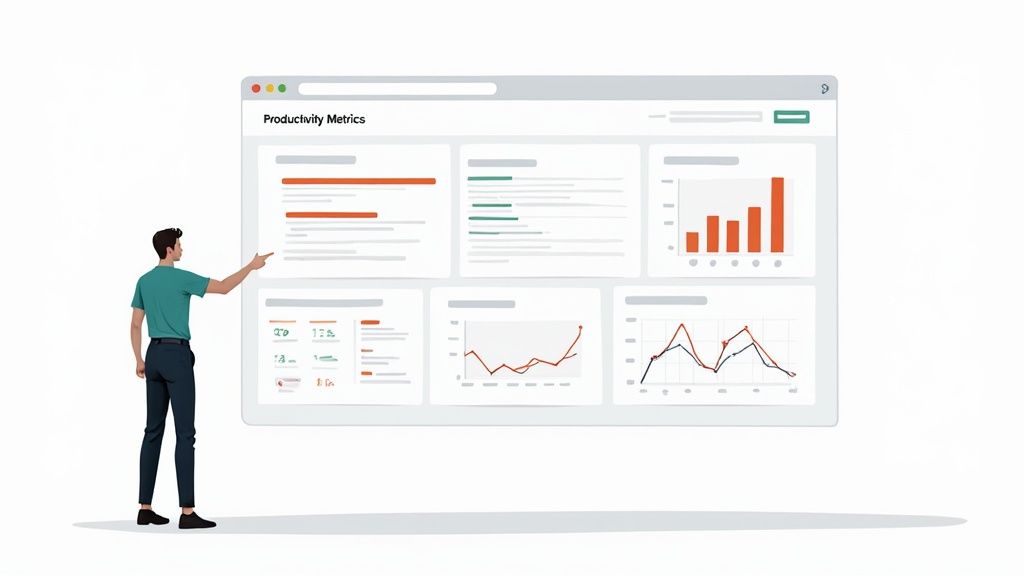
At the end of the day, any monitoring tool is only as good as the culture you build around it. The real test of a great remote monitoring strategy isn't the data it collects, but whether it enhances trust or erodes it. The numbers you gather should serve one purpose: to build a stronger, more accountable, and more supportive team.
It all starts by shifting the conversation. Move away from simply tracking hours and start celebrating outcomes. When the focus is on hitting shared goals, monitoring data becomes a simple, neutral tool that shows everyone how their work contributes to the bigger picture. Suddenly, it’s not about surveillance; it's about partnership.
Empowering Employees with Their Own Data
One of the most powerful things you can do is give employees full access to their own productivity data. This single move transforms the entire dynamic from top-down observation to personal empowerment.
When team members can see their own work patterns, they can manage themselves. They can spot opportunities to improve and make adjustments long before a manager ever needs to get involved.
This kind of transparency demystifies the whole process and sends a clear message: you trust your team to take ownership of their work. Instead of feeling like they're being watched, employees get a tool for self-improvement. It helps them find their most productive hours or identify personal workflow snags.
This approach is the perfect antidote to the anxiety monitoring can sometimes cause. Constant surveillance can breed stress, but giving people access to their personal data fosters autonomy and a sense of control.
Using Data for Recognition and Support
The insights you get from a tool like DeskCove are perfect for celebrating wins, not just pointing out flaws. When you see a team member has been exceptionally focused on a tough project or has boosted their efficiency, use that data to give specific, meaningful praise.
Recognizing hard work this way reinforces the idea that monitoring is about understanding and appreciating effort. Here’s how you can put this into practice:
- Celebrate Milestones: Acknowledge when someone wraps up a major project ahead of schedule. Use the time tracking data as concrete evidence of their incredible dedication.
- Highlight Efficiency Gains: If someone figures out a smarter, faster way to handle a recurring task, showcase their innovation to the rest of the team.
- Support Struggling Team Members: If the data shows someone is putting in long hours but their output is low, approach them with an offer of support, not suspicion. They might be stuck, not slacking.
The goal is to create a feedback loop where monitoring data is seen as a helpful resource. When discussions in one-on-ones are collaborative—focused on solving problems and celebrating progress—employees will see the system as a benefit, not a threat.
By zeroing in on accountability and empowerment, you build a resilient remote culture where trust is the default. Monitoring simply becomes a background tool that supports a high-performing, self-aware team all pulling in the same direction.
Common Questions About Remote Employee Monitoring
Diving into remote employee monitoring can bring up a lot of questions. It's completely normal to wonder about everything from the legal stuff to how your team will react. Getting solid answers is the first step to building a monitoring strategy that's both effective and fair.
Let's tackle some of the most common questions managers have when they first start looking into monitoring tools. We'll give you straightforward answers to help you move forward with confidence.
Is It Legal to Monitor Remote Employees?
In most places, the short answer is yes. It's generally legal for a company to monitor its own devices and the work-related activities happening on them during business hours. However, the laws can get tricky and vary quite a bit by country, state, or even province.
The key thing to remember is that you need a legitimate business reason for monitoring. This could be anything from boosting productivity and protecting company data to making sure everyone is sticking to security policies.
The absolute most critical piece of the puzzle, both legally and ethically, is transparency. You have to tell your team what you're monitoring, why you're doing it, and how that data is going to be used. All of this should be spelled out in a clear, written policy that every single employee reads and acknowledges.
Hidden or secret monitoring is a huge red flag. It's not just unethical; it's often illegal. Always make open communication your top priority and get consent. This keeps you on solid legal ground and, just as importantly, helps maintain a trusting relationship with your team.
How Do You Monitor Without Damaging Team Morale?
This is probably the most important question of them all. The answer really comes down to your approach and the kind of culture you're building. A monitoring tool should always be positioned as a resource for support, not a weapon for punishment.
To keep morale high, try focusing on these key practices:
- Focus on Outcomes, Not Hours: Shift the conversation away from time spent at a desk and toward the actual results being delivered. When your team knows they're judged on their contributions, monitoring feels way less intrusive.
- Give Them Access to Their Data: Let employees see their own productivity data. This turns monitoring from a top-down inspection into a tool for self-management and personal improvement. It's incredibly empowering.
- Use Data for Positive Reinforcement: Be on the lookout for chances to recognize hard work and great performance. When you use data to celebrate wins, you're showing everyone that monitoring is about appreciating effort.
What Is the Best Way to Introduce a Monitoring Policy?
Rolling out a new monitoring policy needs a delicate touch. Just sending a memo and hoping for the best is a recipe for disaster. Instead, schedule a team meeting to discuss the new policy openly and honestly.
In that meeting, explain the "why" behind your decision. Talk about the business reasons, like making projects run smoother or ensuring workloads are distributed fairly. Be ready to answer questions and address any concerns your team brings up. Afterwards, send out the written policy and give everyone plenty of time to read through it before you ask for their written consent.
Ready to build a transparent and productive remote team? DeskCove provides the tools you need to understand workflows, support your employees, and achieve your goals with confidence. Learn more and get started.