What is Workforce Analytics? Boost Performance & Reduce Turnover
So, what exactly is workforce analytics?
At its core, workforce analytics is all about using employee data to answer tough business questions and make smarter decisions about your team. It goes way beyond just tracking numbers. Instead of just knowing what is happening, it helps you understand the why behind critical trends like employee turnover or dips in productivity, linking your people strategy directly to your bottom line.
Decoding Your Company's People Data

Think of it like a health check-up for your company's most important asset: its people. For years, HR teams have tracked basic metrics—headcount, vacation days, the usual stuff. Workforce analytics is what happens when you start connecting those dots to see the bigger picture.
It’s the difference between knowing your turnover rate is 15% and understanding exactly why people are leaving, who is most likely to leave next, and what you can do about it.
This approach isn’t about looking at data in a vacuum. It’s about blending different sources to get the full story. Imagine combining performance review scores with engagement survey feedback and individual productivity data. Suddenly, you're not just solving problems as they pop up; you’re getting ahead of them.
From Reporting to Predicting
Let's be clear: this isn't just about generating prettier reports. The real power of workforce analytics is its ability to shift your focus from hindsight to foresight. It’s about building models that can help you anticipate future challenges and opportunities.
This shift from reactive to proactive is precisely why the field is exploding. The global workforce analytics market, valued at around USD 2.07 billion, is expected to skyrocket to nearly USD 5.94 billion by 2032. That’s a compound annual growth rate (CAGR) of about 14.0%, a clear sign that businesses are waking up to the power of data-driven talent management. You can dig into more of these market trends over at Fortune Business Insights.
Traditional HR has always been good at telling you what happened last quarter. Workforce analytics, on the other hand, is about what’s likely to happen next quarter. This table breaks down the fundamental difference:
Traditional HR Reporting vs Workforce Analytics
| Aspect | Traditional HR Reporting | Workforce Analytics |
|---|---|---|
| Focus | Reactive: What happened? | Proactive: Why did it happen and what will happen next? |
| Timeframe | Past: Historical data (e.g., quarterly turnover) | Future: Predictive modeling and forecasting (e.g., flight risk) |
| Questions | "How many people did we hire?" | "What are the traits of our most successful hires?" |
| Goal | Operational Monitoring: Tracking basic metrics | Strategic Insight: Driving business outcomes |
| Data Sources | Siloed: Often limited to HRIS data | Integrated: Combines data from multiple systems (HR, finance, operations) |
| Output | Static Reports: Dashboards showing historical KPIs | Actionable Insights: Recommendations backed by data |
As you can see, it's a completely different mindset. One is about keeping score, while the other is about changing the game. By understanding these deep connections in your data, you can fine-tune everything from hiring and retention to how you measure productivity metrics to optimize business outcomes.
Workforce analytics gives you the hard evidence you need to manage your team effectively. It ensures that every people-related decision is backed by solid data, not just a gut feeling, turning raw information into a real strategy for growth.
This is achieved by focusing on a few key areas:
- Talent Acquisition: Pinpointing the characteristics of your top performers to make smarter hires.
- Employee Retention: Identifying employees at risk of leaving and addressing the root causes before they walk out the door.
- Performance Management: Figuring out what truly drives high productivity and keeps your team engaged.
- Strategic Planning: Making sure your team’s skills align with where the business is headed in the future.
The 4 Pillars That Hold Up Any Good Workforce Analytics Strategy
To really get what workforce analytics is all about, you have to look under the hood at its core components. It’s not a single, one-off action. It’s a continuous cycle that turns raw information into meaningful, measurable change. This whole process rests on four essential pillars that work together, guiding you from simple data points to powerful business decisions.
Each pillar logically builds on the one before it, creating a solid foundation for any people analytics initiative you might launch. Let's walk through how this journey from numbers to real action unfolds.
Pillar 1: Data Collection
First things first: Data Collection. This is the bedrock. Everything else is built on this foundation. Think of it like a chef gathering fresh, high-quality ingredients. Without the right raw materials, the final dish is bound to be a disappointment.
But effective data collection isn't just about grabbing every bit of information you can find. It’s about being smart and strategic, pulling meaningful data from a variety of sources. This typically includes:
- Performance Reviews: Hard numbers and qualitative feedback that paint a picture of individual contributions.
- Engagement Surveys: Direct, honest feedback from employees on morale, satisfaction, and company culture.
- Productivity Tools: Objective data on how work actually gets done—application usage, activity levels, and project timelines.
- HRIS Data: Core information like employee tenure, role, compensation, and promotion history.
When you blend these sources, you get a much richer, more complete picture of your workforce. It stops you from jumping to conclusions based on a single, incomplete piece of the puzzle.
Pillar 2: Data Analysis
Once you have your ingredients, it's time for Data Analysis. This is where the magic really starts. Raw data, on its own, is mostly just noise. The analysis is how you find the music in that noise by spotting patterns, making connections, and identifying trends.
For example, your raw data might show that 15% of new hires leave within their first year. The analysis phase connects this fact with other data points, maybe revealing that most of those who left also scored low on their initial onboarding satisfaction surveys. Suddenly, you’ve moved from knowing what is happening to starting to understand why.
The whole point of analysis is to turn scattered data points into a cohesive story. It's the bridge between seeing a problem and diagnosing its root cause, making it the intellectual heart of your workforce analytics strategy.
Pillar 3: Reporting and Visualization
Having a brilliant insight is great, but it's useless if you can't communicate it to the people who need to see it. That brings us to our third pillar: Reporting and Visualization. This is where you translate complex findings into clear, compelling, and easy-to-digest formats for decision-makers.
A dense spreadsheet full of numbers will get ignored nine times out of ten. But a clean chart showing a direct link between manager training and team retention? That gets attention and prompts action. Good visualization turns analysts into storytellers, using dashboards and graphs to make the key takeaways impossible to miss.
The image below shows how communicating core benefits—like better retention and productivity—can simplify a complex idea for anyone at a glance.
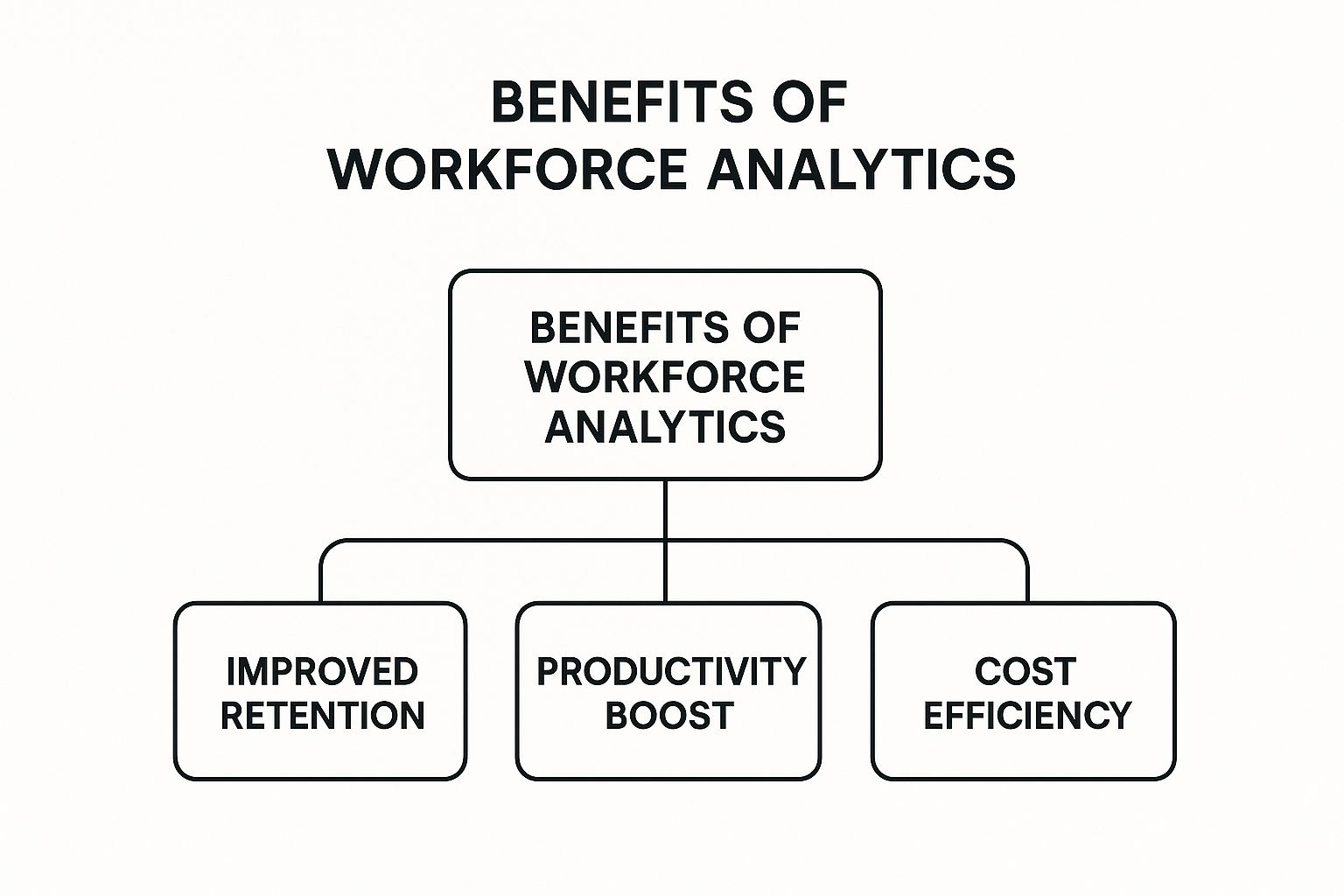
This kind of visual makes it immediately obvious how a single strategy can lead to multiple high-impact business outcomes.
Pillar 4: Strategic Action
The last, and arguably most important, pillar is Strategic Action. This is the finish line, where insights finally graduate from "interesting facts" to actual business improvements. All the data collection, analysis, and reporting in the world mean absolutely nothing if you don't act on what you've learned.
Let's go back to our onboarding example. The insight that a poor onboarding experience correlates with high turnover leads directly to a strategic action: redesigning the onboarding process. This might mean creating a more structured plan for the first week, assigning mentors to new hires, or providing better initial training on key tools.
Then, you measure the success of this new process, which feeds new data right back into the system, and the cycle begins all over again. This continuous loop is what makes workforce analytics a true engine for constant, sustainable improvement.
Key Benefits for Modern and Remote Workforces
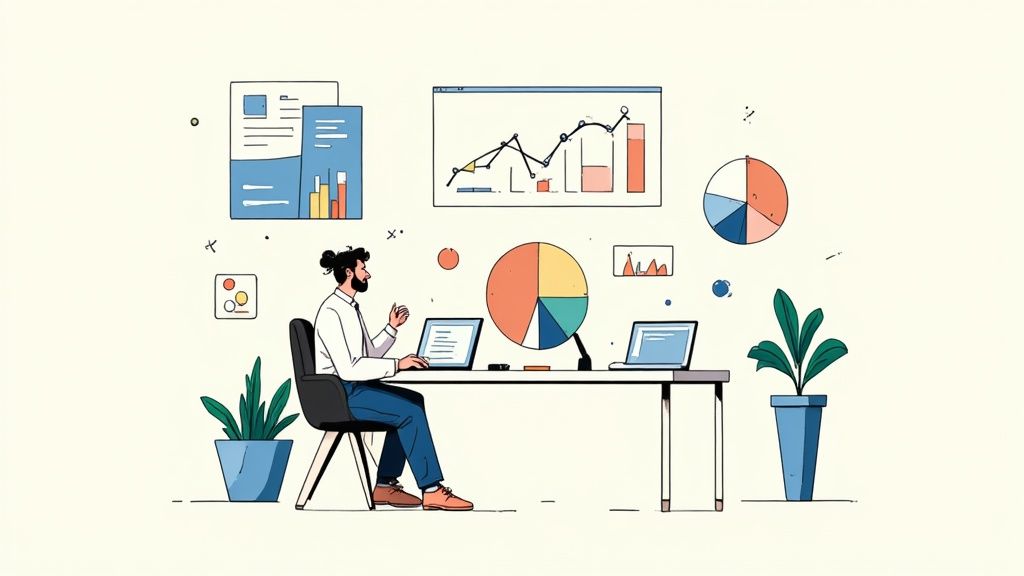
So, we've covered the what and how of workforce analytics. But the real question for any leader is, "Why should I care?" The answer is simple: it delivers tangible, game-changing results, especially when your teams are scattered across different locations.
This isn't about collecting data just for the sake of it. It’s about solving real, expensive business problems. Workforce analytics helps you shift your people strategy from guesswork to a data-backed science, giving you the clarity to make confident calls that boost retention, supercharge productivity, and cut down on costs. For remote companies where you can't just walk the floor, these insights are absolutely crucial.
Reduce Employee Turnover with Predictive Insights
High employee turnover is a silent killer. It drains profits, tanks productivity, and crushes team morale. The costs to recruit, hire, and train a replacement are staggering. Workforce analytics is your best defense, helping you get ahead of the problem instead of just reacting to it.
Forget waiting for exit interviews to find out why people are leaving. You can actually build predictive models to identify who is a flight risk before they even start polishing their resume. By analyzing subtle patterns in things like engagement surveys, performance reviews, and even communication habits, you can spot the early warning signs of someone checking out.
This gives managers a chance to step in with the right kind of support. Maybe it's a conversation about career growth, a quick adjustment to their workload, or simply some well-deserved recognition.
By identifying the subtle behavioral shifts that precede an employee's decision to leave, organizations can create targeted retention strategies that address specific pain points, significantly reducing preventable turnover.
Optimize Recruitment by Cloning Top Performers
What if you could bottle the magic of your best employees? While you can't literally clone them, workforce analytics gets you surprisingly close. It lets you analyze the skills, background, and even the personality traits that your star players all share.
For example, you might discover that your most productive remote software engineers are all masters of asynchronous communication and have a strong background in a specific programming language. That insight is pure gold for your recruiting team.
- Smarter Job Descriptions: Write ads that speak directly to the kind of people you know will thrive.
- Targeted Sourcing: Stop spraying and praying. Focus your efforts where high-potential candidates actually hang out.
- Objective Hiring Decisions: Use data to back up your gut feelings during interviews, reducing bias and making better hires.
This data-first approach saves a ton of time and money by ensuring you’re not just filling a seat, but bringing on someone who’s truly set up to succeed in your unique culture.
Enhance Productivity in Remote Environments
Managing a remote team has its own unique hurdles. How do you know if everyone has the tools they need to do their best work? Where are the hidden bottlenecks gumming up the works? Workforce analytics gives you the objective answers you've been looking for.
By digging into data from your team's productivity and collaboration tools, you can spot inefficiencies that would otherwise fly under the radar. You might find that one team is constantly toggling between different apps, a clear sign they need better software integration or more training.
It's also essential to know if your training programs are actually working. By connecting learning data with performance outcomes, you get a much clearer picture for measuring training effectiveness and can make sure those development dollars are well spent.
It's no surprise that companies are catching on. The global workforce analytics market is expected to hit USD 4.2 billion by 2033, growing at a steady clip of about 13.1% each year. This boom shows a clear shift toward using data to make smarter decisions about everything from hiring to engagement, with flexible software solutions leading the charge.
How Real Companies Use Workforce Analytics
It’s one thing to talk about the theory, but seeing workforce analytics in action is where you really grasp its power. Companies in just about every industry are using data to solve complex, expensive problems that all come down to their people. This isn't just about fancy dashboards; it’s about making real changes that hit the bottom line.
Whether it’s figuring out nurse schedules in a packed hospital or getting remote developers to actually talk to each other, the applications are both practical and potent. These real-world stories show how connecting people data to business outcomes creates a more resilient, effective, and profitable organization.
Solving a Staffing Crisis in Healthcare
The healthcare industry is a perfect proving ground for workforce analytics. Hospitals are in a constant battle with nurse staffing—a nightmare that leads to burnout, high turnover, and a massive bill for temporary contract nurses. It's a problem begging for a data-driven solution.
Problem: A large hospital system was bleeding money due to severe nurse shortages. They were paying a fortune in overtime and relying heavily on expensive contingent labor, which strained the budget and hurt both patient care and staff morale.
Analysis: They started digging into the data, looking at scheduling patterns, patient admission trends, and nurse tenure. A few key patterns jumped out. They saw that staffing gaps were worst during specific shifts and in certain departments. They also found a clear link between high overtime hours and nurses quitting within six months.
Solution: With these insights in hand, the hospital system built a new, dynamic staffing model based on predictive analytics. The system could now forecast patient loads with much better accuracy and align nurse schedules to meet that demand, making sure the right nurses were in the right place at the right time.
Result: The impact was huge. One provider, INTEGRIS Health, saved an incredible USD 30 million by getting its staffing right and cutting its reliance on contract labor. This approach didn't just save money; it gave nurses a better work-life balance, which helped reduce burnout and turnover. In fact, the healthcare sector is the fastest-growing vertical for these tools, with an 18.1% compound annual growth rate, largely because of these exact challenges. You can explore more data on how different industries are adopting these solutions and find additional insights into workforce analytics market trends.
Boosting Collaboration for a Remote Tech Firm
In a fully remote company, getting teams to work together effectively is a constant struggle. A growing tech firm noticed that while individuals were hitting their productivity targets, projects that involved multiple teams were always late. They had a hunch that communication was the problem, but a hunch isn't something you can act on.
By analyzing communication and collaboration patterns, companies can pinpoint the exact points of friction that slow down remote teams, turning a vague feeling into an actionable problem to solve.
Problem: The company was hitting major bottlenecks on any project that required its remote engineering, product, and design teams to collaborate. Deadlines were slipping, and you could feel a sense of disconnection creeping in among team members.
Analysis: The firm used workforce analytics to look at anonymized data from their collaboration tools like Slack and Jira. The data showed a stark reality: communication was completely siloed. Engineers were barely interacting with designers in the critical early stages of a project, which meant a ton of rework and frustrating delays down the line.
Solution: Based on this hard data, the company rolled out a few targeted changes:
- Structured Collaboration Time: They created mandatory "sprint kickoff" meetings where people from all three teams had to be in the same virtual room.
- Cross-Functional Pods: They reorganized teams into smaller, project-focused "pods" to force daily interaction and build a sense of shared ownership.
- Tool Integration: They simplified their software stack to make it easier to share information across department lines.
Result: Within six months, the company saw a 25% reduction in the time it took to complete cross-functional projects. Even better, employee engagement surveys showed that people actually felt more connected to their teammates. This is a perfect example of how you can understand workforce analytics to find and fix hidden problems in your workflow.
Identifying Top Performers in Retail
A national retail chain wanted to clone its best store managers. Sales numbers told them who was successful, but not why. They needed to find the "secret sauce" so they could replicate that success across hundreds of stores.
Problem: The company was spending a fortune on a management training program, but the results were all over the map. They had no idea which parts of the training actually worked.
Analysis: The retailer pulled together data from three different places: store-level sales performance, employee retention rates, and the training records for every single manager. The analysis revealed something they never expected: managers who had completed one specific module on "coaching for performance" consistently ran stores with 15% higher sales and 20% lower employee turnover.
Solution: Armed with that crystal-clear evidence, they completely overhauled their management training. The "coaching for performance" module became the mandatory centerpiece of the entire program. They also created a quick follow-up workshop for existing managers who had missed out on that crucial course.
Result: A year after rolling out the new training, the numbers spoke for themselves. Stores run by the newly trained managers saw an average 8% jump in sales and a significant drop in staff turnover, proving a direct financial return on their data-informed training strategy.
Workforce Analytics Applications Across Industries
While these examples are specific, the underlying principles apply almost anywhere. Different industries face unique pressures, but many of their core people-related challenges are surprisingly similar. Workforce analytics provides the lens to see those challenges clearly and find targeted solutions.
| Industry | Common Challenge | Workforce Analytics Solution |
|---|---|---|
| Technology | High turnover of skilled developers, low cross-team collaboration in remote setups. | Analyze developer engagement data to predict flight risk; map communication patterns to identify and fix silos. |
| Finance & Insurance | Ensuring compliance training is effective; identifying traits of top-performing financial advisors. | Track training completion against performance metrics; correlate advisor behaviors with sales and client retention data. |
| Manufacturing | High rates of absenteeism affecting production lines; risk of skilled labor shortages due to an aging workforce. | Use attendance data to predict staffing gaps; map skills and tenure to plan for succession and targeted hiring. |
| Retail | High employee turnover among front-line staff; inconsistent customer service across locations. | Link manager training to store performance and staff retention; identify behaviors of top sales associates to replicate them. |
| Healthcare | Nurse burnout and turnover; inefficient patient-to-staff ratios causing overtime. | Optimize schedules using predictive analytics based on patient load; identify early signs of burnout to intervene. |
As the table shows, the goal is always to connect data about your people to a concrete business outcome. Whether it's reducing costs, increasing revenue, or improving operational efficiency, the path starts with understanding the patterns hidden within your organization.
Your Step-By-Step Implementation Roadmap
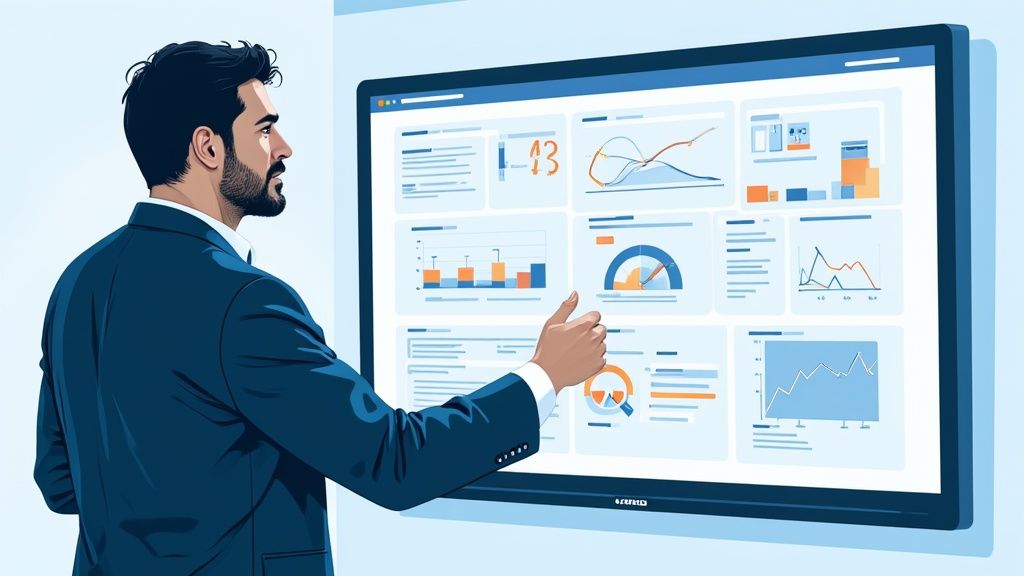
Diving into workforce analytics can feel intimidating, but it doesn't have to be. The biggest mistake I see companies make is trying to analyze everything at once. The real secret is to start small, build momentum, and grow your analytics program over time.
Think of it as building a house. You don't just start throwing up walls; you start with a solid foundation. This roadmap will walk you through laying that foundation, one practical step at a time.
Start With Your Business Goals
Before you even think about data, you have to answer a simple question: "What problem are we trying to solve?" Too many analytics projects fail because they start with a pile of data and no clear purpose. It’s like having a box of tools with no project in mind—you’ll just make a mess.
Your goal needs to be concrete and tied directly to a business outcome. Are you bleeding talent in your engineering department? Are project deadlines constantly being missed? Get specific.
A successful workforce analytics strategy is 90% about asking the right business questions and only 10% about the data itself. Always anchor your efforts to a clear organizational objective to ensure your work has a real impact.
Here are a few examples of strong, focused goals:
- Reduce first-year turnover for remote engineers by 20% within 12 months.
- Increase the productivity of the customer support team by 15% without adding more staff.
- Identify the common skills of our top-performing project managers so we can hire more people like them.
Identify the Right Metrics and Data
Once you have your goal, you can figure out what data you actually need. This is where you connect the business problem to specific metrics. If you’re trying to understand turnover, you need to look beyond just the final exit interview.
You’ll want to pull together a few different threads:
- Engagement Scores: What are your employee surveys telling you about satisfaction?
- Onboarding Feedback: Are new hires hitting a wall in their first 90 days?
- Performance Ratings: Is there a pattern among those who leave versus those who stay?
- Compensation Data: Could pay be a contributing factor?
The trick is to think holistically. Combine data from your HR systems, performance reviews, and even productivity tools to build a complete picture of what's really going on.
Choose Your Tools Wisely
You don't need a massive, expensive software suite right out of the gate. For many companies, the journey starts with something as simple as a well-organized spreadsheet. The best tool is the one that fits your immediate needs and can grow with you.
As your program matures, you'll likely want to look at dedicated platforms that can pull data from different sources and create compelling visualizations. A good workforce analytics tool helps you connect the dots without needing a team of data scientists to run it.
Build a Cross-Functional Team
Workforce analytics isn't just an HR project; it's a business initiative. To get it right, you need input and expertise from across the company. Your dream team should bring a mix of perspectives to the table.
- HR: They bring deep knowledge of the people, policies, and core HR data.
- IT: They’re the experts on the systems, data access, and security.
- Leadership: You need a champion who can provide strategic direction and keep the project on track.
- Department Managers: They offer the real-world context and can help make sense of the findings.
This kind of collaboration is what makes your insights not just statistically sound, but genuinely useful to the business.
Start Small with a Pilot Project
Trying to solve all your people-related challenges at once is a surefire way to fail. Instead, pick one of your goals and launch a small, focused pilot project. It’s a much smarter way to get started.
A pilot lets you test your process, iron out any kinks in your data collection, and prove the value of analytics with a tangible win. A successful pilot creates the momentum and buy-in you'll need to expand the program later.
One final, critical point: always handle employee data with the utmost care. Prioritize data privacy and ethical use. Be transparent with your teams about what data you're looking at and why. Building and maintaining trust is non-negotiable for the long-term success of any workforce analytics program.
Integrating Analytics with Productivity Tools
Workforce analytics isn't a standalone system that works in isolation. Its real value shines when you connect it to the tools your teams are already using every single day. This is how you bridge the gap between a high-level strategy on a whiteboard and the on-the-ground reality of how work actually gets done, especially when your team is remote.
When you feed objective data from productivity platforms straight into your analytics engine, you can finally move past relying solely on gut feelings or annual performance reviews. You get a clear, factual picture of workflow patterns, which tools are actually being used, and—critically—where the burnout risks are hiding. This connection is the missing link for a complete, data-informed people strategy.
Uncovering Deeper Insights from Daily Work
The productivity tools your team uses are goldmines of objective data. They log things like application usage, general activity levels, and focused work time. This is the raw material you need to answer some of the toughest questions about how your team is really doing.
Think about it for a second. How can you spot the early signs of burnout in a remote employee you might only see on a weekly Zoom call? The data can tell a story. A sudden, sharp drop in activity or a new habit of working late into the night could be the first red flag that someone is struggling.
When used ethically, productivity data isn't about playing Big Brother; it's about providing support. It gives you the objective insights to spot problems, clear away obstacles, and help your team thrive.
This data lets you trade assumptions for actual evidence. Instead of guessing which new software is a hit, you can see which applications directly correlate with high performance and which ones are just adding to the digital clutter.
Using Data to Support and Empower Employees
Let’s be clear: the goal here is to support your team, not micromanage them. When the data shows a team is bogged down by administrative tasks, it’s not a moment for criticism. It’s an opportunity to find a better workflow or bring in automation.
For example, your analytics might reveal that the sales team spends a staggering 30% of its day just manually entering data into the CRM. That’s a powerful signal to invest in better integration tools. Freeing them up to spend more time actually selling is a classic win-win—it boosts the bottom line and makes their jobs less tedious.
- Optimize Workflows: Pinpoint and eliminate the bottlenecks that are constantly slowing down projects.
- Improve Tooling: Make smart, data-backed decisions on which software subscriptions to keep, upgrade, or cancel.
- Promote Well-being: See the signs of overwork early and step in before burnout takes hold, creating a healthier and more sustainable work culture.
If you’re managing a distributed team, the first step is just understanding the landscape of available remote work productivity apps. Knowing what’s out there helps you choose tools that not only get the job done but also feed valuable, high-quality data into your analytics program.
Making Productivity Data Actionable
Connecting your analytics and productivity data creates a powerful feedback loop. The insights you gather from employee activity help you tweak processes, which then leads to better performance and engagement. This cycle of improvement is what a truly holistic analytics strategy is all about.
Of course, making this happen requires the right tools and a clear plan. To dig deeper into this, check out our guide on essential remote work productivity tools that can provide the kind of objective data your analytics program needs to succeed. By bringing these platforms together, you build a system that doesn’t just measure performance but actively works to improve it.
Frequently Asked Questions About Workforce Analytics
As companies start to dip their toes into workforce analytics, the same questions tend to pop up again and again. Getting clear, straightforward answers to these is the first step toward building a strategy that actually works, whether you're a team of 10 or 10,000.
Let’s tackle some of the most common ones.
How Is It Different From People Analytics?
It's a fair question, as the two terms are often thrown around interchangeably. The easiest way to think about it is that people analytics is the big umbrella, covering everything about the employee journey—from the first interview to the exit survey. It looks at the entire employee experience.
Workforce analytics is a more focused discipline under that umbrella. It’s the part that gets down to brass tacks, connecting workforce data—like productivity, staffing, and costs—directly to business performance. It's less about feelings and more about operational efficiency and outcomes.
What Are the Biggest Implementation Hurdles?
You might think the biggest challenges are technical, but they're almost always about people and strategy. Most programs get stuck right at the beginning because they lack a clear goal or are working with messy, disconnected data.
The real make-or-break issue? Getting buy-in from both leaders and the team. If people don't understand why you're collecting data and how it will be used to make things better, not for micromanagement, you'll lose trust before you even start.
The trick is to start small. Pick one specific problem you want to solve, make sure your data is clean, and be radically transparent with your team about what you're doing and why.
Can Small Businesses Really Benefit From This?
Yes, and in some ways, they have an advantage. Small businesses can pivot and act on what they learn much faster than a massive corporation can. You don't need a six-figure software suite to begin.
Think about a small marketing agency. They could analyze time-tracking data against project profits to figure out how to staff future jobs more effectively. It’s all about asking a focused, high-impact question and using the tools you already have. The core idea—making smarter decisions with data—works just as well for a startup as it does for a Fortune 500 company.
How Do You Make Sure Data Is Used Ethically?
This is the big one, and it's non-negotiable. Ethical data use comes down to one word: transparency. Your team needs to know exactly what's being collected, why it's being collected, and how it will help them and the business succeed.
Beyond that, you need rock-solid governance in place. This means:
- Anonymizing Data: Always look at team-level trends, not individual performance. The goal is to spot patterns, not to single anyone out.
- Restricting Access: Only a handful of trained people should ever see sensitive information.
- Setting Clear Policies: Put it in writing. Create and share clear rules stating that insights will only be used for constructive coaching and process improvement, never for punishment.
Earning and keeping that trust is the foundation of any successful workforce analytics initiative.
Ready to turn data into a clear strategy for your remote team? DeskCove provides the objective productivity insights you need to optimize workflows, support your employees, and drive real business results. Find out how our powerful yet simple tool can reshape your approach to remote work by visiting DeskCove's official website today.