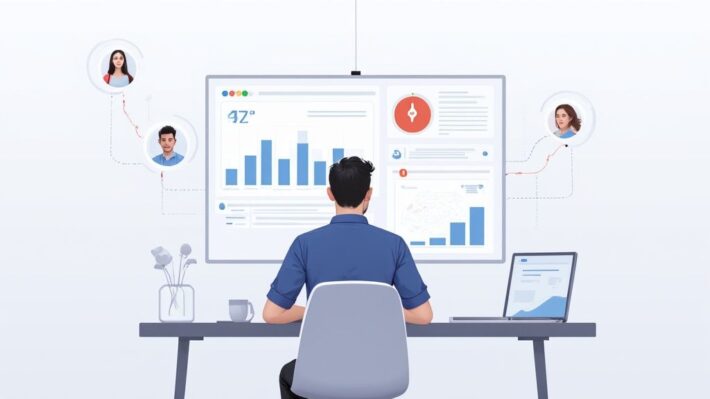
How to Track Remote Employees Without Losing Trust

Knowing how to track remote employees effectively is less about surveillance and more about smart management. It comes down to a blend of project management tools, time tracking software, and genuinely clear communication protocols. The real goal is to monitor work output and progress, building a foundation of trust and accountability along the way.
Striking The Balance In Remote Workforce Management
The shift to remote work has completely changed how we operate, and with it comes a major leadership challenge: how do you ensure productivity without making your team feel like they're being watched 24/7? Learning how to track remote employees isn’t about micromanagement. It’s about gaining visibility into workflows, actually supporting your team, and hitting business goals.
This is where the idea of 'ethical monitoring' really shines. It changes the question from "Are my people working?" to a much more productive and supportive "Are my people set up to succeed?" That mindset is the bedrock of any high-trust, high-performance remote team.
Why A Balanced Approach Is Non-Negotiable
You absolutely have to find a strategy that balances oversight with autonomy. The modern workforce is spread out, with data showing that over 48% of the global workforce now works remotely at least some of the time.
And while 68% of employers feel that monitoring boosts output, it’s not a magic bullet. In fact, a staggering 56% of employees report feeling more anxious because of constant tracking. This can backfire, leading to things like faking online activity or using anti-tracking tools. To really get into the weeds on this, you can explore the pros and cons of employee monitoring in our detailed guide.
This tricky dance between productivity and employee well-being is why a balanced strategy isn't just nice to have—it's essential. Plus, with regulations like GDPR and various U.S. state laws now requiring transparency, good tracking practices also become a tool for managing legal risk.
This infographic does a great job of showing the delicate equilibrium you're aiming for.
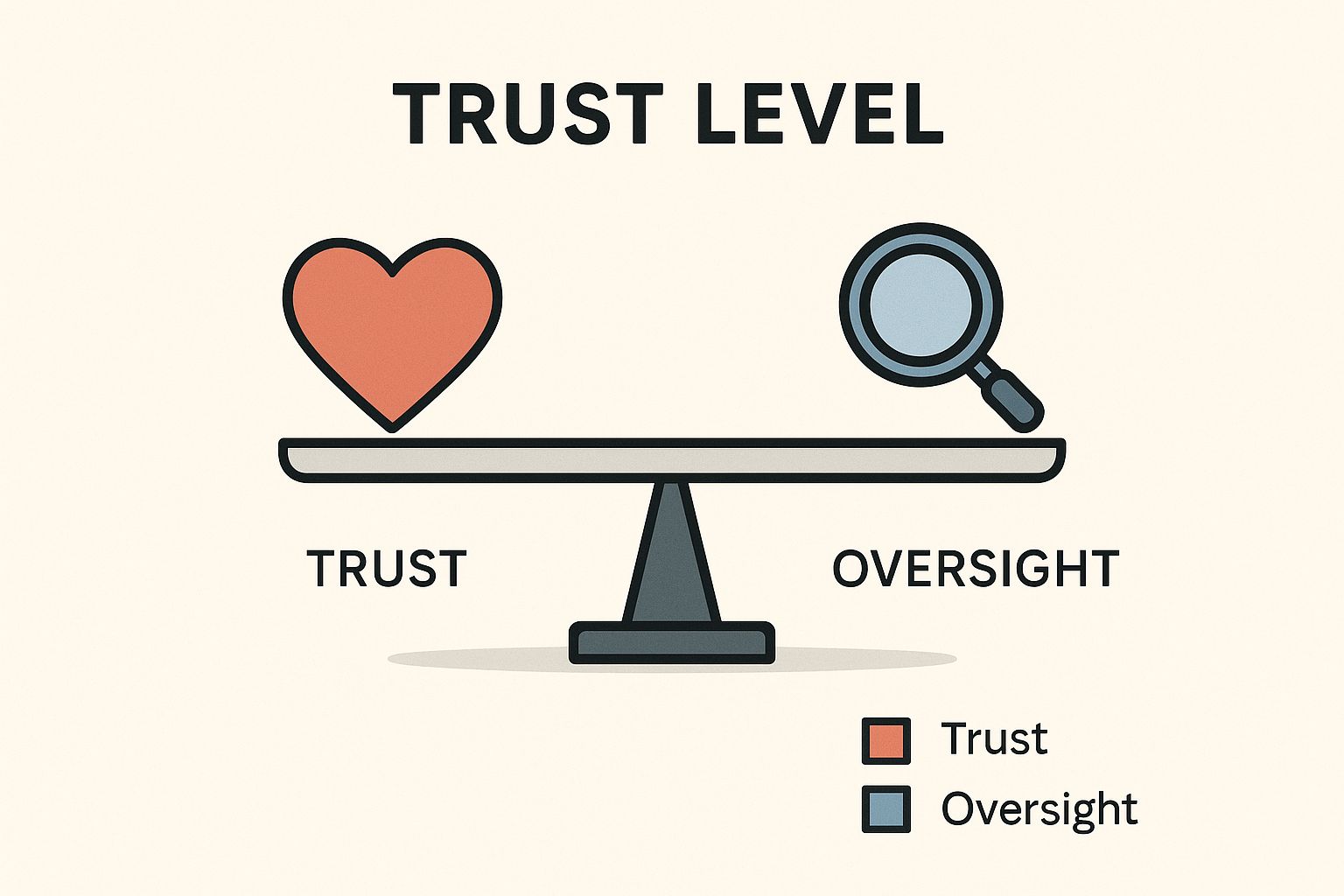
As you can see, leaning too far in one direction can throw the whole system off balance. It really highlights the need for a carefully calibrated approach.
The Foundation of Ethical Monitoring
Ethical monitoring is built on two things: transparency and clear communication. You're using data to empower your team, not to control them. When you're managing people you don't see every day, open dialogue is everything. For more ideas on building strong team connections, it’s worth incorporating some effective communication strategies.
The whole point of tracking should be to spot roadblocks, celebrate wins, and offer support where it’s actually needed. When your team understands that the data is there to help them succeed, they're far more likely to get on board.
This approach means you have to commit to a few key principles:
- Transparency: Be upfront about what you’re monitoring, why you're doing it, and how that data will be used. No secrets.
- Purpose: Make sure every monitoring activity is tied directly to a real business objective, like tracking project progress or making sure workloads are balanced.
- Privacy: Respect your team's privacy. Avoid intrusive methods and stick to monitoring during work hours on company-owned devices.
By setting up this foundation, you build an environment where accountability and autonomy can live side-by-side, which is exactly what you need for an engaged and productive remote team.
Choosing the Right Tools for Your Remote Team
This is where the rubber meets the road. Your entire strategy for tracking remote employees hinges on picking the right technology. It’s easy to get dazzled by the software with the longest feature list, but the best tool is always the one that fits your team's actual workflow—not the other way around. A one-size-fits-all approach just doesn't cut it.
Think about it: a creative agency has wildly different needs than a customer support team. The agency probably cares most about visualizing project pipelines and creative progress. The support team, on the other hand, lives and dies by metrics like response times and ticket resolution rates. The goal is to match the tool to the job.
Project Management Platforms
First up are the classic project management platforms like Asana, Trello, or Jira. These tools are brilliant for tracking progress on a macro level, ensuring tasks are moving forward and deadlines are being met. You get a clear, transparent view of project timelines, who’s responsible for what, and where things might be getting stuck.
Instead of tracking every minute of activity, these platforms are all about tracking outcomes. You’re not watching keystrokes; you’re watching deliverables get checked off the list. This is a great fit for teams where you already have a high level of trust and the main goal is simply keeping collaborative projects on track.
Dedicated Time Tracking Tools
Next, you have dedicated time trackers. These tools give you a much more granular look at how time is actually being spent. They can automatically log hours worked, let employees categorize time by specific projects or tasks, and generate dead-accurate timesheets for payroll or client billing.
This is where you'll find features like automatic time capture and activity level monitoring. For a freelancer or a small agency that bills by the hour, this kind of data is gold. It’s the proof of work you need for accurate invoicing, and it helps everyone on the team see where their time is really going.
Key Takeaway: The goal of any tool should be to provide clarity, not just collect data. Whether it's task progression or time logs, the information must lead to better decisions and support for your team.
For instance, if you notice a designer is consistently logging more hours than expected on a certain type of project, that’s a signal. It could mean they need more resources, better templates, or even some extra training. That's a supportive insight you'd never get without the data.
Comprehensive Workforce Analytics
The third category is workforce analytics software, which offers a much deeper, more holistic view. These platforms often roll time tracking, productivity metrics, application usage, and even security features into one powerful package.
Companies lean on these advanced systems to get a handle on remote productivity. The most common tools mix workforce management, time tracking, and even employee coaching features that collect data on work hours and tasks. With around 28% of employees worldwide now working fully remote, these technologies have become essential for maintaining operational visibility. Their real value, however, comes from using them ethically and communicating transparently to avoid alienating your team.
Before you make a final decision, it’s worth taking a look at the landscape of tools out there. Each category comes with its own strengths and potential pitfalls, especially concerning employee privacy.
A Comparison of Remote Employee Monitoring Tools
To help you navigate these options, here's a table comparing the different types of tools. Think about what you truly need to measure—is it project completion, billable hours, or overall productivity patterns? This breakdown should help clarify which path is right for your team.
| Tool Category | Primary Function | Ideal For | Key Privacy Consideration |
|---|---|---|---|
| Project Management | Tracking task and project progress | Teams focused on collaborative outcomes and deadlines. | Minimal privacy risk, as it tracks work output, not user activity. |
| Time Tracking | Recording hours worked on specific tasks/projects | Freelancers, agencies, and teams needing accurate billing or payroll. | Can feel intrusive if not communicated well; focus should be on work hours. |
| Workforce Analytics | Analyzing productivity metrics and app usage | Larger organizations needing deep insights into operational efficiency. | Highest privacy risk; requires clear policies and transparent communication. |
Ultimately, choosing the right software is a big decision. To dig deeper, you can explore some of the best employee monitoring software available and see which features truly align with your company culture and goals. A thoughtful choice now will save you countless headaches and help you build a more efficient, trusted remote work environment.
Crafting a Fair and Transparent Monitoring Policy
Jumping into tracking software without a clear policy is a surefire way to breed mistrust and walk into potential legal hot water. From my experience, the most successful remote tracking strategies are always built on a foundation of total transparency. A well-defined monitoring policy isn't just about covering your bases legally; it's an essential tool for building a culture of trust and fairness.
Think of your policy as a straightforward, honest guide for your team. Its job is to kill ambiguity and set crystal-clear expectations about what data is being collected, why it’s needed, and how it’s going to be used. This clarity transforms monitoring from something that causes anxiety into a mutually understood part of how you operate remotely.
What to Include in Your Monitoring Policy
A rock-solid policy leaves no room for guesswork. It needs to be written in simple, direct language that anyone can understand—ditch the dense legal jargon. You're having a conversation with your team, not serving them a document designed to intimidate.
Here are the absolute must-haves for your policy:
- A Clear Statement of Purpose: Kick things off by explaining the why. Is it to make client billing more accurate? To smooth out project workflows, boost security, or make sure workloads are balanced? Get specific and connect the purpose directly to real business goals.
- What Will Be Monitored: Spell out exactly what data the software collects. This could be application usage, websites visited during work hours, time logged on projects, or even screenshots. Vagueness is your enemy here.
- When Monitoring Occurs: Clearly state that monitoring only happens during work hours and on company-owned devices. This simple point reinforces respect for personal time and privacy, which is a massive deal for remote team morale.
- How Data Will Be Used and Stored: Explain who gets to see the monitoring data (like direct managers or HR) and how it will inform things like performance reviews or operational tweaks. It's also critical to detail your data security and retention protocols.
When putting a policy together, you have to think beyond just what you collect. It’s about how that data is managed, kept secure, and used responsibly—very much like building a robust data governance strategy for any other business asset.
Communicating the Policy to Build Trust
How you introduce the policy is every bit as important as what's in it. You want to frame it as a tool for support and fairness, not a micromanagement tactic. Position it as a way to recognize great work, spot process bottlenecks, and ensure no one is getting swamped.
A surprise rollout of monitoring software will almost always be met with resistance. The better way? Be proactive and get your team involved.
Pro Tip: Before the policy goes live, host a team meeting to talk it through. Explain the reasons behind it, do a quick demo of the software, and answer every single question with complete honesty. That kind of transparency can turn skepticism into acceptance.
For instance, you could say, "We're bringing in this time tracker to make our client billing more precise. That helps keep the company healthy so we can all continue to do great work. It also gives us a way to see if anyone is consistently overloaded so we can make adjustments." This approach ties monitoring directly to benefits for both the team and the business.
Real-World Policy Language Examples
You don’t have to reinvent the wheel. Looking at how successful remote-first companies handle this can give you a great starting point. Your policy doesn't need to sound like a stuffy legal doc, but it absolutely must be clear.
Here’s some effective language you can adapt:
- On Purpose: "Our goal with productivity monitoring is to ensure fair workload distribution and to identify workflow inefficiencies. The data helps us support you better by spotting potential burnout and providing resources where they're needed most."
- On Data Usage: "Data on application and website usage is collected during work hours to help us understand which tools are most effective for our projects. This information will only be reviewed in aggregate to spot trends, not to scrutinize individual browsing habits."
At the end of the day, a fair and transparent monitoring policy is non-negotiable. It protects the company, respects your people, and creates a clear framework for a productive and trusting remote work environment.
How to Analyze Data Without Micromanaging

Collecting data is the easy part. The real challenge—and where good managers shine—is using it wisely. The information flowing from your tracking tools can be an incredible asset for supportive, effective management, but only if you know how to read the tea leaves. The goal isn't to watch over your team's shoulders; it's to understand performance in a way that actually helps them.
This means a fundamental shift in focus. Forget the superficial metrics like keystrokes and mouse movements. When you get this right, you use data to start helpful conversations, build a more efficient team, and foster trust—all without ever slipping into micromanagement.
Focus on Outcomes Over Activity
I've seen so many managers fall into this trap: they fixate on raw activity metrics. A high activity level looks great on a dashboard, but it doesn't automatically mean someone is productive. An employee could be typing furiously on a low-priority task, while another solves a critical problem with an hour of deep, quiet focus.
So, where should you look instead? Prioritize outcome-based metrics. These are the numbers that tie directly back to business goals.
- Project Completion Rates: Are projects getting done on time? This is your high-level view of team capacity and workflow efficiency.
- Task Turnaround Times: How long do specific tasks take from start to finish? This can quickly reveal process bottlenecks or hidden training needs.
- Quality of Work: Look at things like client satisfaction scores, bug reports for developers, or the number of revision requests for designers. This measures the actual quality of the output.
When you focus on these results, you send a clear message: what matters is the work you deliver, not how busy you look doing it.
Spotting Patterns and Trends
The real magic happens when you start looking at data over time. A single day's stats are just a snapshot, but a month's worth can tell a powerful story about your team's rhythm and well-being. This is how you move from being reactive to proactive.
A sudden drop in an employee’s productivity isn't a reason to reprimand; it's a reason to check in. Data should be the starting point for a conversation, not the conclusion.
Keep an eye out for patterns that signal bigger issues or opportunities. A consistent spike in late-night work, for instance, is a flashing red light for an unsustainable workload and burnout risk. On the flip side, if someone is consistently crushing their deadlines, they might be a top performer ready for more responsibility—the kind of person whose great work could easily go unnoticed in a remote setup.
These insights are the bedrock of workforce analytics, a field dedicated to using employee data to drive better business outcomes. You can learn more about workforce analytics and its benefits to really dig into how this can reshape your management style.
Actionable Insights from Remote Work Metrics
Turning raw data into supportive action is the final, most important piece of the puzzle. Instead of using metrics to point out what's wrong, use them to open a dialogue and offer solutions.
Here’s a practical look at how you can translate common data points into constructive management, shifting the focus from surveillance to support.
| Actionable Insights from Remote Work Metrics | ||
|---|---|---|
| Metric to Track | What It Might Indicate | Constructive Management Action |
| High application usage on non-work tools | The employee might be distracted, or they could be doing legitimate research or gathering inspiration. | Ask about their project. "I noticed you're spending time on some design sites. Finding good inspiration for the new campaign?" |
| Consistently working long hours | The workload might be too heavy, or maybe they're struggling with a particular task or piece of software. | Open a conversation about workload. "Let's review your current projects to make sure your plate isn't too full. Is there anything we can reprioritize?" |
| Low task completion volume | There could be a roadblock, a lack of resources, or a need for some quick training. | Offer support directly. "I see progress on the quarterly report has slowed. Are you stuck on anything or waiting for info from another team?" |
This approach completely changes the game. Monitoring transforms from a tool of control into a mechanism for genuine support. It helps you become a more effective leader who uses data not to police, but to empower your remote team and guide them toward success.
Managing Monitoring Across Cultures and Borders
When your team spans different countries, a one-size-fits-all approach to employee monitoring is a recipe for disaster. What’s considered standard practice in one country might be a serious legal or cultural misstep in another. The real key to successfully managing a global team is building a flexible, culturally aware monitoring framework.
A strategy that works perfectly for your team in the United States could land you in hot water in Germany, where privacy expectations are famously high. This isn’t just about dodging legal bullets; it’s about showing genuine respect for your team’s diverse backgrounds. That respect is the bedrock of a cohesive and trusting global workforce.
Navigating Different Legal Landscapes
The first and most critical hurdle is the law. Privacy and data protection regulations vary dramatically from one region to another. The GDPR in Europe, for example, imposes incredibly strict rules on collecting and processing personal data—and yes, that includes anything gathered through employee monitoring software.
You absolutely have to do your homework here. Before you even think about deploying a tracking tool for an international employee, you need a firm grasp of the local laws governing their employment.
- Consent Requirements: Some countries demand explicit, opt-in consent from employees before any monitoring can start. Others might allow it as a standard part of the employment agreement. You need to know which is which.
- Data Sovereignty: Certain nations have laws requiring that their citizens' data be physically stored on servers located within that country's borders.
- Prohibited Monitoring: Some jurisdictions outright ban specific types of monitoring, like keystroke logging or random screenshots, viewing them as far too invasive.
Ignoring these legal differences isn't just risky—it's a direct path to hefty fines, legal battles, and a permanently damaged reputation. Always consult with legal counsel who specializes in the specific labor laws of the countries where your employees live.
Understanding Cultural Expectations
Beyond the black-and-white text of the law, cultural norms around privacy and work-life balance play a massive role. In some cultures, there's a very strong line drawn between work and personal life. Any perceived intrusion into an employee's day, even during work hours, can be met with serious resistance.
For instance, a culture that places a high value on autonomy and trust will likely see activity monitoring as a glaring sign of micromanagement and disrespect. In contrast, another culture might be more accustomed to hierarchical structures where that level of oversight feels more normal. A smart global strategy for how to track remote employees means adapting your methods to align with these local expectations.
Creating a Flexible Global Policy
Your goal should be to create a core monitoring policy that establishes your company's universal principles—like transparency and fairness—but that also has flexibility built right in. This is what allows for regional adjustments that comply with local laws and respect cultural norms.
Think about it as a tiered approach:
- Global Standard: This is your baseline policy. It covers universal principles, like only monitoring during work hours and only on company-issued devices.
- Regional Addendums: These are specific riders for different countries or regions. They modify the global standard to meet local legal requirements and cultural sensitivities.
This adaptive framework sends a powerful message to your global team. It shows you’re not just enforcing a single, rigid set of rules from headquarters. Instead, it demonstrates a genuine commitment to creating a respectful and legally compliant work environment for everyone, no matter where they are.
This approach is becoming even more critical as employee mobility explodes. Global remote work trends show significant geographic shifts, with 22% of U.S. workers (that’s 32.6 million people) now working remotely and many choosing to relocate. As companies hire more talent in places like the Asia-Pacific region, where 68% of companies already have a majority-remote workforce, scalable and adaptable systems are non-negotiable. You can dig into more of these global remote work statistics to see the full picture. This kind of adaptability is the mark of a truly modern and forward-thinking company.
Common Questions About Tracking Remote Employees
Even with a clear plan, diving into remote employee tracking can bring up some tricky questions. It's totally normal to wonder about the legal side, how your team might react, and if you're even tracking the right things. Let's walk through some of the most common hurdles managers face and get you the straightforward answers you need.
Is It Legal To Monitor Remote Employees?
This is usually the first question on everyone's mind. The short answer is: yes, in most places, it's legal for a company to monitor activity on company-owned devices during work hours. But—and this is a big but—the specifics depend heavily on where you and your employees are located.
For example, in the United States, federal law generally gives employers the green light to monitor their own equipment. Many states, however, have their own privacy laws that mean you must tell employees they're being monitored.
Go international, and the rules get even tighter. The GDPR in Europe, for instance, requires a very clear legal reason for collecting employee data and demands complete transparency. You can't just flip a switch; you need a legitimate business purpose and must inform your team exactly what you're doing.
The golden rule here is transparency and disclosure. No matter where your team is, you need a crystal-clear, written policy. It should spell out what you monitor, why you do it, and when it happens. Always get advice from a legal expert who knows the labor laws for every single location where you have staff.
How Do I Handle Employee Pushback?
Resistance from your team is a real possibility, but it’s rarely about accountability itself. It's almost always a symptom of poor communication. If your team is pushing back, it’s likely because they feel distrusted or worry the monitoring will be used to punish them.
The best way around this is to get out in front of it. Frame the entire initiative around support, not surveillance.
- Explain the "Why" Clearly: Show how monitoring leads to good things. For instance, explain that the data helps ensure workloads are fair, that clients are billed accurately, or that projects are planned more effectively.
- Involve Them in the Process: If you can, get feedback from your team before you roll out a new tool or policy. This gives them a stake in the process and proves you respect their input.
- Lead with Trust: Make it clear the goal is to understand how work gets done and offer help where needed—not to micromanage or catch people messing up. Your actions after rollout are what really matter here. Use the data to have supportive, constructive conversations.
When your employees see that the data is there to help the entire team win, they’re much more likely to view it as a helpful tool instead of a disciplinary one.
What Are The Best Metrics To Track?
It’s incredibly easy to drown in data. The trick is to sidestep "vanity metrics"—things like keystroke counts or mouse movements, which almost never reflect actual productivity. Instead, you want to focus on metrics that show real progress and results.
The perfect metrics will vary depending on what your team does, but here are a few solid categories to start with when you’re figuring out how to track remote employees:
- Outcome-Based Metrics: These are tied directly to results. Think project completion rates, the number of tasks finished per week, or client satisfaction scores. They measure what was actually accomplished.
- Process-Efficiency Metrics: These are fantastic for finding bottlenecks in your workflow. Look at task turnaround time or the time spent in different project phases. You'll quickly see where things are getting stuck.
- Workload and Wellness Metrics: These are absolutely vital for preventing burnout. Keep an eye on hours worked over time and application usage patterns. If someone is consistently logging overtime or working way outside normal hours, it’s a huge red flag that they might be overloaded.
By zeroing in on these more meaningful metrics, you change the conversation from "Are you busy?" to "Are you being effective?" That’s a far healthier and more productive way to manage any team, remote or not.
Ready to gain clear insights into your remote team's productivity while building a culture of trust? DeskCove provides the powerful, yet transparent, tools you need to track time, monitor progress, and make data-driven decisions that empower your entire team.
Discover how DeskCove can simplify your remote management today.