What is Computer Monitoring? Boost Productivity & Security

So, what exactly is computer monitoring? At its core, it's a software that gives you a clear picture of how company devices are being used. Think of it as a tool for understanding digital activity, tracking time, and keeping your operations secure.
Understanding Computer Monitoring in Today's Workplace
Imagine a pilot flying a plane. They rely on a dashboard full of instruments to navigate safely and make sure everything is running smoothly. Computer monitoring software is a lot like that dashboard, but for business leaders.
It provides the clear, data-driven insights you need to understand your team's daily operations. This isn't about simple surveillance; it's about getting a complete view of productivity, workflows, and potential security weak spots. Especially with so many teams working remotely, this kind of clarity has become essential.
The massive shift to remote work has definitely accelerated the adoption of these tools. In fact, the computer monitoring software market is expected to hit around USD 12.5 billion by 2033, growing at a rate of 8.2% each year. This boom makes perfect sense when you consider that about 70% of organizations worldwide now have some kind of remote or hybrid setup.
The Core Purpose of Monitoring
When you get down to it, computer monitoring is designed to answer some fundamental business questions:
- Are we spending our time on the right projects and clients?
- Which apps and websites are truly essential for our work?
- Where are the bottlenecks slowing us down, and how can we fix them?
- Is our company data safe from internal threats?
This infographic helps visualize how modern monitoring acts as that digital cockpit, feeding you the essential data needed to steer the business.
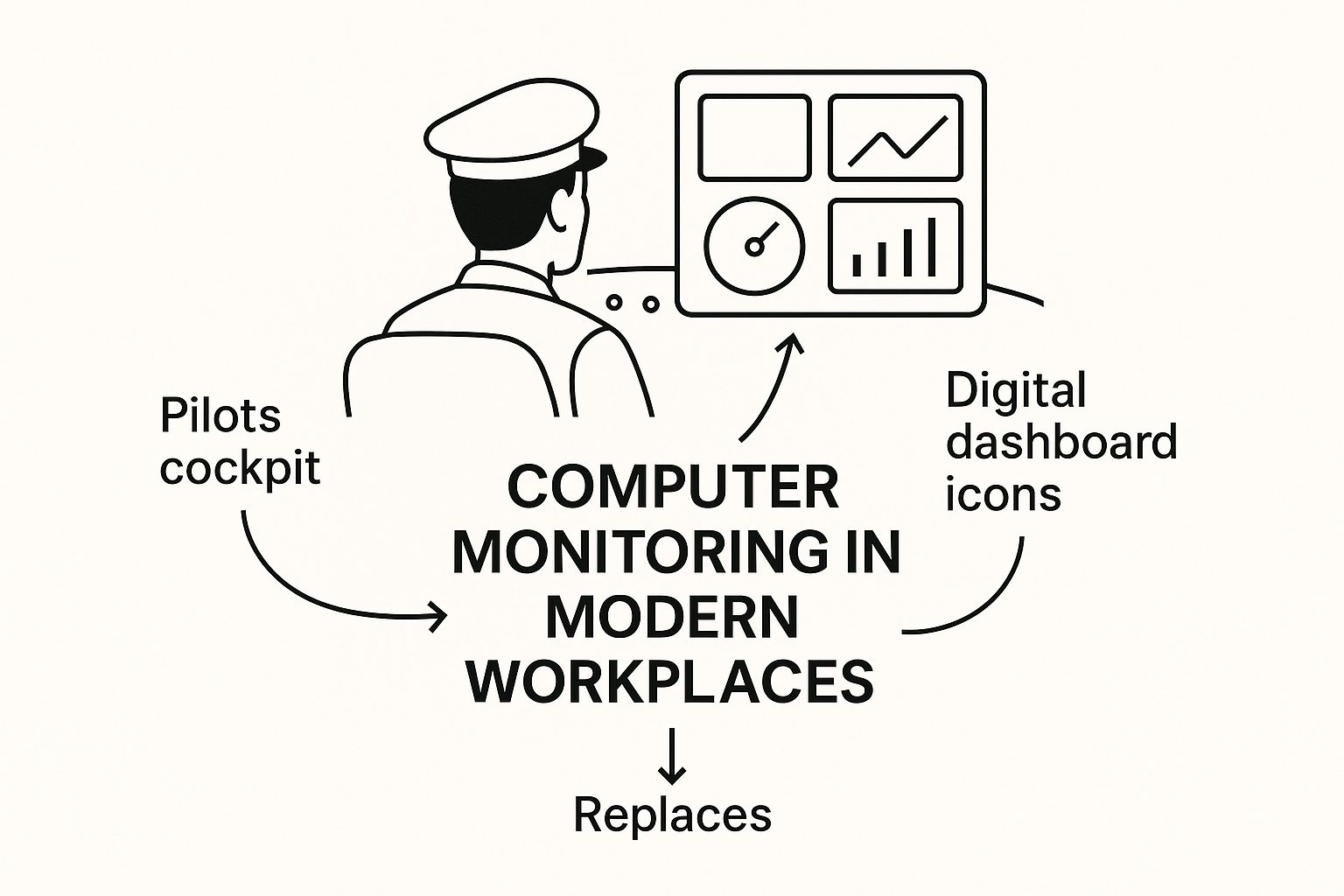
As the image shows, monitoring isn't about one single metric. It’s about a collection of connected data points that, together, help guide your business strategy.
To give you a quick overview, here are the main things these tools do and why they matter for a business.
Core Functions of Computer Monitoring Software
| Core Function | Business Purpose |
|---|---|
| Time Tracking | Measures total hours worked and time spent on specific tasks or projects, ensuring accurate payroll and project costing. |
| App & URL Tracking | Records the applications and websites used during work hours to identify productive versus unproductive activities. |
| Screenshot Capture | Takes periodic screenshots of employee screens to provide visual proof of work and context for time entries. |
| Activity Level Monitoring | Tracks keyboard and mouse usage to gauge employee engagement and identify periods of inactivity. |
Each of these functions provides a different piece of the puzzle, helping you build a comprehensive picture of team performance.
When done right, computer monitoring turns raw activity data into real business intelligence. It helps managers support their teams by spotting workload imbalances and recognizing top performers, which builds a culture of fairness and transparency.
Of course, the conversation around monitoring always involves striking a balance between productivity and employee trust. Understanding both sides of the coin is the key to getting it right. For a complete breakdown, take a look at our guide on the pros and cons of employee monitoring that every employer should know.
By positioning monitoring as a tool for support rather than scrutiny, businesses can use it to build stronger, more efficient, and more connected teams.
What Computer Monitoring Tools Actually Track
To really get what computer monitoring is all about, you have to look under the hood. It’s not about collecting random data; it’s about gathering specific metrics that paint a clear picture of how work actually gets done. This information is the raw material for genuine insights into productivity, workflow, and even security.
The best monitoring tools aren't trying to track everything. Instead, they focus on a few core areas. Each feature is designed to answer a different question about your team's day, helping you connect the dots between actions and outcomes.
Time and Activity Tracking
At its most basic, this software tracks time. But it's way more than a simple start-and-stop clock. It measures active work time versus idle periods by looking at keyboard and mouse usage.
This is how you can tell the difference between an employee who is heads-down on a task and one who might have stepped away from their desk. For a project manager, this data is gold. It helps make sure project budgets are realistic and timelines aren't just wishful thinking. It answers that fundamental question: "How much real effort is going into this project?"
That distinction between active and idle time is key to understanding engagement. It’s not about counting every single keystroke. It's about seeing the rhythm of the workday and spotting patterns in focus and activity.
Application and Website Usage
Another critical piece of the puzzle is tracking which apps and websites people are using during work hours. Think of this less as policing and more as understanding the digital tools your team relies on every day.
By looking at this data, managers can quickly see which software subscriptions are getting their money's worth and which are just gathering dust. More importantly, it can highlight where distractions are coming from. If a team is consistently spending a lot of time on non-work sites, it might be a sign that workloads need adjusting or that company guidelines need to be clearer.
This feature helps you answer two big questions:
- What tools are actually driving success? You can pinpoint the software that high-performers are using.
- Where are the digital rabbit holes? You can identify common productivity drains and address them.
Screenshots and Screen Recording
This is probably the most talked-about feature. Screenshot captures provide the visual proof to back up all the time and activity data. Good tools, like DeskCove, will typically take low-resolution screenshots at random intervals. This respects privacy while still offering solid proof of work.
Imagine you run a design agency. A project manager can glance at the screenshots and instantly verify that the hours logged to a client were spent working on their design mockups. From a security standpoint, if there's ever a data breach, screen recordings can be a lifesaver for figuring out exactly what happened. It provides that undeniable visual verification that other metrics just can't offer.
Why Monitoring Is a Game Changer for Remote Teams
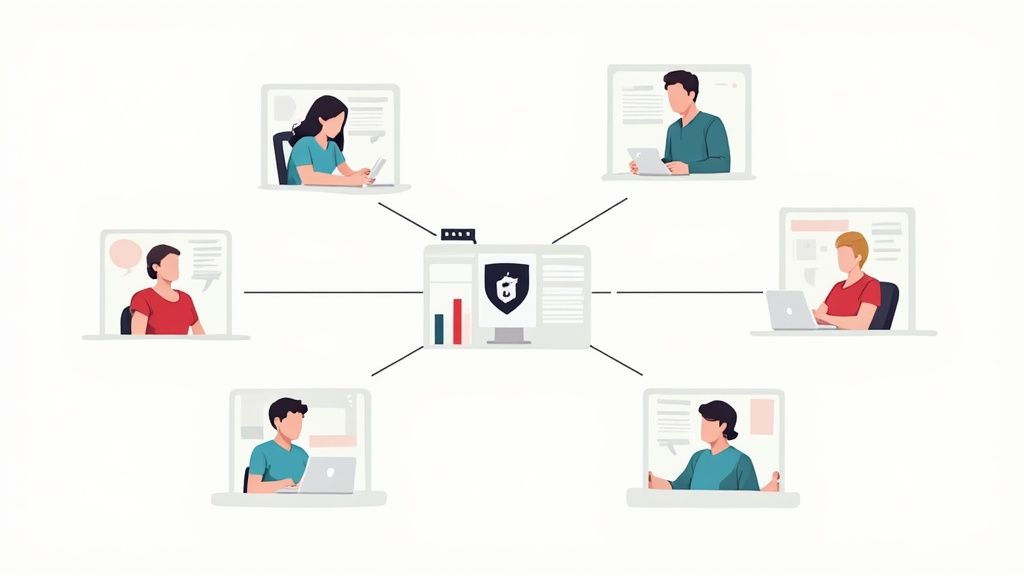
For remote teams, visibility isn't about looking over someone's shoulder. It’s about staying connected and pulling in the same direction, even when you're miles apart. When your team is spread across different cities or even time zones, computer monitoring provides the hard data you need to keep everyone on the same page. It takes the guesswork out of productivity and turns it into something you can actually see and act on.
This data-driven approach helps build a culture of trust. Instead of wondering how projects are moving along, managers can see exactly where things are flowing smoothly and where a little extra support might be needed. This empowers teams to take ownership of their work and manage their own time effectively.
Boosts Productivity and Maintains Focus
One of the first things you'll notice is a real jump in productivity. Monitoring software shines a light on the hidden bottlenecks that slow everyone down.
Take a small marketing agency, for example, that was struggling with slipping project deadlines. After looking at their application usage data, they had a breakthrough: the team was losing hours every week just switching between clunky communication tools. Armed with that knowledge, they simplified their software, got everyone on one platform, and cut project turnaround times by 15%. This is a perfect example of how to monitor remote work and get real results.
The goal isn't to micromanage; it's to give teams the information they need to improve on their own. When people can see their own work patterns, they're much better at managing their time and staying locked in on what truly matters.
Ensures Accurate Project Billing and Budgeting
If your business bills by the hour, you know that accuracy is everything. Computer monitoring automatically tracks every single minute spent on specific clients and projects, creating a clear and undeniable record of billable time. This means no more chasing down manual timesheets, fewer billing disputes, and fair pay for all the work being done.
This kind of detailed tracking has a direct impact on your bottom line. Imagine a software firm that can allocate every minute of coding, testing, and bug-fixing to the right client. Not only does this guarantee their invoices are spot-on, but it also gives them the data they need to create much sharper budget forecasts for future work.
Strengthens Cybersecurity
In a remote setup, your employees' laptops are your new office walls. Monitoring tools add a vital layer of security by spotting unusual activity that could be a red flag for a data breach. If someone's device suddenly starts accessing sensitive files at 3 AM or running apps it shouldn't be, the system can flag it instantly.
This proactive defense is a must-have. The market for monitoring tools is expected to hit USD 69.57 billion by 2030, a huge jump driven by the need for both performance and security insights. This explosive growth shows just how much companies are relying on these systems to protect their valuable data from ever-changing threats.
How to Implement Monitoring Ethically and Transparently
The success of any computer monitoring tool really boils down to one thing: trust. If you just drop this kind of software on your team without any context, it’s going to feel like Big Brother is watching. The key is to introduce it as a tool that helps everyone, not a way to keep tabs on them.
Think of it this way: monitoring shouldn't be about catching people goofing off. It’s about gathering insights to make work better for the whole team. When you have solid data, you can spot bottlenecks, balance workloads fairly, and give credit where it's due. This shifts the vibe from surveillance to support.
The world is definitely moving in this direction. The market for computer monitors is expected to hit USD 47.12 billion in 2025, and with 66% of the global population now online, having clear digital workplace rules is just smart business. You can read more about computer monitor market trends on Mordor Intelligence.
Create a Clear Written Policy
First things first: get everything down in writing. A formal, written policy is non-negotiable. It needs to be crystal clear, leaving zero room for interpretation about what you’re tracking and why.
This document is your foundation for building trust. Make sure it explicitly covers:
- What is tracked: Be specific. Are you tracking apps used, websites visited, or general activity levels? List it all out.
- Why it's tracked: Connect the dots for your team. Explain how this data helps with things like accurate client billing or managing project timelines.
- Data security: Let them know how their data is stored and who has access. Reassure them that their privacy is protected.
Having a solid privacy policy is a cornerstone of handling data ethically. It’s worth your time to get familiar with understanding what constitutes a privacy policy to make sure you’re building a fair system.
Focus on Performance Insights Not Micromanagement
Once you have the data, how you use it is what truly matters. This information should be a launchpad for positive conversations and support, not a tool for micromanagement.
Frame performance data as a way to celebrate wins and spot opportunities. When you can see who's knocking it out of the park, you can recognize their hard work. And if someone is struggling, the data can help you offer specific, targeted support.
When you take this approach, monitoring software stops being a source of stress and becomes a genuinely useful tool for growth.
By sticking to these practices, you can bring monitoring into your workflow in a way that actually builds trust and makes everyone more productive. For a more detailed walkthrough, check out our guide on how to monitor remote workers the right way.
Choosing the Right Monitoring Tool for Your Business
Let’s be honest: not all computer monitoring tools are created equal. Picking the right software isn't about finding the one with the most bells and whistles. It's about finding a tool that actually fits your company's culture and what you’re trying to achieve.
The best solution should feel less like a "big brother" surveillance camera and more like a smart, helpful assistant that offers useful data. For modern workplaces built on trust, that distinction is everything. It’s this exact philosophy that tools like DeskCove are built on, focusing on transparency and real insights instead of just tracking for tracking's sake.
Think about what that looks like in practice: an intuitive dashboard that makes sense of the data, automated time tracking that doesn’t interrupt workflow, and customizable privacy settings that give employees a sense of control.
Building Your Evaluation Checklist
So, how do you find a tool that fits this model? Instead of just listing features, let's build a practical checklist. When you're comparing different options, you need a clear set of standards to measure them against. The goal is to find something that both builds trust and delivers clear benefits to your operations.
Here are the non-negotiables to look for in any monitoring solution:
- Ease of Use: If a tool is clunky or complicated, nobody will use it. Look for a clean interface and a straightforward dashboard that managers and team members can pick up without weeks of training.
- Scalability: Your business is going to grow, and your software needs to grow with you. The right tool should handle adding new people and projects seamlessly, without slowing down or becoming a headache.
- Ethical Framework: Does the tool support transparency? Look for features like customizable settings that give employees some say over their own tracking. This is a huge factor in getting team buy-in.
- Robust Security: This is a big one. The software will be handling sensitive company and employee information. It absolutely must have strong security protocols to keep that data safe from any threats.
Choosing a tool is about more than just features; it's about finding a partner that reflects your company's values. A platform committed to ethical monitoring and employee privacy will always be a better long-term fit than one focused solely on surveillance.
As you weigh your options, it's also smart to see what else is out there. You can even check out some of the top tools for monitoring your digital footprint to get a broader perspective. By arming yourself with this checklist and a clear idea of your needs, you can make a smart decision that truly empowers your whole team.
Got Questions About Computer Monitoring? We’ve Got Answers
Even when you see the benefits and know the best way to roll things out, it's completely normal to have some questions rattling around. Let’s tackle those head-on. Getting these concerns out in the open is the final piece of the puzzle for building a monitoring strategy that’s both transparent and effective.
Here are some straightforward answers to the most common questions we hear from managers and teams.
Is Computer Monitoring Legal?
Yes, in most places, it is legal for employers to monitor devices the company owns. The logic is simple: it’s company equipment, so the business has the right to see how it’s being used for work. However, the laws can get tricky and vary quite a bit by state and country. This is especially true when it comes to employee-owned devices (BYOD policies) or monitoring after work hours.
The absolute best practice is to have a crystal-clear, written policy that every employee reads and signs off on. This document should spell out exactly what you’re monitoring and why. This keeps you on the right side of the law and helps build a culture of honesty. When in doubt, always have a quick chat with a legal expert to make sure your policy is compliant with local rules.
Will This Make My Employees Feel Like I Don't Trust Them?
That’s a fair question, and the answer really comes down to how you do it. If monitoring software suddenly appears on everyone's computer without a word, you’re almost guaranteed to create distrust. But when you frame it as a tool for support, fairness, and understanding productivity, it can actually make your team stronger.
The whole point is to use data to start helpful conversations, not to play "gotcha." An approach like, "Hey team, I noticed we're spending a ton of time on admin tasks. How can we streamline that?" is worlds away from questioning every single minute of someone's day.
What's the Difference Between Monitoring and Micromanagement?
This is a big one. Monitoring is about seeing the big picture—gathering data to understand workflow patterns and overall team productivity. Micromanagement, on the other hand, is about hovering over someone's shoulder and controlling every tiny detail of how they do their job.
- Monitoring gives you insights to improve processes and back up your team.
- Micromanagement uses constant oversight to dictate an individual's every move.
Good computer monitoring software gives you a bird's-eye view without dragging you into the weeds. It helps you manage performance, not people.
Ready to get clear insights into your team's productivity while building a culture of trust? DeskCove offers an ethical, transparent, and user-friendly solution designed for modern remote teams. Start your free trial today and see the difference.