How to Monitor Remote Workers Without Micromanaging

Before you even think about installing software, let’s get one thing straight: effective remote monitoring starts with building a foundation of trust and transparency, not with tracking clicks. It’s all about creating a clear monitoring policy that your team understands and, just as importantly, supports. Everyone needs to be on the same page about what’s being tracked and why.
Building a Foundation of Trust and Transparency
Diving straight into the mechanics of monitoring is a classic mistake. First, you need a framework built on mutual respect. The real goal here is to shift monitoring from a source of anxiety into a tool that helps everyone succeed together. That process begins by defining clear, objective reasons for why you're monitoring in the first place.
Is the main driver to get a better handle on project delivery timelines? Maybe it's to lock down security compliance for sensitive client data. Or perhaps the focus is on balancing workloads across the team to head off burnout before it starts. Your "why" is everything—it will shape your entire approach.
Crafting a Transparent Monitoring Policy
Putting a clear, written policy in place is non-negotiable. Think of it as your single source of truth that prevents misunderstandings and makes the whole process feel fair. This document needs to spell out exactly what you track, the reasons for tracking it, and how that data will be used.
Your policy should nail down a few key areas:
- Data Collection: Be specific. Mention what you monitor (like application usage or hours logged to a project) and what you absolutely do not (like personal web browsing or private messages).
- Purpose of Monitoring: Draw a straight line from each metric you track back to a business goal, whether that’s boosting efficiency or ensuring workloads are distributed fairly.
- Data Usage and Access: Make it clear who gets to see the data and how it will factor into performance discussions. The focus should always be on support and improvement, never punishment.
The core idea is simple: just be upfront. When your team understands that monitoring is about optimizing workflows and giving them the support they need, they're far more likely to see it as a benefit instead of an intrusion.
Fostering Team Buy-In Through Communication
How you introduce your monitoring strategy is just as critical as the policy itself. Present it as a collaborative tool for growth, not a top-down mandate. For instance, instead of saying, "We're tracking your activity to make sure you're working," try framing it like this: "We're using these insights to spot bottlenecks and ensure everyone has the resources they need to crush their goals."
This change in perspective makes all the difference. To build a productive and positive atmosphere, it's vital to grasp the bigger picture of managing remote teams effectively. The explosion of digital employee monitoring tools only underscores this need. By 2025, an estimated 96% of companies worldwide will be using some form of time-tracking software.
Yet, there's a catch. Studies have shown that while employees are working longer hours, productivity has sometimes declined by 8-19%, which strongly suggests that monitoring without trust just doesn't work. You can dig into more of these employee monitoring statistics to see the full picture. Ultimately, open dialogue and a focus on positive outcomes are what will turn monitoring into a successful, team-supported initiative.
Choosing The Right Remote Monitoring Tools
Picking the right software to monitor remote workers isn’t just about the price tag; it’s about finding a solution that fits your company culture. The market is flooded with options, but a tool’s real worth is its ability to give you clear insights without making your team feel like they’re constantly under a microscope. The goal is to find something that provides actionable data, not just surveillance.
Effective tools go way beyond simple clock-in/clock-out functions. You need features that give you a genuine sense of workflow and productivity. While a common starting point is time tracking for remote employees, modern platforms can do so much more. You should be looking for things like automated time tracking, application usage analysis, and deep-dive productivity reports.
Key Features of a Modern Monitoring Platform
To really get a handle on performance, you need a tool that can tell the difference between "busy work" and actual productive output. A comprehensive platform like DeskCove is built with features designed to deliver these nuanced insights.
Here’s what to look for:
- Automated Time Tracking: This feature captures work hours without anyone having to manually log them. It links time directly to specific projects and tasks, which is a lifesaver for accurate billing and project costing.
- App and URL Usage: Get a clear picture of which applications and websites are being used during work hours. This helps you spot both the essential tools your team relies on and the common distractions that might be pulling focus.
- Productivity Analysis: This is where you move beyond just looking at raw hours. This feature analyzes activity and categorizes it as productive, unproductive, or neutral, all based on settings you can customize for different roles.
- Project Management Integration: The ability to connect your monitoring tool with your project management software is huge. It lets you see exactly how time and effort are lining up with project progress and deadlines.
A clean, simple dashboard is crucial for making sense of all this data.
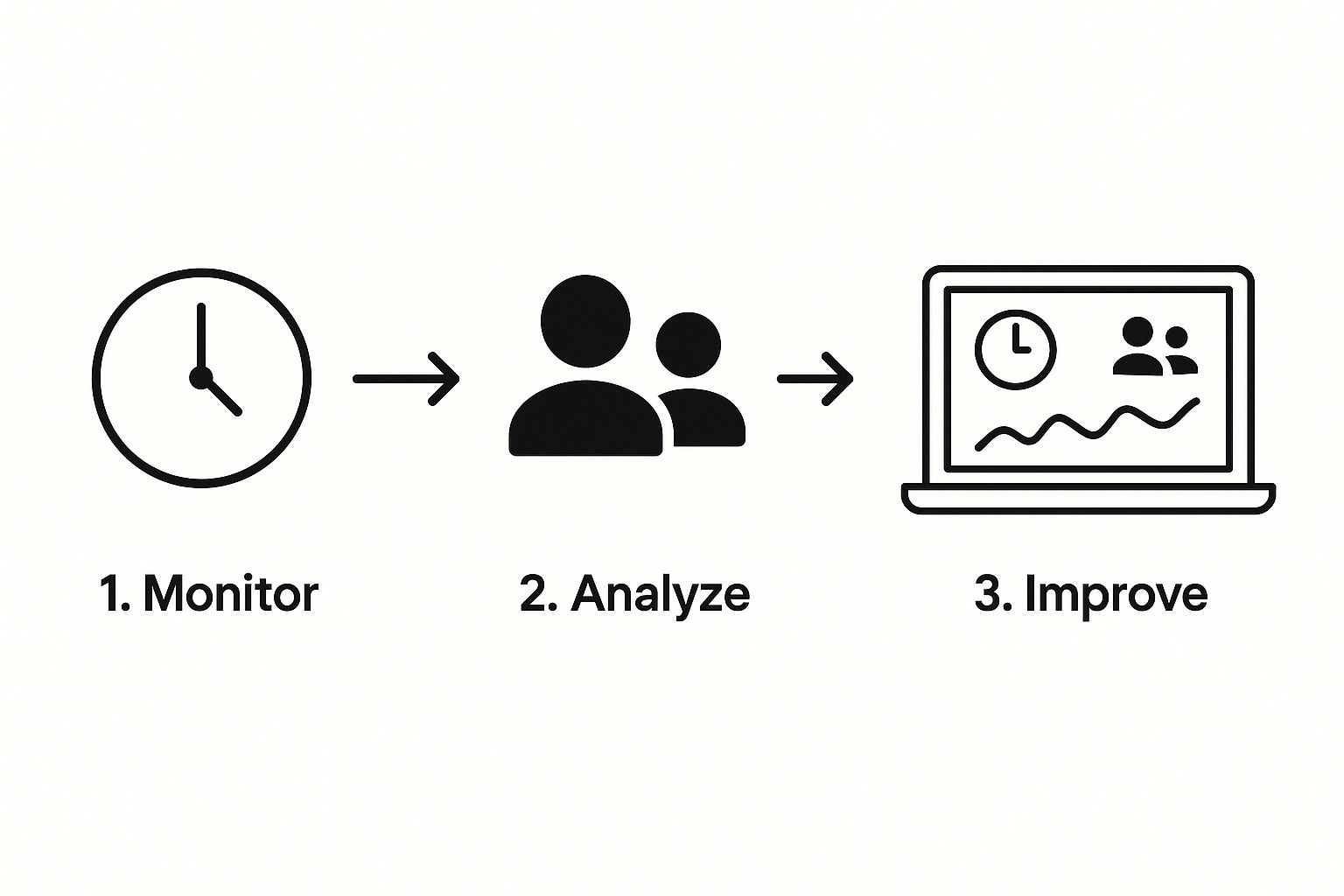
As you can see, the best interfaces present complex data—like time allocation, team activity, and performance trends—in a way that’s easy to digest at a glance.
Basic Trackers vs. Workforce Analytics
It’s really important to understand the difference between a basic time tracker and a more powerful workforce analytics platform. They both have their uses, but they serve very different purposes, and the right choice depends entirely on what you’re trying to achieve. If you want to explore this further, we have a great guide on the best employee monitoring software on the market.
Choosing the right tool is less about watching your team and more about understanding your workflows. The best platforms provide data that helps you support your employees, remove obstacles, and celebrate their successes.
To help clear things up, let's break down how these two types of tools stack up against each other.
Comparing Remote Monitoring Tool Features
When you're shopping around, it's easy to get lost in feature lists. At a high level, the tools fall into two main camps: simple time trackers that just log hours, and comprehensive platforms that give you the full story behind those hours. Here’s a quick comparison to help you decide what your team actually needs.
| Feature | Basic Time Tracker | Comprehensive Platform (e.g., DeskCove) |
|---|---|---|
| Primary Function | Logs start/stop times and total hours worked. | Analyzes productivity, tracks app usage, and provides deep workflow insights. |
| Data Provided | Simple timesheets and hour logs. | Detailed reports on productive vs. idle time, project costs, and team performance. |
| Best For | Freelancers or simple hourly billing. | Teams focused on optimizing efficiency, managing complex projects, and balancing workloads. |
At the end of the day, a comprehensive platform provides the crucial context behind the hours logged. It turns raw data into a powerful tool you can use for smarter strategic decisions and better team support.
Setting Up DeskCove for Your Team's Success
So, you have a tool like DeskCove ready to go. Now the real work begins. Getting the configuration right is what separates managers who collect random data from those who gather genuine, actionable intelligence.
This is where you strike a delicate balance between needing productivity insights and upholding your commitment to employee privacy. It all comes back to the transparent policy you've already established with your team.
The initial setup is your chance to define what productivity actually means for your unique team—not some generic, off-the-shelf definition. The goal is to make the software reflect how your team really operates, ensuring the data helps you support them, not just watch them.
Customizing Settings for Different Roles
Let's be real: different roles have wildly different workflows. A graphic designer's productive day looks nothing like a sales rep's, and your monitoring setup needs to reflect that reality. DeskCove lets you create customized profiles for specific teams or even individual roles, so the metrics you track are always relevant.
Think about these common scenarios:
- For the Design Team: You’d likely classify Adobe Creative Suite and Figma as highly productive. Since their work is so visual and intensive, you might dial back the screenshot frequency to avoid disrupting that creative flow.
- For the Sales Team: The CRM, email client, and communication apps like Slack are their bread and butter. You could mark these as productive and even track time spent on specific client-related projects to get a clearer picture of the sales cycle.
- For a Development Team: Tools like GitHub, Jira, and various code editors are where the magic happens. Here, you could configure the settings to focus on time allocated to specific sprints or bug fixes, which helps you analyze project velocity.
This kind of customization is everything. It shifts the conversation away from vague "time at the desk" metrics and toward meaningful, role-specific performance indicators. It’s a critical step in making remote worker monitoring a supportive and effective practice.
Thoughtful configuration is what transforms a monitoring tool from a simple time clock into a strategic business intelligence asset. The goal is to get data that helps you ask better questions and provide targeted support.
The need for a balanced approach is clear when you look at the numbers. While 97% of remote companies say employee monitoring boosts productivity, a significant 70% of employers have lost workers who resisted being monitored. This highlights the critical trade-off, which you can explore further in these remote work productivity statistics.
Defining Productive vs. Unproductive Applications
One of the first and most powerful things you can do is define which apps and websites count as productive, neutral, or unproductive. And please, don't do this in a vacuum.
Bring your team leads—or even the employees themselves—into the conversation to build a list that accurately reflects their day-to-day responsibilities.
For example, a marketing manager uses social media for research and community engagement, making platforms like Twitter or LinkedIn productive for their role. For an accountant on the same team, those exact same sites would likely be unproductive.
This collaborative approach does more than just improve accuracy; it reinforces the transparency and trust you're trying to build. When you tailor these settings thoughtfully, the productivity reports you get will show a true, contextualized view of how work actually gets done.
Turning Monitoring Data into Actionable Insights
Simply collecting data on your remote team is a waste of time. The real magic happens when you turn those raw numbers into meaningful conversations that empower your team and help you become a better leader.
This is where monitoring evolves from a simple management chore into a powerful tool for coaching and growth. Using DeskCove’s productivity reports, you can dig deeper than surface-level metrics to start spotting crucial trends. The goal here isn't to micromanage—it's to analyze the information and use it to ask better, more insightful questions.
Identifying Key Performance Patterns
The first step is learning to read the stories your data is telling you. Don't get bogged down in individual daily reports. Instead, zoom out and look for broader patterns over weeks or even months. This is where you’ll spot the early signs of burnout, recognize unsung heroes, and find imbalances in your team's workload.
Think about these real-world scenarios:
- Spotting Potential Burnout: A top performer’s productivity suddenly dips, or their active hours start creeping later and later into the evening. This isn't necessarily a performance issue; it's a signal to check in and see if they're overwhelmed.
- Recognizing Top Performers: Maybe you notice a team member consistently wrapping up projects well ahead of schedule or dedicating significant time to a specific productive application. This data gives you a concrete reason to give them a shout-out or consider them for more challenging work.
- Balancing Workloads: If one person's project hours are consistently double that of their peers, it’s a pretty clear sign of an unfair workload. These insights allow you to rebalance tasks before resentment has a chance to build.
This is the core of what effective workforce analytics is all about. You're using data to build a healthier, more efficient, and more supportive place to work.
Using Data in One-on-One Meetings
Bringing this data into your one-on-one meetings is where real change happens. But your approach is everything; it determines whether the conversation is constructive or confrontational. The key is to frame the discussion around collaborative problem-solving, not accusations.
Never lead with the numbers. Start by asking open-ended questions about their work and well-being. Use the data as a tool to support the conversation, not to drive it.
For instance, instead of saying, "Your productivity was down 15% last week," try a softer, more supportive approach: "I noticed you’ve been putting in a lot of hours on the Miller project. How are you feeling about the workload? Is there anything we can do to support you?"
This simple shift turns a potentially negative interaction into a positive one focused on finding solutions together. It shows your team that you’re using monitoring data to help them succeed, which builds trust and opens the door for honest, productive dialogue. This is how monitoring transforms from a tool of oversight into a cornerstone of genuine mentorship.
Navigating the Legal and Ethical Side of Monitoring
Rolling out any kind of monitoring software brings up some serious legal and ethical questions. How you keep tabs on your remote workers isn't just another management decision—it's a practice that has to be fair, legally sound, and respectful of your team's privacy. This is where a clear, well-thought-out ethical framework becomes your most important tool, protecting both the business and your people.
The foundational rule here is simple: transparency is non-negotiable. Your team has a right to know exactly what data you're collecting, why you need it, and how it's going to be used. Monitoring people in secret is the quickest way to demolish trust and build a resentful, toxic work culture. Your policy needs to spell out that tracking only happens on work devices during scheduled hours—never on personal devices or after the workday is done.
Understanding Your Legal Obligations
The legal landscape for employee monitoring can be a real minefield, and it changes dramatically depending on where you and your employees are. In Europe, for example, the GDPR has strict rules about data processing and demands a clear legal justification for any monitoring. Over in the United States, the laws are a complex patchwork that can vary from state to state.
Because the rules are so complicated and different everywhere, getting professional legal advice isn’t just a good idea—it's essential. A lawyer can help you craft a monitoring policy that is buttoned up and fully compliant with the laws in every jurisdiction your employees call home. This one step will ensure your whole approach is built on a solid, legal foundation right from the start.
The goal of ethical monitoring is to foster a culture of accountability and support, not one of surveillance. When done correctly, it reinforces the trust that is the true foundation of any successful remote team.
Building an Ethical Framework
Beyond just following the law, a truly ethical approach is all about respect. The data you gather should be used to support your team, pinpoint roadblocks, and make processes better—not to micromanage or create a high-pressure environment. For instance, using workflow data to help balance workloads across the team is a great, ethical use. Using that same data to question every five-minute break? Not so much. Taking time to explore the various pros and cons of employee monitoring can give you some much-needed perspective on finding that balance.
The massive shift to remote work has only made these issues more critical. In 2023, about 28% of employees around the world worked from home. And with a staggering 91% of workers wanting to keep it that way, the need for clear, fair monitoring standards has never been greater. You can discover more insights about remote work trends from Statista. This new reality makes it clear: an ethical, transparent monitoring strategy isn't just nice to have—it's a fundamental part of modern workforce management.
Got Questions About Remote Employee Monitoring?
Even with a solid plan, it’s completely normal to have questions about monitoring remote workers. Let’s be honest, it can feel like a tricky subject. Tackling these common concerns head-on is the best way to keep things transparent and make sure everyone on the team feels respected.
Here are some straightforward answers to the questions we hear most often, from both managers and employees.
Can I Legally Monitor My Remote Employees?
In most places, the short answer is yes—as long as you have a legitimate business reason and you’re upfront about it. But this is a big one: laws can vary wildly from one state or country to another. Some jurisdictions require explicit, signed consent from employees, while others have different rules.
The universal best practice? Create a clear, detailed written policy that every single employee reads and signs. This document should spell out exactly what you monitor (like activity on a company-issued computer), why you're monitoring it (for things like project costing or security), and during what hours. You should never, ever monitor personal devices or capture sensitive personal information.
It's absolutely critical to talk to a legal expert. They can ensure your monitoring practices are fully compliant with all local, state, and national laws. This is not an area for guesswork.
How Do I Monitor Workers Without Destroying Trust?
This is the million-dollar question, isn't it? The key is to frame monitoring as a tool for support, not surveillance. Trust is built when your team sees that the data is being used to help them, not to catch them making a mistake.
It all starts with that transparent policy we just talked about, but it doesn't end there. It’s about how you use the insights you gather.
Focus on outcomes and performance metrics that actually matter, like project completion rates, instead of getting hung up on arbitrary numbers like keystroke counts. Use the data to spark positive, helpful conversations in your one-on-one meetings. A great way to do this is to spot where team members might be getting stuck, recognize their hard work, and make sure workloads are balanced and fair.
When you position monitoring as a collaborative tool for professional growth and team success, you actively build trust instead of letting it erode.
What Are the Best Metrics to Track for Remote Workers?
You’ll want to steer clear of "vanity metrics" and zero in on what truly reflects your team's output and efficiency. The best metrics are always the ones tied directly to performance and project goals.
Here are a few key indicators worth considering:
- Project Completion Rates: This gives you a clear picture of how effectively tasks are being finished on schedule.
- Task Turnaround Times: This can help you pinpoint bottlenecks in your workflow and find opportunities to improve your processes.
- Productive Application Usage: Based on what's defined for each role, this shows if your team is spending their time in the right software to get the job done.
The goal isn’t just to watch the clock; it’s to understand performance patterns and make work better for everyone. A platform like DeskCove is great for this because it lets you customize these metrics for different teams, so the data you're looking at is always relevant.
Does Monitoring Software Actually Increase Productivity?
It absolutely can, but its success hinges entirely on how you implement it. When monitoring is used to find operational hurdles, balance workloads across the team, and provide targeted coaching, it can be a powerful driver of productivity.
But—and this is a big but—if employees feel like it’s just a tool for micromanagement or a way to create a high-pressure environment, it will backfire. That kind of atmosphere leads to stress and kills morale, which will torpedo productivity faster than anything else. The software itself is neutral; it's the management strategy behind it that determines the outcome.
Ready to turn monitoring data into a tool for empowerment and team growth? DeskCove provides the insights you need to support your remote team, optimize workflows, and hit your goals without sacrificing trust. Start your free trial today and see the difference.