How to Track Remote Employee Productivity: A Practical Guide

When you're trying to track the productivity of a remote team, it's a whole different ballgame. You have to shift your focus from simply counting the hours people are logged on to looking at the actual, tangible outcomes they're producing.
This is where tools like DeskCove come in handy. They give you the data you need on things like application usage, how much time is spent on specific projects, and general activity levels. It's a data-driven way for managers to see workflow patterns and support their teams without having to breathe down their necks. The real goal here is to use these insights to build trust and clear away any roadblocks, not just to watch every single click.
Rethinking Remote Productivity in a Modern Workplace
The move to remote work isn't just a phase; it's a massive change in how businesses get things done. With that shift comes a big question: what does it actually mean to be productive anymore? The old-school mindset of "butts in seats" is completely outdated.
Today, figuring out how to track remote employee productivity is less about playing Big Brother and more about getting a clear picture of how work flows. It's about preventing burnout and giving your team the support they need to succeed.
Good tracking goes way beyond just seeing if someone is active. It’s all about using data to find answers to the important questions. Are your teams spending their time on the right tasks? Are there hidden bottlenecks slowing things down? Is someone's workload getting out of control? To answer these, you need a smart, data-backed plan.
The Shift From Oversight to Insight
The fundamental principle of modern productivity tracking is making the jump from oversight to insight. Instead of watching every little thing an employee does, the aim is to understand the bigger picture of how work actually gets accomplished. This kind of approach helps build a culture where people feel autonomous and accountable, trusted to manage their own time well.
This new way of thinking is backed by some pretty solid numbers. The remote work revolution has completely changed how businesses monitor productivity. For example, remote employees save an average of 72 minutes per day because they don't have a commute, and about 40% of that saved time gets put right back into their work. This is a big reason why employee monitoring software has become so common—in fact, 97% of companies that use it believe it helps boost productivity.
Measuring What Truly Matters
Being productive isn't just about being busy; it's about being effective. To really get a handle on this, you need to focus on metrics that are directly tied to your business goals.
- Project Progression: Keep an eye on the time being put into specific projects. This helps you see where the effort is going and lets you know if your deadlines are actually realistic.
- Application Usage: Figure out which tools are genuinely helping your team and which ones are just creating distractions. This lets you allocate resources more effectively.
- Work-Life Balance: Monitor activity levels to catch the early warning signs of burnout, like people consistently working super long hours or on weekends.
- Task Completion Rates: Concentrate on the output. How many tasks are getting done? What’s the quality of the work? This is far more important than just the hours logged.
When you focus on outcomes instead of just activity, you create an environment where your top performers can really shine. This approach respects your team's autonomy and shifts management's attention to where it should be: on strategic goals and team support.
While a tool like DeskCove gives you incredibly detailed activity insights, it's also smart to look at broader ways of measuring an employee's value. Some companies, for instance, are moving toward a skills-focused approach rather than just tracking time. Looking into methods like competency-based training can give you a much more complete view of what an employee brings to the table.
Ultimately, the best strategy combines hard, quantitative data with a qualitative understanding of your team's work. If you're looking to put these ideas into practice, our guide on how to increase remote workers productivity is a great place to find your next steps.
Configuring DeskCove for Actionable Insights
Getting a tool like DeskCove up and running is about more than just creating accounts for your team. To get real value, you need to fine-tune the system to match your team’s unique workflow and your company’s culture. A thoughtful setup is the difference between gathering meaningful data and just collecting noise.
The whole point is to move past simple activity logs and start generating automated reports that actually show you what’s happening. This means customizing what the tool tracks, defining what "productive" means for different jobs, and even setting up project-specific monitoring. When you get this right from the start, you build a system that gives you clear, useful information from day one.
The journey from raw data to real results is a structured one, and getting the configuration right lays the groundwork for trust and improved performance.
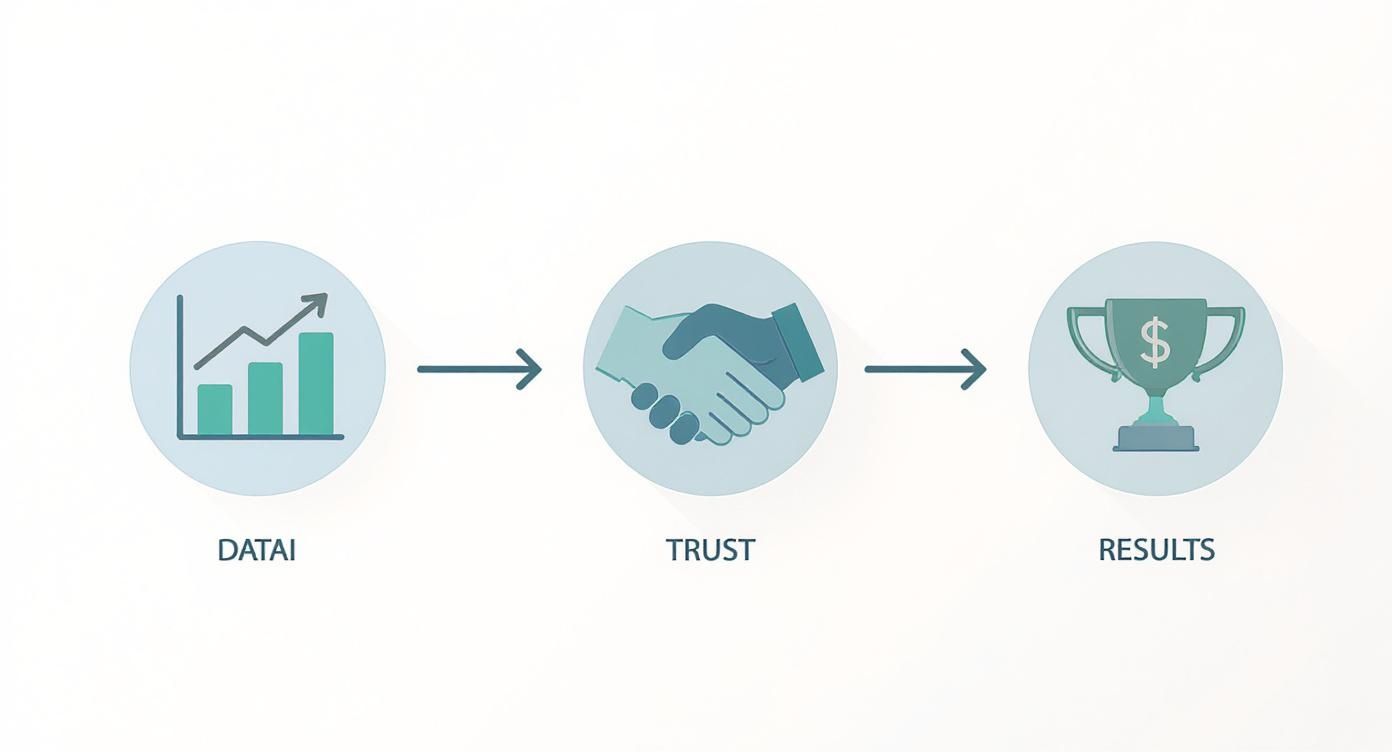
As you can see, collecting the right data is the first step. It’s what builds the foundation of trust that ultimately drives better business outcomes and a healthier team dynamic.
Customizing Tracking Parameters For Different Roles
Let's be honest: a one-size-fits-all approach to productivity tracking is doomed to fail. A software developer’s day looks completely different from a sales rep's or a graphic designer's. Acknowledging this is the key to fair and accurate monitoring.
For instance, a developer might spend 80% of their day deep in a code editor, an activity that should absolutely be marked as productive. Meanwhile, a sales team member’s most valuable time is spent in a CRM like Salesforce, on LinkedIn, or using communication tools. DeskCove lets you create role-specific profiles to reflect these realities.
Kick things off by defining which applications and websites are productive, neutral, or unproductive for each role.
- Productive: Think core software essential for getting the job done. For designers, that’s Adobe Creative Cloud; for marketers, it might be HubSpot.
- Neutral: These are general communication or admin tools, like internal chat apps or email clients.
- Unproductive: This is the easy category—entertainment, most social media, or other non-work-related sites.
This level of customization ensures the data you collect is a true reflection of each person's job. It prevents misunderstandings and helps you gather intel that actually informs performance conversations, rather than derailing them.
Setting Up Projects For Granular Insights
Beyond just tracking general activity, DeskCove’s project tracking feature is where you get a real handle on resource allocation and profitability. Instead of just knowing if an employee was working, you can see exactly what they were working on.
This is a massive advantage for agencies, consulting firms, or any team juggling multiple clients and projects. By creating distinct projects within DeskCove, you can assign tasks and see precisely how many hours are logged against each one.
This granular view is a game-changer for project management. It helps you identify which projects are eating up the most resources, allowing you to adjust timelines, reallocate team members, and make sure your billing is spot-on.
This simple step transforms your time tracking from a basic timesheet into a strategic business intelligence tool. For more ideas on improving your team's output, you can explore ways to boost team efficiency with this top-rated staff tracker.
Automating Reports To Save Time And Spot Trends
The true power of tracking remote employee productivity doesn't come from scrutinizing daily activity logs. It comes from analyzing trends over time. Manually pulling reports is a huge time-sink and completely inefficient. This is why setting up automated reports in DeskCove is an absolute must.
You can schedule reports to land in your inbox daily, weekly, or monthly. This keeps you in the loop without getting bogged down in the tiny details.
To get you started, here is a quick checklist to guide you through the key configuration steps.
DeskCove Feature Configuration Checklist
| Configuration Step | Objective | Recommended Setting/Action |
|---|---|---|
| Role-Based Profiles | Accurately reflect different job functions. | Create unique profiles for each role (e.g., Developer, Sales, Marketing). |
| App & URL Classification | Define what is productive vs. unproductive. | Classify core software as "Productive" and social media as "Unproductive" per role. |
| Project Creation | Track time against specific initiatives or clients. | Set up a project for each client or major internal initiative. |
| Automated Reporting | Get consistent insights without manual work. | Schedule weekly "Team Productivity Summary" and "Project Time Allocation" reports. |
| Screenshot Settings | Ensure privacy while maintaining oversight. | Set screenshot frequency to a reasonable interval, like once every 10 minutes. |
Completing this checklist ensures your DeskCove setup is optimized from the very beginning.
Consider setting up automated reports for these key metrics:
- Team Productivity Summary: A high-level overview of productive vs. unproductive time across the whole team.
- Project Time Allocation: A breakdown of hours spent on each project to keep an eye on budgets and progress.
- Application Usage Report: An analysis of which tools are being used most frequently.
These automated insights help you proactively spot patterns, celebrate wins, and tackle potential issues—like workload imbalances or workflow bottlenecks—before they turn into major problems.
Turning Productivity Data Into Performance Wins
Collecting data with a tool like DeskCove is just the starting point. The real value comes when you turn those raw numbers into insights that actually help your team and boost performance. After all, data is only as good as the action it inspires, and your dashboard is a powerful coaching tool just waiting to be used.
This isn't about micromanaging or tracking every single minute of the workday. It's about taking a step back and looking at the big picture. The goal is to use the combined data to spot patterns, celebrate wins, offer support where it's needed, and kickstart constructive conversations that help everyone grow.

Spotting Meaningful Patterns in Work Habits
Your DeskCove dashboard gives you a high-level view of how work is getting done. Instead of getting bogged down in individual daily logs, zoom out and look for trends over weeks or even months. Are certain days of the week consistently less productive? Does one particular project seem to have a lot of unproductive time tied to it?
These patterns are starting points for a conversation, not hard conclusions. For instance, a productivity dip every Friday afternoon probably isn’t about laziness—it could be a sign that the whole team is hitting a wall before the weekend. That insight could lead you to try something like "no-meeting Fridays" to give everyone a chance to do deep work.
On the flip side, consistently high productive hours aren't always what they seem. If a team member is regularly logging 10-12 productive hours a day, it's not a sign of a super-performer. It’s a major red flag for potential burnout.
Identifying Workflow Bottlenecks
Data is incredibly good at shining a light on those hidden roadblocks that frustrate your team and kill momentum. A quick look at the application and URL usage reports can show you exactly where the time is going.
Imagine you see that the design team is spending way too much time in an old, clunky file-sharing app. That's a classic workflow bottleneck. Once you spot it, you can look for better tools or streamline the process, potentially saving the team hours of frustration each week.
Here are a few common bottlenecks that data can help you uncover:
- Inefficient Tools: Too much time spent in outdated or poorly integrated software.
- Repetitive Manual Tasks: Seeing a lot of time spent on tasks that could easily be automated.
- Information Silos: Watching team members jump constantly between different chat apps and project management tools, which suggests they're struggling to find what they need.
Tackling these issues does more than just boost efficiency; it shows your team you’re invested in making their work life easier. This kind of proactive problem-solving is key to using data to track remote employee productivity in a truly supportive way.
Using Data for Constructive Conversations
The most critical part of this whole process is how you talk about what you're seeing. The data should be used to open a dialogue, not to point fingers. When you approach a team member with an observation, frame it as a joint effort to make things better.
Instead of saying, "Your productivity was down 20% last week," try something more collaborative: "I noticed the team's focus time on Project X seemed a bit lower last week. Is everything going okay with it? Are there any roadblocks I can help clear?"
This simple shift in framing turns a potentially negative chat into a positive, supportive one. It reinforces the idea that tracking is there to help, not to punish. And the numbers back this up—a massive 78% of companies report their remote teams are hitting their goals, with 66% seeing an actual increase in productivity. Some studies even point to a 9% productivity gap in favor of remote workers. You can dig into the full findings on remote work statistics to learn more.
By focusing on trends and using them as the foundation for helpful conversations, you change productivity data from a simple metric into a powerful tool for team growth, engagement, and ultimately, better performance across the board.
How to Talk to Your Team About Productivity Tracking
Bringing any new tool into the mix requires a bit of finesse, especially when that tool monitors team activity. Let's be honest: the conversation around productivity tracking is a make-or-break moment. Get it right, and you build trust. Get it wrong, and you breed suspicion.
The key is approaching the discussion with total transparency and a clear focus on mutual benefits. You want to get your team on board, not just push a new policy on them.
The goal here is to frame a tool like DeskCove not as "Big Brother," but as a resource for making work better for everyone. Think of it as a way to spot unbalanced workloads, find frustrating bottlenecks, and offer support exactly where it's needed. When your team sees it as a tool that helps them, the resistance melts away.
This all starts with a solid communication plan that answers the "what," "why," and "how" before a single piece of data is ever collected.
Frame the Conversation Around Support and Growth
Your team’s first impression will be shaped entirely by how you introduce this. If it sounds like you’re trying to catch people slacking off, you’ve already lost the room.
Instead, position it as a strategic move to improve everyone's work-life. Explain that the insights will help protect them from burnout by making sure work is distributed fairly. Highlight how the data can pinpoint those clunky, inefficient processes that drive everyone nuts, so you can finally fix them.
Emphasize that this is about understanding how work gets done—not who is doing what every second of the day. This shifts the entire dynamic from individual oversight to collective improvement. It becomes a tool for the whole team, not just for management.
Be Radically Transparent About What Is Tracked
Ambiguity is the enemy of trust. Your team is going to have questions about privacy, and you need to have clear, honest answers ready to go. Don't dance around the details. Be upfront about exactly what DeskCove tracks and, just as importantly, what it doesn't.
Give them a straightforward breakdown of the data points being collected:
- Application and URL Usage: Explain this helps you see which tools are genuinely useful and where time is getting sunk.
- Project Time Allocation: Clarify this is for accurate client billing and resource planning, not for nitpicking every minute.
- Optional Screenshots: If you plan to use this feature, be crystal clear about why—maybe for project verification—and how often it happens.
Being completely open demystifies the whole process and eliminates the fear of the unknown. A transparent policy is a sign of respect, and it shows you have nothing to hide. That's how you build a foundation of mutual trust.
Focus on Team-Level Trends, Not Individual Scrutiny
Reassure your team that the main goal is to look at aggregated, team-level data. You're trying to spot broad patterns. Is a specific project eating up way more hours than planned? Is the team collectively losing too much time to meetings?
This approach shows employees you won't be poring over their individual daily logs with a magnifying glass.
Of course, individual data can be a fantastic tool for one-on-one coaching, especially if someone seems overworked or is hitting a wall. When you do have those conversations, it's vital to know how to give good, constructive feedback to employees so the discussion stays positive and genuinely helpful.
Your commitment to using this data for supportive coaching rather than punishment is everything. For more ideas on striking the right balance, our guide on how to monitor remote workers has additional strategies. If you handle this conversation with care, you lay the groundwork for a system that actually empowers your team and drives real performance wins.
Unlocking Advanced DeskCove Features
Once you've got the hang of the basics, it's time to dig into DeskCove’s more powerful features. This is where you move beyond simple time tracking and start gathering strategic insights that can really shape your team's operations. Think of it as shifting from a daily monitor to a valuable asset for making smart business decisions. This is where you learn how to track remote employee productivity on a level that directly impacts your bottom line.
We'll walk through how to use these advanced functions to analyze project profitability, ensure quality work is being delivered, and manage your team proactively. By weaving DeskCove more deeply into your workflow, you can create a single, unified view of performance.
Leverage Detailed Project Time Tracking
One of the most powerful advanced features is linking time tracking directly to specific projects and even individual tasks. This goes way beyond just knowing if someone was working; it tells you exactly where every minute of effort is going. For agencies, software development teams, and consulting firms, this is an absolute game-changer.
By meticulously tracking hours against projects, you can generate reports that reveal the true cost of every client engagement or internal initiative. Are certain types of projects constantly blowing the budget? Is one particular client absorbing way more resources than their contract justifies? These are the tough questions that detailed tracking finally answers.
This granular data allows you to analyze project profitability with pinpoint accuracy. You can make informed decisions about future pricing, resource allocation, and even which clients are most valuable to your business.
This strategic view helps you shift from simply managing tasks to actively managing profitability. It’s all about making sure your team’s hard work translates directly into healthy business outcomes.
Use Intelligent Screenshot Sampling For Quality Assurance
Screenshots can be a touchy subject, but when used correctly, they are an incredible tool for quality assurance and coaching—not surveillance. DeskCove’s intelligent sampling lets you set a reasonable, low-frequency capture rate, maybe one screenshot every 10 or 15 minutes. The goal isn't to watch every single action but to get a periodic glimpse into the work being done.
This feature is especially handy for roles where the visual output is everything, like graphic design, UI/UX development, or data visualization. A quick scan of sampled screenshots can confirm that work is on-brand, aligned with project requirements, and maintaining a high standard of quality.
It also doubles as a fantastic coaching tool. If a junior team member seems to be struggling with a particular piece of software or a process, screenshots provide the context a manager needs to offer specific, helpful guidance without having to set up a long screen-share session.
Set Up Custom Alerts For Proactive Management
Instead of constantly refreshing dashboards, let DeskCove tell you when something needs your attention. Custom alerts are a proactive way to stay on top of potential issues before they snowball into major problems. This lets you manage by exception, focusing your attention where it's truly needed.
Consider setting up alerts for a few key scenarios:
- Approaching Budget Limits: Get a notification when a project hits 80% of its allocated hours. This gives you plenty of time to discuss scope or budget with the client.
- Excessive Idle Time: An alert for unusual periods of inactivity can be an early warning that an employee is stuck, blocked, or disengaged.
- Signs of Burnout: Configure an alert for employees who consistently work significant overtime, allowing you to step in and promote a healthier work-life balance.
These automated triggers empower you to be a more responsive and supportive manager, tackling issues in real-time instead of discovering them in last week's report.
DeskCove Basic vs Advanced Features
Diving into the advanced features can feel like a big leap, but understanding the difference is key to getting the most out of the platform. Here’s a quick breakdown to help you see when and why you'd move beyond the basics.
| Feature Type | Use Case | Benefit |
|---|---|---|
| Basic Time Tracking | Monitoring daily work hours and general activity. | Provides a high-level view of when your team is working. |
| Advanced Project Tracking | Allocating every hour to a specific client or task. | Enables detailed profitability analysis and accurate billing. |
| Basic Application Reporting | Seeing which apps are used most frequently. | Helps identify popular tools and major distractions. |
| Advanced Custom Alerts | Getting notified of specific events (e.g., budget limits). | Allows for proactive management and immediate intervention. |
By mastering these advanced capabilities, you can elevate your use of DeskCove from a simple tracking tool to a core component of your business strategy, driving efficiency, profitability, and team well-being.
Common Questions on Remote Productivity Tracking
Diving into remote productivity tracking always sparks a few important questions from managers and employees alike. The key to a successful rollout isn't avoiding these conversations—it's meeting them head-on.
Getting these answers right from the start helps build a strategy based on trust and clarity, not suspicion. Let's tackle the most common ones you'll run into.
Is It Legal and Ethical to Track Remote Employees?
Yes, in most places, it's perfectly legal for a company to monitor activity on devices it owns, as long as employees are told about it upfront. The legal side is usually clear-cut, but the ethics? That’s all about your approach.
An ethical tracking strategy is built on one thing: transparency.
You have to be completely open about what’s being tracked and, more importantly, why. The goal should always be to spot team-level trends to make work better for everyone, not to micromanage individuals. It also means drawing a hard line when it comes to personal time and privacy. As long as the data is used to coach and support your team, you’re staying on solid ethical ground.
How Do I Get My Team On Board with a Tool Like DeskCove?
Getting your team on board comes down to clear communication and framing it in a positive light. If your team thinks this is just a new way to get in trouble, they’ll push back. Hard. You have to show them it's a tool for the team to win together.
Start the conversation by talking about shared goals. Explain how you'll use the data to make sure workloads are fair, so no one person is constantly swamped. Point out that it will help you find and eliminate those clunky, inefficient processes that drive everyone crazy.
When you make it clear the goal is about making the team better, you change the story from "big brother is watching" to "we're in this together." A pro tip? Involve your team in setting up the tracking policy. It shows you value their input and gives them a real sense of ownership.
Can Productivity Tracking Negatively Impact Morale?
It absolutely can—but only if you mess up the implementation. If employees feel like you're tracking them because you don't trust them, or if the data becomes a stick to beat them with, morale will nosedive. That kind of culture just encourages people to find clever ways to look busy instead of doing great work.
On the flip side, when tracking is part of a healthy, trusting culture, it can actually boost morale. Think about it. Using data to spot and celebrate great work makes people feel valued. Using it to ensure workloads are balanced shows you genuinely care about your team's well-being.
What Metrics Matter More Than Just Hours Worked?
Focusing only on hours logged is the classic rookie mistake when learning how to track remote employee productivity. Real productivity is about what you accomplish, not just how long you were online. It’s time to look at the metrics that actually tell a story.
Instead of getting hung up on total hours, dig into these areas:
- Productive Time vs. Idle Time: This gives you a much clearer picture of real engagement during the workday.
- Application and URL Usage: Look at this data to see which tools are actually helping people get work done and which are just digital rabbit holes.
- Project Time Allocation: Use project tracking to see how much effort is going into key initiatives and compare that effort to the final results.
The real magic happens when you connect this activity data to actual business outcomes. When you see a link between productive time spent on a project and a happy client or a smashed KPI, that’s when you get a full picture of what true productivity looks like.
Ready to implement a productivity tracking strategy that builds trust and drives results? DeskCove provides the actionable insights you need to support your team, optimize workflows, and achieve your business goals. Start your free trial today and see the difference!