Your Team Capacity Planning Template That Works

Managing a busy team can feel like a high-stakes guessing game. You're constantly juggling deadlines, shifting priorities, and trying your best to keep everyone from burning out. This is where a team capacity planning template stops being a nice-to-have and becomes an essential tool, moving you from reactive firefighting to proactive, strategic leadership.
Stop Guessing and Start Planning with a Real Template
Let's be real—how often do you cross your fingers, just hoping you have enough people and hours for that next big project? That uncertainty is the breeding ground for chaos. It leads directly to missed deadlines, stressed-out team members, and projects that go off the rails. A solid template cuts right through that noise.
It gives you immediate, clear visibility. You can see who is working on what, who has bandwidth for new tasks, and where the real bottlenecks are starting to form. This isn't about some complex management theory; it's about making resource planning a concrete, actionable part of your workflow.

Why a Template Is a Game Changer
Instead of relying on gut feelings, a template gives you a data-driven foundation for every decision. The core idea is simple but incredibly powerful: match your team's available work hours against the demands of current and future projects.
This simple exercise unlocks a ton of benefits that directly boost your team's health and your project success rates:
- Prevents Burnout: See at a glance when someone's plate is too full. You can rebalance assignments before stress becomes a problem. This is critical when you consider employees are 70% more likely to experience burnout when facing unreasonable time pressures.
- Improves Project Timelines: When you have a clear picture of everyone's availability, you can set realistic deadlines from day one, dramatically increasing the odds of delivering on time.
- Enables Data-Driven Decisions: Need to make a case for a new hire? Or maybe push back on an unrealistic deadline? The template gives you the hard data you need to back up your arguments with confidence.
A capacity planning template is more than just a spreadsheet; it’s a communication tool. It aligns everyone—from individual contributors to stakeholders—on what is achievable within a given timeframe, fostering transparency and reducing friction.
At its core, a good template helps you estimate demand, calculate your team's actual capacity, and figure out the next steps. It takes the guesswork out of resource allocation by tracking key details like who is assigned, what their role is, and how their timeline looks. This allows you to balance project needs against what your team can realistically deliver.
For a deeper dive into the fundamental concepts, check out our complete guide on what is capacity planning.
Getting Your Free Template Ready for Action
Theory is one thing, but let's get practical. A team capacity planning template is only as good as the data you feed it, which means the setup process is where you lay the foundation for trustworthy insights. It's time to turn this concept into a tool you can actually use.
We’ve put together a free, ready-to-use template for you. Just grab the format that works best for your team.
- Download your free Google Sheets Template (Link coming soon)
- Download your free Excel Template (Link coming soon)
Once you've made a copy, the next move is to customize it to match the reality of how your team works. Honestly, this initial setup is the most critical part of the whole process.
Defining Your Core Inputs
Before you can start calculating anything, you need to lock down your baseline data. This means listing every person on your team and defining their standard work hours. It might sound basic, but the details here make all the difference.
For instance, a standard 40-hour work week is never truly 40 hours of project availability. Studies consistently show that meetings and administrative tasks can gobble up 30% or more of a typical workweek. Overlooking this "invisible work" is the number one reason capacity plans fall apart.
Your first job is to fill out the template with these key details:
- Team Member Name: List everyone who will be contributing to projects.
- Role: Define their main function (e.g., Designer, Developer, PM).
- Standard Weekly Hours: Note their contracted hours (like 40 for full-time or 20 for part-time).
This simple list becomes the starting point for everything else.
Accounting for Real-World Work Habits
Now, it's time to adjust those standard hours to reflect what actually happens day-to-day. Nobody is 100% productive on project work from the moment they log in to the moment they log out. You have to account for the time that gets siphoned off by other necessary activities.
This is how you find each person's true net capacity—the actual number of hours they have for dedicated project tasks.
Start by subtracting the fixed time commitments:
- Paid Time Off (PTO): Block out any upcoming vacation days or public holidays.
- Recurring Meetings: Add up the weekly hours spent in stand-ups, all-hands meetings, and one-on-ones.
- Administrative Overhead: Estimate a percentage for tasks like checking email, internal chats, and filling out timesheets. A good starting point is usually somewhere between 15-25%.
By subtracting these non-project hours, you transform your template from an optimistic guess into a realistic forecasting tool. This single adjustment prevents the chronic over-allocation that leads directly to team burnout.
Here’s a glimpse of how a well-organized dashboard in your capacity planning template can help you visualize project progress and see who's working on what.
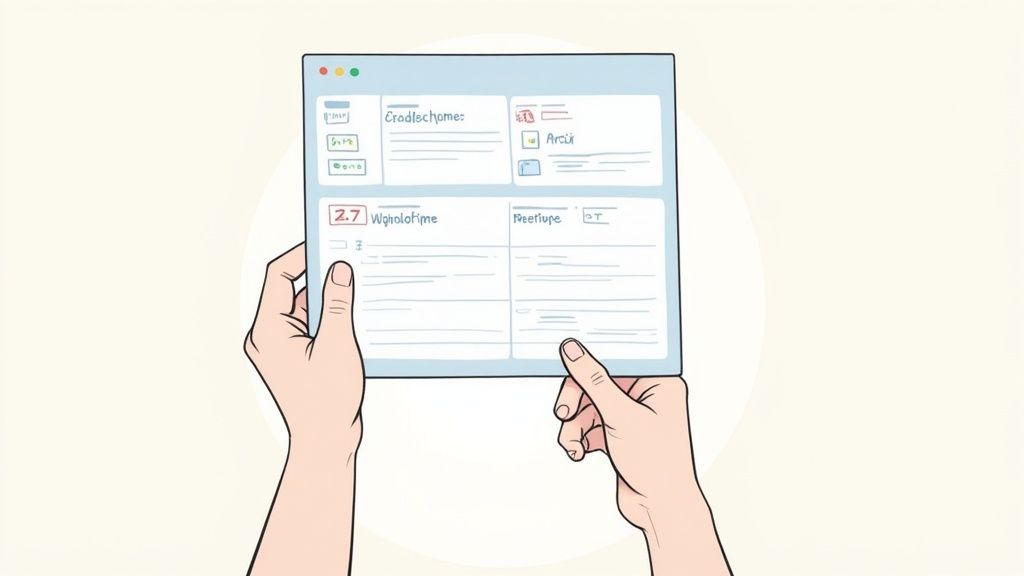
This kind of visual overview lets you spot which projects are on track and where your team's effort is currently focused, all at a glance.
Customizing Your Projects and Priorities
With your team's real availability nailed down, the final setup step is to define the work itself. Every team has its own mix of projects, tasks, and shifting priorities, and your template needs to reflect that.
Take a few minutes to customize the project section to fit your workflow. You could categorize work by:
- Client Name: Perfect for agencies juggling multiple accounts.
- Project Phase: Great for development teams (e.g., Discovery, Design, Build, QA).
- Priority Level: A simple High, Medium, or Low system can be a lifesaver for resource allocation.
Imagine a small marketing team. Their project categories might be "Q3 Social Campaign," "Website Redesign," and "Ongoing SEO." By breaking the work down like this, they can more accurately spread their designer’s net capacity of 28 hours/week across the most important initiatives.
This setup also makes tracking hours later on much simpler. For a deeper dive, our guide on how to make a timesheet in Excel offers step-by-step instructions you can easily adapt for this.
Taking the time to get these setup steps right ensures your data is clean, accurate, and truly reflects how your team spends its time. You're building a reliable foundation that will make your capacity calculations meaningful from day one.
Alright, you've got your team capacity planning template set up with names, roles, and a realistic view of time off. Now comes the fun part: crunching the numbers.
The goal here is to move past that vague feeling of who’s swamped and who’s not. We want a precise, data-backed picture of your team’s actual bandwidth. This isn't about firing up complex algorithms; it's just some simple, honest math that reveals how much time your team really has.
We'll start at the individual level to figure out each person's net capacity—the real number of hours they have for focused, project-specific work. From there, we'll roll those numbers up to see the big picture for the whole team.
Start with Individual Net Capacity
The single biggest mistake I see in capacity planning is assuming a 40-hour work week means 40 hours of project availability. It just never works out that way. To find someone's true capacity, you have to start by subtracting all the time that gets eaten up by non-project work.
The basic formula is pretty straightforward:
Gross Weekly Hours – (Meetings + Admin Time + PTO) = Net Weekly Capacity
Let's walk through a real-world example. Imagine a small agency team planning for an upcoming two-week sprint, which is 80 gross hours per full-time person.
- Sarah, the Developer (Full-Time): On paper, she has 80 hours. But we know she spends 4 hours a week in recurring meetings (think sprint planning, retrospectives) and figures another 6 hours go to administrative tasks like email and team chats. Over two weeks, that’s 20 hours of non-project time, leaving her with a realistic 60 hours of net capacity for actual coding.
- Mark, the Designer (Part-Time): Mark works 20 hours a week, giving him 40 gross hours for the sprint. He has 2 hours of meetings weekly and about 3 hours of admin. That adds up to 10 hours, giving him a solid 30 hours of net capacity for design tasks.
Getting this initial calculation right is everything. It immediately grounds your entire plan in reality and stops you from overloading someone with 80 hours of work when they only have 60.
Aggregate for Total Team Capacity
Once you've nailed down the net capacity for each person, you can just add them up. This gives you the team's total available hours for that specific period—a number that's pure gold for making smart decisions about what you can actually commit to.
Let's stick with our agency team and bring a project manager into the mix.
- Sarah (Developer): 60 hours
- Mark (Designer): 30 hours
- David (Project Manager): 50 hours (after accounting for his own meetings and admin)
The team's total capacity for this two-week sprint is 140 hours. This is the hard number you can work with. If the sprint backlog is estimated at 160 hours, you know right away—before anyone writes a single line of code—that you're overcommitted by 20 hours.
This kind of proactive insight is a game-changer. It lets you make adjustments, like bumping a lower-priority task to the next sprint or renegotiating a deadline, instead of finding out you're behind when it's already too late. A key part of this process involves identifying and eliminating bottlenecks that can secretly sabotage your team's output.
Handling Real-World Complexities
Of course, things are rarely that simple. A good capacity plan has to be flexible enough to handle the variables that pop up in any real team environment.
Team Members on Multiple Projects
What happens when someone like Sarah, your developer, is splitting her time between two major projects? Your template needs to let you allocate her net capacity, either as percentages or clean blocks of hours.
For instance, you could split Sarah's 60 hours like this:
- Project A (High Priority): 40 hours (67% of her time)
- Project B (Maintenance): 20 hours (33% of her time)
Doing this stops one project manager from accidentally claiming all of her time. It creates clarity for everyone and makes sure all commitments are on the radar.
Working with FTEs
For larger companies or when you're doing longer-term planning, thinking in terms of Full-Time Equivalents (FTEs) can be a lot more efficient. An FTE is just a way to measure workload, where one full-time employee is 1.0 FTE. It simplifies the math when you have a mix of full-time and part-time folks.
Our part-time designer, Mark, for example, would be a 0.5 FTE. If you want to dive deeper into this, our guide on how to properly calculate FTE for workforce planning has all the details you need.
By moving logically from individual hours to total team capacity, your template becomes more than just a roster. It turns into a powerful tool that gives you the clarity to balance workloads, set goals you can actually hit, and protect your team from the burnout that comes from being constantly overcommitted.
Making Your Plan Adapt to Reality
A team capacity planning template built in a vacuum is set up to fail. Your initial forecasts are a fantastic starting point, but that's all they are—a start. Real success comes when you create a dynamic model that actually evolves and adapts to what’s happening on the ground.
In today's fast-paced world, relying on estimates alone is a recipe for disaster. The true power of your template only shines through when you start feeding it real-world performance data. This creates a feedback loop that constantly sharpens your forecasts.
This is the leap from static planning to an intelligent, adaptive system. It's about turning your spreadsheet into a living document that learns from your team's performance over time.
The Power of a Feedback Loop
Imagine you estimated a specific type of design task takes 10 hours. But after tracking a few of these tasks with a tool like DeskCove, you realize they consistently take closer to 12.5 hours. That’s a 25% difference that will slowly but surely throw your project timelines off track if you ignore it.
By plugging this historical data back into your template, you can adjust your baseline assumptions. The next time a similar task pops up, you’ll budget 12.5 hours, not 10. This one simple tweak immediately makes all your future capacity planning more accurate and reliable.
Your template shouldn’t just be for forecasting the future; it should be a record of your team's past performance. This historical context is what turns it from a simple spreadsheet into a strategic asset you can't live without.
This process shows how individual availability gets filtered down into a realistic team capacity, which then becomes the foundation of your planning.
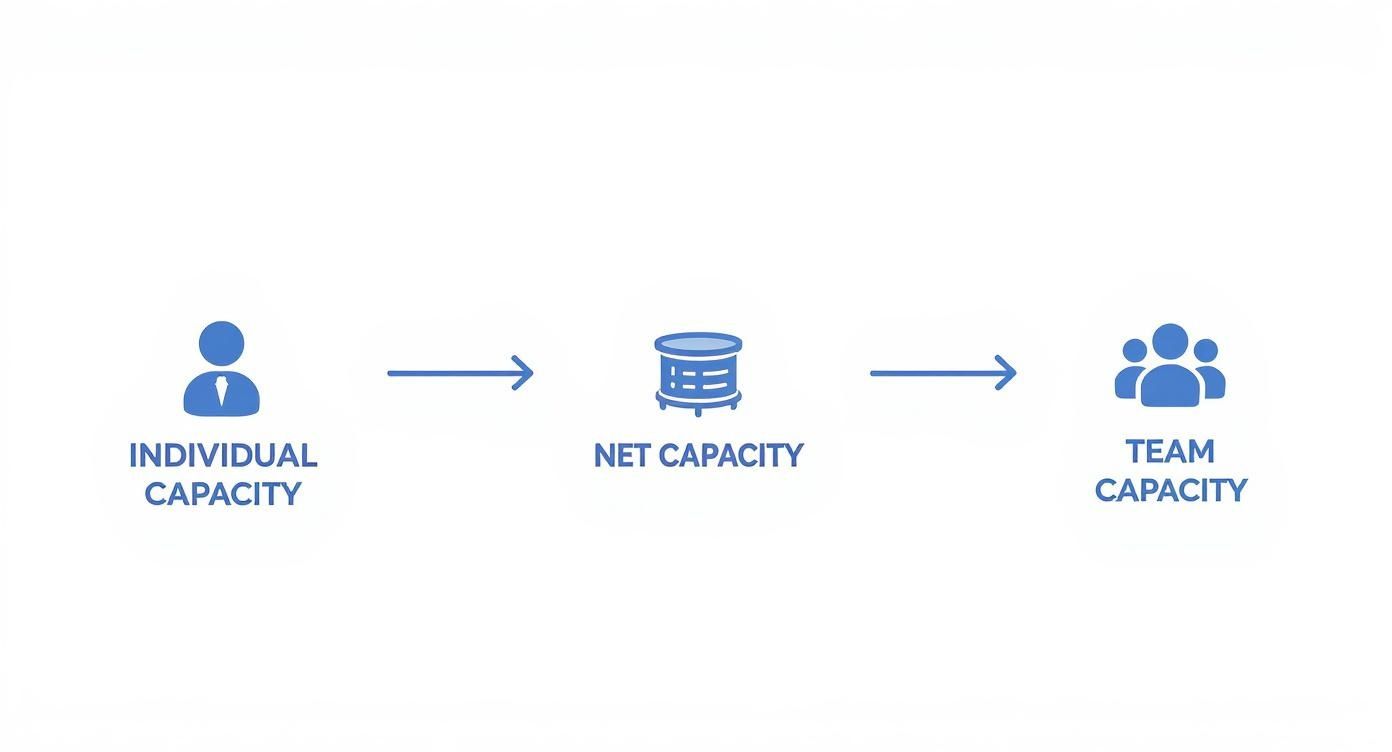
The big takeaway from this flow is that team capacity isn't just a simple sum of hours. It's the end result of a filtering process that has to account for real-world constraints at every single level.
From Static Forecasts to Dynamic Planning
Static plans are brittle. They shatter the moment an unexpected sick day, a client emergency, or scope creep rears its head. A dynamic approach, on the other hand, is built to absorb these shocks.
As business priorities shift on a dime, dynamic capacity models are quickly taking the place of old-school static methods. These modern approaches give you real-time visibility into resources across the whole organization, letting managers quickly reassign people or optimize workloads to meet new demands. As you might expect, adopting dynamic planning leads to major improvements in efficiency. For more on these trends, you can discover more insights on modern capacity planning from Saviom.
Practical Steps for Continuous Refinement
Making your plan adaptive isn't just a nice idea; it's a set of concrete actions. By building a routine around reviewing and adjusting your plan, you make sure it always reflects the real world.
Here are a few ways to build that feedback loop:
- Hold Regular Review Meetings: At the end of each week or sprint, set aside 15-30 minutes to compare your planned capacity against the actual hours worked. Talk about any big gaps. Did a task run long? Why?
- Update Your Baseline Estimates: When you spot a consistent pattern—like a certain type of task always going over—update the formulas or baseline numbers in your template. This "re-calibration" is what keeps your future plans grounded in reality.
- Track "Unplanned Work": Add a category in your template for unplanned work or fire drills. Tracking how much time these eat up each week gives you a data point you can use to build a buffer into future plans. That way, one emergency won't derail everything else.
By taking these steps, you transform your capacity planning template from a static document into a living, breathing tool. It becomes a system that not only helps you plan but also helps you learn, adapt, and make smarter decisions that keep your team balanced and your projects on track.
Turning Capacity Insights into Smart Decisions
So you’ve filled out your team capacity planning template. What now? It’s much more than just a spreadsheet full of numbers; it’s a powerful tool for making smarter, more strategic decisions. Those numbers tell a story about your team's workload, potential risks, and even hidden opportunities. Learning how to read that story is what separates a reactive manager from a proactive leader.
Armed with a clear view of your team’s bandwidth, you can move past simply assigning tasks and start shaping real outcomes. This data gives you the power to have strategic conversations, protect your team from burnout, and steer your projects toward success.
Interpreting Common Scenarios
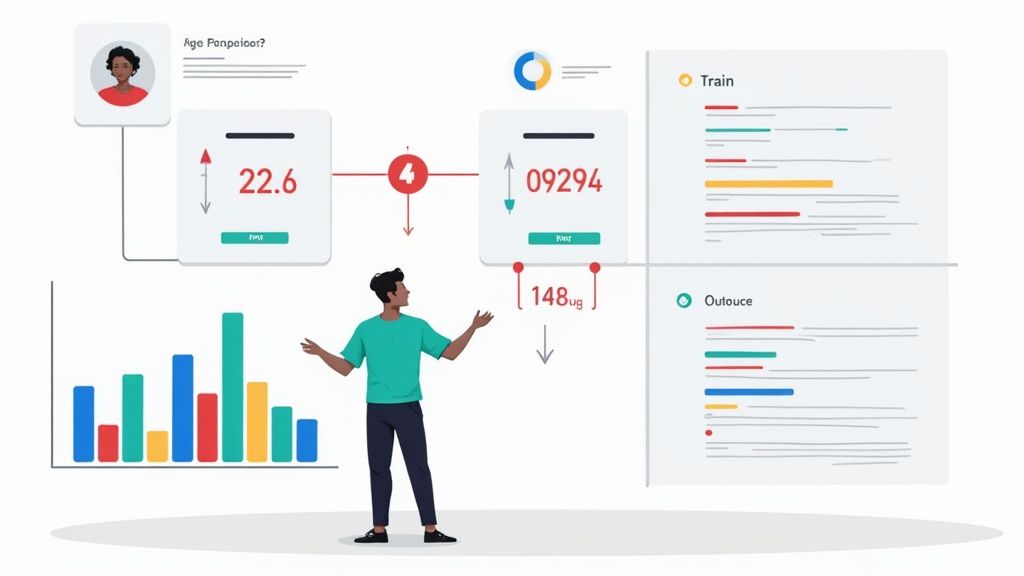
Let’s walk through three common situations your template will bring to light and the practical steps you can take for each. The visual cues built into the template, like the color-coding for under and over-allocation, make spotting these scenarios a breeze.
Scenario 1: Capacity Exceeds Demand
What do you do when you see a lot of green in your template? This means your team has more available hours than assigned work. This isn't a problem to be solved—it's a massive opportunity. Instead of letting that valuable time slip away, you can invest it wisely.
Here are a few smart moves:
- Invest in Professional Development: Now is the perfect time for team members to tackle online courses, attend workshops, or work on certifications that will directly benefit future projects.
- Tackle the Back Burner: Every team has a list of "nice-to-have" projects or internal process improvements. Use this downtime to pull a low-priority, high-impact task off that list and get it done.
- Encourage Innovation: Give your team the space to experiment. Let them play with new tools, test out different processes, or brainstorm creative ideas that could improve your workflow down the line.
Scenario 2: Demand Exceeds Capacity
This is the one that keeps managers up at night—a sea of red on your template showing your team is completely overcommitted. With solid data in hand, you can address this problem head-on before it snowballs into burnout or missed deadlines.
Here are your options:
- Renegotiate Timelines: Use the template as evidence. Show stakeholders exactly where the resource crunch is and make a data-backed case for extending a deadline.
- Re-Prioritize Work: It's time for an honest conversation about what’s truly essential. Work with your team and stakeholders to decide what can realistically be pushed to the next sprint or quarter.
- Bring in Reinforcements: The data can be your best argument for bringing in a freelancer for a specific project or even making a compelling case for a new full-time hire.
Once you have a clear picture of your team's capacity, you can start making these kinds of strategic choices. For example, exploring different ways to assign work can help you optimize your team’s output by mastering project manager resource allocation strategies.
The goal isn't just to plan work but to lead strategic conversations that protect your team while still driving business goals forward. Your template is the key that unlocks those productive discussions.
Despite its importance, many organizations get this balance wrong. In 2025, capacity planning remains a huge priority, with 90% of leaders admitting it’s a pressing issue. Yet, only 13% rate their forecasting as 'extremely effective', and two-thirds say the mismatch between capacity and demand is their single biggest challenge. You can read more about these resource management statistics on Runn.io.
Common Capacity Planning Questions
Even with the best template in your toolkit, you’re bound to hit a few practical questions once you start putting this into practice. That’s totally normal. Think of this section as your quick-reference guide for the common hurdles and tricky details that pop up along the way.
Getting these small things right is what separates a plan that just gets filed away from one that actually drives your team's success day-to-day.
How Often Should I Update My Team Capacity Plan?
There’s no magic number here—the right frequency really depends on your team’s workflow. The most important thing is to treat your capacity plan as a living document, not something you create once and then forget about.
If you’re running an Agile team with structured sprints, the answer is pretty clear. You’ll want to review and tweak your capacity plan at the start of every new sprint, which is usually every one to four weeks. This simple habit ensures you kick off each cycle with a crystal-clear understanding of what's actually achievable.
For teams on longer-term projects with fuzzier milestones, a monthly review is a solid baseline. But here's the real rule of thumb: update the plan immediately whenever something significant changes. That could be a team member taking unexpected time off, a key project getting delayed, or a new high-priority request landing on your desk.
What Is a Realistic Utilization Rate to Target?
It's so tempting to aim for 100% utilization—after all, it sounds efficient, right? In reality, it's a fast track to burnout. A completely booked schedule leaves zero margin for the real-world stuff: the quick ad-hoc questions, the creative problem-solving, and the collaborative chats that are vital for any knowledge-based work.
A much healthier—and more realistic—target is somewhere between 70% and 85% utilization.
This creates a crucial buffer of 15-30% to account for all the essential, non-project work that keeps the wheels turning:
- Team meetings and one-on-ones
- Clearing out the email inbox and handling admin tasks
- Professional development and training sessions
- Putting out unexpected fires or handling urgent requests
Setting a utilization target below 100% isn't about being inefficient. It's a strategic move to build a sustainable, flexible, and ultimately more productive work environment. It’s an acknowledgment that great work needs room to breathe.
This buffer is what allows your team to deliver high-quality results without sacrificing their well-being just to look busy. It’s a non-negotiable for long-term team health and performance.
How Can I Account for Different Skill Levels in My Plan?
Let's be honest: not all hours are created equal. A senior engineer might knock out a complex feature in half the time it takes a junior. If your capacity plan only tracks raw hours, you're looking at a skewed picture of what your team can really get done.
A simple but powerful way to fix this is by adding a "Productivity Factor" or "Efficiency Multiplier" column to your template. This lets you weigh each person's available hours based on their experience level.
Here’s what that might look like in practice:
- Senior Team Member: 1.0 (This is your baseline)
- Mid-Level Team Member: 0.8
- Junior Team Member: 0.6
When you calculate their available project hours, you just multiply that number by their assigned factor. This gives you their "effective capacity," a far more accurate gauge of their potential output. For example, a junior team member with 30 available hours has an effective capacity of 18 hours (30 * 0.6) for planning purposes. This small adjustment helps you assign the right tasks to the right people and makes your project forecasts much more reliable.
Ready to stop guessing and start making data-driven decisions? With DeskCove, you can automatically track time spent on projects and tasks, giving you the real-world data you need to make your team capacity planning template incredibly accurate. See who’s working on what, identify bottlenecks, and build a more balanced, productive team.