How To Remain Focused At Work With Tips That Actually Help

Staying focused at work isn't just about willpower. It’s about building a system—a mix of personal habits, a controlled environment, and smart team practices—that helps you concentrate. This means you have to actively design your workday for focus, not just hope for it.
The High Cost Of Lost Focus And How To Reclaim It
Let's be real: the modern workday is a constant battle for your attention. You're juggling notifications, back-to-back meetings, and the black hole of the internet. It can feel almost impossible to carve out quiet time for deep, meaningful work. If you often end your day feeling busy but not productive, you're definitely not alone.
This struggle is more than just a personal headache; it has a real economic cost. Employee engagement is shockingly low across the globe, and the productivity loss from poor focus and motivation is massive. One estimate puts the annual global cost of disengaged workers at around $438 billion.
Instead of just telling you to "try harder," this guide gives you a practical roadmap you can start using today. We'll show you how to take back your focus by mastering four key areas.
To give you a quick overview, here are the core strategies we'll be breaking down. Think of them as the four pillars supporting a focused and productive workday.
Four Pillars Of Workplace Focus
| Pillar | Core Principle | Example Action |
|---|---|---|
| Strategic Scheduling | Protect your peak energy hours. | Block out 90-minute "focus blocks" in your calendar for your most important task of the day. |
| Workspace Design | Minimize interruptions in your environment. | Turn off non-essential notifications on your desktop and phone; use noise-canceling headphones. |
| Technology as a Tool | Use data to build better habits. | Use a time-tracking tool to see where your time actually goes versus where you think it goes. |
| Team Culture | Set collective norms that respect deep work. | Establish "no-meeting Wednesdays" to give everyone a full day for uninterrupted concentration. |
These pillars work together to create an environment where you can do your best work, rather than just reacting to the next urgent thing.
Why Willpower Alone Is Not Enough
So many of us blame ourselves when we can't concentrate, thinking it's some kind of personal failure. But focus isn't just about individual discipline. It's heavily shaped by the systems and environment you work in.
Telling an employee to "be more focused" in a chaotic workplace full of constant interruptions is like telling someone to stay dry in a rainstorm without an umbrella. It just doesn't work.
True productivity isn't about working longer; it's about making the hours you work count. This requires creating an ecosystem—both personal and professional—that actively supports and protects your concentration.
For a deeper dive into building sustained concentration, there are plenty of evidence-based strategies to improve focus and attention. By tackling the root causes of distraction—from messy workflows to a culture of constant availability—you create the space needed for high-quality, meaningful work. Throughout this guide, we’ll give you the tools to build that ecosystem for yourself and your team.
Master Your Day With Strategic Scheduling
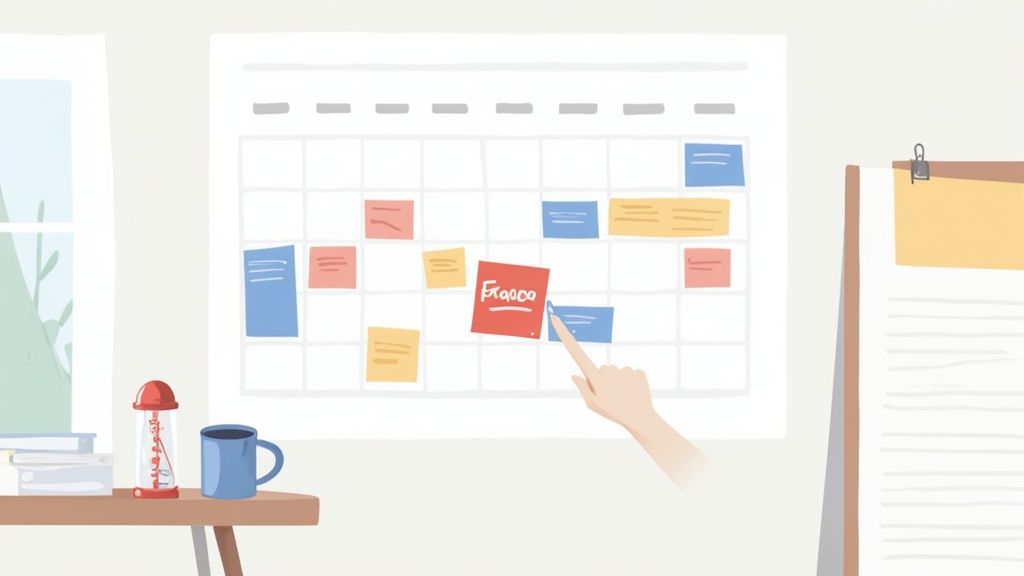
If you really want to stay focused, you have to stop letting your day happen to you. Letting your calendar fill up with random meeting requests and reacting to every email as it comes in is a surefire way to kill your concentration. The real secret is to become the architect of your own time.
Strategic scheduling isn't about cramming more into your day. It’s about building a framework that protects your cognitive energy and carves out dedicated, uninterrupted time for the work that actually moves the needle.
Get Serious About Time Blocking
Time blocking is a simple but powerful technique where you give every part of your workday a specific job. Instead of staring at a long, overwhelming to-do list, your calendar becomes a clear map showing what you’re doing and when. This one change is brilliant for shutting down multitasking and defending your focus from interruptions.
A marketing manager, for instance, could block out 9:00 AM to 11:00 AM every Tuesday for "New Campaign Strategy." During that block, Slack is snoozed, notifications are off, and coworkers know you're unavailable. You’ve created a container for deep, concentrated work. Part of managing this effectively involves using strategies for managing multiple calendars so personal and professional commitments don't clash.
Theme Your Days for Better Flow
Constantly jumping between different kinds of tasks—from writing creative copy to analyzing data to taking client calls—is exhausting. Day theming solves this problem by grouping similar activities. This simple trick minimizes the mental friction of context switching and helps you build real momentum.
Here’s a practical example of how that same marketing manager could structure their week:
- Mondays: Planning & Meetings (Set weekly priorities, team syncs)
- Tuesdays: Content Creation (Blog posts, ad copy, scripts)
- Wednesdays: Analytics & Reporting (Dive into campaign data, build reports)
- Thursdays: Outreach & Collaboration (External calls, projects with other teams)
- Fridays: Admin & Wrap-Up (Expenses, clean up the inbox, plan next week)
This doesn't mean you can't handle an urgent task on the "wrong" day. It just creates a default rhythm for your week, making it much easier to stay in the zone.
Use the Pomodoro Technique to Keep Your Energy Up
Nobody can sustain intense focus for eight hours straight—it's a fast track to burnout. The Pomodoro Technique is a game-changer here. It breaks work into focused 25-minute sprints followed by a 5-minute break, which keeps your mind fresh and stops mental fatigue from setting in.
Short, timed focus intervals like the Pomodoro method work because they align with how human attention naturally operates. In fact, workplace studies show that employees who use structured focus techniques report significant gains—often seeing 15% to 30% increases in both task completion and concentration.
This method is especially great for those big, intimidating projects. Instead of telling yourself, "I have to write this entire report," you just commit to "I'll work on this for one Pomodoro." It lowers the mental hurdle and helps you get started. If you want to dive deeper, we have a full guide on how to maximize productivity with the Pomodoro Technique.
By combining time blocking, day theming, and focused work sprints, you build a powerful system for managing your attention. Your calendar stops being a record of your obligations and becomes your best tool for getting meaningful work done.
Designing Your Workspace For Peak Productivity
Your ability to concentrate is directly tied to the environment around you. Expecting to find deep focus in a chaotic space is like trying to have a quiet chat at a rock concert—it’s just not going to happen. If you're serious about learning how to remain focused at work, you have to be deliberate about designing both your physical and digital workspaces to cut down on friction and distractions.
This isn't about creating some sterile, lifeless office. It’s about consciously removing the tiny hurdles that constantly chip away at your attention, freeing up precious mental energy for the work that actually matters. A few smart adjustments can make a massive difference.
Tidy Up Your Physical Environment
Think of your physical desk as the frontline in the battle against distraction. Every out-of-place object, from a forgotten stack of papers to a mess of tangled cords, is a small visual interruption that your brain has to process. Over time, all that visual noise turns into mental clutter, draining your cognitive fuel.
Start with the basics. Keep only the absolute essentials within arm's reach: your computer, a notebook, a pen, and your coffee mug. Everything else needs a designated home, preferably tucked away in a drawer or on a shelf. This simple "clear desk policy" drastically reduces the number of things competing for your attention.
Noise is another huge focus-killer, especially if you're in an open office or a busy home. A good pair of noise-canceling headphones can be an absolute game-changer. They create a personal bubble of quiet, sending a clear signal to your brain—and your colleagues—that it's time for deep work.
Think of your workspace as a tool. A cluttered, noisy environment is a faulty tool that makes every task harder. A clean, organized, and quiet space is a well-oiled machine that helps you perform at your best.
Ergonomics also plays a bigger role than you might think. An uncomfortable chair or a poorly positioned monitor creates physical discomfort that quickly morphs into a mental distraction. Make sure your chair supports your back, your screen is at eye level, and your keyboard lets your wrists stay straight. When you’re physically comfortable, staying mentally engaged is so much easier.
Declutter Your Digital Desktop
Just as physical clutter pulls your focus, a chaotic digital environment can be even more destructive. The constant ping of notifications, a desktop littered with random files, and an overflowing inbox create a state of perpetual distraction that makes real focus feel impossible.
The single most impactful step you can take is to tame your notifications. Go into your settings and turn off every single pop-up, banner, and sound that isn't absolutely critical to your job. Do you really need an alert every time an email lands or someone likes a social media post? Almost certainly not.
Your digital filing system is just as important. A messy desktop or a disorganized downloads folder forces your brain to work harder every time you need to find something. Create a simple, logical folder structure for your projects and files, and take just two minutes at the end of each day to file away new documents. You can find some great tips to declutter your digital space fast and instantly lighten that cognitive load.
Finally, be intentional with your browser tabs. Having dozens of tabs open is a form of digital multitasking that splinters your attention. Use browser extensions that can group tabs or even block distracting websites during your focus blocks. Before starting a new task, make it a habit to close every unrelated tab so you can give it your full, undivided attention.
Using Technology To Measure And Manage Your Focus
It’s one thing to feel like you’re having an unproductive day, but it’s something else entirely to know exactly what’s derailing your focus. Gut feelings are a start, but objective data is where the real power lies. Modern tools can take you beyond guesswork, painting a clear, data-driven picture of your work habits, your productivity peaks, and your biggest time sinks.
Framing this as self-surveillance completely misses the point. Think of it less like a boss looking over your shoulder and more like a fitness tracker for your workday. The goal isn’t to judge yourself; it’s to gather insights that empower you to make real, meaningful improvements.
Uncover Your Hidden Work Patterns
You might think you spend most of your day on high-priority projects, but the data often tells a different story. Research has shown there’s a massive gap between how we think we spend our time and where it actually goes. We tend to underestimate the compounding effect of tiny interruptions—a quick social media check here, a non-urgent email reply there.
Automatic time and productivity tracking tools work quietly in the background to give you an honest look at where your minutes and hours truly go. They can reveal patterns you never knew existed.
- App and URL Tracking: Get a precise breakdown of time spent in specific applications and on certain websites. You might be shocked to find that a "five-minute" news check actually eats up an hour of your day.
- Activity Level Monitoring: Pinpoint your natural energy cycles. The data might show your keyboard and mouse activity is highest between 10 AM and noon, making that your prime time for deep, focused work.
- Project Time Allocation: Finally understand the true cost of different tasks. You can see exactly how many hours went into a specific project, which makes future planning far more accurate.
This kind of objective feedback is the essential first step toward reclaiming your focus. After all, you can't fix a problem until you can accurately measure it.
From Data To Actionable Insights
Once you have the data, you can start making strategic changes. This information isn’t just a report card; it’s a roadmap. It helps you understand your unique work style and design a day that plays to your strengths instead of fighting against your natural tendencies.
For instance, after a week of tracking, you might notice you're most productive on Tuesdays and Thursdays before lunch. With that insight, you can proactively block off that time for your most demanding tasks, pushing meetings or lighter admin work to your lower-energy afternoons. For a deeper dive into the tools available, our guide on productivity tracking software offers a detailed overview.
This data-backed approach also gives you concrete evidence when discussing your workload with a manager.
Instead of saying, "I feel like I'm always getting interrupted," you can say, "My data shows I'm toggling between my primary task and communication apps 30 times an hour. Can we protect a two-hour block each morning for deep work?"
This simple shift turns a subjective feeling into a solvable, data-informed problem.
To help you get started, here's a look at some of the different types of tools that can help you and your team improve focus.
Comparing Focus-Enhancing Tools
| Tool Type | Primary Function | Best For |
|---|---|---|
| Time Trackers | Automatically capture time spent on apps, websites, and projects. | Individuals and teams wanting a clear picture of where time goes. |
| Website Blockers | Restrict access to distracting websites during specific times. | Individuals who struggle with self-discipline and online distractions. |
| Task Managers | Organize to-do lists, prioritize tasks, and track project progress. | Teams needing to clarify priorities and manage complex workflows. |
| Pomodoro Timers | Enforce focused work intervals followed by short breaks. | Individuals looking to build focus stamina and prevent burnout. |
Each tool serves a different purpose, but they all work toward the same goal: helping you control your time instead of letting it control you.
A Real-World Scenario
Consider Sarah, a graphic designer who felt constantly overwhelmed and behind schedule. She started using a time tracker and discovered two things: first, she was spending nearly 90 minutes a day on a non-work-related forum, and second, frequent pings from the project management tool were breaking her concentration every 10-15 minutes.
Armed with this data, she took two simple steps:
- She used a website blocker to restrict access to the forum during work hours.
- She showed the data to her manager, illustrating how fragmented her focus time was. They agreed she would check the project management tool in three dedicated batches—morning, noon, and end-of-day—instead of responding instantly.
Within two weeks, Sarah not only caught up on her projects but also reported feeling significantly less stressed. The technology didn't just highlight her problem; it gave her the proof she needed to fix it.
Building A Team Culture That Protects Deep Work
You can have the most organized desk and a perfectly curated schedule, but if your team culture runs on constant interruptions, you’re fighting a losing battle. Trying to focus in that environment is like trying to build a sandcastle against an incoming tide.
True, sustainable focus isn't just a personal responsibility; it's a collective one. If you really want to know how to remain focused at work, the answer lies in building an environment that actively respects and protects deep work for everyone.
The problem with most "focus hacks" is they put the entire burden on the individual. Tips like "go for a walk" or "use the Pomodoro Technique" are great, but they ignore the real culprits: unclear workflows, back-to-back meetings, and the unspoken rule that every message needs an instant reply. When the workplace itself is the source of distraction, personal tricks are just temporary fixes.
What's needed is a shift in mindset—moving from a culture of constant availability to one of deliberate, intentional communication. This change doesn't just help individuals; it elevates the whole team, leading to higher-quality work, less stress, and more energy at the end of the day.
Set Clear Communication Norms
One of the biggest focus-killers is ambiguity. When nobody knows whether to use Slack, email, or a project management tool, they just ping everyone everywhere, hoping for the quickest response. This creates a constant state of high alert that makes deep concentration impossible.
The fix is to create simple, shared guidelines. This doesn't need to be a 50-page manual; a straightforward charter can make all the difference.
- Email: This is for non-urgent updates, formal documentation, and anything external. The expectation? A response within 24 hours.
- Slack/Teams: Save this for quick questions or truly urgent operational issues. Use public channels to keep conversations transparent and cut down on disruptive DMs.
- Project Management Tools (Asana, Jira, etc.): This should be the single source of truth for all things project-related. Task status, deadlines, and feedback all live here. No exceptions.
By establishing these norms, you remove the guesswork. It frees up the mental energy people were spending just deciding how to communicate and lets them get back to their actual work.
Implement Focus-Protecting Policies
Beyond just rules for communication, teams can adopt specific policies designed to carve out and protect uninterrupted time for everyone. These structured approaches give people permission to disconnect without feeling guilty, which is critical for fostering a healthier, more productive work rhythm.
Creating a focused workplace isn't about eliminating collaboration. It’s about making it more intentional. It means swapping a culture of reactive pings for a system of thoughtful, structured interaction.
Here are a few policies that have a massive impact:
- Meeting-Free Days: Pick one or two days a week—Wednesdays are a popular choice—where no internal meetings can be booked. This guarantees everyone at least one full day to dive deep into complex projects without interruption.
- Focus Blocks: Encourage everyone to block out "deep work" time on their shared calendars. During these blocks, it's understood that they are unavailable, and colleagues are expected to respect that boundary.
- Asynchronous-First Mindset: Champion the idea that not everything needs an immediate response. This simple shift encourages more thoughtful, written communication and dials down the pressure for instant availability—a major killer of concentration.
The process below offers a simple framework for managing focus on an ongoing basis. It’s not a one-and-done deal; it's a continuous cycle.
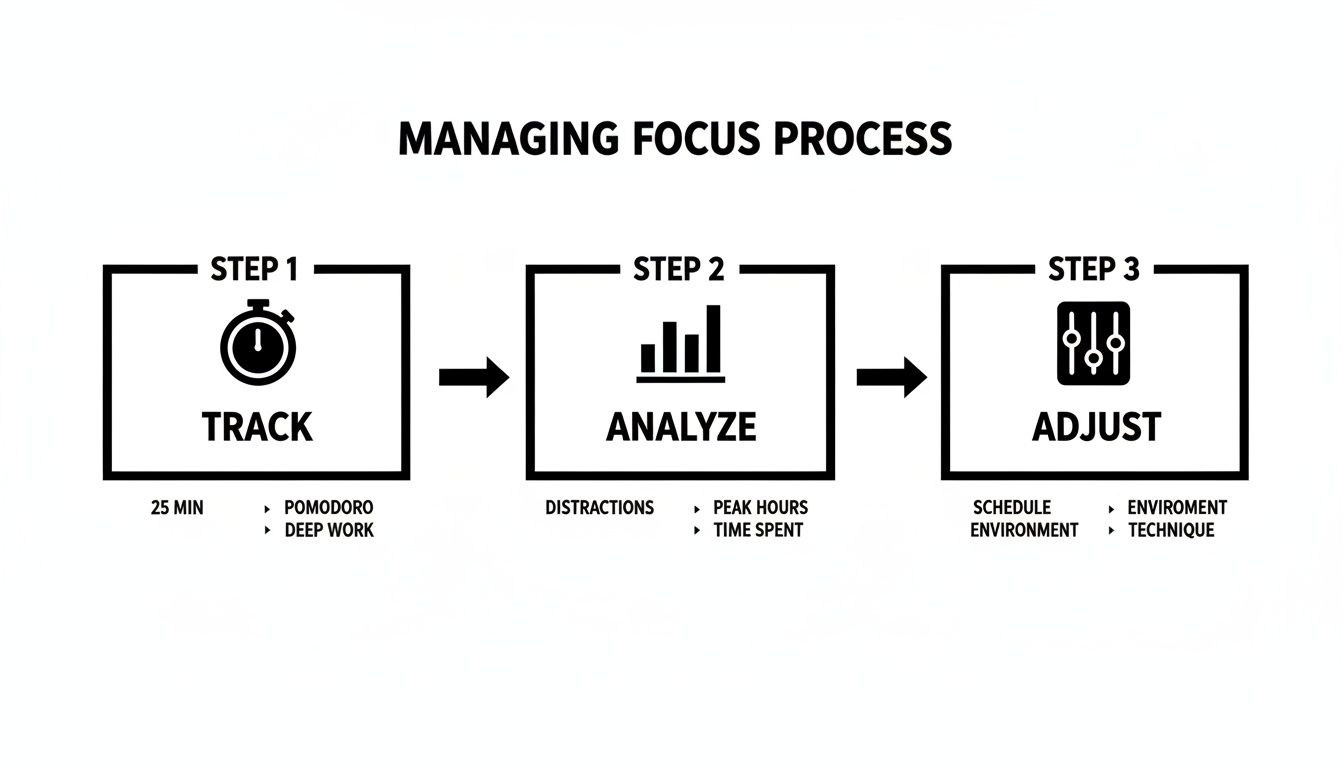
This shows that focus is a dynamic skill. It requires continuous tracking, analysis, and adjustment, both for individuals and for the team as a whole.
Create A Team Focus Agreement
To make all these ideas stick, formalize them in a "Team Focus Agreement." This is a short, simple document that the team creates together, outlining shared commitments to protecting everyone's ability to concentrate. It turns abstract goals into concrete behaviors people can actually follow.
Here’s a sample structure you can adapt for your own team:
| Section | Commitment | Example |
|---|---|---|
| Our Meeting Philosophy | We value focused work time and commit to making meetings shorter, smaller, and more effective. | All meetings require a clear agenda sent 24 hours in advance. We will not schedule internal meetings on Wednesdays. |
| Our Communication Pledge | We will use the right tool for the job and respect our colleagues' focus time. | We'll default to asynchronous communication and only use @channel for truly urgent, team-wide alerts. |
| Our Response Time Ethos | We trust each other to manage our own time and don't expect instant replies. | We commit to a 4-hour response window for non-urgent internal messages and a 24-hour window for emails. |
| Our Focus Time Respect | We recognize that deep work needs uninterrupted time, and we will protect it for each other. | We'll check shared calendars for "Focus Time" blocks before scheduling meetings or requesting a colleague's immediate attention. |
When you build this agreement together, it creates a shared language and a sense of mutual accountability. It’s the foundation for a culture where everyone can do their best, most focused work.
Common Questions About Staying Focused At Work
Even with the best game plan, some questions and real-world challenges are bound to pop up. Getting better at concentrating isn't a one-and-done fix; it's a constant process of tweaking and adjusting. Here, we'll tackle some of the most common snags people hit when they try to put these ideas into practice.
Think of this section as your troubleshooting guide. Knowing how to handle these common situations is a huge part of learning how to consistently stay focused at work.
How Do I Handle Interruptions From My Colleagues?
This is probably the number one challenge, especially if you're in an open-plan office or a super collaborative team. Learning to politely—but firmly—protect your time is a skill you have to build.
One of the best things you can do is be proactive. Block out "Focus Time" on your shared calendar and make sure it’s visible to everyone on the team. This sets a clear expectation upfront that you’re off-limits for anything non-urgent during those windows.
If a coworker still walks up to you during a focus block, you can say something simple like, "Hey, I'm deep in the middle of something right now. Can we sync up at 2:00 PM when I have a natural break?" This approach acknowledges their request while still protecting your immediate priority. A good pair of noise-canceling headphones also works wonders as a visual "do not disturb" sign.
The key takeaway here is that you teach people how to treat your time. By setting and holding firm to your focus block boundaries, your colleagues will eventually learn to respect them without you feeling like you're constantly pushing back.
What’s The Best Way To Stay Focused When Working From Home?
Working from home throws a whole different set of distractions your way, from that pile of laundry to family members popping in. The secret to success is creating clear, non-negotiable boundaries between your "work life" and "home life," even when they're happening in the same building.
Your first move should be to set up a dedicated workspace. Even if it's just a small corner in a room, having a specific spot designated for work helps signal to your brain that it’s time to concentrate. Try to avoid working from your bed or the couch, since your brain already associates those spots with relaxation.
Beyond that, structure is your best friend.
- Stick to a routine: Start and stop your workday at consistent times. Take scheduled breaks just like you would if you were in the office.
- Communicate with your household: Let your family or roommates know what your "focus hours" are and when you absolutely can't be interrupted unless it's a true emergency.
- "End" your day properly: Create a clear ritual that marks the end of your workday. It could be closing your laptop and putting it in a drawer or just going for a quick walk around the block. This simple act helps stop work from creeping into your personal time.
My Job Requires Me To Be Available For Urgent Tasks—How Can I Focus?
For a lot of roles, especially in customer support or operations, being "on" and available is just part of the job. In these cases, locking in for a multi-hour deep work session probably isn't realistic. The goal is to adapt the principles of focus to fit your reality.
Instead of aiming for long stretches, try shorter, more frequent "micro-focus" sessions. A method like the Pomodoro Technique—where you work in focused 25-minute sprints—can be incredibly effective. During those quick bursts, you can give a single task your full attention, knowing you'll be available again shortly.
It’s also really important to work with your manager to define what truly counts as an "urgent" issue. Too often, teams get into a habit where everything feels like a fire drill. By setting up a clear system for flagging tasks, like using specific tags in your project management tool, you can filter out the noise and only get pulled away for things that genuinely can't wait. This saves a ton of mental energy for the tasks right in front of you.
Ready to stop guessing where your team's time is going and start building a culture of focus? DeskCove provides the data-driven insights you need to understand productivity patterns, protect deep work, and empower your team to perform at their best. See exactly how our automatic time tracking and productivity monitoring can transform your workflow.