How to Manage Remote Team: Practical Strategies for Success

Managing a remote team that truly clicks doesn't happen by accident. It all comes down to getting three things right from the very beginning: creating a crystal-clear policy, hiring people who are wired for remote work, and running an onboarding process that actually works.
Get these fundamentals in place, and you're building a team that understands the rules and feels supported from day one. This isn't about trying to recreate your physical office online; it's about engineering a completely new system designed specifically for a distributed team.
Building the Foundation for Remote Success
The real work of managing a remote team starts long before anyone logs on for their first day. The foundation you lay in the early stages will determine whether your team flourishes with autonomy and collaboration or gets bogged down by confusion and isolation.
You need to be intentional about three key areas: nailing down a solid remote work policy, hiring people with the right traits, and designing an onboarding experience that makes new hires feel like they belong instantly.
This simple flow shows how each piece connects, moving from policy to hiring to onboarding.
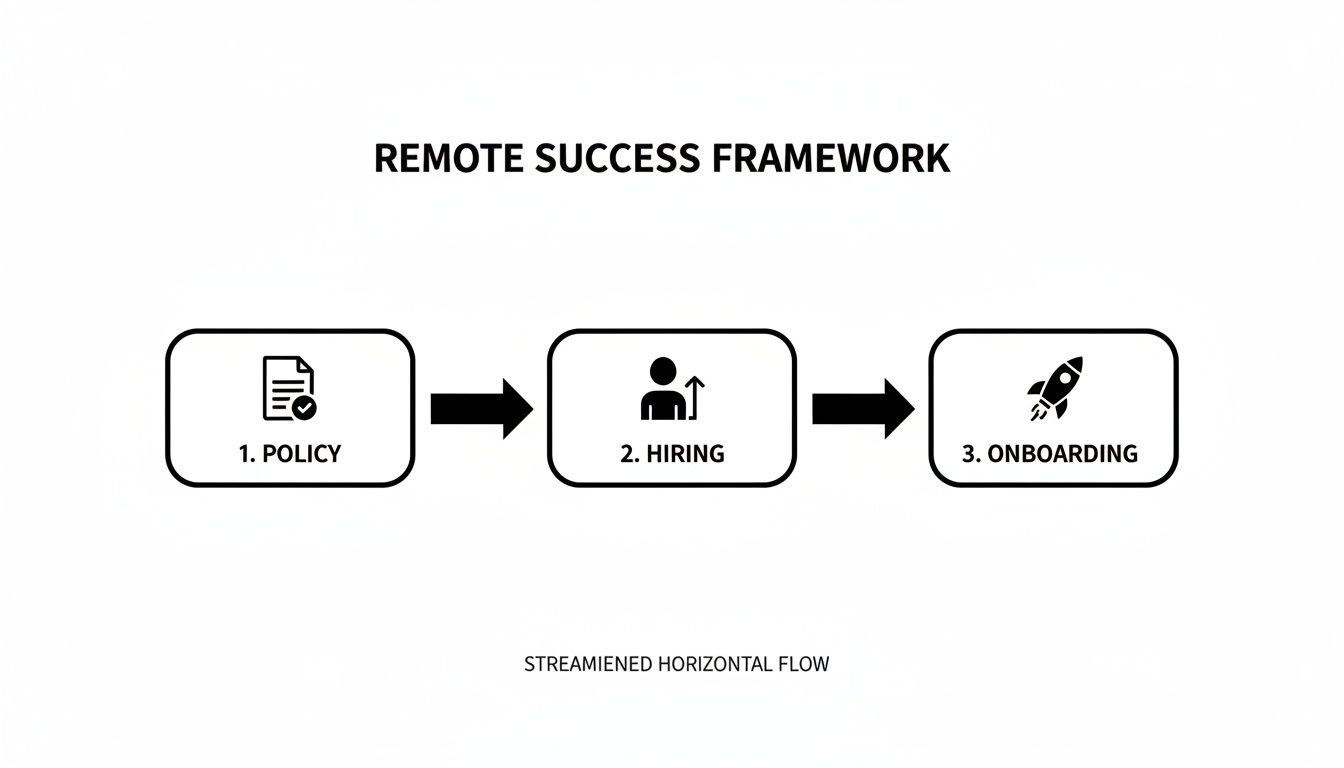
Think of it as a domino effect—get the first one right, and the rest will follow much more smoothly, creating the operational backbone for a high-performing remote team.
Create a Clear Remote Work Policy
Your remote work policy is the single source of truth for your team. It’s not just a document for HR to file away; it's a practical, living guide that sets expectations and eliminates guesswork. A strong policy is the first step toward building a fair, consistent, and productive environment.
This document should spell out the non-negotiables. What tools do we use for what? When are people expected to be online? Who pays for the monitor?
A great starting point is adapting a comprehensive remote work policy template to fit your team's unique culture and needs.
Here's a quick look at the core components your policy should cover to make sure you've got all your bases covered.
Core Components of Your Remote Work Policy
| Policy Area | Key Considerations | Example Goal |
|---|---|---|
| Communication Standards | Define tools (e.g., Slack, email, Asana) and response time expectations. | Ensure a <12-hour response time for non-urgent emails. |
| Working Hours & Availability | Set core collaboration hours and clarify flexibility across time zones. | Establish a 3-hour daily window where all team members must be online. |
| Tools & Technology | List required software/hardware and specify who provides what. | All employees receive a standard equipment stipend of $500 upon hiring. |
| Security Protocols | Detail rules for Wi-Fi security, password managers, and data handling. | Mandate two-factor authentication (2FA) for all company accounts. |
By documenting these rules upfront, you empower your team with the clarity they need to work confidently and autonomously.
Hire for Remote-Specific Traits
Let's be honest: not everyone thrives in a remote setting. While technical skills and experience are obviously important, certain personality traits are huge predictors of success when you're not all in the same room. When you're hiring, you have to look beyond the resume.
You're looking for people who are naturally:
- Proactive Communicators: They don't wait for you to ask for an update. They're quick to share progress, flag potential issues, and ask questions to unblock themselves.
- Self-Disciplined: Remote work demands people who can manage their own time, prioritize effectively, and stay focused without a manager hovering over their shoulder.
- Resourceful Problem-Solvers: The best remote employees are tinkerers. They try to find solutions on their own first, showing a real sense of ownership before escalating an issue.
It’s also worth noting that the rise of remote work has made hiring internationally much more common. In fact, over half of HR leaders are planning to hire more talent from other countries, which adds another layer of complexity around global payroll and compliance.
For a deeper look into the nuts and bolts of running a successful distributed team, from communication to goal setting, check out these proven strategies for effectively managing remote teams.
Design a Structured Onboarding Experience
A sloppy onboarding process can make a new hire feel lost and disconnected before they even start. On the flip side, a great one makes them feel like a valued part of the team from day one and sets them up for success down the road. Those first couple of weeks are absolutely critical.
Your onboarding shouldn't be a data dump. It should be a guided journey.
Make sure your process includes:
- A "Buddy" System: Pair your new hire with a seasoned team member who can be their go-to for all the informal, "silly" questions and help them get a feel for the company culture.
- Hands-On Tool Training: Don't just send them a list of links to tutorials. Schedule time to walk them through the essential software and systems they'll be using every day.
- Clear First-Week Wins: Give them small, achievable tasks right away. Scoring an early win builds momentum and confidence.
- Scheduled "Coffee Chats": Set up short, informal video calls with key people across the team. The goal isn't to talk about work, but to help them build real human connections.
Designing Your Team's Communication System
When you go remote, you lose the natural rhythm of office life. There's no overhearing a quick question across desks or hashing out an idea by the coffee machine. To manage a remote team effectively, you can't just let communication happen—you have to design it with purpose and clarity.
Without physical cues like body language, every written message, email, and notification carries more weight. A solid remote communication system is built on a framework that clearly separates urgent, real-time chats from the deep, focused work that really moves the needle. It’s all about creating predictable patterns so everyone knows exactly where to find information and how to share it.
This intentional design is your best defense against the constant pings and interruptions that lead straight to burnout. It ensures every interaction has a clear purpose.
Synchronous vs. Asynchronous Communication
The absolute foundation of any great remote communication strategy is understanding the difference between synchronous (real-time) and asynchronous (on your own time) communication. Getting this wrong is a recipe for chaos. Think of it this way: synchronous is for speed and immediate collaboration, while asynchronous is for depth and focus.
Synchronous communication is for the here and now:
- Video Calls: These are perfect for complex problem-solving, team-building sessions, or sensitive conversations where tone and facial expressions are non-negotiable.
- Instant Messaging: Use this for quick, urgent questions that are blocking someone's progress. Think: "Does anyone have the login for the analytics dashboard?"
On the flip side, asynchronous communication gives your team the space to think, process, and respond thoughtfully. Honestly, this is where most of your team's best work should happen. We have a whole guide on how asynchronous communication enhances team productivity.
Your primary async channels will likely be:
- Project Management Tools: This is your team's single source of truth for task status, deadlines, and project-specific discussions. No more hunting through email threads.
- Email: Reserve this for more formal announcements or for external communication where you need a documented paper trail.
- Shared Documents: Fantastic for collaborative writing and feedback. Everyone can contribute on their own schedule without having to be online at the same time.
By defining which tool to use for what, you create an environment that respects everyone's time and attention.
Before we move on, let's talk tools. Choosing the right platform for the right conversation is half the battle. This table should help clear things up.
Choosing the Right Communication Tool for the Task
Picking the right communication channel is crucial. You want to match the tool to the task to balance immediate collaboration needs with the team's ability to do focused work.
| Scenario | Best Tool Type | Example Tools | Why It Works |
|---|---|---|---|
| Urgent Blocker | Instant Messaging | Slack, Microsoft Teams | Provides an immediate, real-time response to get someone unstuck quickly. |
| Project Update | Project Management | Asana, Trello, Jira | Keeps all task-related context in one place, creating a permanent, searchable record. |
| Complex Problem-Solving | Video Conferencing | Zoom, Google Meet | Allows for nuanced, back-and-forth discussion with visual cues that text can't capture. |
| Company-Wide Announcement | Email / Central Hub | Gmail, Outlook, Notion | Ensures a formal, documented message reaches everyone and can be referenced later. |
| Collaborative Content Creation | Shared Documents | Google Docs, Notion | Enables multiple people to contribute and comment on their own time without clashing. |
This isn't about being rigid; it's about being intentional. A clear framework reduces decision fatigue and keeps everyone aligned.
Develop a Communication Charter
A communication charter is a simple document that puts all these rules down on paper. Think of it as your team's "how we communicate" guide. It eliminates guesswork and sets crystal-clear expectations for everyone. This document should be easy to find and a core part of your onboarding process for new hires.
Your charter turns unspoken assumptions into explicit agreements. It answers questions before they're even asked, freeing up mental energy for more important work and fostering a culture of trust and respect for everyone's time.
Your charter should clearly spell out a few key things:
- Primary Channels: List your core tools (e.g., Slack, Asana, Email) and define the specific purpose of each one. For example, "Slack is for urgent queries, Asana is for project updates."
- Response Time SLAs: Set realistic expectations. You might decide on a response within 24 hours for Asana comments but within one hour for a direct message on Slack during work hours.
- Meeting Etiquette: Lay down the ground rules. Maybe all meetings require an agenda, must have a designated note-taker, and should always end with clear action items.
This isn't just busywork. The communication cadence and tools you choose have a real, measurable effect on employee engagement and retention. Start by standardizing your platforms and documenting everything in a charter.
Run More Effective Remote Meetings
Remote meetings can quickly become a major source of "Zoom fatigue" and wasted time if you're not careful. The goal isn't just to talk; it's to make decisions and move work forward. Every single meeting on the calendar needs to have a clear, justifiable purpose. If it doesn't, it should probably be an email (or an Asana update).
Here are a few of my favorite techniques for making remote meetings more engaging and productive:
- Flip the Meeting: Instead of using the meeting to present information, send pre-reading materials or a short video explaining the context beforehand. Use the actual meeting time for active discussion and decision-making.
- Use Interactive Tools: Get people involved! Use polls, virtual whiteboards like Miro, or breakout rooms to keep participants actively engaged instead of passively listening with their cameras off.
- Master the "Round Robin": When you need input, don't just ask "Any questions?" Go around the virtual room and call on each person by name. This simple trick ensures that quieter team members have a dedicated opportunity to speak and prevents one or two dominant voices from taking over.
By building a thoughtful system, you create a remote environment where communication is clear, efficient, and inclusive. To go even deeper, check out these excellent internal communication best practices.
Fostering Performance Without Micromanaging
When your team is remote, the old rules of management fly out the window. You can’t walk the floor to see who’s busy or measure performance by who stays latest. The key to driving high performance without becoming a micromanager is to stop supervising activity and start measuring outcomes.
This is all about building a foundation of trust. Your job is to give your team the autonomy and clarity they need to do incredible work, set ambitious goals, and then get out of their way.
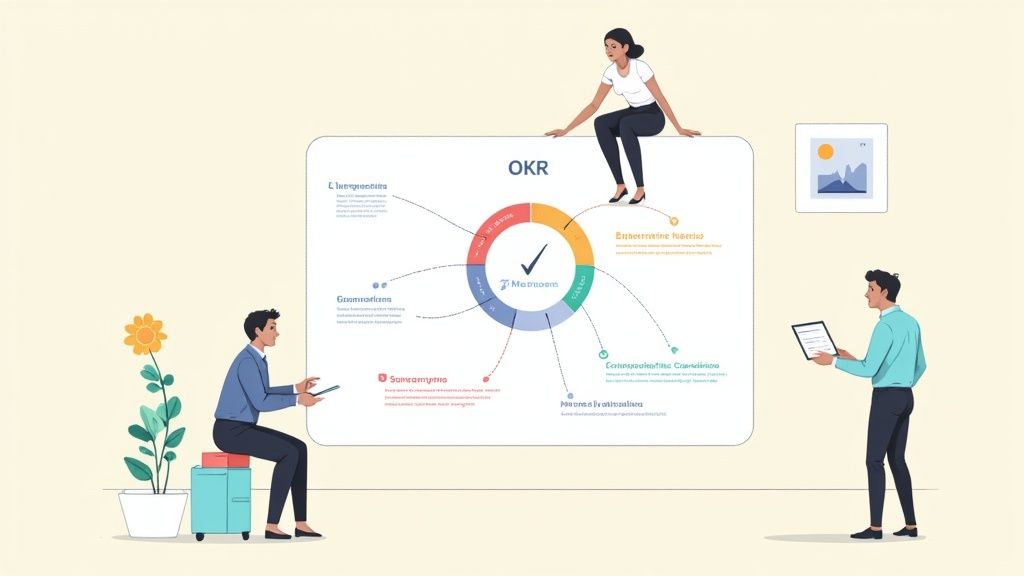
When you get this right, you create a culture where accountability and exceptional results are just the natural result of a well-designed system.
Shift Your Focus to Outcomes with OKRs
One of the best ways to grant autonomy while keeping everyone pulling in the same direction is with a goal-setting framework like Objectives and Key Results (OKRs). This system is brilliant because it separates your big, inspiring goals (Objectives) from the specific, measurable milestones you need to hit to get there (Key Results).
An Objective is your "what"—it’s the ambitious destination you’re aiming for. A good objective should feel qualitative and inspiring. For instance, an objective could be: "Become the go-to resource for our industry."
The Key Results are the "how"—the quantitative, measurable steps that prove you've actually reached your objective. For that same goal, your key results might look something like this:
- Increase organic search traffic to our blog by 40% by the end of Q3.
- Land a guest post on three top-tier industry publications.
- Grow our email subscriber list from 5,000 to 15,000.
This framework gives every person on the team a crystal-clear picture of what success looks like, without you having to spell out every single task. They know the target; you trust them to figure out the best path forward.
Leverage Tools for Visibility Not Surveillance
Trust is the bedrock, but you still need visibility into how projects are moving along. This is where your project management software becomes your best friend. Tools like Asana, Trello, or Jira let you see where tasks stand at a glance, keeping everyone accountable without a barrage of "just checking in" messages.
The goal here is to create a single source of truth for all work. This way, if you need a status update, you check the project board—you don't interrupt someone's deep work with a Slack ping. It's an approach that respects your team's focus and builds a culture of transparency. Finding the right balance is crucial, and you can learn more in our guide on how to track employee productivity without crossing into micromanagement.
True visibility in a remote team isn't about watching every click. It's about creating systems where progress is documented and accessible to everyone, making accountability a shared responsibility rather than a top-down mandate.
This data-driven approach is even more critical when you consider remote work habits. Research in Nature Human Behaviour found that remote employees tend to log about 10% more working time. By setting clear, outcome-based KPIs, you ensure that output, not just hours logged, is what defines success.
Reframe One-on-Ones as Coaching Sessions
Your one-on-one meetings are probably the most powerful tool you have as a remote manager, but they’re so often wasted on simple status updates. A project management tool can give you status updates. Your one-on-ones should be about your people.
It's time to transform these meetings into dedicated coaching sessions that focus on three key things:
- Roadblocks: What’s getting in their way? It could be a technical glitch, a clunky process, or a lack of clarity. Your role is to be a roadblock-remover.
- Development: What skills are they excited to build? How can you help them grow their career? Talking about their long-term goals shows you’re invested in them as people, not just as workers.
- Well-being: How are they really doing? Remote work can feel isolating. These conversations are your chance to connect on a human level and offer genuine support.
When you shift your focus to these areas, you transform from a taskmaster into a mentor. That’s how you build the deep loyalty and trust that truly drive high performance on any team, remote or not.
Intentionally Building a Connected Remote Culture
A strong remote culture doesn’t just happen—it’s built, one deliberate action at a time. When you don't have a shared physical office, creating a genuine sense of community requires real, intentional effort. The goal is to move past the forced fun and awkward virtual happy hours to build human connections that make your team feel like a cohesive unit, not just a list of names in a chat app.
As a remote manager, you’re basically a community architect. It’s your job to create digital spaces where those spontaneous, relationship-building moments—the kind that happen naturally in an office—can actually take root and grow. This is what turns a group of employees into a tight-knit team that trusts and supports one another.

This intentional approach to culture is what separates the good remote companies from the great ones. It's about making sure every single person feels seen, valued, and plugged into the bigger picture.
Create Digital Watercoolers
In an office, the most important conversations often happen away from a desk—by the coffee machine, in the hallway, or during a lunch break. To replicate this crucial social fabric, you need to create dedicated digital "watercoolers." These are simply low-pressure, opt-in spaces for non-work chat that spark spontaneous human interaction.
Setting these up is easy but incredibly powerful. A few dedicated channels in Slack or Teams can make a world of difference.
- #pets-of-company: A place for everyone to share pictures and stories of their furry (or scaly) friends.
- #what-we-are-reading: For book lovers to swap recommendations and chat about their latest reads.
- #gaming-guild: A channel for coworkers who share a passion for video games to connect and maybe even organize a session.
- #good-eats: The go-to spot for foodies to share recipes, new restaurant finds, and photos of their kitchen triumphs.
These channels do more than just provide a fun distraction. They help people discover common ground and build relationships based on who they are as people, not just what they do for work. The magic is in the segmentation; creating specific channels for different interests allows authentic communities to pop up organically within the larger team.
Move Beyond Generic Team-Building
Let's be real: mandatory virtual happy hours often feel more like a chore than a treat. The best remote team-building activities are the ones that connect people through a shared experience or collaborative problem-solving, not forced small talk over a spotty video call.
Instead, try activities that engage your team in more meaningful ways:
- Collaborative Online Games: Tools like Jackbox Games or online escape rooms get people working together and laughing in a totally low-stakes environment.
- Skill-Sharing Workshops: Ask a team member to lead a short, informal session on a hobby they love, whether it's baking sourdough, mastering digital photography, or even learning a few phrases in a new language.
- Virtual "Lunch and Learns": Have different people present on a non-work topic they find fascinating. This builds a ton of respect for each other's expertise outside of their day-to-day roles.
The goal is to facilitate connection, not manufacture it. Giving people a shared purpose—even if it's just solving a virtual puzzle—is far more effective at building bonds than just throwing them in a video call and hoping for the best.
In a remote setting, culture is the sum of all your team's interactions. Fostering positive, supportive connections isn't just a "nice-to-have"—it's a critical strategy for boosting morale, engagement, and long-term retention.
Celebrate Wins Publicly and Often
When your team is spread out, it's dangerously easy for hard work and big achievements to go unnoticed. This is why public recognition is one of the most powerful tools in your arsenal for building a positive, motivating remote culture. Feeling seen and appreciated is a fundamental human need.
Create a specific, highly visible place just for celebrating wins. A dedicated #wins or #kudos channel in Slack is perfect for this. Make it clear that everyone, not just managers, is encouraged to share praise and shout-outs.
To make recognition really stick:
- Be Specific: A generic "good job" is forgettable. Instead, highlight exactly what the person did well. "Huge thanks to Sarah for staying late to fix that critical bug before the client demo. You saved the day!"
- Tie it to Company Values: Connect their action back to a core company value. "John, your detailed documentation on the new feature perfectly embodies our value of 'Clarity and Ownership.' Awesome work."
- Make it Timely: Don't wait for a performance review. Acknowledge great work the moment it happens to maximize its motivational punch.
This consistent, public praise creates a powerful positive feedback loop. It not only makes individuals feel valued but also reinforces the exact behaviors and standards you want to see across the entire team, solidifying a culture of excellence and mutual support.
Protecting Your Team from Remote Work Burnout
Let’s be honest: the biggest challenge with remote teams isn't productivity. It’s sustainability. When the office is just a few steps from the bedroom, the lines between work and life don’t just blur—they can completely disappear. That makes burnout a constant, looming threat. High performance simply can’t last if well-being is an afterthought.
As a manager, you are the architect of your team's culture. Keeping your team safe from burnout starts with you. It means protecting your own time and actively encouraging them to do the same. This isn't about being soft; it's about building an environment where peak performance and personal health go hand-in-hand.
Lead by Example with Clear Boundaries
Your team is watching you. If you’re firing off emails at 10 PM or checking Slack on your vacation, you're setting a standard. It doesn't matter what the official policy says; your actions send a much louder message that this is the expected norm. True leadership is modeling the healthy habits you want your team to adopt.
To make a real difference, you have to visibly disconnect.
- Announce your time off: When you take a vacation, tell the team you’ll be completely offline. No "checking in." This normalizes taking genuine, restorative breaks.
- Use scheduling tools: Have a great idea after hours? Write the email, but schedule it to send during standard working hours. Tools like Boomerang for Gmail or the built-in features in Outlook and Slack make this easy. This simple act respects your team’s personal time.
- Set your status: Use your status in Slack or Teams to show you're at lunch, on a walk, or done for the day. It’s a small signal, but it powerfully reinforces the importance of stepping away.
These actions give your team explicit permission to set their own boundaries without fearing they’ll be seen as less committed.
Spot the Early Warning Signs
Burnout is a slow burn, not a sudden explosion. As a remote manager, you have to be extra vigilant because you can't see the tired look on someone's face or notice they're the last one in the office. You need to proactively look for the digital breadcrumbs that signal someone might be struggling.
Keep an eye out for these key changes in behavior:
- A drop in engagement: The person who was always active in team chats and meetings suddenly goes quiet.
- Consistently working late: You see them online and active long after their typical day should have ended.
- Increased cynicism or negativity: A normally positive team member starts making pessimistic or irritable comments.
- Missing deadlines: A previously reliable employee starts slipping on tasks without a clear explanation.
When you spot these patterns, reach out privately and with empathy. A simple, supportive message like, "Hey, I've noticed you've been online late a few nights this week. Just wanted to check in and see if everything is okay?" can open the door to a crucial conversation.
Implement Proactive Anti-Burnout Strategies
If you’re waiting until your team is exhausted, you've already lost. The only way to manage a remote team for the long haul is to build preventative measures directly into your daily and weekly workflows. These aren't perks; they're essential operational practices.
Burnout isn't a personal failure—it's an organizational one. Building a sustainable remote culture means creating systems that protect your team's energy and focus as a non-negotiable part of the job.
Here are a few practical strategies you can put in place right away:
- Introduce "Meeting-Free" Days: Dedicate one day a week—we like Wednesdays—to having zero internal meetings. This gives everyone a guaranteed block of time for deep, uninterrupted work, which is incredibly restorative.
- Establish Clear 'Offline' Hours: Formalize the rule that no one is expected to respond to messages or emails after their workday ends. This helps everyone mentally clock out and re-establish the work-life divide.
- Encourage Taking Real Breaks: Actively push your team to take proper breaks. You can do this with gentle reminders in a team channel or by leading the way and blocking out your own lunch break on a shared calendar.
Think of these strategies as critical infrastructure for a high-performing remote team. When you build a system that values rest as much as it values results, you create an environment where your best people can thrive for years to come.
Got Questions About Managing Remote Teams? We’ve Got Answers.
Even with the best tools and processes, leading a remote team throws some unique curveballs your way. As a manager, you'll likely find yourself tackling the same tough questions over and over, especially around things like fairness, time zones, and making sure your junior people can actually grow their careers.
These aren't just hypotheticals; they're the real-deal hurdles every remote leader has to clear. The trick is to face them head-on with a clear plan instead of just hoping they sort themselves out.
How Do I Keep Things Fair and Equitable on a Hybrid Team?
One of the sneakiest risks in a hybrid setup is creating a two-class system, where the folks in the office get all the facetime and opportunities while remote employees feel like they're on the outside looking in. This is called proximity bias, and it can absolutely tank your team's morale.
To fight it, you have to be intentional about leveling the playing field. That starts with a "remote-first" mindset, even if you have a physical office. It just means that all the important conversations, big decisions, and key documents live in a shared digital space that everyone can get to, no matter where they’re logging in from.
Here are a few ways to put that into practice:
- Default to Digital: If one person is dialing into a meeting from home, everyone should join from their own computer. This simple move stops remote folks from feeling like a disembodied head on a screen while the "real" conversation happens in the conference room.
- Write Everything Down: Major decisions and the "why" behind them need to be documented in a shared spot like Notion or your project management tool. This way, information is shared equally, not just with whoever happened to be in the room.
- Make Recognition Public and Digital: Don't just give a shout-out across the office. Celebrate wins in a shared Slack channel so everyone sees the praise and feels valued for their work, not just the people sitting near your desk.
What's the Best Way to Juggle a Bunch of Different Time Zones?
When your team is scattered across the globe, the old 9-to-5, "everyone online now" approach just doesn't work. You have to shift to an asynchronous-first culture. The goal isn't to never talk in real-time; it's to reduce the dependency on it so work can keep moving forward 24/7.
You're not banning meetings. You're just being way more strategic about them. You protect a small window of "core hours" where schedules overlap for the truly essential, collaborative stuff.
An asynchronous-first model forces you to be more intentional. Real-time collaboration becomes a valuable resource used for deep problem-solving, not just boring status updates that could have been an email.
To make this a reality, nail down these practices:
- Set Clear Overlap Hours: Pick a 2-3 hour block each day where everyone is expected to be online and available for quick questions or scheduled calls. This is your prime time for sync-ups.
- Have a Single Source of Truth: Your project management tool is now mission control. Everything lives there. This lets a developer in Tokyo seamlessly pick up a task right where a designer in Lisbon left it, no live handoff needed.
- Record Important Meetings: If a key meeting has to happen when someone's offline, hit record. Share the video along with a quick summary of decisions and action items so no one is left out of the loop or forced to join a call at 10 PM.
How Can I Support Junior Employees When There’s No Office?
Let's be real, junior team members traditionally learn a ton just by being around senior people—overhearing how they tackle a problem, watching them navigate a tricky conversation, and getting quick, informal feedback. You can't replicate that by accident in a remote setting.
You have to build structured pathways for them to learn and grow. Their development can't be left to chance.
A mentorship program is the perfect place to start.
- Launch a Buddy System: Pair every new junior hire with a more senior team member who isn't their direct manager. This "buddy" becomes their go-to person for all the "stupid" questions, cultural norms, and career chats.
- Schedule Working Sessions: Encourage your senior folks to set up regular pair programming or co-working sessions. They can share their screen and talk through their process as they solve a real problem, which is invaluable for someone just starting out.
- Create a "No Dumb Questions" Channel: Make a dedicated, safe space in Slack where junior employees can ask anything without feeling like they're interrupting or asking something they should already know. This takes the pressure off and encourages learning.
By building these kinds of intentional support systems, you give your junior talent the foundation they need to do more than just survive—they'll actually thrive in a remote world.
At the end of the day, managing a remote team comes down to being deliberate about how you communicate, build culture, and look out for your people. With the right strategies, you can build a high-performing team that feels connected and productive. DeskCove gives you the visibility needed to foster accountability and understand work patterns, helping you make smarter, data-driven decisions that support your whole team.
Learn how DeskCove can simplify your remote management today