Contractor Time Tracking Software: Streamline Projects & Boost Profits

At its core, contractor time tracking software is a digital tool built to accurately log the hours you pour into specific projects and tasks. But don't mistake it for a simple stopwatch. Think of it as the central command center for your contracting business, linking every minute of work directly to project progress, client invoices, and your bottom line.
What Is Contractor Time Tracking Software
This software solves one of the biggest headaches in contracting: turning time into money. It pulls you out of the world of guesswork and the costly errors that come with scribbled timesheets or clunky spreadsheets.
Imagine you're running a complex construction project. Would you rather use an old, crinkled paper map or a real-time GPS? That’s the kind of clarity this technology brings. It creates a transparent, undeniable record of work that not only builds trust with clients but also makes sure you get paid for every single billable minute.
And this shift isn't just a niche trend—it's a massive market movement. The global time tracking software market is on track to explode from USD 3.8 billion in 2025 to USD 16.1 billion by 2035. That's a compound annual growth rate of 15.5%, all driven by businesses like yours looking for smarter ways to nail payroll accuracy and boost productivity.
The Problem with Old-School Manual Methods
For decades, contractors got by with pen-and-paper timesheets or basic spreadsheets. While they seem straightforward, these methods are riddled with hidden costs and inefficiencies that quietly eat away at your profits.
Let's be honest, manual tracking is a recipe for mistakes. Illegible handwriting, forgotten hours, "guesstimates"—it all adds up. These little inaccuracies can cost a business dearly, which is why moving to a digital solution is no longer a luxury but a strategic necessity. For many, these tools are just one piece of a larger puzzle, often integrating with comprehensive contractor management software.
To really see the difference, let’s compare the old way with the new.
Manual Tracking Vs Automated Software
| Feature | Manual Tracking (Spreadsheets/Paper) | Automated Software |
|---|---|---|
| Accuracy | Prone to human error, rounding, and forgotten entries. | Captures time down to the second for precise records. |
| Efficiency | Time-consuming data entry and manual calculations. | One-click start/stop timers and automated report generation. |
| Transparency | Lacks detail; difficult for clients to verify. | Provides detailed, verifiable reports for full client trust. |
| Invoicing | A tedious, manual process of compiling hours. | Generates invoices from billable hours automatically. |
| Insights | Offers little to no data on project profitability or team productivity. | Delivers powerful analytics on project costs and efficiency. |
The table makes it pretty clear. Manual methods just can't keep up.
A Modern Solution for Accuracy and Growth
Automated contractor time tracking software tackles these challenges head-on, creating a reliable system that makes life easier for everyone involved in a project.
Here’s where it really shines over manual methods:
- Pinpoint Accuracy: Digital timers catch every second, wiping out rounding errors and guaranteeing you bill for the exact time spent.
- Total Transparency: Clients get a clear picture of where their money is going, with detailed reports breaking down how time and resources are used.
- Effortless Invoicing: Billable hours are automatically tallied up, transforming a painful admin chore into a quick, simple process.
By handing over the tedious parts of time management to software, you get back precious hours. Hours you can spend focusing on what you do best—delivering outstanding work and growing your business.
Essential Features Your Business Needs
Not all time tracking tools are built the same. The right contractor time tracking software does more than just count hours—it becomes the central hub for your entire workflow. Knowing what to look for is the difference between buying a tool that saves you time and money and one that just adds another chore to your day.
Think of it like buying a new work truck. A basic model gets you from point A to B, sure. But the fully-loaded version with GPS, a heavy-duty tow package, and built-in diagnostics makes every job faster, safer, and ultimately more profitable. The best software is packed with tools that solve the real-world problems contractors face every day.
Core Time Tracking and Project Management
At its heart, any great system has to make logging time dead simple. Manual entry is a breeding ground for mistakes, which can lead to overpaying workers by as much as 5% from simple errors and guesswork. Modern tools get rid of that mess with precise, easy-to-use methods.
Here are the non-negotiables:
- One-Click Timers: Let contractors start and stop the clock with a single click, capturing every billable second without breaking their focus.
- Project-Specific Allocation: Allow time to be assigned directly to specific projects, tasks, or even sub-tasks. This gives you a crystal-clear picture of where every minute is going.
- Manual Time Entries: Sometimes a timer gets forgotten. A good system needs a backup plan, letting you add or adjust hours after the fact.
For example, a freelance consultant can start a timer for "Client A – Marketing Strategy," then seamlessly switch to "Client B – Website Audit." That kind of detailed tracking is impossible with paper timesheets but absolutely vital for accurate billing and figuring out which jobs are actually making you money.
Mobility and Field Team Support
Contracting rarely happens behind a desk. Your team might be on a construction site, at a client's office, or working out of their vehicle. Your software needs to be right there with them. Mobile access isn't a perk anymore; it's a must-have.
A robust mobile app empowers your team to track time accurately from anywhere. For managers, this means real-time updates on project progress and team location—critical info for smart resource allocation and job costing.
Key mobile features to look for:
- Mobile Apps for iOS and Android: A user-friendly app is the key to getting your team on board. If it’s clunky, they won’t use it.
- GPS and Geofencing: This tech can automatically start and stop timers when a contractor arrives at or leaves a job site. It eliminates forgotten clock-ins and confirms they were where they were supposed to be.
This is a game-changer for any business with teams in the field, like construction or landscaping companies. It provides verifiable proof of work and location. It's also a good idea to check out a time tracking software comparison to see how different platforms stack up on mobile functionality.
Reporting, Invoicing, and Expense Management
Just collecting time data is only half the job. The real magic is what you do with it. The best software turns that raw data into professional invoices and actionable insights, automating the tedious admin work that follows. Many tools can also help you learn how to track business expenses effectively right alongside your billable hours.
Look for tools that connect the dots, turning tracked hours into paid invoices in just a few clicks. This doesn't just get you paid faster; it frees up countless hours you’d otherwise spend buried in paperwork.
Key Benefits for Contractors and Clients
Bringing contractor time tracking software into the mix isn't just about punching a digital clock. It’s about forging a stronger, more profitable relationship between independent pros and the companies that rely on them. Think of it as creating a win-win where both sides benefit from airtight accuracy and complete transparency—a serious upgrade to how work gets done.
For contractors, the perks are immediate and hit right where it counts: your wallet. The biggest win is capturing every single billable moment. Manual tracking is famous for letting minutes slip through the cracks or rounding down hours, but an automated system makes sure you get paid fairly for every bit of your expertise and hard work.
This precision completely changes the invoicing game. Instead of losing hours piecing together timesheets and building invoices by hand, you can generate them automatically. This slashes your admin time, gets you paid faster, and lets you get back to the actual work you love.
How Clients Gain Clarity and Control
For businesses and project managers, it’s all about getting a crystal-clear view and a firm grip on project budgets. With real-time data, you can see exactly where hours are going, which means you can spot a budget about to go off the rails long before it becomes a five-alarm fire. This kind of proactive cost management is key to keeping projects in the black.
The trust that comes from detailed time tracking reports is huge. When clients see a clear, honest breakdown of the work being done, it wipes out potential arguments and strengthens the professional relationship. A simple project can easily turn into a long-term partnership.
This clarity also makes payroll and compliance a breeze. The software gives you precise, verifiable proof of all work performed, simplifying contractor payments and ensuring you have the records you need for any financial reviews or audits. It takes all the guesswork out of the equation and builds everything on a solid foundation of data.
A Growing Market Reflects Real Value
The speed at which these tools are being adopted shows just how much of a difference they make. Market research proves it, though the exact numbers vary. Some analysts valued the market at USD 7.13 billion in 2024 and projected it to hit USD 8.36 billion by 2025. Others estimated a USD 6.1 billion market in 2025, expecting it to climb to USD 11.43 billion by 2030. You can dig deeper by exploring the time tracking software market.
At the end of the day, contractor time tracking software provides a shared source of truth. It lines up expectations, keeps things fair, and builds an environment where everyone can focus on what really matters: getting the best possible results. To dive deeper, check out our guide on how to track billable hours with precision.
How to Choose the Right Time Tracking Tool
With so many options out there, picking the right contractor time tracking software can feel like a project in itself. The trick is to tune out the marketing buzz and really zero in on what your business needs to run smoothly and grow. The goal isn't just to solve today's headaches, but to find a tool that can scale with you.
A good place to start is by looking at your current process. Where are the hang-ups? Are you wasting hours manually creating invoices, or is it a constant battle to get accurate time entries from your team in the field? Pinpointing these specific pain points gives you a clear target.
This simple decision tree helps frame the conversation based on your role, whether you're the contractor trying to get paid or the client managing the project.
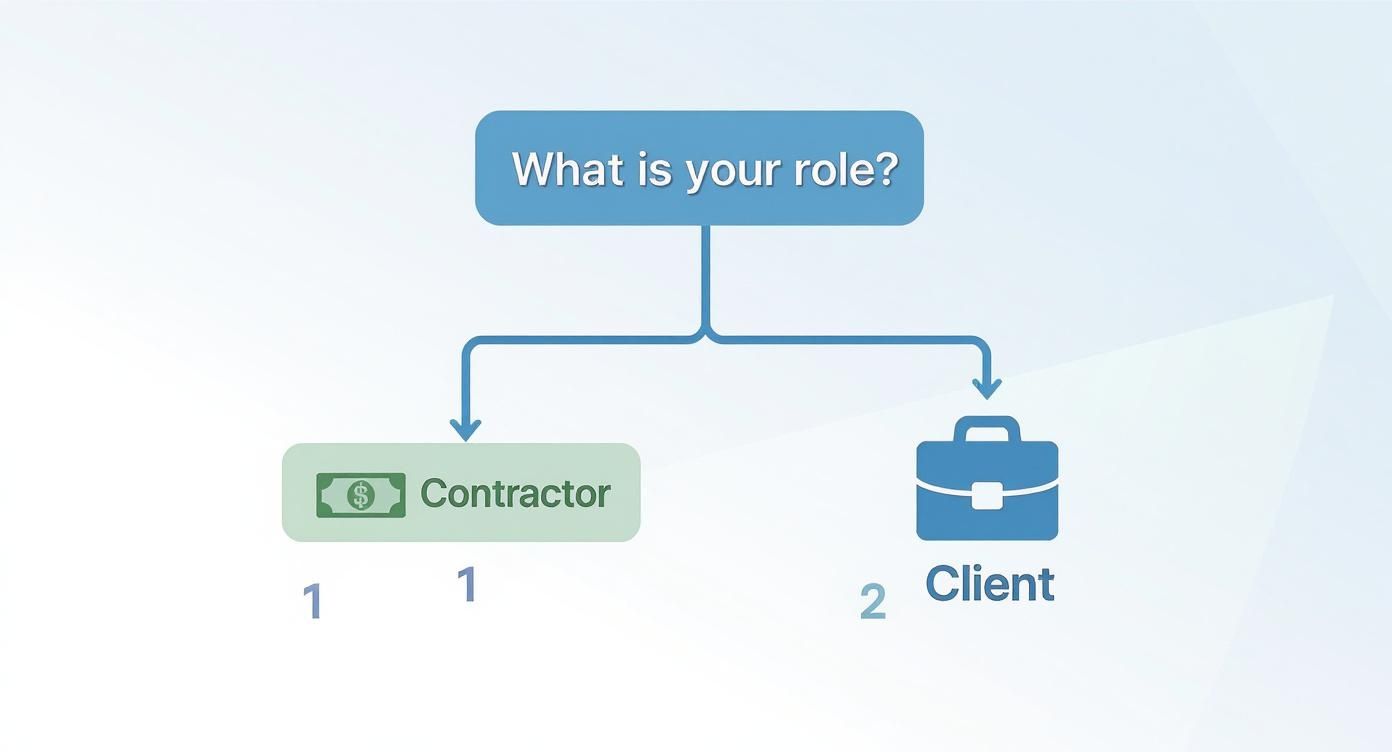
As the visual shows, a contractor’s main focus is on accurate pay, while a client is concerned with keeping the project on budget. The best software will bridge that gap and serve both needs seamlessly.
Creating Your Software Evaluation Checklist
Before you even start looking at price tags, you need a solid checklist of what actually matters. Think of it as a blueprint for making a smart investment. The best tool isn't always the one with the longest feature list—it's the one with the right features for your team.
To help you cut through the noise, we've put together a checklist of the essential criteria. Use this table to guide your search and compare your options head-to-head.
Software Evaluation Checklist
| Evaluation Criteria | Key Questions to Ask | Why It Matters |
|---|---|---|
| Ease of Use | Is the interface intuitive? Can a new user figure it out in under 5 minutes without a manual? Is it clean and uncluttered? | If it’s complicated, your team won’t use it consistently. Low adoption defeats the entire purpose of having the software. |
| Mobile Functionality | Is there a reliable mobile app for both iOS and Android? Can your team easily track time, add notes, and view tasks from a job site? | For teams in the field, a powerful mobile app is non-negotiable. Without it, you’ll get inaccurate or delayed time entries. |
| Integration Power | Does it connect with the other software you already use every day, like QuickBooks, Asana, or Xero? | Seamless integrations save you from manual data entry, reduce errors, and ensure all your business systems are perfectly in sync. |
| Reporting & Analytics | Can you easily pull reports on project costs, team productivity, and billable vs. non-billable hours? Are the reports customizable? | Good data drives smart business decisions. The insights from these reports will help you identify what's profitable and what isn't. |
This checklist is your starting point. Remember, the only way to truly know if a tool is a good fit is to get your hands on it.
Always take advantage of a free trial. Get your team to use it for a few days on a real project. This hands-on testing is the best way to see if the software truly fits into your day-to-day operations.
Understanding the Different Pricing Models
Finally, let's talk about cost. You need a plan that fits your budget without saddling you with a bunch of features you'll never touch. Most software pricing falls into one of these common buckets.
-
Per-User, Per-Month: This is the most popular model. You pay a fixed fee for each person on your team each month. It’s flexible and scales easily—you only pay for the seats you actually need.
-
Flat-Rate Subscription: Some tools offer a single monthly or annual price for unlimited users. This can be a game-changer for larger companies or fast-growing teams, offering predictable costs.
-
Freemium Models: Many platforms provide a free-forever plan with core features. This is a fantastic option for solo contractors or small teams just getting their feet wet with time tracking. You can always upgrade to a paid plan as your business grows and your needs evolve.
Implementing Software for Maximum Impact
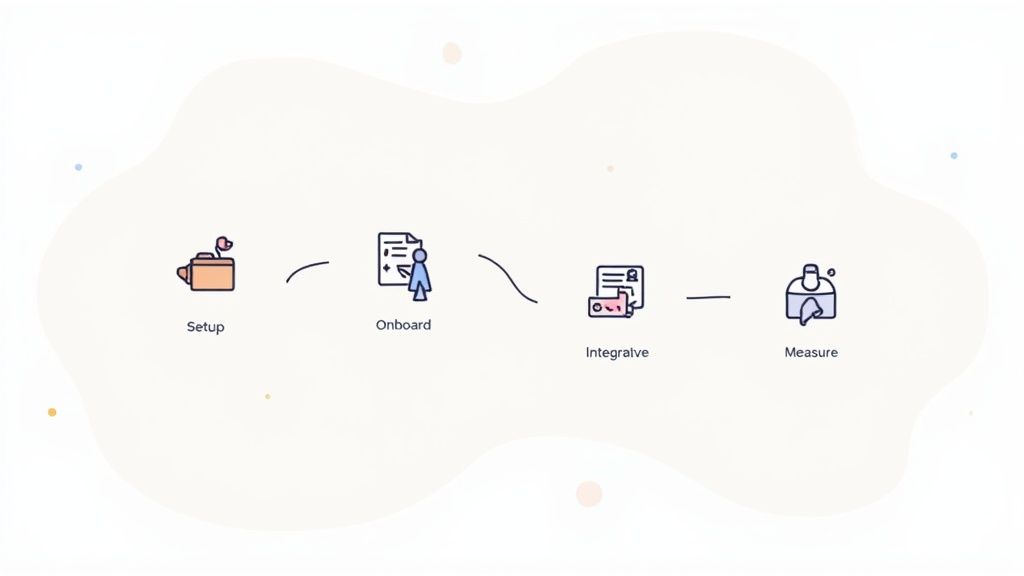
Picking the right contractor time tracking software is a great start, but it's only half the battle. The real magic happens when you thoughtfully weave it into your daily operations. A smart implementation plan is what turns a decent tool into something that genuinely drives profit, ensuring a smooth transition for your whole team.
Think of it like buying a new set of professional-grade power tools. They look great, but they're useless if they just sit in the box. To actually get the job done right, you have to organize them, show your crew how to use them safely, and then see how they make your workflow faster. A sloppy rollout just leads to confusion and people ignoring the new tool, but a structured approach guarantees you get your money's worth.
The good news is, this process doesn't have to be a headache. By breaking it down into clear, manageable stages—from initial setup to measuring your return on investment—you create a simple roadmap for success that everyone can get behind.
Setting the Stage for a Smooth Rollout
Before you invite a single contractor to the platform, a little prep work goes a long way. The idea is to build a logical structure inside the software that perfectly mirrors how your business already works. When the setup is intuitive, your team can start tracking time accurately from day one.
A clear hierarchy is everything. Begin by setting up your clients, then create the specific projects you're working on for each one. From there, you can break down those projects into individual tasks. This organized method ensures every minute tracked lands in the right bucket, giving you the detailed data needed for sharp invoicing and project analysis.
Onboarding Contractors for Quick Adoption
Getting your team to actually use the software is the most critical piece of the puzzle. If it's clunky or the expectations aren't clear, people will quickly fall back into their old, inefficient habits. A simple, direct onboarding process is the key to getting everyone on the same page fast.
Here are a few tips for making onboarding stick:
- Create Simple Guides: Forget the 50-page manual. A one-page cheat sheet or a short video showing how to start a timer, assign it to a task, and add notes is usually all it takes.
- Set Clear Expectations: Be upfront about exactly what needs to be tracked. Should they include detailed notes? Is non-billable time important? Clarity now prevents headaches later.
- Run a Quick Kick-off Meeting: A brief 15-minute call can clear up any questions and shows your team you’re there to support them through the change.
Integrating Systems and Measuring Success
The real power of modern software is how it connects with the other tools you already use. By integrating your time tracker with your accounting or project management platforms, you create a single, unified workflow. This completely eliminates tedious double-data entry and saves a ton of administrative time.
Finally, you have to measure your return on investment. This is the crucial last step. Track a few key metrics before and after you roll out the software to see the tangible benefits. Look for improvements like a reduction in the time it takes to get invoices out the door or an increase in captured billable hours.
This impact isn't just local; it's a global trend, especially in industries with large field-based teams. The move to cloud-based workforce tracking is massive, with some platforms serving millions of active users across thousands of companies. GPS-enabled systems, in particular, have proven to significantly boost labor efficiency and cut down on over-reported hours for field crews. You can dig deeper into these trends in the broader time tracking software market.
Frequently Asked Questions
Jumping into contractor time tracking software can bring up a few questions, especially around the legal, financial, and day-to-day practicalities. Let's tackle the most common ones head-on so you can move forward with confidence.
Is It Legal to Use Contractor Time Tracking Software?
Yes, it's perfectly legal as long as you're transparent and stick to labor and privacy laws. The key is to be upfront. Contractors need to be clearly informed that their work time is being recorded, and it should always be for legitimate business reasons like accurate billing or project management.
When it comes to more intensive features, like screen captures, you'll almost always need explicit consent from the contractor. Good software isn't about personal surveillance; it’s about linking time to specific work tasks. It’s always a smart move to create a clear tracking policy and get familiar with your local labor laws to make sure you're fully compliant.
How Does This Software Handle Invoicing and Payroll?
This is where modern time tracking tools really shine. They're built to integrate smoothly with the accounting platforms you already use, which is a massive time-saver. You can turn tracked billable hours into detailed, professional invoices with just a couple of clicks, pretty much ending manual data entry for good.
The system automatically pulls in all the crucial details—project names, hours worked, and agreed-upon rates. This helps sidestep the costly mistakes that sneak in with manual invoicing. For payroll, it generates clean timesheet reports you can export or sync directly, guaranteeing contractors get paid the right amount, right on time.
Automating the data pipeline for invoicing and payroll doesn't just speed up payments; it gives you back hours of administrative time. That's a huge efficiency boost that lets you focus more on delivering great work and less on paperwork.
Can This Work for Both Hourly and Fixed-Price Projects?
Absolutely. This kind of software is flexible enough to be a game-changer for both billing models. For hourly projects, the benefit is crystal clear: you capture every single billable minute, ensuring your invoices are spot-on. No more lost revenue from "guesstimates" or time entries you forgot to log.
For fixed-price projects, the software turns into a powerful tool for understanding your profitability and managing your resources. By tracking the actual time spent on a flat-rate job, you get a real look at your profit margins. You can see right away if a project is on track to be profitable or if it's eating up more time and money than you planned.
This historical data is gold. It helps you quote future fixed-price projects with much more accuracy, showing you which types of jobs are your most lucrative and which ones might need a price bump. This data-driven approach is what builds a sustainable business.
Ready to stop guessing and start capturing every billable hour with precision? DeskCove offers a powerful, user-friendly solution built for contractors and their teams. Start tracking time accurately, simplify your invoicing, and get the insights you need to grow your bottom line. https://deskcove.com